 GenRank
 Mini tools
 VideoDubber
 VoiceCheap
 VMEG Video Translation
 Lyndium
 Camb
Camb
 Vidby
Vidby
 Verbalate
 Lingosync
 Papercup
 Hellohola
 Speechlab
 TranslateThisVideo
 Translate Videos
 Hei.io
 YouTranslate
 Hello8
 Notta Showcase
 Omni
Omni
 TranslateTracks
 GoSpeech
 GoEnhance
 Remini
 Creative Minds Think Alike
 cre8tiveAI
 Unboring
 Ceacle tools
 So You Want To Be A Writer?
 Minka
Minka
 Ancient AI powered spirits
 somacguffin
 Cuty
Cuty
 Jvb ai
 Superfly Stoner
 Glotera AI
 Immersive Translate
 Machinetranslation
 SeamlessExpressive
 Transor
 Doc2Lang
 Reverso
 Sonix
Sonix
 I18n Studio
 AITranslator
 Lingvanex
 ZenMulti
 Taia
Taia
 Translaite
 Translate any languge
 Language I/O
 translater ai
 English-Winglish
 Enhanced Language and Dialect Translator
 language translater.ai

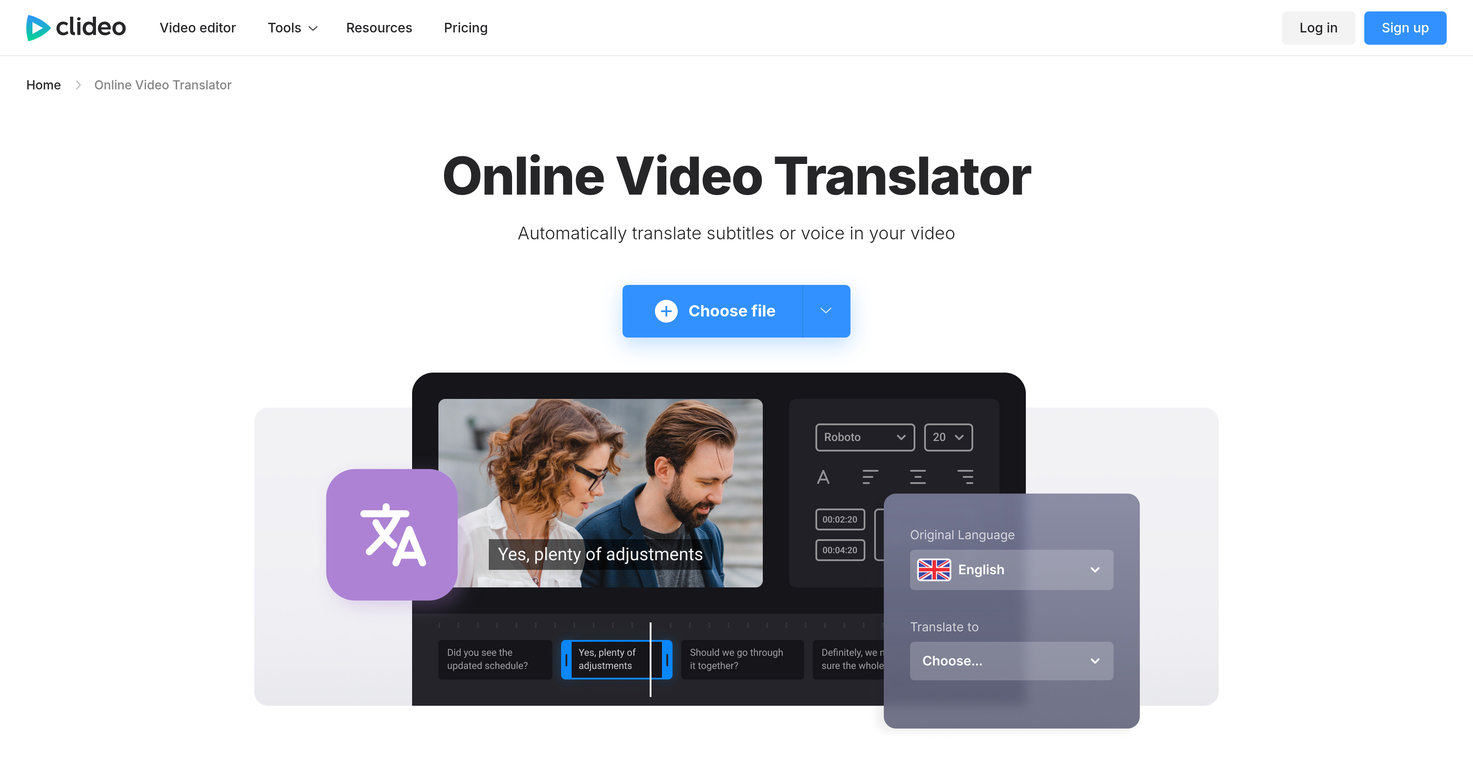
Clideo Video Translator
 Lyndium
Camb
Lyndium
Camb
 Noiz AI
Overview
Clideo Video Translator is a multifunctional tool designed to automatically translate subtitles or voices in a video. Leveraging AI, this tool can translate video audio into a range of languages, providing an alternative solution to manual video translation which can be time-consuming and expensive.
It includes a feature which allows users to generate AI voiceovers in different languages, enhancing content accessibility for a global audience. The platform also collaborates with users to enable them to manually adjust the accuracy of the translation if necessary.
Apart from translation capabilities, it offers an array of video editing tools, including the ability to customize the appearance of your subtitles by adjusting their font, size, color, and placement.
Users also can download a separate file with the translation or embed it directly into their videos. Safeguarding user content, Clideo ensures that all data is thoroughly protected and encrypted.
Functioning online in a browser, it is accessible from any device and supports a wide array of popular video formats such as MP4, AVI, MOV, among others.
It also maintains the original resolution and quality during the translation process. The process to translate a video is streamlined and straightforward, reducing the need for extensive tutorials or manuals to master the tool.
Releases
Top alternatives
-
 Translate and dub videos, audios and subtitles with voice cloning and lipsyncOpenDaniel Garaiacu🛠️ 5 tools 🙏 1,180 karmaMay 29, 2025@VideoDubberI tested the app, and it works perfectly. If you're still experiencing any issues, feel free to contact the tool’s support team. Have fun and take care!
 -
Translation and sound cloning are very useful~
-
 Web platform for video translation, text-to-speech conversion, image creation, media editingOpenGenerated a pretty accurate video translation. Also, was quite impressed with a price tag.
 -



 0
0





