 PDFClean.ai
 Mini tools
▼ Top rated
Security
Free mode
100% free
Freemium
Free Trial
Featured matches
-
 Prevent AI data breaches with real-time risk management.Open
 Zack Fediay🛠️ 5 tools 🙏 59 karmaMay 21, 2025@Polymer Runtime Data SecurityNot just alerts - real time visibility for Slack, Google Workspace, and AI APIs to stop risks before they become breaches
 -
 Create AI assistants that chat, talk, and answer from your data.Open
 ✧ New integrations: Cal.com, Calendly, GoHighLevel, Linear, Trello, Zendesk and Stripe ✧ Website Crawling and Indexing ✧ Agent availability status: Never assign conversations to unavailable agents ✧ Team member assignment: Assign specific team members when transferring to humans ✧ New roles: "Manager" and "Agent" roles for better team control ✧ User location support: Assistants can now request location (WhatsApp & Web Widget) ✧ Contact memories: Your assistant will remember relevant information from your users. ✧ White label support ✧ New AI models: GPT 5.1, Opus 4.5 & Sonnet 4.5 now available ✧ Active memories in Contact and agent/AI view ✧ Even smarter human handoffs ✧ Much clearer chat events and timeline ✧ Usage-based cost calculator ✧ Design system & brand assets
 -

-
 Open
Open
-
 Discord voice transcription and note taking app for teams and DnD sessionsOpen
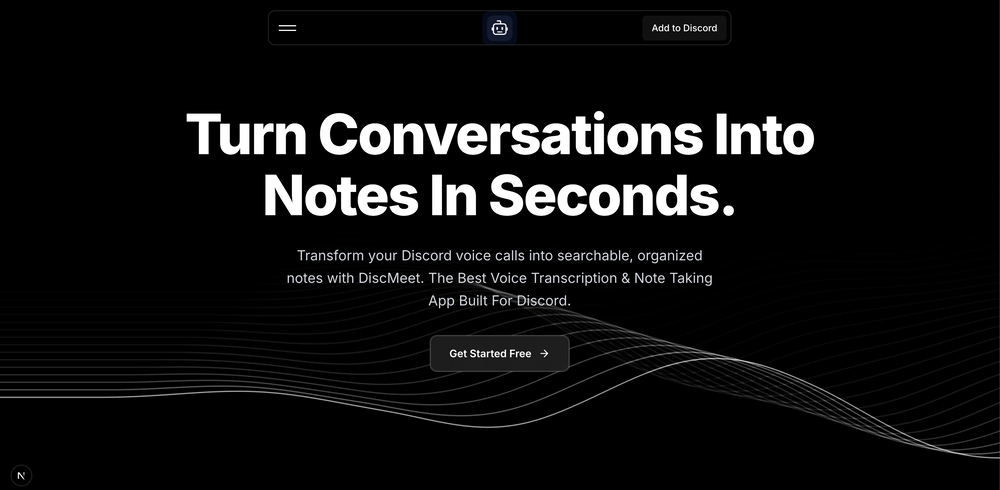 - Integrated Cloudflare worker AI's to go more privacy focused. - Introduced one single plan at $9.99 a month for unlimited hours and participants. - Added an affiliate programme to let referrers earn through DiscMeet (https://discmeet.com/affiliate) - Improved transcription speed by 4x faster.
 -

-

-
 Great tool! Was very helpful in content production
 -
-












Other tools
-
 Transform your business with AI that thinks, acts, and drives future innovation.Open
 - Spotlight: PDFClean.ai (PDF to Spreadsheets)
-
Warp is probably the best CLI on the Mac Platform, even better when you are in the middle of that complex linux string and you think How do I...just ask the AI and it will give you that answer you forget all those years ago.
-
 Empowering Organizations to Achieve Compliance ReadinessOpenI used this tool today and loved how simple and insightful it was!
 -
- Didn't find the AI you were looking for?
-
 PDF Bank Statements to Spreadsheets with High Accuracy AI & SecurityOpenHighly accurate.. Superb!
 -
this AI Sales Assistant is incredibly responsive and smart
-
 'AI-powered Business, Work & Study Assistant' + AI Customer Support Chat WidgetOpen
 -
Insanely fast. I tried 3 other 'free' tools that all failed or asked for my email at the last second. PDFClean just worked and that’s why I made it public
-
Solid hub for socials. Schedules to a lot of platforms in one place with ai post ideas and short-form tools, plus a free tier to try things out. I like the planner and analytics, ui feels busy at first but once you learn the flow it moves fast.
-
Excellent chatbot, very functional and easy to teach. It took me a while to vary the prompt, but I ended up getting a great result when I put it through a stress test. I give 4 stars because I think this AI can still improve. In any case I recommend it.
-
Hey AI fans, I am Kalo, co-founder of Breezemail. If your inbox is anything like mine, you spend at least 20% of your life opening, answering, and unsubscribing from emails. Arguably, the only thing more tedious than this is fixing your grandma’s Windows XP (arguably). Or you just gave up, and your inbox app has a cute red dot with a truncation ellipsis (…), also known as the symbol of inbox doom. Either way, the whole inbox situation is an absolute disaster. We wanted to solve this challenge using AI. Breezemail will help you enter the holy land of Inbox Zero. It’s an email categorizer tool that keeps important emails in your inbox and categorizes the rest into folders using natural language prompts. How does it work? 1. Breezemail has a default Important category which leaves all your real human emails in your inbox. 2. Everything else is organized into AI folders (or labels). Labels using natural language prompts, for example, “All emails from my family”. 3. We give you a bunch of pre-defined categories to start with, and you can create your own custom categories, the same way you would write a ChatGPT prompt (yes, our tool also uses ChatGPT). We’ve been testing it in-house for both our personal and business emails, and it worked so well that I no longer hate link builders and outreach people because their requests are neatly organized into a couple of folders. For my personal inbox, I can finally see all my receipts in one place, and all stock newsletters are ready for daily review in a different folder. Go try it out now for free. We’d love to hear your feedback, so please don’t be shy and drop me a line back. Currently, the tool is only available for Outlook, but we are working on a Gmail app, too. If you’d like to try it for Gmail, please let us know. Thank you, Kalo



















Post





