Does AI Manga Translator preserve the original layout in the translated version?
Yes, AI Manga Translator does preserve the original layout in the translated version. Its OCR system is designed to recognize both vertical and horizontal text accurately, which helps replicate the layout of the original document.
Can I track the progress of my translations on AI Manga Translator?
Yes, once files are uploaded to AI Manga Translator, users can track the progress of the translation. When the translation is completed, it can be reviewed and downloaded.
What complex language features can AI Manga Translator handle?
AI Manga Translator can handle complex language features such as honorifics, catchphrases, onomatopoeia, and context. This fine-grained handling of language features minimizes the risk of mistranslations and literalness.
Can I switch language models in AI Manga Translator?
Yes, users can switch between several language models in AI Manga Translator to better match the languages and scenarios.
Can AI Manga Translator translate entire PDFs?
Yes, AI Manga Translator allows for the upload of entire PDFs. It can translate multiple pages in parallel and merge them automatically.
Are translations by AI Manga Translator multilingual?
Yes, translations by AI Manga Translator are multilingual. It supports over 50 languages, making it a highly versatile tool for Manga and Doujin translations.
How user-friendly is the AI Manga Translator?
AI Manga Translator is described as user-friendly. It offers a simple upload process where users can either drag and drop pages directly into the uploader or choose files manually from their device. Users can also select their target language and adjust certain parameters for better translation results.
Can I adjust text direction in AI Manga Translator?
Yes, users can adjust the text direction in AI Manga Translator, one of the parameters that can be modified to enhance translation results.
What are the benefits of AI Manga Translator's OCR?
The benefits of AI Manga Translator's OCR include accurate recognition of both vertical and horizontal text, which helps preserve the original document's layout in the translated version.
How does AI Manga Translator handle the translation of honorifics and catchphrases?
AI Manga Translator handles the translation of honorifics and catchphrases by leveraging intelligent algorithms. These algorithms ensure that complex language features are accurately translated, preserving their meaning and context.
How does AI Manga Translator process multiple pages translation?
AI Manga Translator processes multiple pages by translating them in parallel. If an entire PDF is uploaded, it will process the pages simultaneously and merge them automatically.
What types of files can I upload to AI Manga Translator?
Users can upload various types of files to AI Manga Translator, including JPEG, PNG, Webp image files (up to 5MB per image), and PDF, EPUB, CBZ document files (up to 200MB per document).
How does AI Manga Translator handle onomatopoeia in translations?
AI Manga Translator translates onomatopoeia by leveraging its intelligent algorithms, which ensures the accurate and contextual translation of such complex language features.
Can I review and download translated documents from AI Manga Translator?
Yes, once translations are completed on AI Manga Translator, users can review the translated documents. Additionally, they have the option to download all translated documents.
What is the AI Manga Translator?
AI Manga Translator is an online tool designed to provide multilingual translations for manga and doujin. The tool uses an Optical Character Recognition (OCR) system to recognize vertical and horizontal text, making the translated version replicate the original document's layout. The translation process is context-aware and faithful, effectively preserving the meaning and essence of the manga or doujin material. This tool also allows users to upload pages conveniently and select their target language while adjusting parameters such as OCR, Language Model, and text direction.
What are the unique features of the AI Manga Translator?
The AI Manga Translator has several unique features including multilingual support, an Optical Character Recognition (OCR) system for recognizing both vertical and horizontal text, context-aware translation to preserve the substance of the material, a user-friendly upload process, the ability to adjust parameters such as OCR, Language Model, and text direction, a progress tracking system, and the delivery of translations as downloadable documents. Beyond these, the tool can also manage complex features such as honorifics, catchphrases, onomatopoeia, and context generally. It likewise allows for the upload and translation of entire PDFs.
How does the AI Manga Translator handle complex language features?
AI Manga Translator manages complex language features like honorifics, catchphrases, onomatopoeia, and context through its intelligent algorithms. These algorithms work to eliminate potential mistranslations or literalness, hence ensuring the translated content reflects the original meaning and context. The semantic awareness enables faithful recreation of the plot, diminishing mistranslations and maintaining coherent scenes.
How does the AI Manga Translator recognize both vertical and horizontal text?
The AI Manga Translator uses an Optical Character Recognition (OCR) system to recognize both vertical and horizontal text. The OCR system can identify and read text in different orientations accurately ensuring the translated version replicates the layout of the original document.
How can I choose my target language on the AI Manga Translator?
Users can select their target language on the AI Manga Translator by choosing from the available options during the upload and translation setup process. The list of languages includes popular ones like English, Deutsch, Italiano, 한국어, 日本語, Русский, Español, and many more. This feature allows users to set the language they want the manga or doujin material translated into.
What parameters can I adjust in the AI Manga Translator for better results?
AI Manga Translator allows users to adjust parameters like the OCR, Language Model, and text direction for the optimal translation outcome. Adjusting these settings allows users to cater to the system based on the specific characteristics of the document being translated and improve the overall translation quality. For instance, changing the Language Model can help better match the language and scenarios.
Can I track the progress of a translation on the AI Manga Translator?
Yes, on the AI Manga Translator, users can track the progress of the translation. Once the files have been uploaded, the platform shows a visual progress indicator, error logs, and retries for fast troubleshooting in case of potential issues. Furthermore, preview thumbnails appear under the uploader with status badges such as 'Uploading', 'Uploaded', 'In Queue', 'Translating', and 'Completed'.
How does the AI Manga Translator preserve the original layout?
AI Manga Translator preserves the original layout by using smart typesetting and layout-preserving typesetting. It auto-detects vertical and horizontal texts and adjusts the font size, line spacing, and text bubble areas to match the original layout. This AI tool intelligently duplicates the structure and aesthetics of the original document in the translated output to secure visual fidelity.
Is the AI Manga Translator user-friendly?
Yes, the AI Manga Translator is designed to be user-friendly. It offers a simple and intuitive interface where users can upload files by simply dragging and dropping them into the uploader, or they can manually select files from their device. The platform also provides a clear progress indicator, error logs, and retries that help solve potential issues quickly. Moreover, it comes with developer-friendly APIs for easy integration and extension on both front- and back-end.
How do I upload files to the AI Manga Translator?
Users can upload files to the AI Manga Translator by directly dragging and dropping them into the uploader or by manually selecting them from their device. The platform supports various file types including images (JPG, JPEG, PNG, Webp) and documents (PDF, EPUB, CBZ). The maximum allowed size is 5MB per image and up to 200MB per document.
How is the AI Manga Translator able to handle multiple languages?
AI Manga Translator can handle multiple languages due to the wide array of language models it uses. The tool offers over 50 supported languages, including English, 한국어, Čeština, Nederlands, Français, Deutsch, among others. This multilingual capability makes it easy to translate manga across numerous languages while maintaining the context, layout, and the tone of the original text.
Can the AI Manga Translator handle entire PDFs?
Yes, the AI Manga Translator can handle entire PDFs. Users can upload a whole PDF for translation, with pages processed in parallel and automatically merged in the end. It can also maintain the per-page dimensions for a seamless reading experience. Notably, it's equipped to handle large PDFs, dividing them into manageable chunks to maintain a stable queue.
What languages and scenarios can the AI Manga Translator switch between?
AI Manga Translator can switch between numerous languages and scenarios with the help of its multi-model switching feature. It can freely switch between various language models including offline, Sugoi, NLLB, M2M100, and more. This gives the users flexibility in adjusting the model to better match the languages and scenarios they are working with.
Does the AI Manga Translator support batch processing?
Yes, the AI Manga Translator supports batch processing. The tool can translate multiple pages or an entire PDF in parallel, effectively reducing the time needed for a complete translation. Such a feature is especially beneficial when working with large documents or multiple translations at once.
How does the AI Manga Translator ensure privacy?
The AI Manga Translator ensures privacy by implementing a short-lived processing method. All translations are completed without retaining personal information. Additionally, the AI offers an optional fully offline path for private deployments. The jobs processed are kept temporarily, just long enough for users to download their results, after which they are purged from the system.
What kind of text does the AI Manga Translator's OCR recognize?
The AI Manga Translator's OCR recognizes both vertical and horizontal text. The OCR system is designed to identify and read text in different orientations accurately, ensuring that the translated version replicates the layout of the original document.
How does the AI Manga Translator reduce mistranslations?
The AI Manga Translator reduces mistranslations through its semantic awareness and multi-model switching feature. It can handle complex linguistic nuances such as honorifics, catchphrases, onomatopoeia, and context, effectively minimizing the possibility of mistranslations or excessive literalness. By understanding and respecting the original context, the tool ensures that the translation remains faithful to the original content.
How developer-friendly is the AI Manga Translator?
The AI Manga Translator is developer-friendly. It features Async APIs that make it easy to extend and integrate across both front- and back-end. It offers batch concurrency and rich optional parameters. Additionally, the platform delivers visible progress, error logs, and retries that help troubleshoot potential issues quickly, making it a practical tool for developers looking to incorporate AI-driven translation into their applications.
What types of images or documents can be uploaded to the AI Manga Translator?
Users are allowed to upload several types of images and documents to the AI Manga Translator. The acceptable image formats are JPG, JPEG, PNG, and Webp, each image size not exceeding 5MB. Additionally, larger document formats such as PDF, EPUB, and CBZ are accepted, with a maximum size of up to 200MB per document.
How does the AI Manga Translator handle GPU acceleration?
The AI Manga Translator handles GPU acceleration through CUDA and float16 inference with warmed workers. This technology significantly reduces latency and cost in sustained batches, making the entire translation process quicker and more efficient. It enables the tool to swiftly process translations, particularly when working with large documents or multiple translations simultaneously.
 Nume AI CFO
 Mini tools
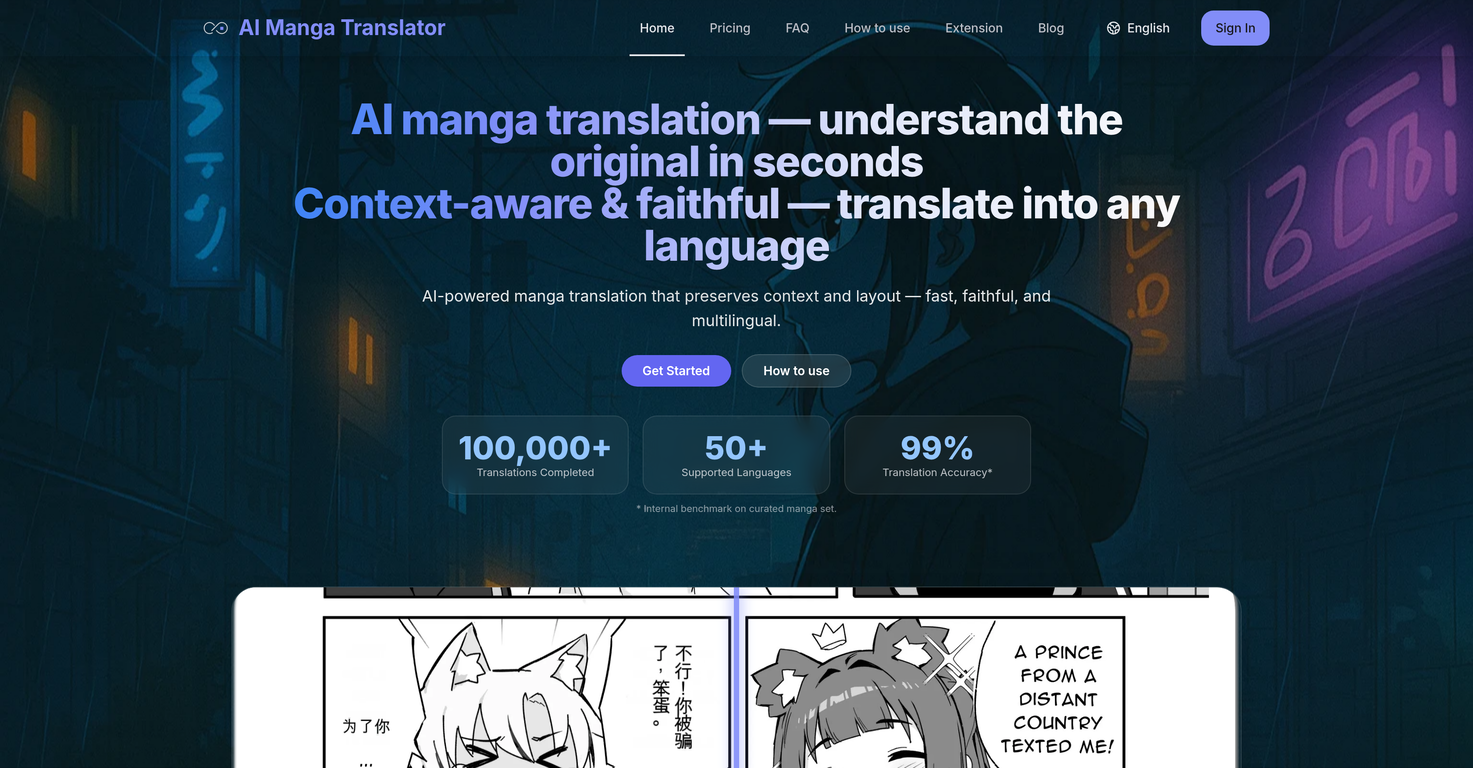
 AI manga translation that preserves context and layout.





 ImageTranslator


 Instantly translate manga into 100+ languages with AI.Openletao🛠️ 2 tools 🙏 37 karmaAug 18, 2025@TranslateManga - Manga Translator & Manga TrackerThis tool supports real-time comic translation on many websites, and can also support cross-platform progress synchronization of about 10 websites, which is very convenient!




 7
7





