What file formats does TranslateImage AI support?
TranslateImage AI supports various formats such as JPG, JPEG, PNG, and WebP.
Does TranslateImage AI preserve the original layout of the text within the image?
Yes, TranslateImage AI preserves the original font, layout, and style of the text in the translated version.
Does TranslateImage AI have a user-friendly interface?
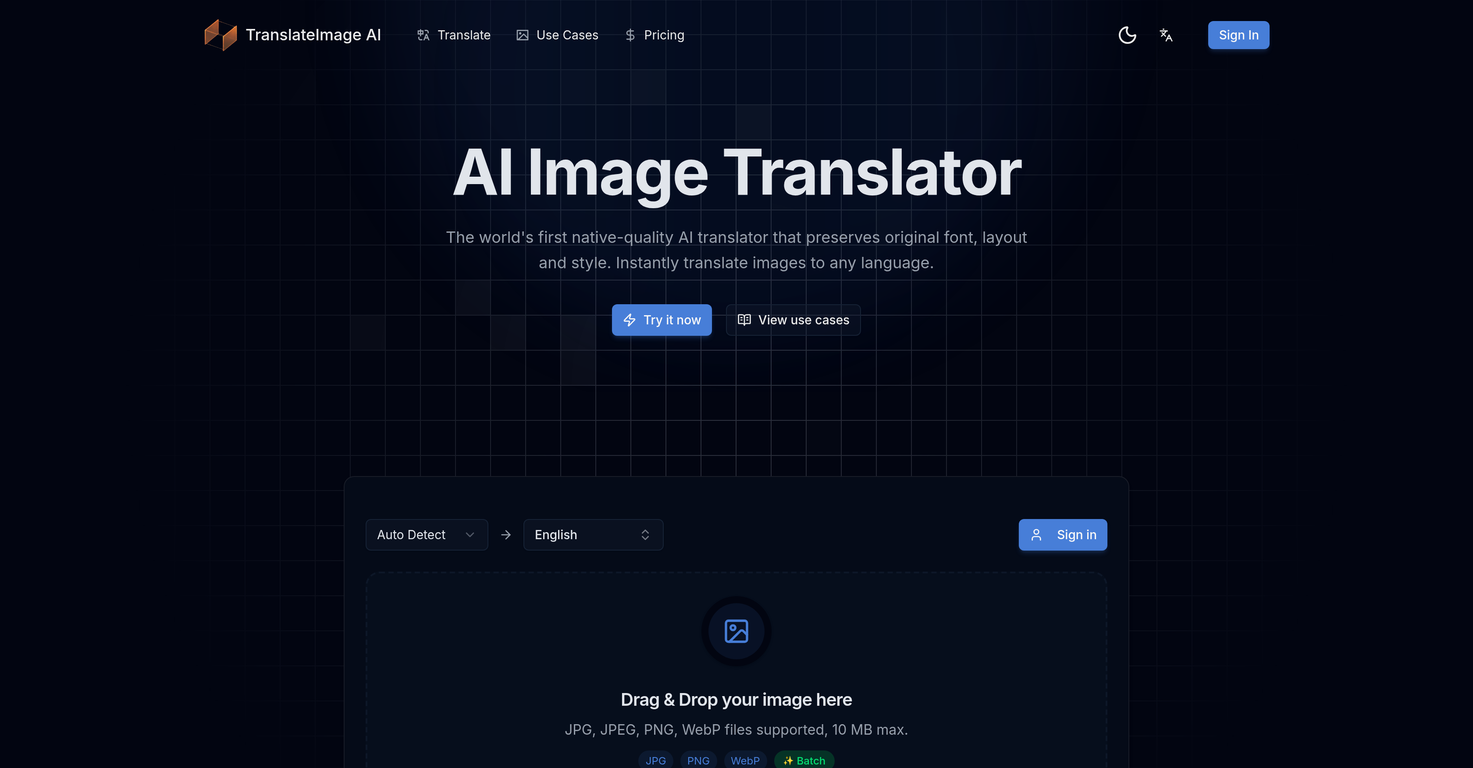
Yes, TranslateImage AI features a user-friendly interface with a simple drag-and-drop system.
Do I need any design skills to operate TranslateImage AI?
No, no design skills are required to operate TranslateImage AI.
What's the use of TranslateImage AI in eCommerce?
TranslateImage AI can be used in eCommerce for translating text within product images.
Can TranslateImage AI translate documents and reports?
Yes, TranslateImage AI can be used for translating documents and reports.
Is TranslateImage AI suitable for manga and board game translation?
Yes, TranslateImage AI can be used for translating manga and board games.
Can TranslateImage AI translate menu images?
Yes, TranslateImage AI can be adept at translating menu images.
How fast is TranslateImage AI's processing time?
TranslateImage AI offers quick processing times but the exact time is not specified.
What's the drag and drop feature in TranslateImage AI?
The drag and drop feature in TranslateImage AI facilitates ease-of-use for uploading images.
Does TranslateImage AI maintain the original typography & visual design in the translated image?
Yes, TranslateImage AI maintains both the original typography and visual design in the translated image.
What kind of translation quality does TranslateImage AI offer?
TranslateImage AI uses advanced AI to provide high quality translations that mimic the output of a native speaker.
Does TranslateImage AI give a native speaker output?
Yes, TranslateImage AI aims to provide translations that read as if they were written by a native speaker.
What sectors can benefit from using TranslateImage AI?
Various sectors, notably eCommerce, document translation and report analysis, manga and board game translation, and menu translations, can benefit from TranslateImage AI.
How to operate TranslateImage AI with ease?
To operate TranslateImage AI with ease, simply use the drag-and-drop system to upload the image, select your target language, and get the translated version.
What image formats does TranslateImage AI support?
TranslateImage AI supports various image formats including JPG, JPEG, PNG, and WebP.
Does TranslateImage AI maintain the original font and layout in translated images?
Yes, TranslateImage AI does maintain the original font and layout in the translated images. One of its key features is font, layout and style preservation.
How many languages can TranslateImage AI translate?
TranslateImage AI has the capability to translate virtually all major languages. The exact number isn't specified, but it covers a comprehensive range.
Can TranslateImage AI understand and translate regional dialects?
Yes, TranslateImage AI can understand and translate regional dialects. It's powered by advanced AI that comprehends and translates text in all major world languages and regional dialects.
How does TranslateImage AI ensure the translated text reads naturally?
TranslateImage AI ensures that the translated text reads naturally by using advanced artificial intelligence. The AI seeks to deliver outputs as if it was written by a native speaker, rather than presenting awkward phrases or literal translations.
How long does it take to get a translated image from TranslateImage AI?
TranslateImage AI offers fast processing times. It's capable of delivering translated images within seconds after image upload and language selection.
Does TranslateImage AI allow multiple images to undergo translation simultaneously?
Yes, TranslateImage AI does allow multiple images to undergo translation simultaneously. It has a batch processing capability which supports the translation of up to 10 images at the same time.
How does the drag-and-drop method for TranslateImage AI work?
The drag-and-drop method for TranslateImage AI works by simply dragging an image from a location on the user's device and dropping it into the tool. This user-friendly feature facilitates easy upload and submission of images for translation.
Do I need design skills to operate TranslateImage AI?
No, you do not need design skills to operate TranslateImage AI. The AI handles the entire translation process and requires no design skills from users.
What sectors can benefit from TranslateImage AI?
Various sectors can benefit from TranslateImage AI. These include eCommerce, document translation and report analysis, manga and board game translation, and the translation of menus.
Can TranslateImage AI be used to translate menus?
Yes, TranslateImage AI can effectively be used to translate menus. It maintains the original typography, colors, and visual design of the menu while translating to the chosen language.
Can TranslateImage AI be used for translating manga and board games?
TranslateImage AI can be used for translating manga and board games. It maintains the original style and layout in the translated versions, making it ideal for these applications.
Is TranslateImage AI suitable for eCommerce translation?
Yes, TranslateImage AI is suitable for eCommerce translation. Translated e-commerce product images maintain their original font, layout, and style in the target language.
Is TranslateImage AI suitable for document translation?
Absolutely, TranslateImage AI excels in document translation. It can translate textual content in documents while preserving the original font, layout, and style.
How does TranslateImage AI maintain the original typography, colors, and visual design in translated images?
TranslateImage AI maintains the original typography, colors, and visual design in translated images by using advanced AI technology that understands the original style and replicates it in the translated version, while ensuring the new text reads naturally and fluently.
Does TranslateImage AI deliver fast processing times?
Yes, TranslateImage AI provides fast processing times. Users get their translated images within seconds after uploading the image and selecting the target language.
Can TranslateImage AI translate my reports as well?
Yes, TranslateImage AI can translate your reports as well. It's designed to handle document translation and report analysis, maintaining the original font, layout, and style in the translated version.
Does TranslateImage AI maintain text positioning, spacing, and alignment intact?
Yes, TranslateImage AI maintains text positioning, spacing, and alignment intact. It's specifically designed to keep layout integrity during translation.
How does the batch processing capability of TranslateImage AI work?
The batch processing capability of TranslateImage AI works by allowing users to select multiple images for translation. Up to 10 images can be processed simultaneously, enhancing efficiency and saving time.
Can TranslateImage translate JPEG and PNG images?
Yes, TranslateImage can translate JPEG and PNG images. It supports various image formats including JPEG, PNG, in addition to JPG and WebP.
 Flow - 4x faster than typing

 Mini tools
 Native-quality AI translator preserving original image style.








 Translate images while preserving text formatSilvia Cho🙏 190 karmaApr 4, 2025@TranslateImageGreat app when lokalizing websites. Helped me to translate the pictures!
 Translate text in photos to 130+ languages instantly.
 Instantly translate text from images into 200+ languages.
 Instant, pixel-perfect translation for any image, in any language.






