Can Video2PPT process multiple videos simultaneously?
Yes, Video2PPT has a batch processing feature which allows multiple videos to be converted simultaneously.
What formats can Video2PPT export converted slides to?
Video2PPT can export converted slides to several formats, including native PowerPoint, Google Slides, PDF, or HTML for maximum compatibility.
Is Video2PPT compatible with YouTube and Vimeo?
Yes, Video2PPT is compatible with popular video platforms including YouTube and Vimeo.
How does Video2PPT enhance productivity?
Video2PPT enhances productivity by reducing the time spent on manual extraction of information from video content.
Can Video2PPT process screen recordings?
Yes, Video2PPT can process screen recordings. It seamlessly records Zoom, Google Meet, Teams meetings, and webinars with automatic slide extraction.
Can I convert videos from URLs using Video2PPT?
Yes, you can convert videos from URLs using Video2PPT. It supports video links from all major platforms.
What is the maximum size of video files that Video2PPT can process?
There is no hard limit on the size of video files that Video2PPT can process. It supports videos up to 40GB, with the constraint being the device's performance.
How does Video2PPT help educators and health advisors?
Video2PPT helps educators by extracting slides from lecture recordings, enabling students to get study materials quickly. Health advisors utilize the tool to extract wellness tips and nutrition charts from webinars, providing clients with beautifully formatted handouts in minutes.
How accurate is Video2PPT’s AI processing?
Video2PPT has a high accuracy rate. The AI catches slides exceptionally well, resulting in impressive accuracy levels.
Can Video2PPT support offline processing?
Video2PPT supports offline processing. All video processing happens on your device, making it possible to work even without an internet connection.
How secured is the processing of video using Video2PPT?
The video processing in Video2PPT is secure. All processing takes place on the user's local device, and at no point does the user's data leave their device.
What is the cost of using Video2PPT?
Video2PPT offers a free plan with core features, a Most Popular 1 Year Pro plan for $49 one-time purchase, and a Lifetime Pro plan for $99.8 one-time purchase.
Does Video2PPT support batch video processing?
Yes, Video2PPT supports batch processing, enabling the conversion of multiple videos at once.
How much time can Video2PPT save in converting videos to PowerPoint slides?
Video2PPT saves substantial time by allowing multiple videos to be converted simultaneously. User testimonials have reported time savings from tasks that took 2 days to 2 hours or 6-8 hours to 20 minutes.
What is Video2PPT?
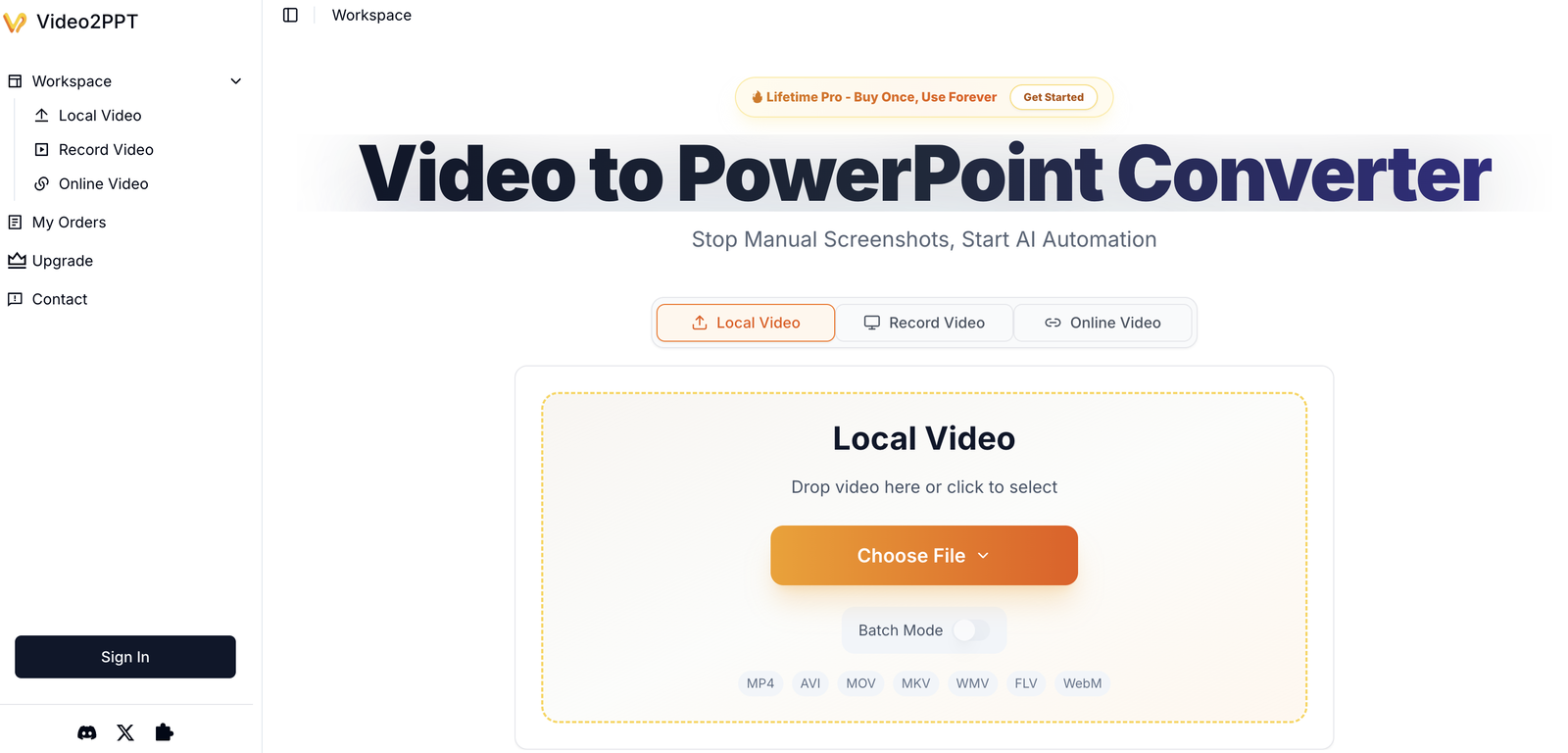
Video2PPT is an AI-powered tool specifically designed to convert videos into editable PowerPoint slides.
How does Video2PPT use AI technology?
Video2PPT employs AI in its smart content extraction feature. This innovative system identifies and extracts key frames from videos and presents them in a PowerPoint format that is readily usable.
Can Video2PPT process local files?
Yes, Video2PPT is capable of processing local files, allowing you to upload videos directly from your device.
How does Video2PPT ensure data privacy?
Video2PPT ensures data privacy by carrying out all video processing locally on the user's device, meaning none of the user's data telecommunications need to be uploaded or stored elsewhere.
Can Video2PPT process URLs and video recordings?
Yes, Video2PPT can indeed process URLs and video recordings natively and effectively.
What are the key features of Video2PPT?
Key features of Video2PPT include smart AI-powered content extraction, compatibility with multiple video sources, HD screen recording, batch processing of multiple videos at once, and offering multiple export options. All these features collectively cater to a broad spectrum of user needs and enable comprehensive usability.
Does Video2PPT support batch processing?
Absolutely, Video2PPT features a batch processing option, this allows users to concurrently convert multiple videos, saving substantial time that would otherwise be spent on individual conversions.
Which video sources can Video2PPT process?
Video2PPT can process videos from a wide range of sources. This includes local files, video URLs, and also recordings from popular video platforms such as YouTube and Vimeo.
Can I export to native PowerPoint, Google Slides, PDF, or HTML formats with Video2PPT?
Yes, Video2PPT provides the option to export converted slides into several formats like native PowerPoint, Google Slides, PDF, or HTML ensuring extensive compatibility across different platforms.
Who are the typical users of Video2PPT?
Typical users of Video2PPT are a varied group of professionals including educators, consultants, sales teams, as well as content creators who often work with recorded content.
How can Video2PPT enhance my productivity?
Video2PPT enhances productivity by automating the process of extracting information from videos. The tool transfigures lengthy videos into concise, editable PowerPoint slides, streamlining workflows and reducing time spent on manual extraction.
Does Video2PPT really convert any video to editable PowerPoint slides?
Yes, Video2PPT is cabable of converting any video, irrespective of the source, into editable PowerPoint slides with impressive accuracy and speed.
Can Video2PPT process video recordings?
Yes, Video2PPT can readily process video recordings and convert them into PowerPoint slides.
Does Video2PPT offer batch processing feature?
Yes, indeed. Video2PPT offers a batch processing feature that allows multiple videos to be converted simultaneously, massively reducing the time dedicated to converting videos individually.
What are the multiple export options in Video2PPT?
Video2PPT offers multiple export options for maximum compatibility across platforms. You can export your video content in native PowerPoint format, Google Slides, PDF, or HTML formats.
Does Video2PPT support local processing guaranteeing data privacy?
Yes, Video2PPT supports local processing, which ensures that all your data remains private and secure. No data is uploaded or stored elsewhere during the conversion process.
Can Video2PPT convert YouTube or Vimeo videos to PowerPoint slides?
Yes, Video2PPT is designed to be readily capable of converting videos from YouTube and Vimeo into editable PowerPoint slides.
Is Video2PPT useful for marketing directors and teachers?
Yes, Video2PPT is beneficial for a variety of professionals, including marketing directors and teachers. The tool simplifies the process of transforming video content into PowerPoint format for presentations, teaching aids, marketing collateral, and more.
Is Video2PPT a tool which helps in creating content?
Yes, Video2PPT is a handy tool for content creation. By enabling conversion of video content into editable slides, it provides a resource-efficient way of creating diverse and engaging content.
What is the output format when using Video2PPT?
The output format when using Video2PPT can be a native PowerPoint file, Google Slides, PDF, or HTML file, based on user preference. All these formats are editable and widely compatible.
 MongoDB - Build AI That Scales
 Mini tools
 Convert any video to editable PowerPoint slides.
 GenPPT AI





 0
0



How would you rate Video2PPT?
Help other people by letting them know if this AI was useful.