What are the key features of yaw?
yaw's key features include a SSH client for secure shell connections to remote servers, a function for database connections, a built-in file editor, compatibility with other CLI tools like Claude Code, Codex, and Gemini CLI, a built-in wizard for tool installation, and AI integration for queries. It supports commands for opening new tabs, splitting the pane, and connecting to servers or databases.
How does the SSH client in yaw work?
yaw's SSH client enables Secure Shell connections to remote servers. This allows for secure data communication, remote command execution, and other secure network services between two networked computers.
What functionalities does yaw provide for database connections?
yaw provides functionality to connect to databases, contributing to more efficient data management. Exact details on specific capabilities related to database connections are not specified.
Is yaw compatible with other CLI tools like Claude Code, Codex, and Gemini CLI?
Yes, yaw is compatible with other CLI tools such as Claude Code, Codex, and Gemini CLI. Users can operate these tools within the same yaw environment.
Can I ask queries from the AI integrated into yaw?
Yes, users can ask queries from the AI integrated into yaw, adding to its versatility.
On what platforms can yaw run on?
yaw can run on multiple platforms including Windows, macOS, and Linux.
What is the zero telemetry feature in yaw?
The zero telemetry feature in yaw means it maintains data privacy and refrains from tracking user data.
How do I install yaw?
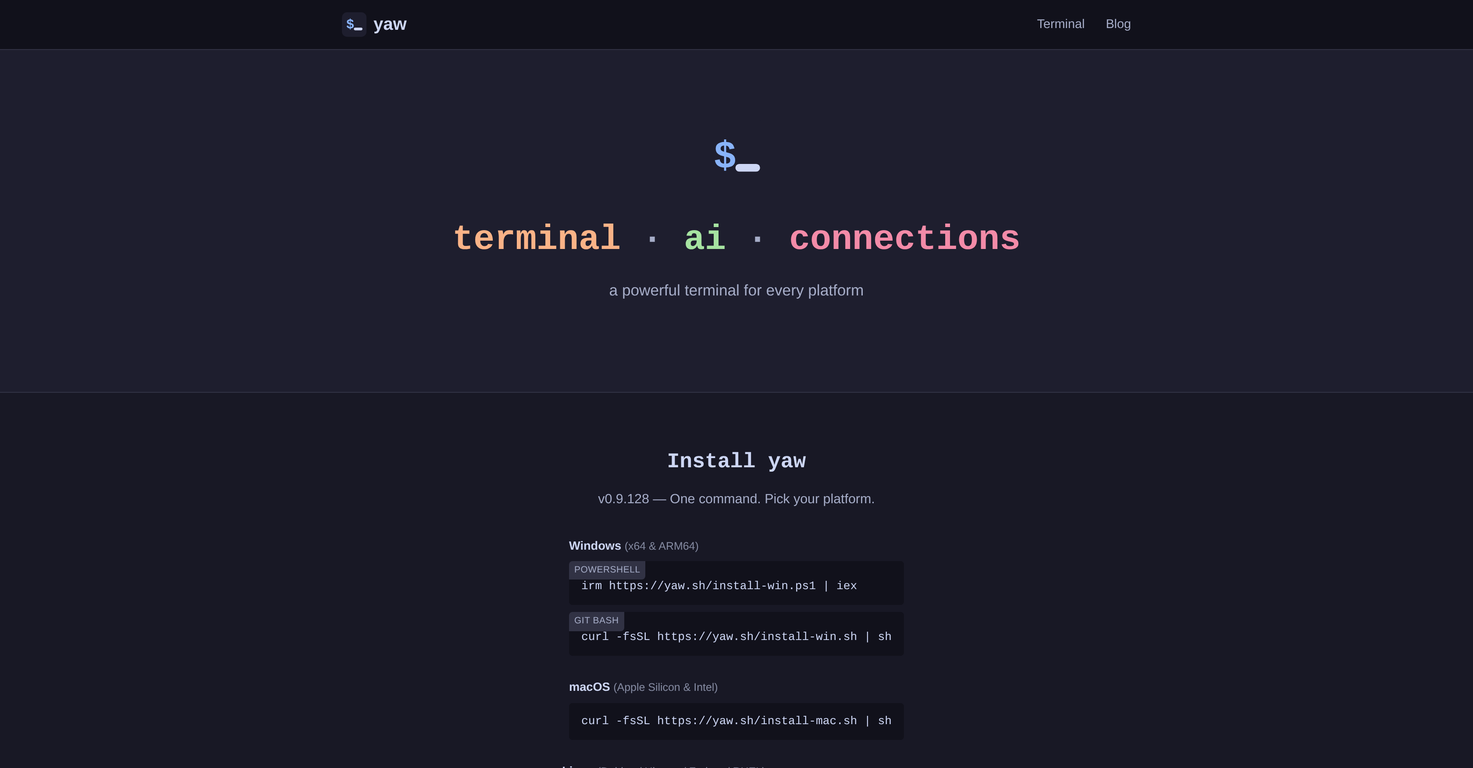
The installation process for yaw has been streamlined to a single command. Depending on the platform, users may use powershell irm, git bash, or curl -fsSL commands as directed on the yaw website to install.
Does yaw support the opening of new tabs, pane splitting, server and database connections?
Yes, yaw supports the opening of new tabs, splitting of the pane, and both server and database connections. These features are accessible through key commands.
What are some key commands in yaw?
Some key commands in yaw include Ctrl+Shift+T or Cmd+Shift+T for opening a new tab, Ctrl+Shift+D or Cmd+Shift+D for vertical pane splitting, Ctrl+Shift+S or Cmd+Shift+S for connecting to a server or database, and Ctrl+Shift+A or Cmd+Shift+A to pose a query to the integrated AI.
Which AI tools can I run with yaw?
With yaw, you can run Claude Code, Codex, Gemini CLI, or Vibe CLI. The terminal detects the tool and opens a companion terminal in the same directory.
How does yaw aid in tool installation?
yaw aids in tool installation with a built-in wizard. This simplifies the setup process, making it easier to install tools like Claude Code, Codex, Gemini CLI, etc.
Is there an option for AI query in yaw?
Yes, an AI query option is available in yaw; this feature can be accessed through the key command Ctrl+Shift+A or Cmd+Shift+A depending on the platform.
Can I connect to remote servers using yaw?
Yes, with yaw's SSH client feature, users can connect to remote servers for secure data communication and remote command execution.
Does yaw have built-in functions to ease developer work?
Yes, yaw provides a range of built-in functions designed to ease developer work. These include a SSH client, database connections, a built-in file editor, and more.
What does yaw's built-in wizard do?
yaw's built-in wizard assists in the installation of tools like Claude Code, Codex, and Gemini CLI, thereby simplifying the setup process.
Can I run my Claude Code, Codex, and Gemini CLI in yaw's environment?
Yes, you can run Claude Code, Codex, and Gemini CLI within the yaw environment. The terminal will detect the tool and open a companion terminal in the same directory.
What is Yaw Terminal?
Yaw Terminal is an Artificial Intelligence (AI) equipped terminal offering multiple built-in functions to simplify developer work. It includes an SSH client for secure data communication and remote command execution, database connectivity for efficient data management, and a native file editor that modifies text content. The terminal is compatible with other CLI tools and has an AI that answers user queries, making it a highly versatile tool. It runs on multiple platforms including Windows, macOS, and Linux, and maintains user privacy with a zero telemetry feature.
What key features does Yaw Terminal offer?
The key features Yaw Terminal offers include a SSH client for secure shell connections to remote servers, database connectivity for managing data, an in-built file editor, compatibility with AI CLI Tools like Claude Code, Codex, and Gemini CLI, a pre-installed intelligent wizard to aid in the installation of these tools, integrated AI to answer users' queries, and a command management system. It also offers user-friendly options like new tab opening, pane splitting, server or database connections, and more, accessible through key commands.
How does the SSH client in Yaw Terminal work?
The SSH client within Yaw Terminal enables Secure Shell connections to remote servers. This enables secure data communication, execution of remote commands, and facilitates other secure network services between two connected computers.
How can I use Yaw Terminal to connect to databases?
Yaw Terminal provides functionality to connect to databases, which greatly assists in efficient data management. The specific procedures to establish these connections may vary depending on the type of database, but they likely involve specifying connection details such as server address, database name, and authentication credentials.
What is the role of file editor in Yaw Terminal?
The role of the file editor in Yaw Terminal is to facilitate the modification and management of text content within files. It allows developers to perform in-terminal editing without the need for additional setup or plugins.
How is Yaw Terminal compatible with other CLI tools?
Yaw Terminal is compatible with AI CLI Tools such as Claude Code, Codex, and Gemini CLI. These tools interface with Yaw Terminal's command line, and they can be installed with the assistance of the built-in wizard. Yaw Terminal intelligently identifies when these tools are being used, and opens a companion terminal in the same directory to ease the workflow.
How does the AI integration in Yaw Terminal assist users?
The AI integration in Yaw Terminal assists users by responding to their queries directly within the terminal, thereby enhancing the user's experience and making the platform adept in handling a wider section of tasks. The specifics of how users interact with the AI, including the commands required, may vary.
Which platforms can Yaw Terminal run on?
Yaw Terminal can run on multiple platforms. It is designed to be compatible with Windows, macOS, and Linux, ensuring a broad reach to developers working on various systems.
What is the zero telemetry feature in Yaw Terminal?
The zero telemetry feature in Yaw Terminal ensures the tool does not track or collect user data during its operation. The application respects user privacy by implementing this feature, confirming its commitment to privacy and avoiding unnecessary data collection.
Is Yaw Terminal free to use?
Yes, Yaw Terminal is a free-to-use tool that does not require users to pay for access to its full range of features and functionalities.
How to install Yaw Terminal on my device?
You can install Yaw Terminal on your device with just a single command. The specific command varies depending on your platform, whether it be Windows, macOS, or Linux, but details for these commands are readily available on the Yaw Terminal website.
How can I manage commands in Yaw Terminal?
In Yaw Terminal, commands are managed via its simple yet powerful interface. Key commands available for users involve opening new tabs, splitting the pane, connecting to servers or databases, and invoking the integrated AI, among others. These commands are readily accessible through easy-to-use combinations of keystrokes.
How can I use Claude Code, Codex, and Gemini CLI in Yaw Terminal?
Claude Code, Codex, and Gemini CLI can be utilized within Yaw Terminal by running these AI CLI Tools directly from the command line interface. Yaw Terminal will recognize the tool and automatically open a companion terminal in the same directory to aid your workflow.
What are the key commands and options to enhance usability of Yaw Terminal?
Some key commands and options to optimize Yaw Terminal's usability include shortcuts to edit files, open a new tab, split the pane, connect to a server or database, ask the AI, open the command palette and navigate through settings and menus. These features are available through intuitive keyboard shortcuts for both Windows (with varieties of Ctrl+Shift+[key]) and macOS (via combinations of Cmd+Shift+[key]) configurations.
How does Yaw Terminal ensure user privacy?
Yaw Terminal ensures user privacy with a zero telemetry feature, meaning no user-derived data is collected or tracked during its operation. It is a clear commitment of the platform to respect and prioritize user privacy.
What does User-friendly mean in the context of Yaw Terminal?
'User-friendly' in the context of Yaw Terminal refers to its design and structure that eases user interaction with its interface and functionalities. This includes a straightforward installation process, intuitive keyboard commands, compatibility with various CLI tools, built-in AI assistance, and an array of supported platforms (Windows, macOS, Linux).
How does the split-pane workflow in Yaw Terminal benefit users?
The split-pane workflow in Yaw Terminal is designed to benefit users by providing a seamless multitasking environment. The terminal intelligently identifies when a compatible tool like Claude Code, Codex, or Gemini CLI is being used, and consequently opens a companion terminal in the same directory. This enables users to run simultaneous sessions side by side, enhancing their productivity.
How does the in-terminal editing feature on Yaw Terminal work?
The in-terminal editing feature in Yaw Terminal allows the user to use the built-in file editor to manipulate and manage text content directly in the terminal itself, without needing additional setups or plugins. Users can open the file editor by running 'yaw filename' from any terminal or by selecting the 'File Editor' option in Yaw Terminal.
How can I leverage the AI capabilities via command line interface in Yaw Terminal?
By capitalizing on the command line (CLI) interface provided by Yaw Terminal, users can easily access and interact with the platform's integrated AI capabilities. The specific commands to engage or query the AI might depend on the context, but with the terminal's intuitive command management system, users can navigate this functionality with ease.
What does the term 'powerful terminal for every platform' mean for Yaw Terminal?
'Powerful terminal for every platform' in regard to Yaw Terminal signifies its vast array of features - database connections, SSH client, file editor, AI integration, compatibility with AI CLI tools, and others - offered across various platforms. It means that irrespective of the operating system (Windows, macOS, or Linux), Yaw Terminal offers a robust and feature-rich environment for developers.


 Mini tools
 A powerful AI terminal for every platform.










 Elite AI copilot that thinks deeply and executes brilliantly.
 Coding, Programming




How would you rate Yaw Terminal?
Help other people by letting them know if this AI was useful.