
 KiloClaw - Managed 🦀
  Mini tools
aws / copilot-cli
AWS Copilot CLI will reach end-of-support on June 12, 2026.
README
<img align="left" alt="AWS Copilot CLI" src="./site/content/assets/images/copilot-logo-48-light.svg" width="85" /> AWS Copilot CLI
Build, Release and Operate Containerized Applications on AWS.


- Documentation: https://aws.github.io/copilot-cli/
The AWS Copilot CLI is a tool for developers to build, release and operate production-ready containerized applications
on AWS App Runner or Amazon ECS on AWS Fargate.
Use Copilot to:
- Deploy production-ready, scalable services on AWS from a Dockerfile in one command.
- Add databases or inject secrets to your services.
- Grow from one microservice to a collection of related microservices in an application.
- Set up test and production environments, across regions and accounts.
- Set up CI/CD pipelines to release your services to your environments.
- Monitor and debug your services from your terminal.
Installation
To install with homebrew:
$ brew install aws/tap/copilot-cliTo install manually, we're distributing binaries from our GitHub releases:
<details>
<summary>Instructions for installing Copilot for your platform</summary>
| Platform | Command to install |
|---|---|
| macOS | curl -Lo copilot https://github.com/aws/copilot-cli/releases/latest/download/copilot-darwin && chmod +x copilot && sudo mv copilot /usr/local/bin/copilot && copilot --help |
| Linux x86 (64-bit) | curl -Lo copilot https://github.com/aws/copilot-cli/releases/latest/download/copilot-linux && chmod +x copilot && sudo mv copilot /usr/local/bin/copilot && copilot --help |
| Linux (ARM) | curl -Lo copilot https://github.com/aws/copilot-cli/releases/latest/download/copilot-linux-arm64 && chmod +x copilot && sudo mv copilot /usr/local/bin/copilot && copilot --help |
| Windows | Invoke-WebRequest -OutFile 'C:\Program Files\copilot.exe' https://github.com/aws/copilot-cli/releases/latest/download/copilot-windows.exe |
</details>
Getting started
Make sure you have the AWS command line tool installed and have already run aws configure before you start.
To get a sample app up and running in one command, run the following:
$ git clone [email protected]:aws-samples/aws-copilot-sample-service.git demo-app
$ cd demo-app
$ copilot init --app demo                \
  --name api                             \
  --type 'Load Balanced Web Service'     \
  --dockerfile './Dockerfile'            \
  --deploy
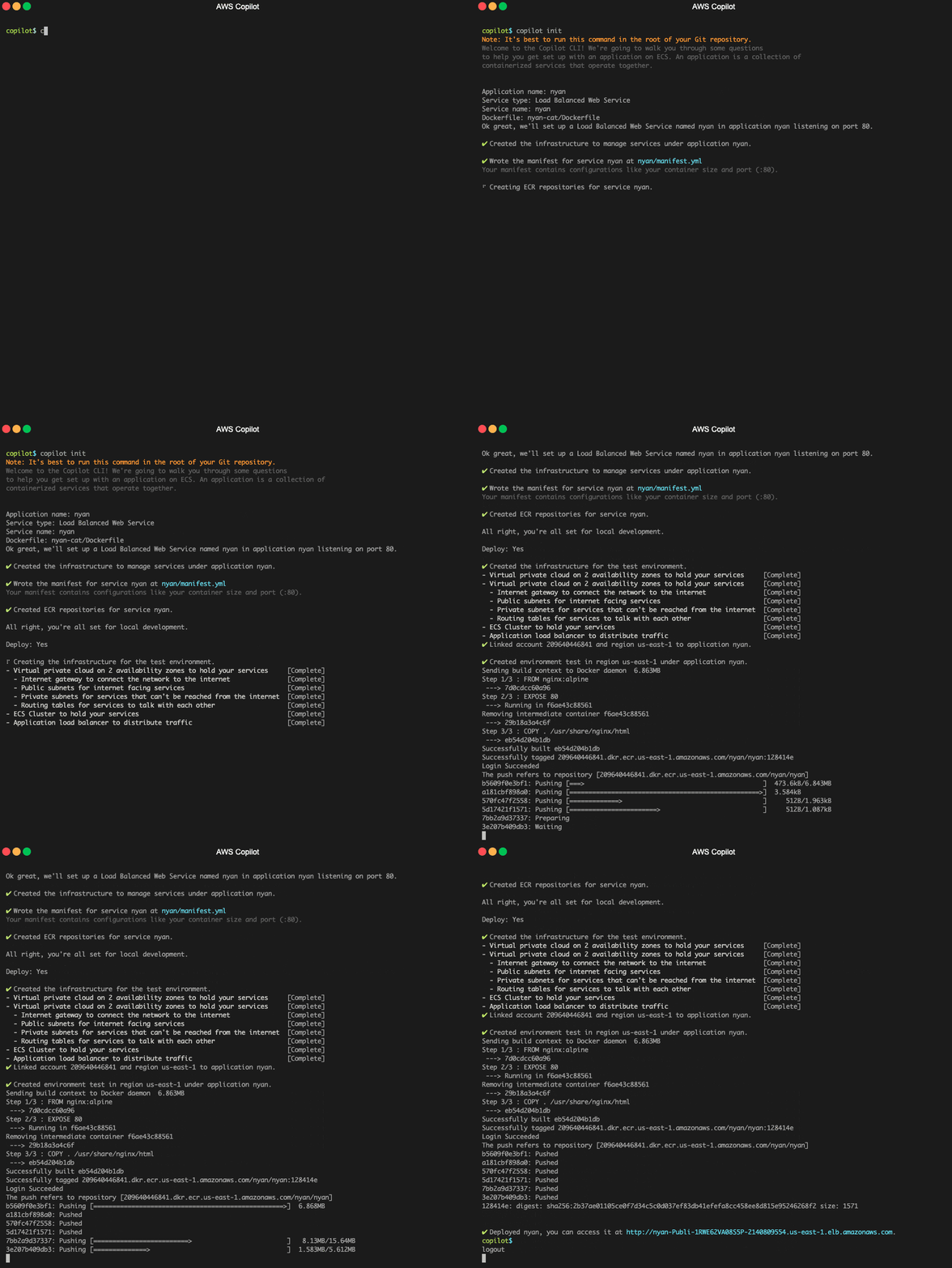
This will create a VPC, Application Load Balancer, an Amazon ECS Service with the sample app running on AWS Fargate.
This process will take around 8 minutes to complete - at which point you'll get a URL for your sample app running! 🚀
Learning more
Want to learn more about what's happening? Check out our documentation https://aws.github.io/copilot-cli/ for a getting started guide, learning about Copilot concepts, and a breakdown of our commands.
Feedback
Have any feedback at all? 🙏 Drop us an issue or join us on gitter.
We're happy to hear feedback or answer questions, so reach out, anytime!
Security disclosures
If you think you’ve found a potential security issue, please do not post it in the Issues. Instead, please follow the instructions here or email AWS security directly at [email protected].
License
This library is licensed under the Apache 2.0 License.





