
 Rocket - Think it. Type it. Launch it.
 Mini tools
BaseMax / OnboardingGraphQLTS
This is a sample application that demonstrates a multi-step registration process using GraphQL and NestJS.
README
Onboarding GraphQL TS
This is a sample application that demonstrates a multi-step registration process using GraphQL and NestJS.
Features
- User Management
- Registration
- Login
- Email Verification
- Authentication & Authorization
- Form
- Set Forms For Each Step Of Registration
- Update Forms
- Retrieve Form For Step(s)
- Files
- Upload File(s) For Each Form
- Update File(s) For Each Form
- Delete FIle(s) For Each Form
Technologies Used
This project uses the following technologies:
-
GraphQL: GraphQL is a query language for APIs and a runtime for executing queries with your existing data. It provides a more efficient and flexible alternative to traditional REST APIs.
-
NestJS: NestJS is a progressive Node.js framework for building efficient, scalable, and reliable server-side applications. It is built with TypeScript and leverages modern JavaScript features and design patterns.
-
PostgreSQL: PostgreSQL is a powerful and open-source relational database management system. It offers scalable, reliable, and high-performance storage for your application's data.
-
Prisma: Prisma is an open-source database toolkit that simplifies database access and management. It provides an intuitive API for database queries, migrations, and schema management.
-
Apollo Server: Apollo Server is a GraphQL server implementation for Node.js. It allows you to build GraphQL APIs with ease, providing features like schema generation, resolvers, and data fetching.
-
JWT (JSON Web Tokens): JWT is an open standard for securely transmitting information between parties as a JSON object. It is commonly used for authentication and authorization purposes in web applications.
-
Jest: Jest is a JavaScript testing framework that is widely used for testing JavaScript applications, including NestJS projects. It provides a simple and intuitive API for writing unit tests, integration tests, and end-to-end tests.
Installation
-
Clone the repository:
git clone https://github.com/BaseMax/OnboardingGraphQLTS.git -
Navigate into the project directory:
cd OnboardingGraphQLTS -
Install the dependencies:
npm install -
Set up your PostgreSQL database and update the database connection settings in the
.envfile(use.env.sample). -
Run the migration to create the database tables:
npx prisma migrate dev -
Start the server:
npm run start:dev -
The app will now be running at
http://localhost:3000.
Testing
This project includes unit tests and integration tests for the backend functionality.
To run the tests, use the following command:
npm testJest will execute all the tests and display the results.
Demo
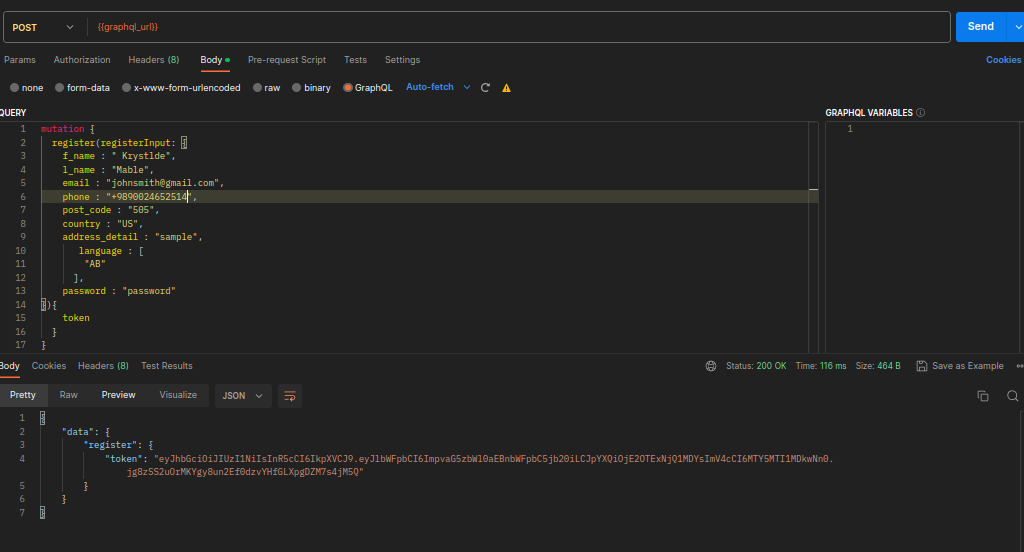
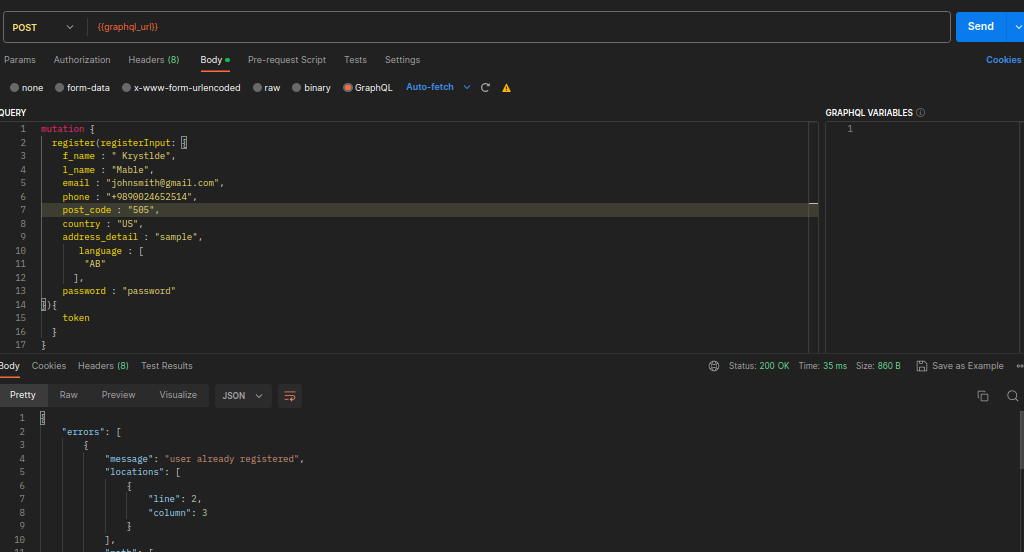
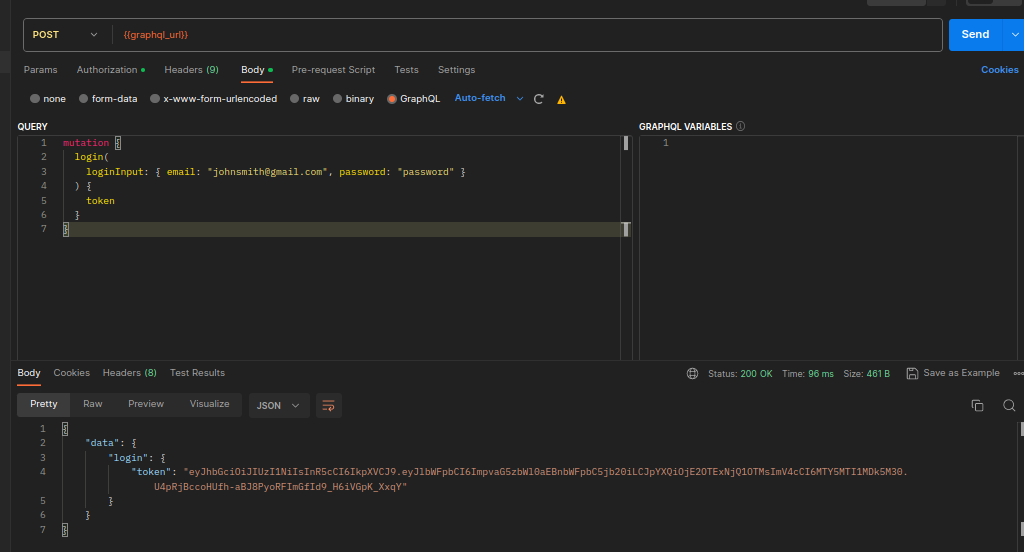
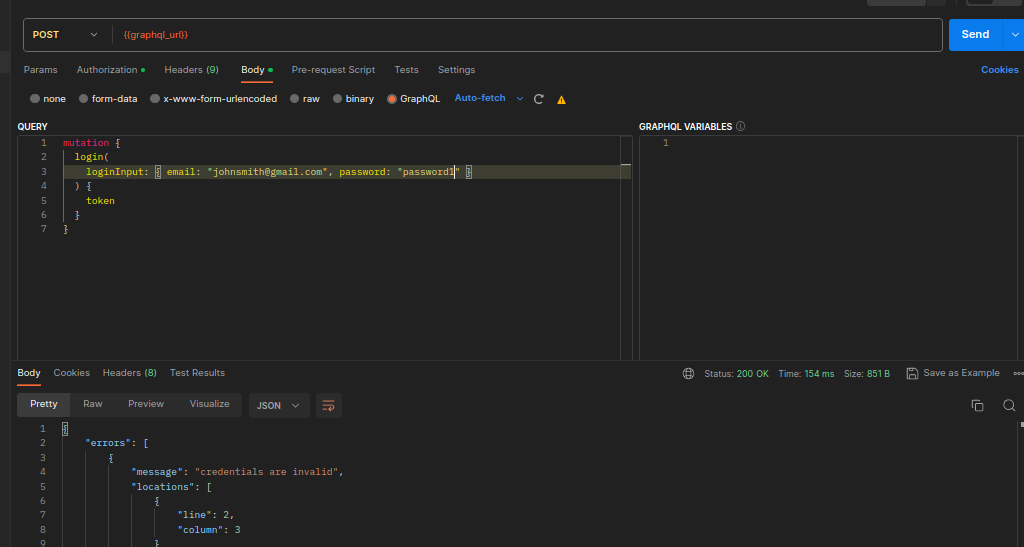
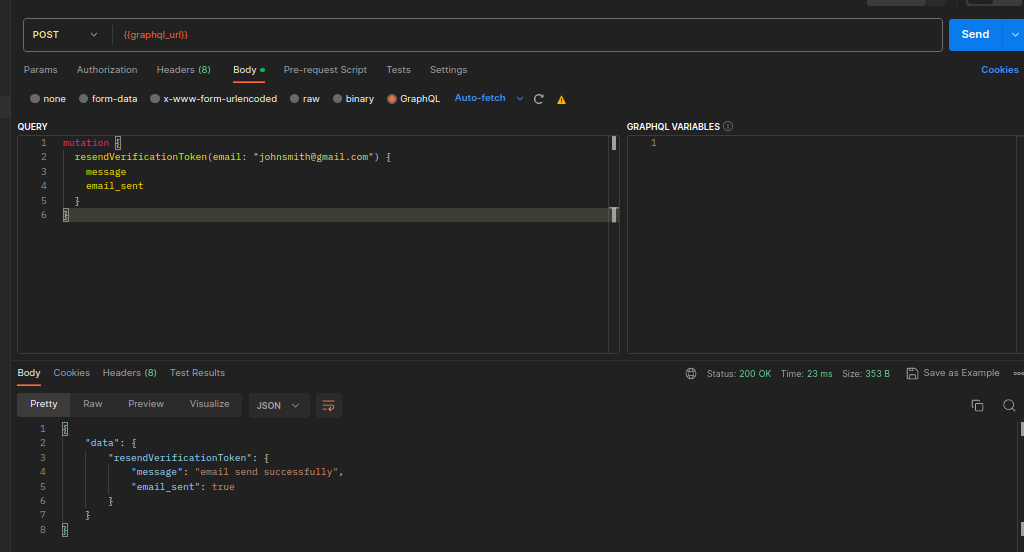
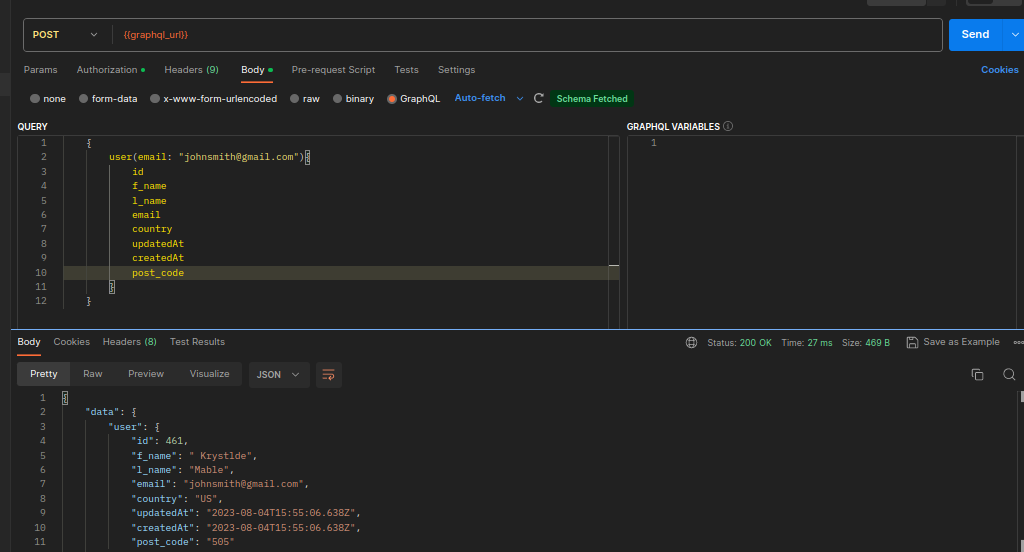
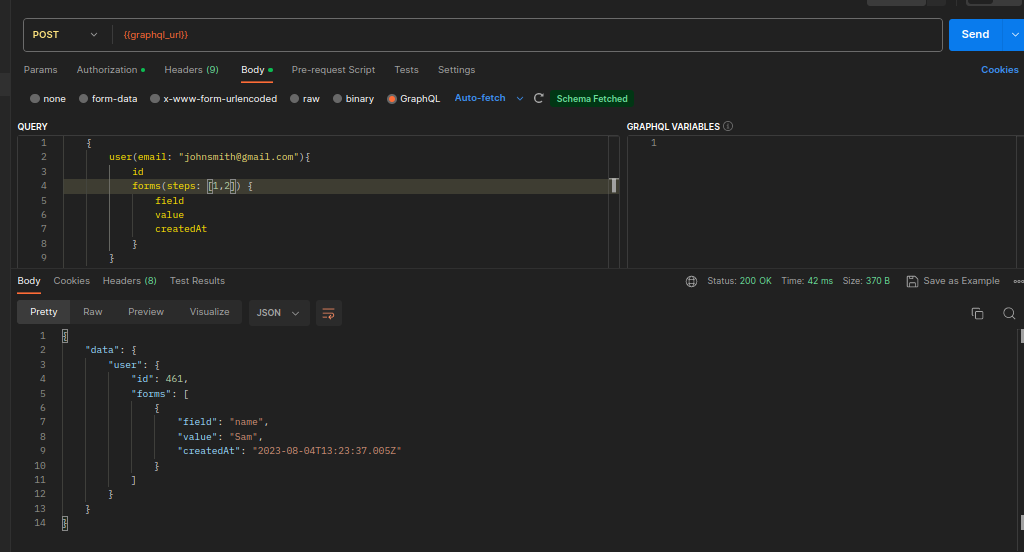
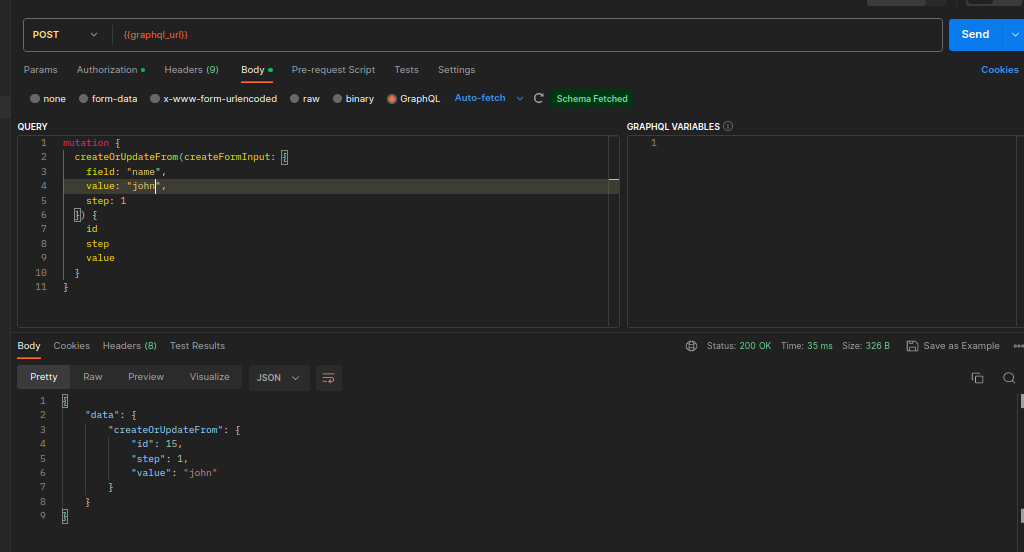
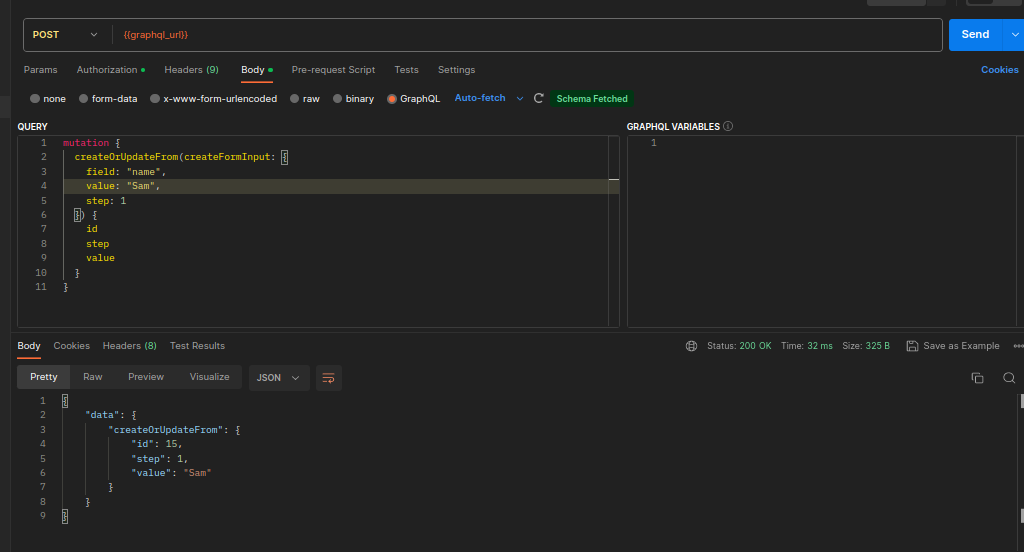
Graphql Schema ,Queries and Mutations
You can get full Graphql file schema in /src/schema.gql file
Queries
- user
Fetch user and his/her forms - isPhoneExist
return true if user with this phone exists - isEmailExist
return true if user with this email exists email exists
type Query {
  user(email: String, phone: String): User
  isEmailExist(email: String!): Boolean!
  isPhoneExist(phone: String!): Boolean!
}
Mutations
- register
register user with correct credentialsRegisterInput - login
login to account with correct credentialsLoginInput - resendVerification
resend email to unverified user - createOrUpdateForm
create or update form withcreateFormInputinput
type Mutation {
  register(registerInput: RegisterInput!): AuthToken!
  login(loginInput: LoginInput!): AuthToken!
  resendVerificationToken(email: String!): EmailMessage!
  createOrUpdateFrom(createFormInput: CreateFormInput!): Form!
}
Types
- Form
user form type for each step of registration - User
user model with account information - AuthToken
output type for register/login mutation - Email Message
output type for resendEmailVerification mutation
type Form {
  id: Int!
  step: Int!
  userId: Int!
  field: String!
  value: String!
  createdAt: DateTime!
  updatedAt: DateTime!
}

type User {
  id: Int!
  f_name: String!
  l_name: String!
  email: String!
  phone: String!
  post_code: String!
  country: String!
  address_detail: String!
  email_verified: Boolean!
  languages: [String!]!
  createdAt: DateTime!
  updatedAt: DateTime!
  forms(steps: [Int!]!): [Form!]!
}

type AuthToken {
  token: String!
}

type EmailMessage {
  message: String!
  email_sent: Boolean!
}
Inputs
- RegisterInput
register input (register dto) for register mutation - LoginInput
login input (login dto) for login mutation - CreateFormInput
create form input (form dto) for each step form
input RegisterInput {
  f_name: String!
  l_name: String!
  email: String!
  phone: String!
  password: String!
  post_code: String!
  country: String!
  address_detail: String!
  language: [String!]!
}

input LoginInput {
  email: String!
  password: String!
}

input CreateFormInput {
  field: String!
  value: String!
  step: Int!
}
Documentation
Feel free to check onBoardGraphQLTS.postman_collection.json file and import it into your Postman.
Copyright 2023, Max Base





