 Base44 Superagents-AI agent that does it all

 Mini tools
BaseMax / TypeScriptChatWebSocket
This is a real-time chat application built with TypeScript and WebSocket, allowing users to communicate through direct messages, group messages, and channels. The application offers bidirectional communication between clients and the server, providing a seamless chat experience.
README
TypeScript WebSocket Project
This is a real-time chat application built with TypeScript and WebSocket, allowing users to communicate through direct messages, group messages, and channels. The application offers bidirectional communication between clients and the server, providing a seamless chat experience.
Features
- User-to-User Direct Messaging: Users can send direct messages to each other privately.
- Group Messaging: Users can participate in group conversations with multiple participants.
- Channels: Users can join and send messages to public channels.
Screenshots
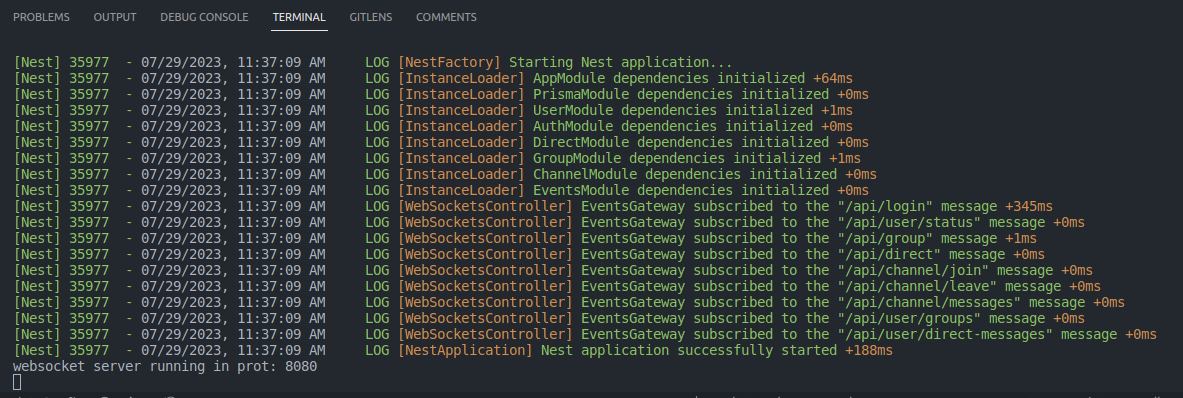
Start server
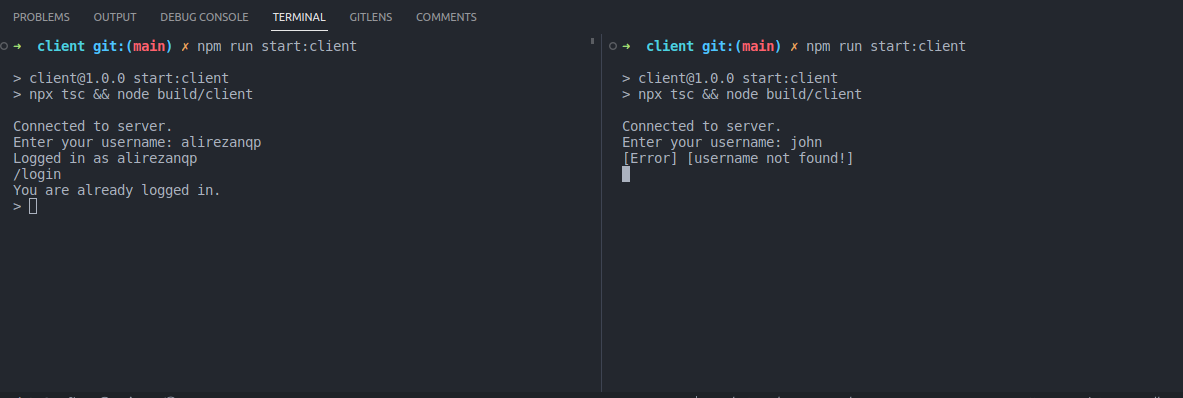
Login user
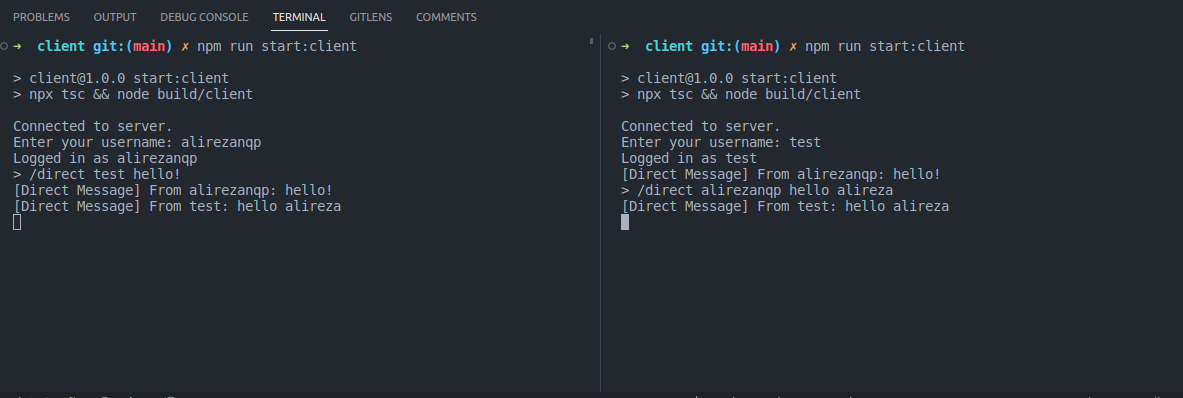
Send direct messages
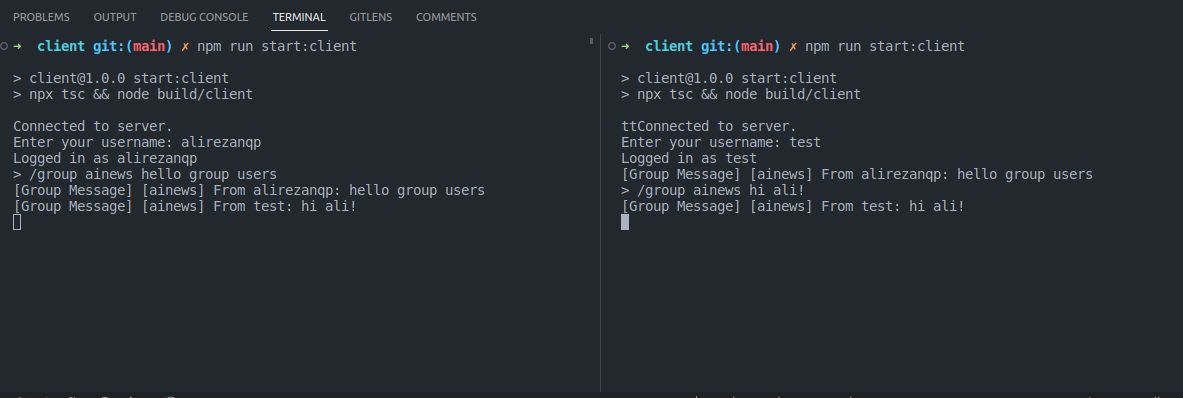
Send group messages
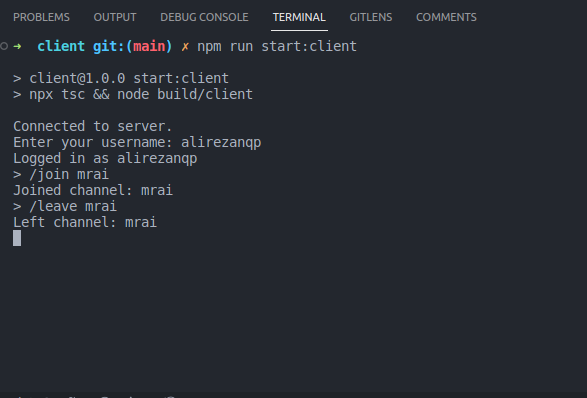
Join and leave public channel
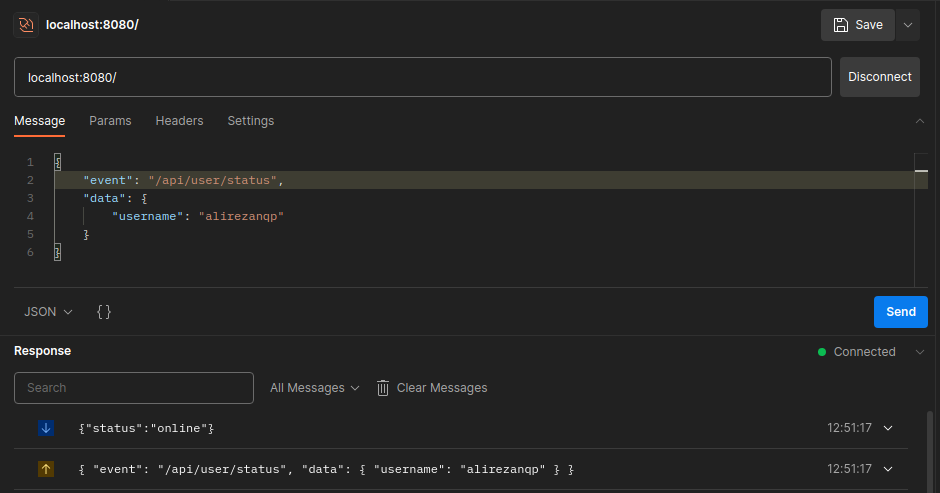
Retrieves user status (onilne, offline)
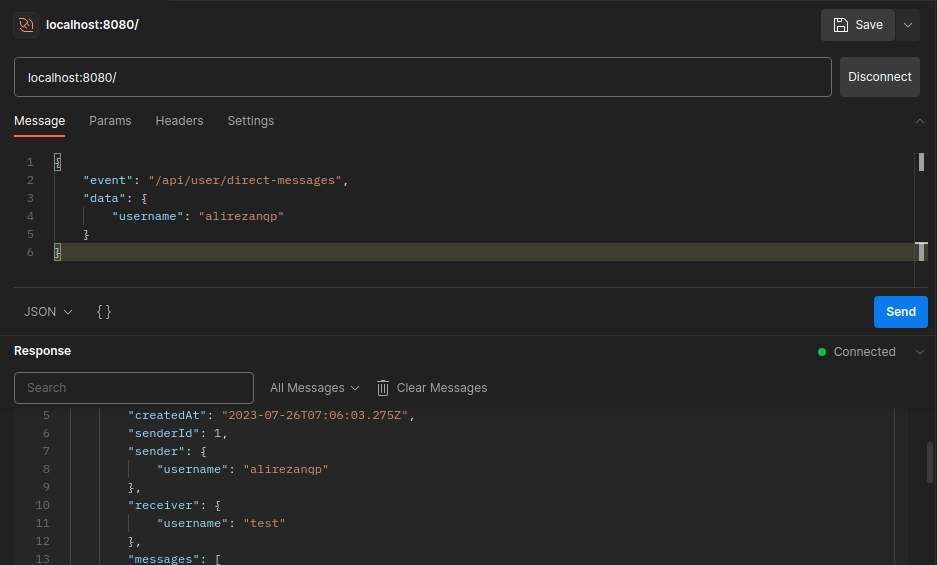
Retrieves user direct messages
Prerequisites
Before running this project, ensure you have the following prerequisites installed on your system:
- Node.js (>=14.x)
- npm (Node Package Manager)
Getting Started
Clone this repository to your local machine:
git clone https://github.com/BaseMax/TypeScriptWebSocket
cd TypeScriptWebSocket
Install project dependencies:
npm installUsage
Starting the WebSocket Server
To start the WebSocket server, run the following command:
npm run start:serverThis will launch the server and bind it to a specified port (default is 8080). The server will be ready to accept WebSocket connections from clients.
Starting the WebSocket Client
To start the WebSocket client, run the following command:
cd clientnpm run start:clientThe client will attempt to connect to the WebSocket server running on the specified host and port. You can adjust the server host and port in the src/client.ts file.
Chat Commands
Once the WebSocket client is running, you can use the following commands:
/login <username>: Log in with your desired username to join the chat./direct <username> <message>: Send a direct message to another user using their username./group <group_name> <message>: Send a message to a specific group of users./join <channel_name>: Join a public chat channel to send and receive messages./leave <channel_name>: Leave a public chat channel.
Socket commands or maybe routes:
-/api/login: Handles user login. Expects a JSON payload with the username.
/api/direct: Sends a direct message. Expects a JSON payload with the recipient username and the message./api/group: Sends a message to a group. Expects a JSON payload with the group_name and the message./api/channel/join: Joins a public channel. Expects a JSON payload with the channel_name./api/channel/leave: Leaves a public channel. Expects a JSON payload with the channel_name./api/channel/messages: Retrieves the message history for a specific public channel.Expects a JSON payload with the channel_name./api/user/status: Retrieves the status (online, offline, etc.) of a specific user. Expects a JSON payload with the username./api/user/direct-messages: Retrieves the direct message history between the logged-in user and another user (:username)./api/user/groups: Retrieves a list of groups that the logged-in user belongs to.
Handling WebSocket Events
Both the WebSocket server and client have event handlers for the following events:
open: Triggered when the WebSocket connection is successfully established.message: Triggered when a message is received from the other party.close: Triggered when the WebSocket connection is closed.
You can customize the behavior of these event handlers in the respective src/server.ts and src/client.ts files.
Configuration
You can modify the WebSocket server settings in the src/server.ts file:
PORT: The port on which the WebSocket server will listen for incoming connections.
You can adjust the WebSocket client settings in the src/client.ts file:
SERVER_HOST: The hostname or IP address of the WebSocket server.SERVER_PORT: The port on which the WebSocket server is running.
Contributing
Contributions to this project are welcome. If you find any issues or have suggestions for improvements, feel free to open an issue or submit a pull request.
License
This project is licensed under the GPL-3.0 License.
Copyright 2023, Max Base





