
 Rocket - Think it. Type it. Launch it.
 Mini tools
code-yeongyu / YouEye
YouEye - An AI-powered, problem breaker for blind individuals, providing accessibility to no-voice supported kiosks
README
YouEye - kiosk machine helper solution for blinded people
Using a no-voice supported kiosk is extremly difficult for blind people.
Therefore, if you just reach your hand up and capture it with your phone camera, YouEye will read you what will you touch.
Currently, only python demos are available, with web-server wrapper.
Word coordinate detector for https://github.com/code-yeongyu/east-detector-socket-wrapper is used for this project.
Current works
Demonstration Video
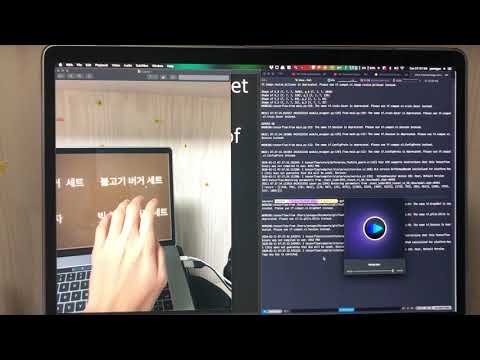
Demonstration Pictures
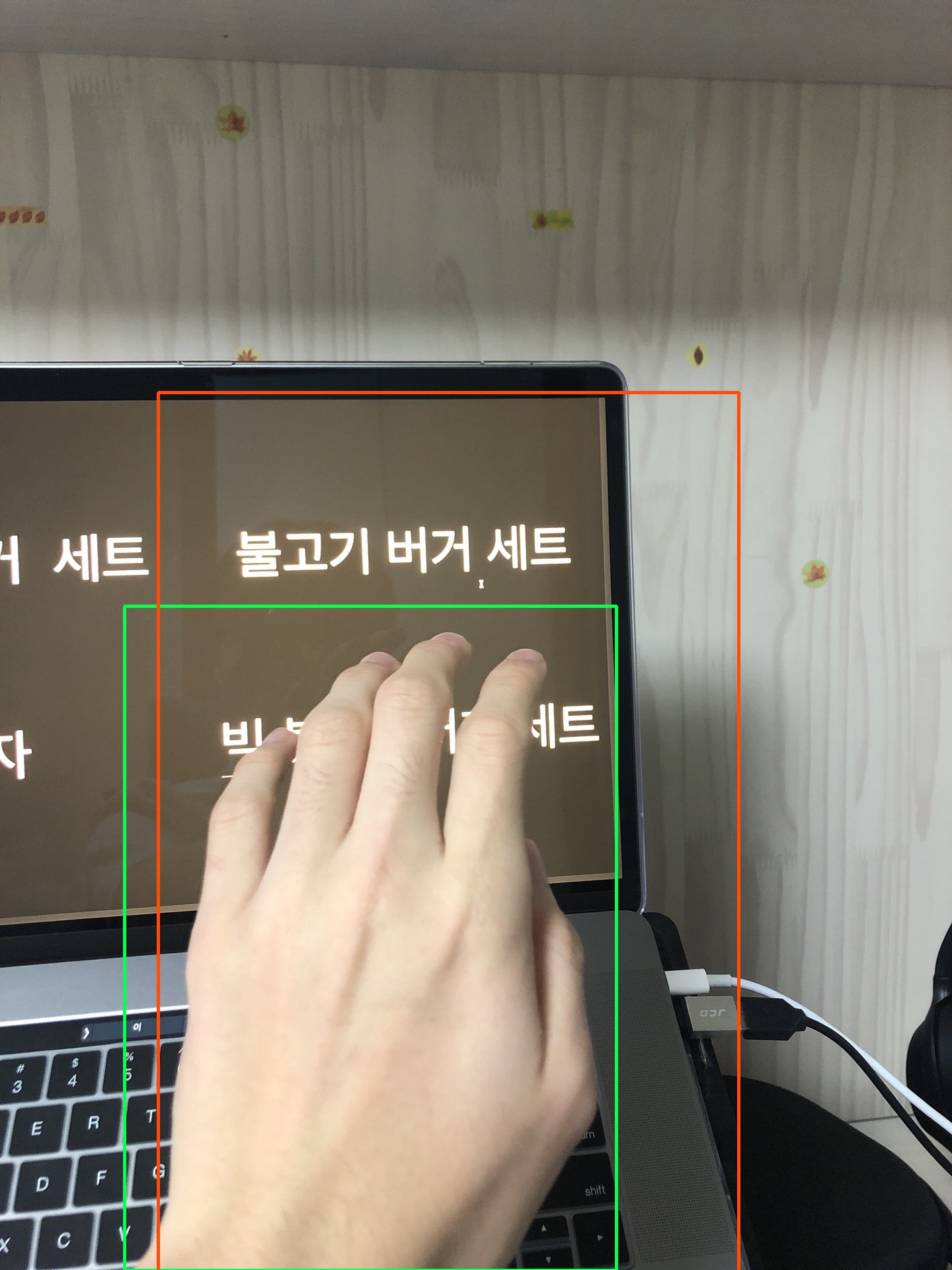
https://raw.githubusercontent.com/code-yeongyu/YouEye/master/python-demo/demo-images/result_0.txt
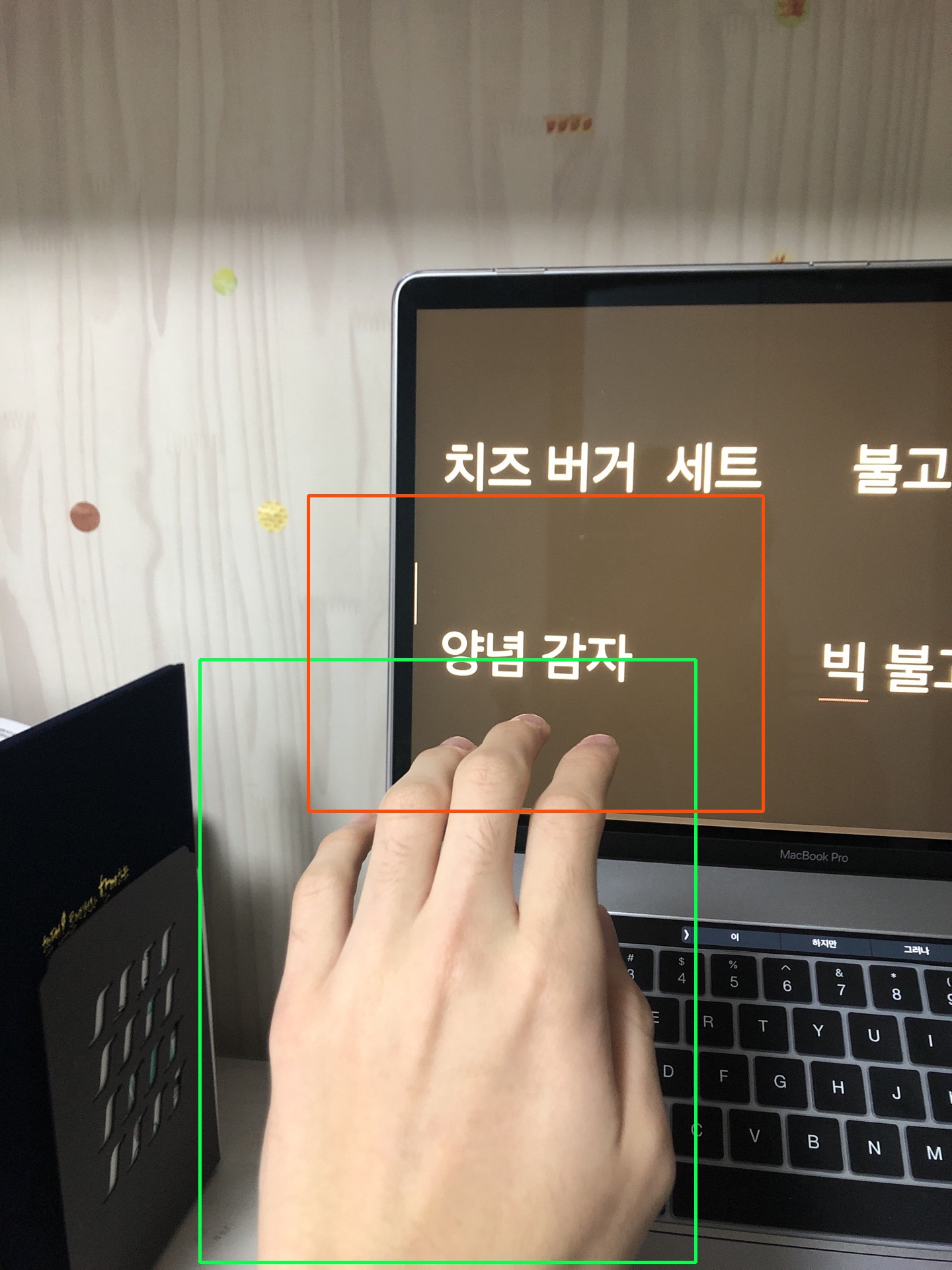
https://raw.githubusercontent.com/code-yeongyu/YouEye/master/python-demo/demo-images/result_1.txt
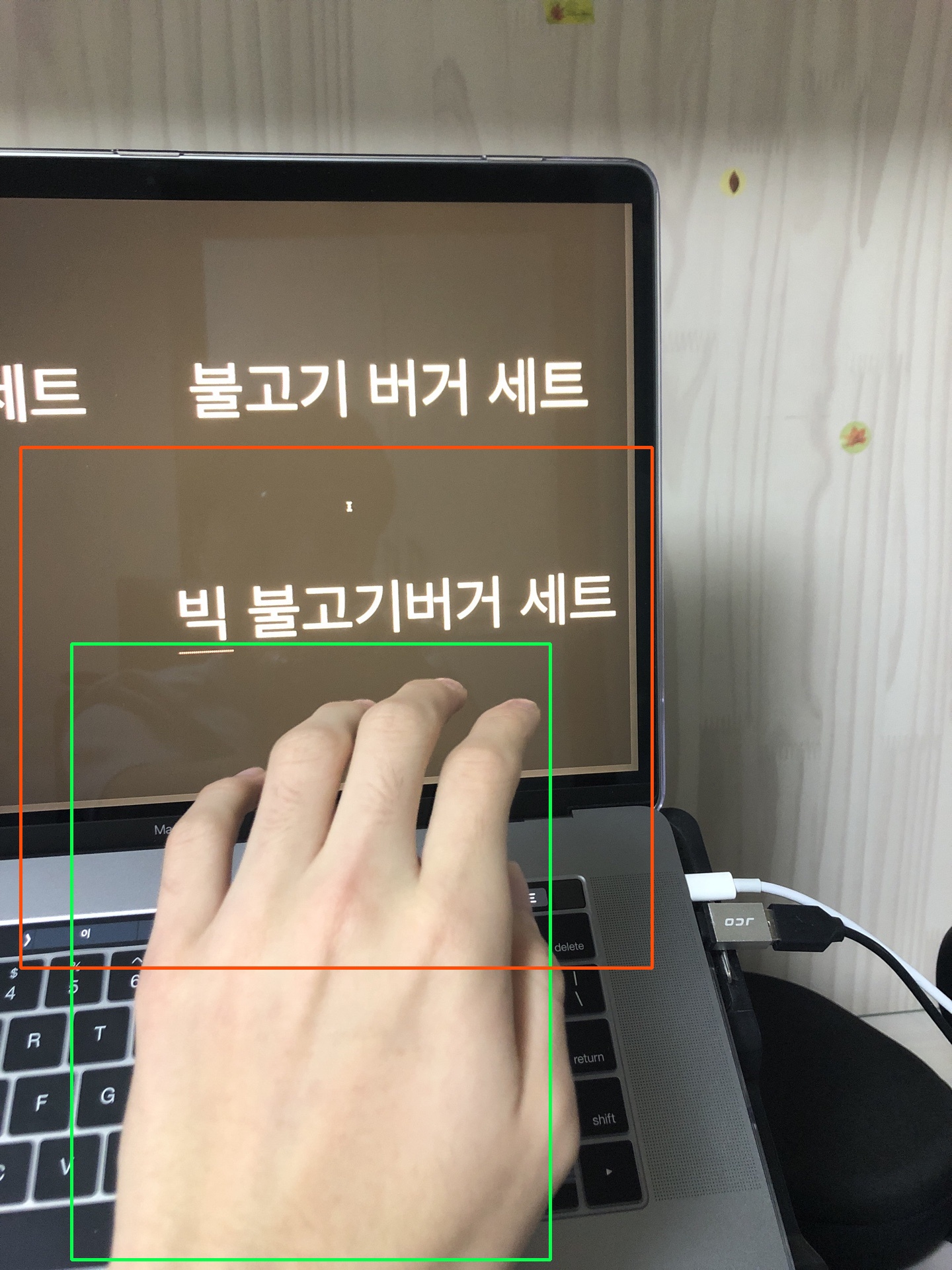
https://raw.githubusercontent.com/code-yeongyu/YouEye/master/python-demo/demo-images/result_2.txt
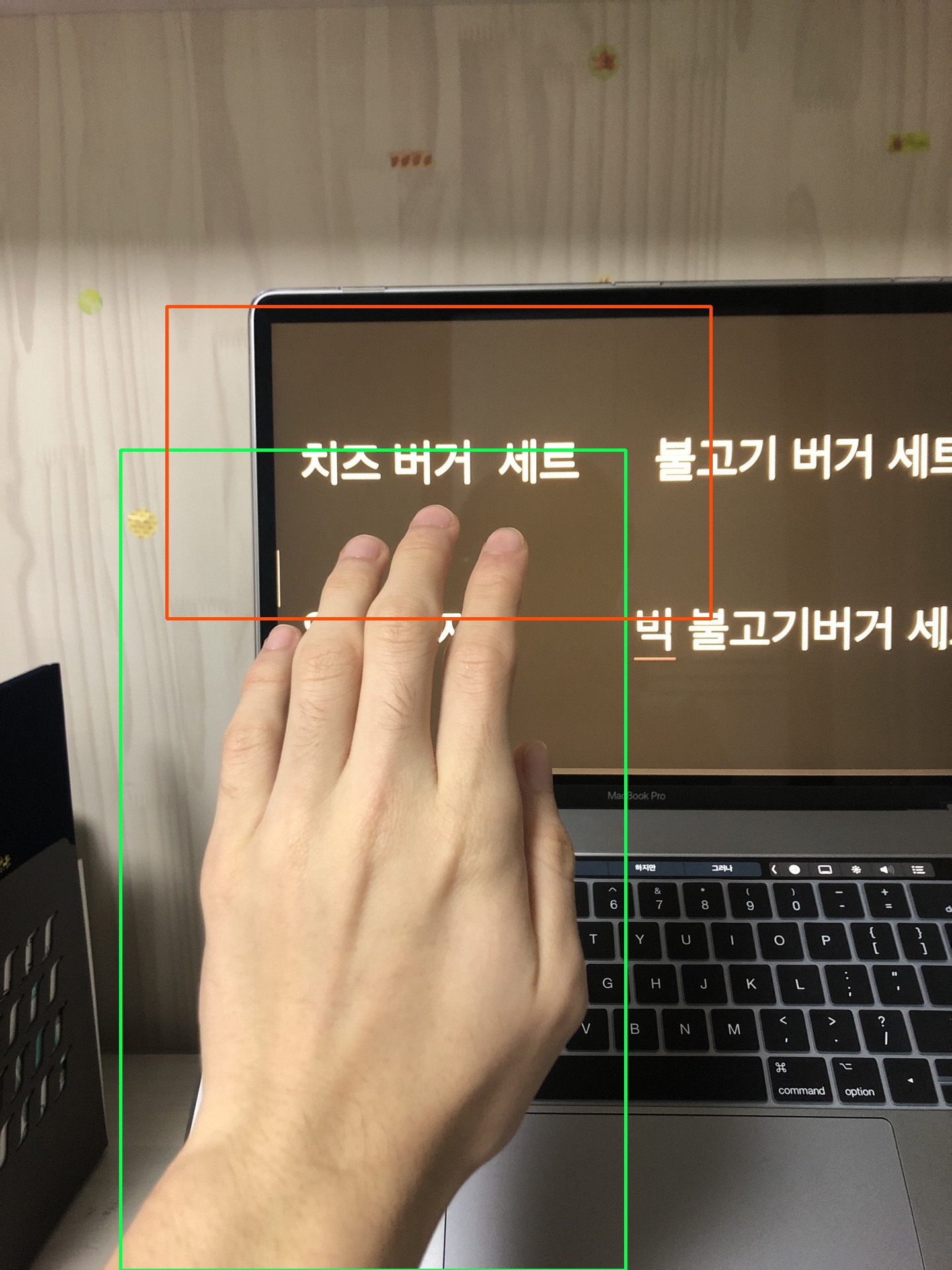
https://raw.githubusercontent.com/code-yeongyu/YouEye/master/python-demo/demo-images/result_3.txt
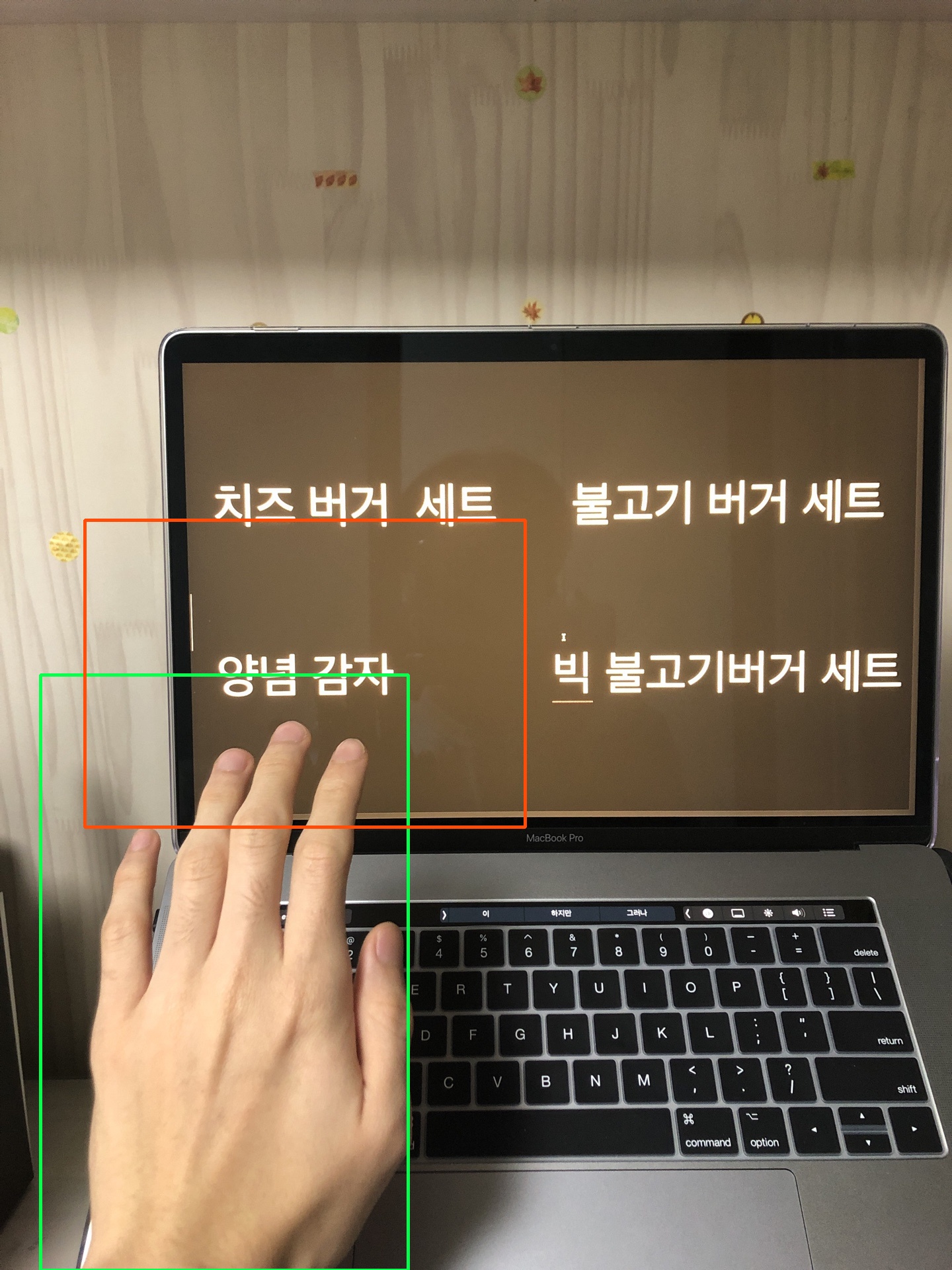
https://raw.githubusercontent.com/code-yeongyu/YouEye/master/python-demo/demo-images/result_4.txt
All these ocr-ed results are genereated by naver-ocr-api, both naver-ocr-api and tesseracts are available.
Because of the lack of trainset, I recommend you to use naver-ocr-api.
Run demonstration
Clone this project, move to directory python-demo and install required pip modules by executing folliwing commands.
pip install -r requirements.txtthen execute:
python demonstration.pyFor web-interface demonstration:
python web-wrapper.pyAbout web interface
Send post request to /i_am_iron_man with form-data body, and attach your image to key image.
Then the server will respond with the desired text.
Currently, the web interface is setted to use naver-ocr-api, so you have to get permission or use tesseract to use ocr properly.





