
 Mini tools
▼ Latest
Music
Free mode
100% free
Freemium
Free Trial
Other tools
-
 OpenSteven RedmanMar 8, 2026@Music Cover Image Generator Freea useful tool.thank you
 -
 Transform your photo into an ultra-realistic 8K cinematic portrait.Open
 - Sponsor
 Rocket - Start building, Now!💻 Vibe coding
 -
 Open
Open -
 Generate authentic 1940s song lyrics with wartime nostalgia.Open
 -
 Open
Open -
 Generate authentic 80s New Wave song lyrics instantly.Open
 -
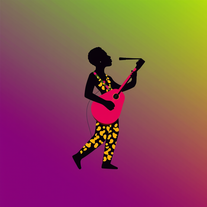 AI-powered graphic designer for vibrant Afrobeat album covers.Open
 -
 Personalized Apple Music recommendations, curated just for you.OpenEyoooo, I can really do some research for my playlist with this! Coooool!
 - Didn't find the AI you were looking for?
-
 Creates authentic country song lyrics with heartfelt storytelling.Open
 -
 Transform any sentence into complete, original song lyrics.Open
 -
 AI-powered lyricist that transforms any theme into hilariously catchy songs.Open
 -
 Multilingual AI songwriter that crafts original, emotive lyrics.OpenGrowing up in the 50's was tough so I think many people born in that era will understand.
 -
 Open
Open -
Excellent.................................
-
Rhyme style very basic, no double entendre, no intricate rhyme style even if you ask to, seems it lacks a bit of inspiration, but it was fast i must say that.
-
 Test your 60s-70s music and Route 66 trivia in an AI treasure hunt.Open
 -
 Open
Open -
 Craft multilingual pop-rock lyrics effortlessly.Open
 -
 Open
Open -
 Open
Open -
 Get your life's 80s soundtrack in secondsOpen
 -
-
 Open
Open -
 Open
Open -
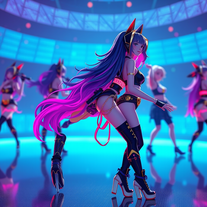 Generate stunning AI images of futuristic musical idols.Open
 -
 Transform photos into epic 3D cartoon characters.OpenSimply upload your photo; you don't need to type anything in the prompt field. Just click "generate" and watch the magic happen.
 -
 OpenVideo editing is the process of selecting, trimming, and arranging footage to create a cohesive story or visual narrative. Here are some fundamental concepts and techniques: Types of Video Editing Linear editing: A straightforward, sequential approach to editing, where clips are arranged in a linear timeline. Non-linear editing: A more flexible approach, where clips can be arranged and rearranged freely in a timeline. Key Video Editing Techniques Cutting: A transition between two clips, where one clip ends and another begins. Cutting on action: Cutting between two clips while an action is in progress, to create a seamless transition. J-cut: Cutting from one clip to another while audio from the second clip starts playing before the video cuts to it. L-cut: Cutting from one clip to another while audio from the first clip continues to play. Video Editing Software Popular video editing software includes: Adobe Premiere Pro: A professional-level editing software with advanced features and integration with other Adobe tools. Final Cut Pro: A professional-level editing software for Mac users, known for its user-friendly interface and advanced features. DaVinci Resolve: A free and paid editing software that offers advanced color grading and audio editing tools. Best Practices for Video Editing Plan your edit: Develop a clear vision and storyboard before starting to edit. Organize your footage: Label and categorize your clips to make them easily accessible. Keep it simple: Avoid overusing transitions and effects; focus on telling a clear story. Advanced Video Editing Techniques Color grading: Adjusting the color and brightness of footage to create a specific mood or atmosphere. Audio ducking: Automatically reducing the volume of background audio when dialogue is present. Motion graphics: Adding animated text, logos, or other graphics to enhance the visual narrative. Video editing involves selecting, trimming, and arranging footage to create a cohesive story. Linear and non-linear editing are two fundamental approaches. Key techniques include cutting, cutting on action, J-cuts, and L-cuts. Popular software includes Adobe Premiere Pro, Final Cut Pro, and DaVinci Resolve. Best practices involve planning, organizing footage, and keeping it simple. Advanced techniques include color grading, audio ducking, and motion graphics. Capcat pro Capcat pro Download image-to-image-generator generated imagetransparent pixel Image to Image Generator Image to Image Generator Download image-to-image-generator generated imagetransparent pixel Image to Image Generator Image to Image Generator Download image-to-image-generator generated imagetransparent pixel Image to Image Generator Image to Image Generator Download image-to-image-generator generated imagetransparent pixel Image to Image Generator Image to Image Generator Download image-to-image-generator generated imagetransparent pixel Image to Image Generator Image to Image Generator Download image-to-image-generator generated imagetransparent pixel Image to Image Generator Image to Image Generator Download image-generator generated imagetransparent pixel Image Generator Image Generator Copy Video Editing Basics Video editing is the process of selecting, trimming, and arranging footage to create a cohesive story or visual narrative. Here are some fundamental concepts and techniques: Types of Video Editing Linear editing: A straightforward, sequential approach to editing, where clips are arranged in a linear timeline. Non-linear editing: A more flexible approach, where clips can be arranged and rearranged freely in a timeline. Key Video Editing Techniques Cutting: A transition between two clips, where one clip ends and another begins. Cutting on action: Cutting between two clips while an action is in progress, to create a seamless transition. J-cut: Cutting from one clip to another while audio from the second clip starts playing before the video cuts to it. L-cut: Cutting from one clip to another while audio from the first clip continues to play. Video Editing Software Popular video editing software includes: Adobe Premiere Pro: A professional-level editing software with advanced features and integration with other Adobe tools. Final Cut Pro: A professional-level editing software for Mac users, known for its user-friendly interface and advanced features. DaVinci Resolve: A free and paid editing software that offers advanced color grading and audio editing tools. Best Practices for Video Editing Plan your edit: Develop a clear vision and storyboard before starting to edit. Organize your footage: Label and categorize your clips to make them easily accessible. Keep it simple: Avoid overusing transitions and effects; focus on telling a clear story. Advanced Video Editing Techniques Color grading: Adjusting the color and brightness of footage to create a specific mood or atmosphere. Audio ducking: Automatically reducing the volume of background audio when dialogue is present. Motion graphics: Adding animated text, logos, or other graphics to enhance the visual narrative. Video editing involves selecting, trimming, and arranging footage to create a cohesive story. Linear and non-linear editing are two fundamental approaches. Key techniques include cutting, cutting on action, J-cuts, and L-cuts. Popular software includes Adobe Premiere Pro, Final Cut Pro, and DaVinci Resolve. Best practices involve planning, organizing footage, and keeping it simple. Advanced techniques include color grading,
 -
 Transform messy lyrics into polished song structures.Open
 -
 AI-powered design engine creating unlimited print-ready typographic designs.Open
 -
 Generate ultra-realistic 8K selfies with legendary rockstars.Open
 -
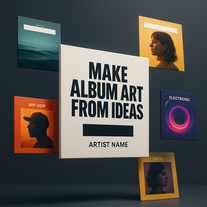 Transform simple text into stunning square album covers instantly.Open
 -
 Open
Open -
 Open
Open -
 Transform photos into electrifying Ozzy Osbourne rock art.Open
 -
yoooo this is dope!!! some legendary names out there, my fav was Golden God, got me feelin iconic
-
 Open
Open -
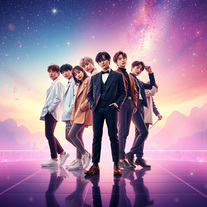 Create BTS wallpapers with dynamic poses and captivating backgrounds.Open
 -
 AI-generated Morgan Wallen wallpapers: Country charm visualized.Open
 -
 AI-generated Travis Scott wallpapers for your devicesOpen
 -
 Create whimsical 3D images of magical pianos.Open
 -
 Channel Jerry Garcia's spirit in AI-generated psychedelic artOpenIt’s pretty cool. Wish it got the essence of the bears better and Jerry but over all the psychedelic groove is fantastic.
 -
The images are pretty good but it rarely gets the name/title correct
-
 Open
Open -
 Generate Honey Singh-style lyrics instantlyOpen
 -
 Open
Open -
Nah, I want like Brazilian phonk covers. No thank you sir…
-
 Open
Open -
-
gives inaccurate information. for the most part it was correct but added songs to albums that were never there and are not even songs by the artist. a suggestion would be to include the success of each one . how many copies sold , did it reach gold status etc etc .





















































Lists
-
Best AI music toolsPublicSubscribe1219









 +4
+4 -
Music ToolsPublicSubscribe7028





 +13
+13 -
MusicPublicSubscribe35


-
Music creatorPublicSubscribe89




Post





