
 Mini tools
▼ Latest
Course
Free mode
100% free
Freemium
Free Trial
Other tools
-
 Transform any topic into a complete online course in 15 seconds.Open
 Mintona🛠️ 25 tools 🙏 1,081 karmaNov 15, 2025@15-Second AI Course GeneratorGENERATE NOW! ☺️👍🌼
 -
 AI-powered tool to create engaging training course outlines instantly.OpenI used 2 of my Interest Topics and it seems to have gotten a good outline, when reading through the outline I thought of other information that I could add to it if I wanted to.
 -
 Transform dream home ideas into stunning architectural visualizations.Open
 - Sponsor
 Wispr Flow-Now on Android!🎤 Dictation
 -
 OpenVideo editing is the process of selecting, trimming, and arranging footage to create a cohesive story or visual narrative. Here are some fundamental concepts and techniques: Types of Video Editing Linear editing: A straightforward, sequential approach to editing, where clips are arranged in a linear timeline. Non-linear editing: A more flexible approach, where clips can be arranged and rearranged freely in a timeline. Key Video Editing Techniques Cutting: A transition between two clips, where one clip ends and another begins. Cutting on action: Cutting between two clips while an action is in progress, to create a seamless transition. J-cut: Cutting from one clip to another while audio from the second clip starts playing before the video cuts to it. L-cut: Cutting from one clip to another while audio from the first clip continues to play. Video Editing Software Popular video editing software includes: Adobe Premiere Pro: A professional-level editing software with advanced features and integration with other Adobe tools. Final Cut Pro: A professional-level editing software for Mac users, known for its user-friendly interface and advanced features. DaVinci Resolve: A free and paid editing software that offers advanced color grading and audio editing tools. Best Practices for Video Editing Plan your edit: Develop a clear vision and storyboard before starting to edit. Organize your footage: Label and categorize your clips to make them easily accessible. Keep it simple: Avoid overusing transitions and effects; focus on telling a clear story. Advanced Video Editing Techniques Color grading: Adjusting the color and brightness of footage to create a specific mood or atmosphere. Audio ducking: Automatically reducing the volume of background audio when dialogue is present. Motion graphics: Adding animated text, logos, or other graphics to enhance the visual narrative. Video editing involves selecting, trimming, and arranging footage to create a cohesive story. Linear and non-linear editing are two fundamental approaches. Key techniques include cutting, cutting on action, J-cuts, and L-cuts. Popular software includes Adobe Premiere Pro, Final Cut Pro, and DaVinci Resolve. Best practices involve planning, organizing footage, and keeping it simple. Advanced techniques include color grading, audio ducking, and motion graphics. Capcat pro Capcat pro Download image-to-image-generator generated imagetransparent pixel Image to Image Generator Image to Image Generator Download image-to-image-generator generated imagetransparent pixel Image to Image Generator Image to Image Generator Download image-to-image-generator generated imagetransparent pixel Image to Image Generator Image to Image Generator Download image-to-image-generator generated imagetransparent pixel Image to Image Generator Image to Image Generator Download image-to-image-generator generated imagetransparent pixel Image to Image Generator Image to Image Generator Download image-to-image-generator generated imagetransparent pixel Image to Image Generator Image to Image Generator Download image-generator generated imagetransparent pixel Image Generator Image Generator Copy Video Editing Basics Video editing is the process of selecting, trimming, and arranging footage to create a cohesive story or visual narrative. Here are some fundamental concepts and techniques: Types of Video Editing Linear editing: A straightforward, sequential approach to editing, where clips are arranged in a linear timeline. Non-linear editing: A more flexible approach, where clips can be arranged and rearranged freely in a timeline. Key Video Editing Techniques Cutting: A transition between two clips, where one clip ends and another begins. Cutting on action: Cutting between two clips while an action is in progress, to create a seamless transition. J-cut: Cutting from one clip to another while audio from the second clip starts playing before the video cuts to it. L-cut: Cutting from one clip to another while audio from the first clip continues to play. Video Editing Software Popular video editing software includes: Adobe Premiere Pro: A professional-level editing software with advanced features and integration with other Adobe tools. Final Cut Pro: A professional-level editing software for Mac users, known for its user-friendly interface and advanced features. DaVinci Resolve: A free and paid editing software that offers advanced color grading and audio editing tools. Best Practices for Video Editing Plan your edit: Develop a clear vision and storyboard before starting to edit. Organize your footage: Label and categorize your clips to make them easily accessible. Keep it simple: Avoid overusing transitions and effects; focus on telling a clear story. Advanced Video Editing Techniques Color grading: Adjusting the color and brightness of footage to create a specific mood or atmosphere. Audio ducking: Automatically reducing the volume of background audio when dialogue is present. Motion graphics: Adding animated text, logos, or other graphics to enhance the visual narrative. Video editing involves selecting, trimming, and arranging footage to create a cohesive story. Linear and non-linear editing are two fundamental approaches. Key techniques include cutting, cutting on action, J-cuts, and L-cuts. Popular software includes Adobe Premiere Pro, Final Cut Pro, and DaVinci Resolve. Best practices involve planning, organizing footage, and keeping it simple. Advanced techniques include color grading,
 -
 AI-powered generator creating ultra-realistic photos of diverse couples.Open
 -
ooo spooky!!! this will come in very handy now that spooky season is approaching, great
-
 Astonishingly powerful and freely accessible, OpenAI's latest open-source model is a mind-blowing leap in AI—your miracle tool for language, logic, and limitless creation.Open
 -
 Transform imagination into reality with AI-powered art.Open
 - Didn't find the AI you were looking for?
-
 Create charming cartoons of animal friends for kids.Open
 -
 AI-powered Peppa Pig wallpapers for magical kids' roomsOpen
 -
 OpenSo far good just trying out
 -
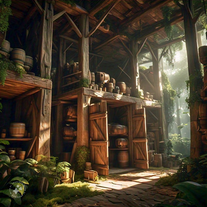
 Create whimsical 3D cartoon backgrounds with charming houses.Open
 -
 Open
Open -
Makes some pretty houses, gives a good idea for when I want to do it one day.. 4/5
-
This is simple if at first you don't get the image correct opptunity to edit until satisfied
-
 Open
Open -
 Create cinematic photos of specific people in surreal scenarios.OpenSimply upload your photo; you don't need to type anything in the prompt field. Just click "generate" and watch the magic happen.
 -
 Open
Open -
 AI-powered avatar creator for unique couple illustrations.Open
 -
 AI art generator for hauntingly beautiful abandoned placesOpen
 -
 Open
Open -
 AI-powered scenario generator for interactive learning.Open
 -
 Transform course outlines into tailored teaching strategies.Open
 -
 AI-powered English courses at your fingertips.Open
 -
 Craft AI-powered storyboards for Spanish e-learning courses.Open
 -
 AI-powered instructional design in seconds.Open
 -
 Open
Open -
 Master data structures and algorithms with AI-driven learning.Open
 -
 Generates personalized, adjustable study schedules tailored to your unique preferences.Open
 -
 AI-powered curriculum designer for magical subjectsOpen
 -
 Transform subjects into structured, easy-to-digest notes.Open
 -
First AI tool which fully focuses on commmerce related subjects, focuses on concept clarity with in-depth explainations!
-
 AI guide for real-world skills textbooks don't teach.Open
 -
how to contest a parking ticket in Washington DC, that I never received or knew about on my car. I recently got a letter in mail stating they doubled the charge. I didn't even know about the original ticket.
-
Its good but that helpful when it comes to teaching everything,It generates topics accurately and precisely a bigger version can surely do the work
































Lists








Post





