
 Mini tools
▼ Popular
Future
Free mode
100% free
Freemium
Free Trial
Other tools
-
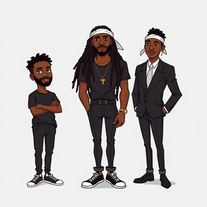
 MD🙏 14 karmaMay 11, 2025@Stick figure generatorThe art is whimsical and fun. The style is absolutely a joy to work with and I love how the characters look. The only struggle I have is for the prompt to understand what I want. I understand you have to be absolutely explicit with your instructions, but when I ask for a mother hugging two of her children, I get the children hugging each other instead or the mother is hugging only one child. I am unsure how to get the three to hug at once. But the style is on point. Keep up the good work!
 -
It’s good tool, but needs work when I write what supposed to be written is not working properly
-
 Breathing life into specs with hyper-realistic airplane images.Open
 - Sponsor:
 Base44💻 Vibe coding
 -
 Open
Open -
 Openinsane generator, crisp mountains, misty forests, lights that feels real. a few prompts came out a bit mid but most were sharp and high res. i really have a wallpaper from here.
 -
 OpenVideo editing is the process of selecting, trimming, and arranging footage to create a cohesive story or visual narrative. Here are some fundamental concepts and techniques: Types of Video Editing Linear editing: A straightforward, sequential approach to editing, where clips are arranged in a linear timeline. Non-linear editing: A more flexible approach, where clips can be arranged and rearranged freely in a timeline. Key Video Editing Techniques Cutting: A transition between two clips, where one clip ends and another begins. Cutting on action: Cutting between two clips while an action is in progress, to create a seamless transition. J-cut: Cutting from one clip to another while audio from the second clip starts playing before the video cuts to it. L-cut: Cutting from one clip to another while audio from the first clip continues to play. Video Editing Software Popular video editing software includes: Adobe Premiere Pro: A professional-level editing software with advanced features and integration with other Adobe tools. Final Cut Pro: A professional-level editing software for Mac users, known for its user-friendly interface and advanced features. DaVinci Resolve: A free and paid editing software that offers advanced color grading and audio editing tools. Best Practices for Video Editing Plan your edit: Develop a clear vision and storyboard before starting to edit. Organize your footage: Label and categorize your clips to make them easily accessible. Keep it simple: Avoid overusing transitions and effects; focus on telling a clear story. Advanced Video Editing Techniques Color grading: Adjusting the color and brightness of footage to create a specific mood or atmosphere. Audio ducking: Automatically reducing the volume of background audio when dialogue is present. Motion graphics: Adding animated text, logos, or other graphics to enhance the visual narrative. Video editing involves selecting, trimming, and arranging footage to create a cohesive story. Linear and non-linear editing are two fundamental approaches. Key techniques include cutting, cutting on action, J-cuts, and L-cuts. Popular software includes Adobe Premiere Pro, Final Cut Pro, and DaVinci Resolve. Best practices involve planning, organizing footage, and keeping it simple. Advanced techniques include color grading, audio ducking, and motion graphics. Capcat pro Capcat pro Download image-to-image-generator generated imagetransparent pixel Image to Image Generator Image to Image Generator Download image-to-image-generator generated imagetransparent pixel Image to Image Generator Image to Image Generator Download image-to-image-generator generated imagetransparent pixel Image to Image Generator Image to Image Generator Download image-to-image-generator generated imagetransparent pixel Image to Image Generator Image to Image Generator Download image-to-image-generator generated imagetransparent pixel Image to Image Generator Image to Image Generator Download image-to-image-generator generated imagetransparent pixel Image to Image Generator Image to Image Generator Download image-generator generated imagetransparent pixel Image Generator Image Generator Copy Video Editing Basics Video editing is the process of selecting, trimming, and arranging footage to create a cohesive story or visual narrative. Here are some fundamental concepts and techniques: Types of Video Editing Linear editing: A straightforward, sequential approach to editing, where clips are arranged in a linear timeline. Non-linear editing: A more flexible approach, where clips can be arranged and rearranged freely in a timeline. Key Video Editing Techniques Cutting: A transition between two clips, where one clip ends and another begins. Cutting on action: Cutting between two clips while an action is in progress, to create a seamless transition. J-cut: Cutting from one clip to another while audio from the second clip starts playing before the video cuts to it. L-cut: Cutting from one clip to another while audio from the first clip continues to play. Video Editing Software Popular video editing software includes: Adobe Premiere Pro: A professional-level editing software with advanced features and integration with other Adobe tools. Final Cut Pro: A professional-level editing software for Mac users, known for its user-friendly interface and advanced features. DaVinci Resolve: A free and paid editing software that offers advanced color grading and audio editing tools. Best Practices for Video Editing Plan your edit: Develop a clear vision and storyboard before starting to edit. Organize your footage: Label and categorize your clips to make them easily accessible. Keep it simple: Avoid overusing transitions and effects; focus on telling a clear story. Advanced Video Editing Techniques Color grading: Adjusting the color and brightness of footage to create a specific mood or atmosphere. Audio ducking: Automatically reducing the volume of background audio when dialogue is present. Motion graphics: Adding animated text, logos, or other graphics to enhance the visual narrative. Video editing involves selecting, trimming, and arranging footage to create a cohesive story. Linear and non-linear editing are two fundamental approaches. Key techniques include cutting, cutting on action, J-cuts, and L-cuts. Popular software includes Adobe Premiere Pro, Final Cut Pro, and DaVinci Resolve. Best practices involve planning, organizing footage, and keeping it simple. Advanced techniques include color grading,
 - Didn't find the AI you were looking for?
-
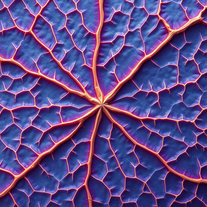
this tool is amazing, generates ultra high resolution leaf vein visuals with lifelike details and amazing texture. Ideal for botany, design work or just nature art.
-
Just landed first time and well satisfied and convinced to use the tools
-
 AI-powered YouTube niche researcher for profitable faceless channels.Open
 -
 Open
Open -
 AI-powered credit score advice in minutes.Open
 -
 Open
Open -
dope, gets the job done, gets cool cars out for me to look at. B)
-
 Craft AI-powered 'Oshi no Ko' future stories.Open
 -
 AI-powered database design for efficient, scalable solutions.Open
 -
 Create AI-powered coloring books with whimsical pop culture mashups.Open
 -
i tried creating an image and it was really nice, warm and cozy, with a true nature vibe
-
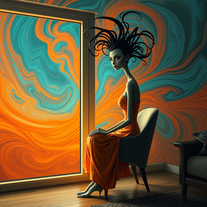
 Transform text into mesmerizing art.OpenI am obsessed! Overall the images are amazing. Sometimes one will come out with a third arm or something. But not like some others I've tried. I love it!
 -
 Open
Open -
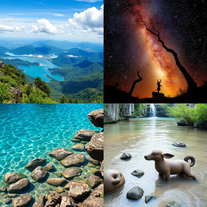
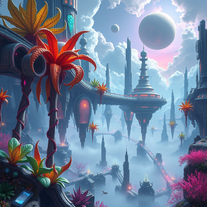
really cool tool, it does a great job at depicting environments that i would love to lose myself in.
-
 Open
Open -
It is a good tool for generating pictures, respected the prompt 80%, for a free generator it's pretty awesome.
-
 AI-powered Cubist and Futuristic Art GeneratorOpen
 -
 Open
Open -
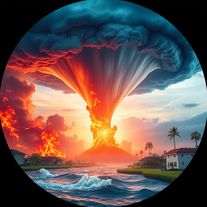 Generate hyper-realistic images of natural disasters.Open
 -
 Transform concepts into futuristic 3D design sketches.Open
 -
 Precision climate risk analysis for informed decisions.Open
 -
 Transform any character into a professional action figure image.Open
 -
 Uncover hidden truths from history's patterns.Open
 -
 Open
Open -
 Open
Open -
 Open
Open -
 Generate nostalgic visions of tomorrow from the past.OpenChanged the prompt to improve results.
 -
 Transform your vision into stunning futuristic realities.Open
 -
 Open
Open -
 Open
Open -
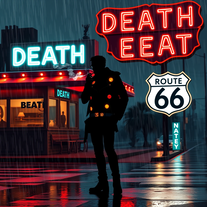
 Transform prompts into haunting dystopian visions.OpenChanged the prompt to improve results.
 -
 Open
Open -
 Turn ideas into haunting post-apocalyptic scenes.Open
 -
 Open
Open -
Simply upload your photo; you don't need to type anything in the prompt field. Just click "generate" and watch the magic happen.
-
 Transform ordinary scenes into stunning visual masterpieces.Open
 -
 Transform photos into cinematic National Geographic wildlife scenes.Open
 -
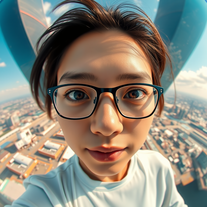 Create hyper-realistic fisheye skyscraper selfies with precise facial reproduction.Open
 -
 Open
Open




















































Lists





Post





