
 Mini tools
▼ Latest
Generate icon
Free mode
100% free
Freemium
Free Trial
Other tools
-
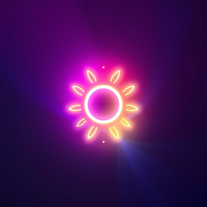 Transform flat icons into glowing visual masterpieces.Open
 -
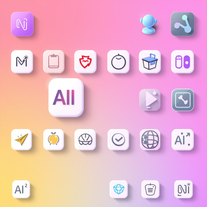 Generate neumorphic icons with AI-powered 3D aesthetics.Open
 -
 AI-powered icon generator creating custom, professional icons in any style.Open
 - Sponsor
 Base44 Superagents-AI agent that does it all
 -
 Juan Limited🛠️ 1 tool 🙏 5 karmaAug 20, 2025@Icon generatoreh, not the best, but with a liiiittle bit of shaping your prompt, you can get great results
 -
It generates a couple of very nice pixel art scenes. But then it seems to forget it is supposed to draw in pixel art style and starts drawing in regular cartoon style instead, or a combination of pixel art/cartoon style.
- Didn't find the AI you were looking for?
-
 Transform ideas into legendary artist-style watercolor masterpieces.OpenGenerates beautiful watercolor paintings in the style of the most famous watercolor artists.
 -
 Open
Open -
 Create epic, awe-inspiring images from ground-level perspective.OpenChanged the prompt to improve results.
 -
 Creates immersive first-person perspective images that simulate your own eyes.OpenChanged the prompt to improve results.
 -
 Transform concepts into ultra-soft, cloud-like visuals.OpenChanged the prompt to improve results.
 -
 Transform any idea into stunning minimalist 3D artwork.OpenChanged the prompt to improve results.
 -
 Create stunning digital art with intentional corruption effects.OpenChanged the prompt to improve results.
 -
 Transform ideas into professional image prompts instantly.Open
 -
Artist Tips for Better Results with Somnira Canvas: To help Somnira Canvas render the most compelling and emotionally resonant figures—whether human or animal—users are encouraged to guide the tool with poetic, suggestive phrasing rather than highly technical descriptions. This helps maintain harmony with the platform’s expressive strengths. For human figures, try emotion-based posture phrases like “curled in sorrow,” “reaching toward a fading light,” or “kneeling in wind.” Favor mood-based modifiers over anatomical specifics, such as “a silhouette bathed in dusk” or “a quiet figure in motion blur.” For animals, use mythic or metaphorical phrasing like “a fox made of stars,” “a deer outlined in frost,” or “a lion woven from dusk and gold.” Avoid strict biological realism unless intentionally stylized (e.g., “cubist owl,” “ink-drawn heron”). Best practices include specifying camera perspective or body angle with terms like “3/4 view,” “top-down shot,” or “over-the-shoulder,” and adding atmospheric cues such as “drifting in chalk mist,” “outlined by candlelight,” or “carved in shadow.” You can also add emotion-based tags directly into the prompt—words like “longing,” “grief,” “stillness,” or “wonder” will guide the aesthetic and expressive qualities of the final artwork.
-
 Transform thoughts into surreal, striking visuals.Open
 -
 Craft anime-style visuals inspired by Hiro Mashima.Open
 -
 Channel Jerry Garcia's spirit in AI-generated psychedelic artOpenIt’s pretty cool. Wish it got the essence of the bears better and Jerry but over all the psychedelic groove is fantastic.
 -
Guys this is like a truck load of free Bananas , Magic
-
I think it's the best image generator I ever found on the net. It gives more accurate image according to the prompt. And thank you for keeping it for free.
-
 AI-generated themed community maps with cultural flairOpen
 -
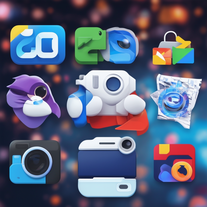
I tested them all and this icon generator is by far the best. Make sure you specify 'app icon' though so you actually get one that looks like an app icon.
-
-
Ya'll accidentally head here because of the name? I had to Google why I suddenly boomed in usage and why this tool suddenly had actual data for analysis which is a first for me and is very neat, and saw there's an image model with similar name. To be honest, I couldn't get hi-fidelity out of my head for some reason and could only pivot to Hi-Dreams as a name haha. If anyone has a moment, I see there's common words being attempted and it might be helpful to know if it does help the generation more? I'm trying hard to think on how I can break a very simplified tool framework into making a complex proper icon maker with transparent backgrounds but still struggling to get it 100% because it probably can't.
-
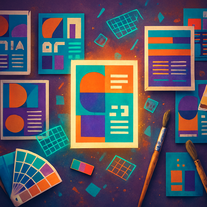 Transform text prompts into polished, design-ready visuals.Open
 -
 OpenThis is a very useful tool for anyone that can create a prompt. I've used it time and again and it always delivers stunning results, and best of all at absolutely no cost. I would definitely recommend it.

















Post





