
 Mini tools
▼ Popular
Interactive
Free mode
100% free
Freemium
Free Trial
Other tools
-
Sukul Das PANIKA🙏 174 karmaJun 1, 2025@Text TranslatorThis AI translation tool is truly impressive! I wrote in English: "Make me a rose flower in a garden with a girl standing holding it in her hand," and it translated it into Hindi beautifully. The translation was so accurate and natural, it felt like it was done by a professional translator. Highly recommended!
-
 OpenI especially like that there's a colored side to guide the artist as reference
 -
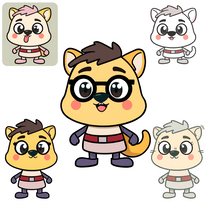
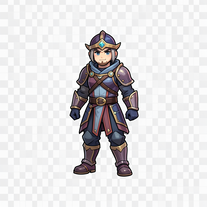
 Create custom 2D characters for games and animations.OpenI like it, please make it more sexual...😁
 - Sponsor:
 Base44💻 Vibe coding
 -
 Open
Open -
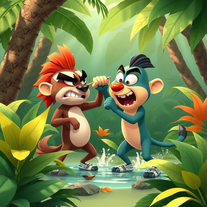
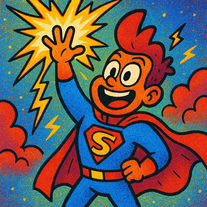
 Transform story ideas into vibrant cartoon scenes.Open
 -
 OpenVideo editing is the process of selecting, trimming, and arranging footage to create a cohesive story or visual narrative. Here are some fundamental concepts and techniques: Types of Video Editing Linear editing: A straightforward, sequential approach to editing, where clips are arranged in a linear timeline. Non-linear editing: A more flexible approach, where clips can be arranged and rearranged freely in a timeline. Key Video Editing Techniques Cutting: A transition between two clips, where one clip ends and another begins. Cutting on action: Cutting between two clips while an action is in progress, to create a seamless transition. J-cut: Cutting from one clip to another while audio from the second clip starts playing before the video cuts to it. L-cut: Cutting from one clip to another while audio from the first clip continues to play. Video Editing Software Popular video editing software includes: Adobe Premiere Pro: A professional-level editing software with advanced features and integration with other Adobe tools. Final Cut Pro: A professional-level editing software for Mac users, known for its user-friendly interface and advanced features. DaVinci Resolve: A free and paid editing software that offers advanced color grading and audio editing tools. Best Practices for Video Editing Plan your edit: Develop a clear vision and storyboard before starting to edit. Organize your footage: Label and categorize your clips to make them easily accessible. Keep it simple: Avoid overusing transitions and effects; focus on telling a clear story. Advanced Video Editing Techniques Color grading: Adjusting the color and brightness of footage to create a specific mood or atmosphere. Audio ducking: Automatically reducing the volume of background audio when dialogue is present. Motion graphics: Adding animated text, logos, or other graphics to enhance the visual narrative. Video editing involves selecting, trimming, and arranging footage to create a cohesive story. Linear and non-linear editing are two fundamental approaches. Key techniques include cutting, cutting on action, J-cuts, and L-cuts. Popular software includes Adobe Premiere Pro, Final Cut Pro, and DaVinci Resolve. Best practices involve planning, organizing footage, and keeping it simple. Advanced techniques include color grading, audio ducking, and motion graphics. Capcat pro Capcat pro Download image-to-image-generator generated imagetransparent pixel Image to Image Generator Image to Image Generator Download image-to-image-generator generated imagetransparent pixel Image to Image Generator Image to Image Generator Download image-to-image-generator generated imagetransparent pixel Image to Image Generator Image to Image Generator Download image-to-image-generator generated imagetransparent pixel Image to Image Generator Image to Image Generator Download image-to-image-generator generated imagetransparent pixel Image to Image Generator Image to Image Generator Download image-to-image-generator generated imagetransparent pixel Image to Image Generator Image to Image Generator Download image-generator generated imagetransparent pixel Image Generator Image Generator Copy Video Editing Basics Video editing is the process of selecting, trimming, and arranging footage to create a cohesive story or visual narrative. Here are some fundamental concepts and techniques: Types of Video Editing Linear editing: A straightforward, sequential approach to editing, where clips are arranged in a linear timeline. Non-linear editing: A more flexible approach, where clips can be arranged and rearranged freely in a timeline. Key Video Editing Techniques Cutting: A transition between two clips, where one clip ends and another begins. Cutting on action: Cutting between two clips while an action is in progress, to create a seamless transition. J-cut: Cutting from one clip to another while audio from the second clip starts playing before the video cuts to it. L-cut: Cutting from one clip to another while audio from the first clip continues to play. Video Editing Software Popular video editing software includes: Adobe Premiere Pro: A professional-level editing software with advanced features and integration with other Adobe tools. Final Cut Pro: A professional-level editing software for Mac users, known for its user-friendly interface and advanced features. DaVinci Resolve: A free and paid editing software that offers advanced color grading and audio editing tools. Best Practices for Video Editing Plan your edit: Develop a clear vision and storyboard before starting to edit. Organize your footage: Label and categorize your clips to make them easily accessible. Keep it simple: Avoid overusing transitions and effects; focus on telling a clear story. Advanced Video Editing Techniques Color grading: Adjusting the color and brightness of footage to create a specific mood or atmosphere. Audio ducking: Automatically reducing the volume of background audio when dialogue is present. Motion graphics: Adding animated text, logos, or other graphics to enhance the visual narrative. Video editing involves selecting, trimming, and arranging footage to create a cohesive story. Linear and non-linear editing are two fundamental approaches. Key techniques include cutting, cutting on action, J-cuts, and L-cuts. Popular software includes Adobe Premiere Pro, Final Cut Pro, and DaVinci Resolve. Best practices involve planning, organizing footage, and keeping it simple. Advanced techniques include color grading,
 - Didn't find the AI you were looking for?
-
No way to continue writing after chapter one is completed. Even after giving a full outline. So if this story pops up anywhere even close to the outline I gave for my own story I will know exactly who used or sold my idea.
-
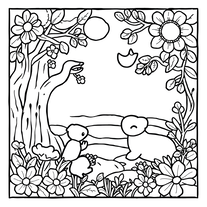
 AI-powered coloring book creator for kids' stories.Open
 -
 Bring children's stories to life with AI-generated images.Open
 -
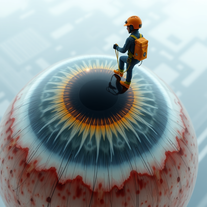 Turn subjects into surreal eye-cleaning visuals.Open
 -
Nice post! I recently tried infinite-fusion.net/generator and it’s a really fun Pokémon fusion tool.
-
-
omg yes!! finally i found a free tool to learn japanese. isn't the best one but i can work with it!!!!
-
I asked for a fractal design and I got some nonfractal pictures
-
Didn't follow my prompt at all..did it's own thing,which was beautiful just not what I wanted.
-
 Open
Open -
 OpenI didn't thought that it would work this smooth good thing is it doesn't get confused.
 -
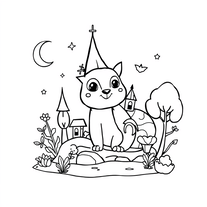 AI coloring book for enchanting kids' art adventures.Open
 -
 AI-powered script generator for captivating educational content.Open
 -
 Open
Open -
This tool is actually kinda clutch for quick physics questions. Saves me from digging through my notes every time :)
-
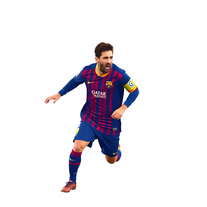
This does not do much , but for comparisons its pretty good. If you have a quick question about Messi and you dont want to scroll on google , this is pretty neat!
-
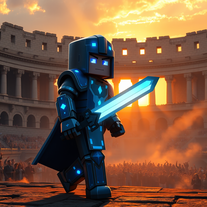
 Creates unique Minecraft skins from your descriptions instantly.Open
 -
 AI-powered English courses at your fingertips.Open
 -
 Open
Open -
 Open
Open -
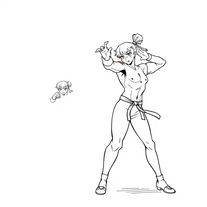
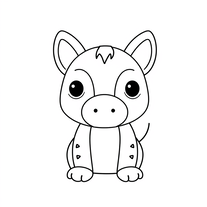
 Transform ideas into captivating black-and-white illustrations.Open
 -
 Open
Open -
 Open
Open -
 Test your 60s-70s music and Route 66 trivia in an AI treasure hunt.Open
 -
W TOOL!! Just made one myself, you should check it out. Its for generating Fortnite usernames and its really nice in my opinion :)
-
-
The title of this AI is misleading, it's not a Dungeon master and doesn't actually allow you to Play DnD or do anything useful at all. It just poorly generates you an image and has no real use because Copilot or GPT both do it's job better.
-
-
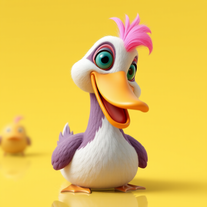 Transform ducks into 3D whimsical masterpieces.Open
 -
 Create custom AI-powered Tarot decks effortlessly.Open
 -
 AI-powered backgrounds for stunning websites.Open
 -
 Open
Open -
 AI-crafted forest adventure tales for young readersOpen
 -
 Open
Open -
 Transform any subject into personalized study flashcards instantly.Open
 -
 Open
Open -
 Transform number picking into theatrical ceremony.Open
 -
 AI-powered scenario generator for interactive learning.Open
 -
 Craft captivating Akane Kurokawa fanfiction.Open
 -
 Open
Open -
Yoo, just gave this chat a theme and it spat out a brain-twister that's straight fire! kinda dope, but u ll need some hints to dial down the guesswork
-
Pretty responsive with detailed info about the Human Anatomy.
-
 Open
Open -
So far, on my first search, this seems very promising!! I’m excited to learn more. Answers are written in a very simple, easy to understand way.
-
 Craft hyper-realistic miniature NYC scenes from your ideas.Open
 -
 Open
Open -
 Creates immersive first-person perspective images that simulate your own eyes.OpenChanged the prompt to improve results.
 -
 AI-powered 3D models for VR combat gear.Open
 -
I typed in "cats" and I received Whiskers, Fluffina and Snugglebug. 5/5 too cute to rank.
-
 Bring history to life with AI-generated visualizations.Open
 -
 Get your life's 80s soundtrack in secondsOpen
 -
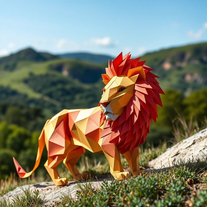
 Transform prompts into swirling paper art masterpieces.Open
 -
 Open
Open -
 Generate hilariously exaggerated failure scenarios for any character.Open
 -
 Open
Open -
 Open
Open -
 Open
Open -
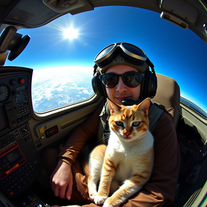
 Generate epic 3D fisheye selfies with original TMNT.Open
 -
 Open
Open -
 Transform any topic into clever jokes, puns, and one-liners instantly.Open
 -
 Transform yourself into hyper-realistic celebrity group photos.OpenSimply upload your photo; you don't need to type anything in the prompt field. Just click "generate" and watch the magic happen.
 -
 OpenChanged the prompt to improve results.
 -
 Open
Open -
Changed the prompt to improve results.
-
 AI-powered Truth or Dare Generator creates unique questions and challenges.Open
 -
 Open
Open -
 Open
Open -
 OpenSimply upload your photo; you don't need to type anything in the prompt field. Just click "generate" and watch the magic happen.
 -
 Open
Open -
 Create mesmerizing digital terrariums from your ideas.Open
 -
 Create enchanting miniature worlds in glass capsules.Open
 -
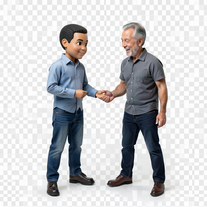 Transform photos into hyper-realistic miniature scenes.OpenSimply upload your photo; you don't need to type anything in the prompt field. Just click "generate" and watch the magic happen.
 -
 Transform photos into epic 3D cartoon characters.OpenSimply upload your photo; you don't need to type anything in the prompt field. Just click "generate" and watch the magic happen.
 -
 AI-powered Christmas greeting card generator creating festive designs.Open
 -
 AI-powered Truth or Dare for unforgettable parties.Open
 -
 Open
Open -
 Create charming Pompompurin illustrations with AI.Open
 -
 Transform photos into cinematic scenes with lifelike Pikachu.Open
 -
 Open
Open -
 Sparks curiosity with thought-provoking questions across diverse topics.Open
 -
 Transform yourself into a Fast & Furious action hero!Open
 -
 Generate magical Harry Potter-inspired potion recipes.Open
 -
 Open
Open -
 Transform yourself into cinematic luxury scenes with photorealistic precision.Open
 -
 AI-generated truth questions and dare challenges for parties.Open
 -
 Transform yourself into ultra-realistic scenes with impossible scale.Open













































































































Post





