
 Mini tools
▼ State of the art
Top
Free mode
100% free
Freemium
Free Trial
Other tools
-
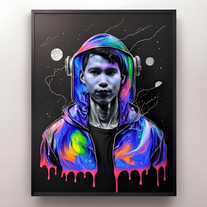
 Transform your images with AI — effortlessly enhance, edit, or reimagine any picture using advanced image-to-image generation. Perfect for creatives, designers, and anyone looking to bring visual ideas to life.OpenShvetank Sharma🙏 69 karmaAug 19, 2025@Image to Image GeneratorNot at all accurate…. The only thing similar between original and generated images were the clothes and accessories… face was absolutely new and unconnected.
 -
 Convert speech to text with our AI speech to text tool. Simply upload your audio file and our AI will transcribe your speech into text. Easy and accurate!Open2 times I tried and it threw error. it is not clear how to use it.
 -
- Sponsor
 Rocket - Think it. Type it. Launch it.
 -
-
The feature of having a file as reference is great, having two files for reference would be better when conceptualizing conplex ideas. Like I want A element from pic A and B element from pic B to make C
-
 Open
Open -
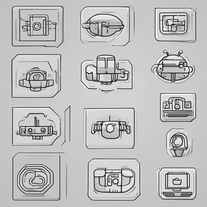
 OpenI thought this was going to generate a circuit, but it generates a stylised pictures of a circuit with no information
 -
To be honest it's insane how accurate the logos are, it really listens to your prompt. Good first sketch.
-
 Craft respectful ghost questions for seances and investigations.Open🌟🌟🌟🌟🌟 5-Star Review "This AI tool provides an excellent selection of questions for engaging with spirits. The prompts are thoughtful and respectful, encouraging meaningful dialogue during paranormal sessions. Highly recommended for both novice and experienced ghost hunters seeking deeper connections."
 -
 OpenVideo editing is the process of selecting, trimming, and arranging footage to create a cohesive story or visual narrative. Here are some fundamental concepts and techniques: Types of Video Editing Linear editing: A straightforward, sequential approach to editing, where clips are arranged in a linear timeline. Non-linear editing: A more flexible approach, where clips can be arranged and rearranged freely in a timeline. Key Video Editing Techniques Cutting: A transition between two clips, where one clip ends and another begins. Cutting on action: Cutting between two clips while an action is in progress, to create a seamless transition. J-cut: Cutting from one clip to another while audio from the second clip starts playing before the video cuts to it. L-cut: Cutting from one clip to another while audio from the first clip continues to play. Video Editing Software Popular video editing software includes: Adobe Premiere Pro: A professional-level editing software with advanced features and integration with other Adobe tools. Final Cut Pro: A professional-level editing software for Mac users, known for its user-friendly interface and advanced features. DaVinci Resolve: A free and paid editing software that offers advanced color grading and audio editing tools. Best Practices for Video Editing Plan your edit: Develop a clear vision and storyboard before starting to edit. Organize your footage: Label and categorize your clips to make them easily accessible. Keep it simple: Avoid overusing transitions and effects; focus on telling a clear story. Advanced Video Editing Techniques Color grading: Adjusting the color and brightness of footage to create a specific mood or atmosphere. Audio ducking: Automatically reducing the volume of background audio when dialogue is present. Motion graphics: Adding animated text, logos, or other graphics to enhance the visual narrative. Video editing involves selecting, trimming, and arranging footage to create a cohesive story. Linear and non-linear editing are two fundamental approaches. Key techniques include cutting, cutting on action, J-cuts, and L-cuts. Popular software includes Adobe Premiere Pro, Final Cut Pro, and DaVinci Resolve. Best practices involve planning, organizing footage, and keeping it simple. Advanced techniques include color grading, audio ducking, and motion graphics. Capcat pro Capcat pro Download image-to-image-generator generated imagetransparent pixel Image to Image Generator Image to Image Generator Download image-to-image-generator generated imagetransparent pixel Image to Image Generator Image to Image Generator Download image-to-image-generator generated imagetransparent pixel Image to Image Generator Image to Image Generator Download image-to-image-generator generated imagetransparent pixel Image to Image Generator Image to Image Generator Download image-to-image-generator generated imagetransparent pixel Image to Image Generator Image to Image Generator Download image-to-image-generator generated imagetransparent pixel Image to Image Generator Image to Image Generator Download image-generator generated imagetransparent pixel Image Generator Image Generator Copy Video Editing Basics Video editing is the process of selecting, trimming, and arranging footage to create a cohesive story or visual narrative. Here are some fundamental concepts and techniques: Types of Video Editing Linear editing: A straightforward, sequential approach to editing, where clips are arranged in a linear timeline. Non-linear editing: A more flexible approach, where clips can be arranged and rearranged freely in a timeline. Key Video Editing Techniques Cutting: A transition between two clips, where one clip ends and another begins. Cutting on action: Cutting between two clips while an action is in progress, to create a seamless transition. J-cut: Cutting from one clip to another while audio from the second clip starts playing before the video cuts to it. L-cut: Cutting from one clip to another while audio from the first clip continues to play. Video Editing Software Popular video editing software includes: Adobe Premiere Pro: A professional-level editing software with advanced features and integration with other Adobe tools. Final Cut Pro: A professional-level editing software for Mac users, known for its user-friendly interface and advanced features. DaVinci Resolve: A free and paid editing software that offers advanced color grading and audio editing tools. Best Practices for Video Editing Plan your edit: Develop a clear vision and storyboard before starting to edit. Organize your footage: Label and categorize your clips to make them easily accessible. Keep it simple: Avoid overusing transitions and effects; focus on telling a clear story. Advanced Video Editing Techniques Color grading: Adjusting the color and brightness of footage to create a specific mood or atmosphere. Audio ducking: Automatically reducing the volume of background audio when dialogue is present. Motion graphics: Adding animated text, logos, or other graphics to enhance the visual narrative. Video editing involves selecting, trimming, and arranging footage to create a cohesive story. Linear and non-linear editing are two fundamental approaches. Key techniques include cutting, cutting on action, J-cuts, and L-cuts. Popular software includes Adobe Premiere Pro, Final Cut Pro, and DaVinci Resolve. Best practices involve planning, organizing footage, and keeping it simple. Advanced techniques include color grading,
 - Didn't find the AI you were looking for?
-
 Transform any photograph into elegant engraving-style line art.Open
 -
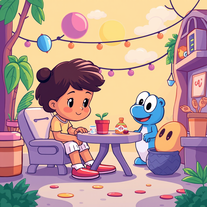 Transform story ideas into vibrant cartoon scenes.Open
 -
-
 Turn academic jargon into human conversation.Open
 -
-
Heya Ron! Might be a temporary problem, worked like a charm for me :D Give it another shot.
-
 Transform any image into stunning artistic masterpieces.Open
 -
 Transform text descriptions into professional circuit diagrams instantly.Open
 -
 AI-powered script magic for global filmmakers.Open
 -
 Transform photos into bold WPA-style geometric art.Open
 -
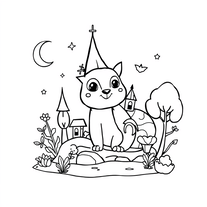 AI coloring book for enchanting kids' art adventures.Open
 -
 Open
Open -
 Transform words into vibrant pop art portraits.Open
 -
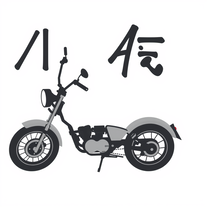 Moto-speak: English to Hinglish for bike enthusiastsOpen
 -
 Create AI-powered coloring books with whimsical pop culture mashups.Open
 -
 Create adorable Funko Pop-style characters from any concept!OpenChanged the prompt to improve results.
 -
 AI-powered YouTube content generator for trending niches.Open
 -
 Craft multilingual pop-rock lyrics effortlessly.Open
 -
 Transform thoughts into surreal, striking visuals.Open
 -
-
 Uncover must-read books tailored for indecisive readers.Open
 -
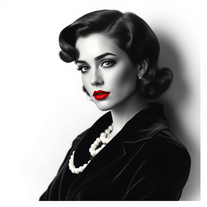 Glamorize photos into 1940s Hollywood portraits.Open
 -
 Transform photos into vibrant comic book illustrations.Open
 -
 Open
Open -
Not my usual kind of tool, but this one’s actually fun. Played with it for a bit and it handed me a couple of really touching letters I didn’t see coming. Might keep it around just for that.
-
 Generate haunting Halloween images that captivate and spook.Open
 -
Interesting, creative generations that don’t seem to have any relation to what you put into it. But try it out, you might like what you get!
-
 Transform any photo into charming crayon art with childlike wonder.Open
 -
-
Changed the prompt to improve results.
-
 Create unique art toys with AI in seconds.Open
 -
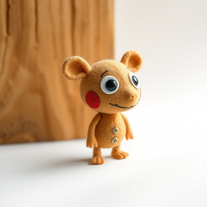 Transform ideas into charming stop-motion style images.OpenChanged the prompt to improve results.
 -
 Generate hilariously exaggerated failure scenarios for any character.Open
 -
 Transform ideas into vibrant pop art masterpieces.Open
 -
 Open
Open -
 Transform photos into Lichtenstein pop-art portraits.Open
 -
 Open
Open -
 Open
Open -
 Instant answers on any topic from an AI encyclopedia.Open
 -
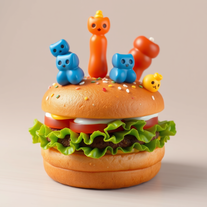 Open
Open -
Well... it does make pizza pies, but it hardly listens to the instructions you give it, and as a result, you get very samey pies.
-
 Your culinary companion for global cuisines.Open
 -
 Break language barriers with AI-powered English-Swahili translation.Open
 -
 Transform any character into a professional action figure image.Open
 -
 Travel through time with AI-powered historical narratives.Open
 -
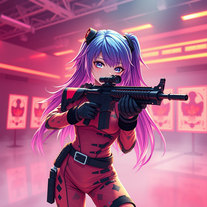 Transform ideas into 3D anime-inspired battle scenes.Open
 -
 AI-powered survival guide for any apocalypseOpen
 -
 Open
Open -
 Bring children's Christmas card drawings to life with AIOpen
 -
 OpenChanged the prompt to improve results.
 -
 Transform photos into epic 3D cartoon characters.OpenSimply upload your photo; you don't need to type anything in the prompt field. Just click "generate" and watch the magic happen.
 -
 Microsoft BING alternative that generates ONE precise, anatomically correct image per request.Open
 -
 Transform ideas into breathtaking AI-generated art.Open
 -
 Open
Open -
 Transform ordinary images into luminous masterpieces with AI-powered shining effects.Open
 -
 Create charming 3D toy-style characters like classic action figures.Open
 -
 Open
Open -
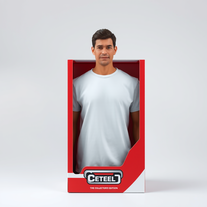 Transform yourself into a hyperrealistic collectible action figure.Open
 -
 Transform photos into cinematic Funko-Pop portraits.Open
 -
 Transform into a car maintenance expert with AI-powered guides.Open
 -
 Transform yourself into a Renaissance masterpiece.Open
 -
 Your personal culinary expert for mastering the perfect roast dinner.Open
 -
 Transform your selfie into a cinematic horror masterpiece.Open
 -
 Instantly translate English words to Kannada with AI precision.Open
 -
 Your AI culinary expert for mastering sauce recipes.Open





























































Lists
-
Top Virtual GirlfriendsPublicSubscribe14512






-
Top ai tools for journalistsPublicSubscribe816









 +1
+1 -
TOP generative AI toolsPublicSubscribe57



-
Top AI Tools for Artistic Image TransformationPublicSubscribe146






Post





