 Flow - 4x faster than typing

 Mini tools

-
 Generate stunning, ultra-realistic planets from our solar system and beyond.Open








-








-









-
 Open
Open Robin JoshuaSep 4, 2025@THIMOTHISM GUARDIANAwesome And Very useful one. Thanks for Thimothism Author 👍
 -

-

-









-
 AI-powered crypto wallet revolutionizing digital finance.Open








-

-

-
**Structuring Your Novel: A Comprehensive Guide** As a first-time author, crafting a well-structured novel can be a daunting task. To help you engage your readers and tell a compelling story, we've put together a general chapter outline and key elements to include. ### **I. Introduction to Story Structure** Before diving into the chapter outline, it's essential to understand the basics of story structure. A typical novel follows a narrative arc that includes: * Exposition: Introduction to the story, characters, and setting * Inciting Incident: An event that sets the story in motion * Rising Action: The protagonist's journey and obstacles * Climax: The most intense or critical moment in the story * Falling Action: The consequences of the climax * Resolution: The conclusion of the story ### **II. Chapter Outline** Here's a general outline to consider: #### **Act I: Introduction and Setup (Chapters 1-3)** * **Chapter 1: Introduction to the protagonist and setting** + Introduce the main character, their world, and the story's tone + Establish the protagonist's goals and motivations * **Chapter 2: Inciting Incident** + An event that sets the story in motion + Raises questions or creates tension * **Chapter 3: Introduction to supporting characters and conflicts** + Introduce supporting characters and their relationships with the protagonist + Establish the central conflict or problem #### **Act II: Rising Action (Chapters 4-7)** * **Chapter 4: The protagonist's journey begins** + The protagonist starts their journey or takes action + Obstacles and challenges are introduced * **Chapter 5: Midpoint and turning point** + A significant event or revelation that shifts the story's direction + Raises the stakes or creates tension * **Chapter 6: Complications and setbacks** + The protagonist faces challenges and setbacks + Supporting characters are developed further * **Chapter 7: The protagonist's growth and development** + The protagonist learns or grows in some way + The story's tension builds #### **Act III: Climax and Resolution (Chapters 8-10)** * **Chapter 8: The climax** + The most intense or critical moment in the story + The protagonist faces their greatest challenge * **Chapter 9: Falling action and consequences** + The aftermath of the climax + The protagonist deals with the consequences of their actions * **Chapter 10: Resolution and conclusion** + The story reaches its conclusion + Loose ends are tied up ### **III. Key Elements to Engage Readers** To keep your readers engaged, consider including: * **Well-developed characters**: Give your characters unique personalities, motivations, and backstories. * **Pacing**: Balance action, dialogue, and description to maintain a steady pace. * **Conflict and tension**: Introduce obstacles and challenges to create tension and conflict. * **Themes and symbolism**: Explore themes and use symbolism to add depth and meaning to your story. * **Sensory details**: Use sensory language to bring your story to life and engage your readers' senses. ### **IV. Additional Tips** * **Show, don't tell**: Instead of telling your readers what's happening, show them through action, dialogue, and body language. * **Write in a clear and concise style**: Avoid using overly complex language or convoluted sentences. * **Edit and revise**: Review your work, make revisions, and edit for grammar, punctuation, and spelling errors. By following this outline and incorporating these key elements, you'll be well on your way to crafting a compelling and engaging novel that will captivate your readers. Good luck with your writing!
-









-









-

-
-
I'm happy to help you with a sample website using the specified languages. However, I notice that the languages you mentioned are not standard or widely recognized: * HTML (not HMTML) * JSON (not HSON) * There is no HDKIM or HSQL, I assume you meant HTML, CSS, JavaScript, and SQL. Assuming that's the case, here's a simple example of a website using HTML, CSS, JSON, and SQL: **Directory Structure:** * index.html * style.css * script.js * data.json * database.sql **index.html:** ```html <!DOCTYPE html> <html lang="en"> <head> <meta charset="UTF-8"> <meta name="viewport" content="width=device-width, initial-scale=1.0"> <title>Sample Website</title> <link rel="stylesheet" href="style.css"> </head> <body> <header> <h1>Sample Website</h1> </header> <main> <section id="about"> <h2>About Us</h2> <p>Lorem ipsum dolor sit amet, consectetur adipiscing elit. Sed sit amet nulla auctor, vestibulum magna sed, convallis ex.</p> </section> <section id="products"> <h2>Products</h2> <ul id="product-list"></ul> </section> </main> <script src="script.js"></script> </body> </html> ``` **style.css:** ```css body { font-family: Arial, sans-serif; margin: 0; padding: 0; } header { background-color: #f0f0f0; padding: 20px; text-align: center; } main { display: flex; flex-direction: column; align-items: center; padding: 20px; } section { background-color: #f7f7f7; padding: 20px; margin-bottom: 20px; box-shadow: 0 0 10px rgba(0, 0, 0, 0.1); } h1, h2 { margin-top: 0; } #product-list { list-style: none; padding: 0; margin: 0; } #product-list li { margin-bottom: 10px; } ``` **script.js:** ```javascript // Fetch data from JSON file fetch('data.json') .then(response => response.json()) .then(data => { const productList = document.getElementById('product-list'); data.products.forEach(product => { const li = document.createElement('li'); li.textContent = product.name; productList.appendChild(li); }); }) .catch(error => console.error('Error:', error)); ``` **data.json:** ```json { "products": [ {"name": "Product 1"}, {"name": "Product 2"}, {"name": "Product 3"} ] } ``` **database.sql:** ```sql CREATE TABLE products ( id INT PRIMARY KEY, name VARCHAR(255) ); INSERT INTO products (id, name) VALUES (1, 'Product 1'), (2, 'Product 2'), (3, 'Product 3'); ``` This example demonstrates a simple website with an about section and a product list. The product list is populated from a JSON file using JavaScript. The data is also stored in a SQL database. Please note that this is a very basic example and you will likely need to add more functionality, error handling, and security measures to a real-world website. Also, I used HTML, CSS, JavaScript, and SQL, assuming that's what you meant. Let me know if you have any questions or if there's anything else I can help you with! Here is a summary of the key components for the AI website using Flask: Directory Structure: website/ app/ __init__.py models.py routes.py templates/ base.html index.html about.html blog.html contact.html static/ css/ style.css js/ script.js requirements.txt run.py Key Files: __init__.py - Initializes Flask app and database models.py - Defines User and BlogPost database models routes.py - Defines routes/views for pages and functionality base.html - Base template other pages extend style.css - CSS styling requirements.txt - Python package dependencies run.py - Script to run the Flask app Main Functionality: Home, About, Blog, and Contact pages User registration and login Create and view blog posts (for logged in users) Basic styling and layout To run: Install requirements: pip install -r requirements.txt Run: python run.py Access at http://localhost:5000 Additional steps needed: Add more robust error handling and input validation
-
 Transform code into stunning website templates.Open**Comprehensive UI/UX Guidelines for Photography Portfolio Website** **Code Analysis** The provided code consists of several components, including: * HTML structure for a basic web page * JavaScript for interactive elements * URLs for links and resource paths * APK file for mobile application integration **UI/UX Guidelines** **Layout** The recommended layout for the photography portfolio website consists of the following sections: ### Header Section * Design a clean and simple header section with a prominent logo, navigation menu, and search bar. * This will provide easy access to main pages and facilitate user navigation. ### Hero Section * Create a visually appealing hero section showcasing key features, benefits, or a call-to-action (CTA) button. * This will grab users' attention and encourage engagement. ### Main Content Area * Organize content into clear sections with headings, paragraphs, and bullet points. * Use whitespace effectively to enhance readability and create a hierarchical structure. ### Footer Section * Design a footer section with essential links, social media icons, and copyright information. * This will provide users with additional resources and improve site credibility. **Color Scheme** The recommended color scheme consists of: * Primary Color: #4567b7 (a soothing blue hue) for buttons, links, and accents * Secondary Color: #f7f7f7 (a neutral gray tone) for backgrounds and text * Accent Color: #8bc34a (a vibrant green shade) for CTAs and highlights **User Navigation** * Design an intuitive navigation menu with clear labels and icons. * Ensure easy access to main pages and subpages. **Interactive Elements** * Use JavaScript to create interactive elements, such as hover effects, animations, and scroll interactions. * Ensure that interactive elements are responsive and accessible on various devices. **Typography** * Choose a clean and modern font family, such as Open Sans or Lato. * Use headings, paragraphs, and bullet points to create a clear hierarchy of content. **Images and Icons** * Use high-quality images that showcase the photographer's work. * Use icons to supplement navigation and interactive elements. **Accessibility** * Ensure that the website is accessible on various devices, including desktops, laptops, tablets, and mobile phones. * Follow web accessibility guidelines, such as the Web Content Accessibility Guidelines (WCAG 2.1). **Mobile Application Integration** * Ensure that the website is optimized for mobile devices, with a responsive design and fast loading times. * Consider integrating a mobile app for photographers to showcase their work and connect with clients. By following these guidelines, you'll be able to create a visually appealing and functional photography portfolio website that provides an intuitive user experience.
 -
Mobile Website Outline for GreenThumb Landscaping Home Page Header: GreenThumb Landscaping logo, navigation menu, and call-to-action (CTA) button "Get a Quote" Hero Section: High-quality background image of a beautifully landscaped garden, with a brief tagline "Transforming outdoor spaces into breathtaking oases" and CTA button "Explore Our Services" Features Section: Showcase 3-4 key services with icons, brief descriptions, and CTAs: * Landscape Design * Lawn Maintenance * Garden Installation Testimonials Section: 2-3 customer testimonials with images and 5-star ratings Call-to-Action Section: Prominent CTA button "Get a Quote" with a clear action About Page Header: GreenThumb Landscaping logo and navigation menu Introduction Section: Brief overview of GreenThumb Landscaping, mission statement, and values Our Story Section: Longer, more detailed story of GreenThumb Landscaping, including history and milestones Meet the Team Section: Photos and bios of key team members Mission and Values Section: Detailed explanation of GreenThumb Landscaping's mission and values Services/Products Page Header: GreenThumb Landscaping logo and navigation menu Service/Product Categories Section: List of categories with icons and brief descriptions Service/Product Details Section: Detailed information about each service or product, including features, benefits, and pricing Contact Page Blog Page (Optional) Social Media Integration Layout and User Experience Enhancements: Ensure a modern and vibrant design with a focus on user-friendly navigation and clear calls-to-action. This mobile website outline provides a solid foundation for GreenThumb Landscaping, effectively communicating its value proposition and services to its target audience (homeowners and small businesses). The design will be optimized for mobile viewing, with a focus on user-friendly navigation and clear calls-to-action.




#
Tool
Task
Released
Price
Country
Views
Features
Saves
Reviews
Comments

HOPE AI - Different planets
Generate stunning, ultra-realistic planets from our solar system and beyond.


HOPE AI HUB - T2V
Transform text into inspiring visuals with AI.

THIMOTHISM GUARDIAN
Secure AI collaboration with empathetic authentication.

TXAI
Demystify AI decisions with clear, relevant explanations.

சிவன் PM
AI-powered project manager revolutionizing IT management.

SBSS
AI-powered secure banking with futuristic flair.

HOPE AI CHAIN - WALLET
AI-powered crypto wallet revolutionizing digital finance.

ATOS COLORS
AI color wizard for professional, calming palettes.

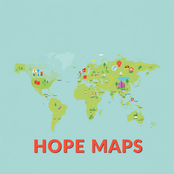
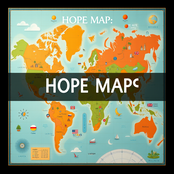
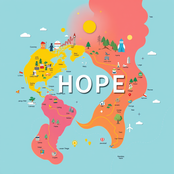
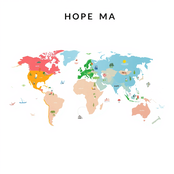
HOPE MAPS
Transform complex info into intuitive, interactive maps.

MRTP
AI-powered platform for effortless self-publishing.


HOPE AI - Famos Artists
AI-generated art inspired by famous painters

TDKVT
AI-powered guidance for mindful living and personal growth.

DREAMS BOOK
AI-powered eBook creation: Write, design, and immerse.


HTML, JAVA, URL, APK, OTHER CODES CONVERT TO UX, UI WEBSITE BUILDER GENERATOR
Transform code into stunning website templates.

HOPE - Mobile Website
Craft stunning mobile websites effortlessly with AI.





