
 KiloClaw - Managed 🦀
  Mini tools
Design Maxx Pro
How to use
- 1Enter your image generation prompt
- 2Select up to 4 AI models to compare
- 3Hit generate and create stunning images
Design Maxx Pro
Design Maxx Pro: AI-powered creative assistant crafting stunning, detailed visuals. From futuristic cityscapes to eco-friendly innovations, it generates unique images tailored to your theme, style, and specifications. Unleash vibrant, responsible artistry effortlessly.
-

 piw🙏 69 karmaOct 8, 2025@Jason AIthat's such a great AI
 -
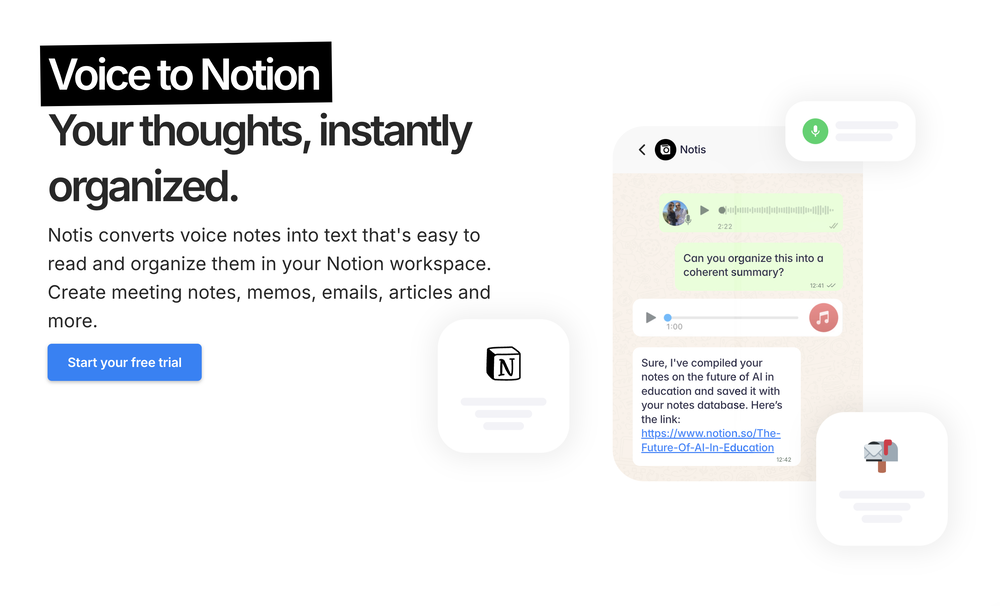 Notis is the AI intern one message away from your entire tool stack. Dictate ideas, delegate the busywork, and watch it update everything from your CRM to your socials — right from WhatsApp, iMessage, Telegram, or emails. In this week’s release: - New billing tools: users can now cancel their subscription or activate paid billing directly through Notis via voice or chat. - Orchestrator guard and budget tracking fixes: failed or cancelled agents no longer silently eat budget, and the subscription guard no longer discards agents by running before the delegation limit check. - Notion is fully retired: all legacy Notion OAuth, sync, and database code has been removed from production. - Dropbox file handoff now works seamlessly between parent and sub-agents — no more lost attachments on delegated tasks. - Logout after account deletion now works correctly instead of leaving users in a broken session state. - Video message detection fix: CAF and other non-standard media types are now correctly identified, preventing transcription errors on voice messages.


Sort comments:
Comments

Creative Hubs
🛠️ 26 tools
🙏 372 karma
Apr 29, 2025
@Design Maxx Pro
Artist Tips for Better Results with Design Maxx Pro: To create your most stunning images, start with a vivid first sentence that sets the tone—describe the atmosphere, subject, and feeling. Use rich, sensory details like light, texture, color, and motion. Combine unexpected elements for surprise: glowing coral forests, floating tigers, mechanical butterflies. Mention artistic styles if you like—watercolor, surrealist, neon-lit, dreamlike oil painting. The more poetic and specific you are, the more powerful and awe-inspiring your results will be.
How would you rate Design Maxx Pro?
Help other people by letting them know if this AI was useful.
Post
View more mini tools in our Mini Tools section Explore mini tools





