How does Council Chat integrate various AI models?
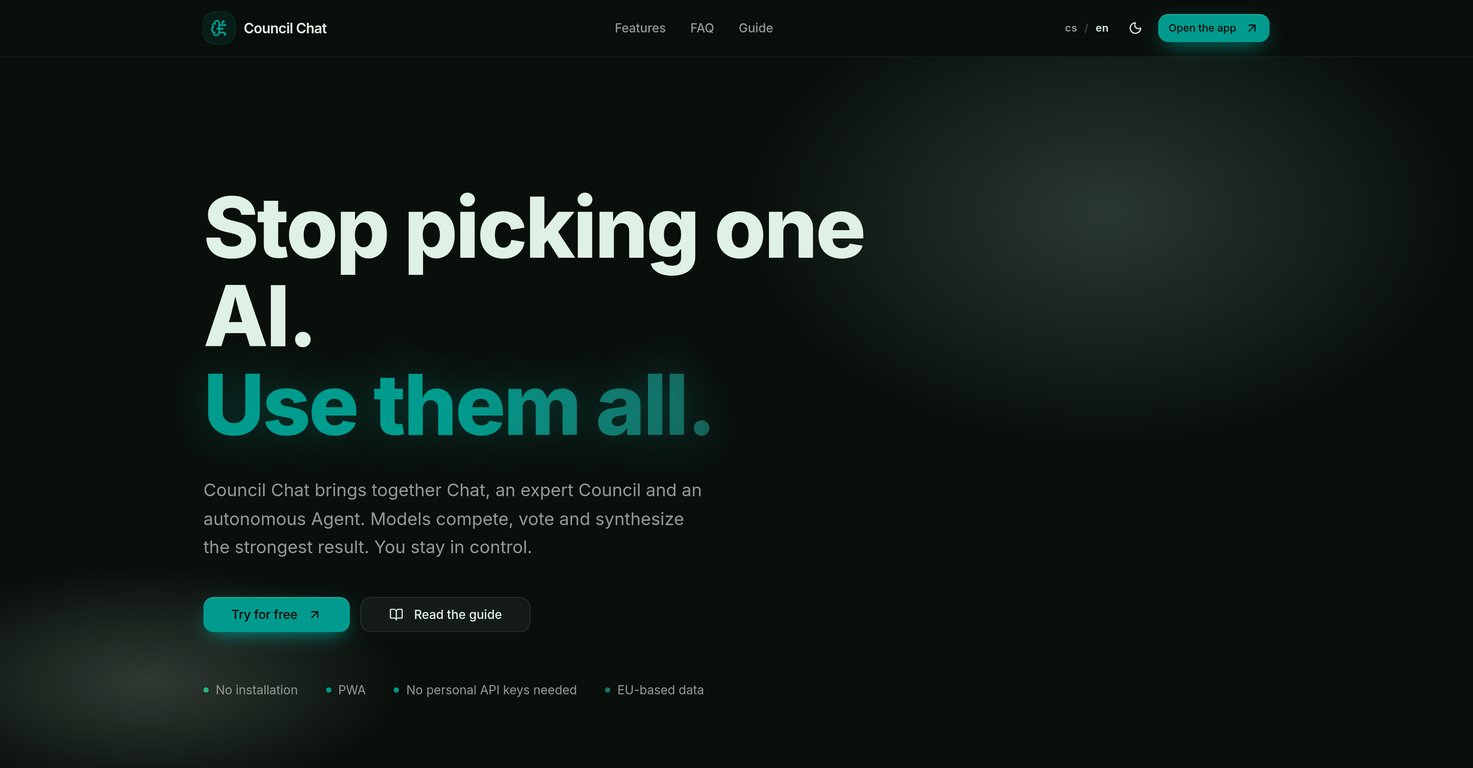
Council Chat uses its 'Council' feature to bring together different AI models like Anthropic, OpenAI, Google, xAI, Mistral, Perplexity, and TogetherAI. These AI models compete, vote and synthesize results to provide diverse perspectives and comprehensive outcomes.
What is the 'Council' feature in Council Chat?
The 'Council' in Council Chat is a virtual panel where different AI models discuss tasks assigned to them. They compete, cast votes and synthesize the result. The emphasis is on multiple perspectives, joint synthesis, and the strongest possible outcome.
How does the autonomous 'Agent' feature in Council Chat work?
The autonomous 'Agent' feature in Council Chat is designed to manage complex tasks. This includes planning steps, searching the web, processing data, and delivering a finished solution.
What is the 'Smart Data Workspace' in Council Chat?
The 'Smart Data Workspace' in Council Chat is a feature that allows users to upload PDFs, spreadsheets, and text. The AI models then extract and comprehend the context from the uploaded documents.
What can I do with the 'Creative Studio' in Council Chat?
In Council Chat's 'Creative Studio', users can generate images and visualizations, compose music, and create voice tracks, all within the single integrated interface.
How does the 'Presentations & Client Portals' feature in Council Chat work?
The 'Presentations & Client Portals' feature in Council Chat is designed to convert AI outputs directly into a clean presentation or an interactive mini-website. These can then be shared with clients in a single click.
What subscription plans does Council Chat offer?
Council Chat offers subscription plans based on the user’s workload. The plans start from a free account with limited features and coverage, then increase to Spark, Nexus and Quantum plans, each offering more features and capabilities at different costs.
Can Council Chat be used as a standalone chatbot?
Council Chat is not a standalone chatbot. It serves as a work layer on top of top AI models like OpenAI Anthropic, Google, xAI, and others, offering a more comprehensive outcome.
Which AI models are integrated into Council Chat?
Council Chat integrates various AI models including Anthropic, OpenAI, Google, xAI, Mistral, Perplexity, and TogetherAI.
How does Council Chat process data?
Data processing in Council Chat is handled by autonomous 'Agent' feature which can plan steps, search the web, process data, and deliver a finished solution.
What output options does Council Chat give me?
Council Chat provides multiple output options, from text results to clean presentations or interactive mini-websites. It can also generate images, visualizations, compose music, or create voice tracks.
How can the AI models in Council Chat compete and vote?
The AI models in Council Chat compete and vote through the expert 'Council' feature. Models discuss the assigned tasks, compete for the best solution, and eventually reach a consensus.
Can I upload documents to Council Chat for context extraction?
Yes, users can upload various documents to Council Chat's 'Smart Data Workspace' for context extraction. The AI models can then extract and comprehend the context from these documents.
Can the Creative Studio in Council Chat create voice tracks?
Yes, the 'Creative Studio' in Council Chat allows users to create voice tracks, along with generating images, visualizations, and music compositions.
How is client interaction managed in Council Chat?
Client interaction in Council Chat is managed through its 'Presentations & Client Portals' feature. The AI outputs can be turned into a clean presentation or interactive mini-websites to share with clients easily.
What do you mean by AI Orchestration in Council Chat?
AI Orchestration in Council Chat refers to the coordination of multiple AI models to work together. The 'Council' feature allows them to compete, vote and synthesize results, providing a more comprehensive outcome.
How can I use Council Chat to synthesize music?
Users can synthesize music in Council Chat using its 'Creative Studio' feature. Along with music composition, it also supports image generation, visualization creation, and voice track production.
Can Council Chat generate images and visualizations?
Yes, Council Chat can generate images and visualizations. This function is provided as part of the 'Creative Studio' feature.
Are multiple perspectives provided in Council Chat outputs?
Yes, multiple perspectives are provided in Council Chat outputs. The expert 'Council' feature ensures that the AI models provide multiple perspectives, leading to comprehensive and tailored solutions.
What is the core functionality of Council Chat?
The core functionality of Council Chat revolves around the integration and collaboration of different AI models. It brings together models from Anthropic, OpenAI, Google, xAI, Mistral, Perplexity, and TogetherAI into a virtual 'Council' that can process complex tasks, delivering multiple perspectives and output options for more comprehensive outcomes.
How does Council Chat integrate different AI models?
Council Chat integrates different AI models into a single interface, where they can compete, vote, and synthesize results. This integration allows diverse AI models to work together toward a common goal, enabling multiple perspectives and a more holistic view of the task at hand.
What is the 'Council' in Council Chat?
The 'Council' in Council Chat refers to a collective of leading AI models including Anthropic, OpenAI, Google, xAI, Mistral, Perplexity, and TogetherAI. They compete, vote and synthesize results, providing different perspectives and output options for a task.
Can you explain the autonomous 'Agent' feature in Council Chat?
The autonomous 'Agent' in Council Chat is a feature that is able to achieve complex goals without constant input. By planning steps, searching the web, and processing data, the 'Agent' can autonomously work towards delivering a finished solution. It's a tool for enhancing efficiency and automating multi-step tasks.
What is the 'Smart Data Workspace' in Council Chat?
The 'Smart Data Workspace' in Council Chat is a feature where users can upload various types of documents including PDFs, spreadsheets, and text documents. From these documents, the AI models within Council Chat extract valuable context that can be used for more precise interaction and task processing.
How does the 'Creative Studio' in Council Chat work?
The 'Creative Studio' in Council Chat is a platform for content creation beyond text. Through this feature, users can generate images, visualizations, compose music or create voice tracks, all under the same interface. In essence, it is a tool that fosters creativity and generation of multimedia content with the help of AI.
What does the 'Presentations & Client Portals' feature do in Council Chat?
The 'Presentations & Client Portals' feature of Council Chat allows for the transformation of AI outputs into clean presentations or interactive mini-websites. These can be used to showcase the results of the AI processing in a user-friendly and intuitive manner, ideal for sharing insights and outputs with clients.
What differentiates Council Chat from a standalone chatbot?
Council Chat differs from a standalone chatbot in that it is not just limited to the capabilities of a single AI model. Instead, it serves as a work layer on top of multiple leading AI models, harnessing their collective strengths to deliver comprehensive insights and solutions.
What subscription plans does Council Chat offer?
Council Chat offers different subscription plans based on usage, including Free, Spark, Nexus, and Quantum. These plans offer varying levels of credits, access to premium models, and features such as voice conversation, media studio access, autonomous agent access, and more.
What is the multi-model collaboration feature in Council Chat?
The multi-model collaboration feature in Council Chat refers to the system of bringing together various AI models to compete, vote and synthesize results. It offers a comprehensive view of tasks as each model provides its unique perspective and these perspectives are synthesized to form an inclusive outcome.
Can you chat directly with models from OpenAI, Google, xAI, Mistral, Perplexity, and TogetherAI in Council Chat?
Yes, Council Chat allows for direct chat with models from AI giants such as Anthropic, OpenAI, Google, xAI, Mistral, Perplexity, and TogetherAI providing users with the opportunity to interact directly with these top AI models in the market.
How does Council Chat process a given task for a comprehensive outcome?
Council Chat processes a given task for a comprehensive outcome by leveraging its 'Council' of AI models which compete, vote and provide their unique perspectives. These individual insights from the AI models are then synthesize into a comprehensive outcome.
What type of content can be created in Council Chat's Creative Studio?
Council Chat's Creative Studio offers content creation beyond text. Users can generate stunning images and visualizations, compose music, or create voice tracks all within the same interface.
Can you transform AI outputs into presentations or interactive mini-websites in Council Chat?
Yes, Council Chat has a feature that allows users to transform AI outputs directly into clean presentations or interactive mini-websites. This allows for easy sharing of AI processed information with clients and stakeholders in a user-friendly and easily understandable format.
How does Council Chat serve as a 'work layer' over multiple leading AI models?
Council Chat serves as a 'work layer' over multiple leading AI models by providing a platform on which these models can collaborate, competing and voting to synthesize results. Instead of working as an isolated chatbot, it combines the strengths of various models for a much more comprehensive output.
Can Council Chat extract context from uploaded documents?
Yes, Council Chat can extract context from uploaded documents in its 'Smart Data Workspace'. Be it PDFs, spreadsheets, or text documents, the AI models extract necessary context for more specific interaction and precise completion of tasks.
What does the autonomous 'Agent' in Council Chat do?
The autonomous 'Agent' feature in Council Chat undertakes complex goals without requiring manual input at every step. It can plan steps, search the web, process data, and deliver a finished solution, giving it the ability to work on a task autonomously to fruition.
Is Council Chat a progressive web app?
Yes, Council Chat is a progressive web app. This allows for its use across different platforms and devices without requiring a dedicated application for each operating system.
How are multiple AI models used in Council Chat?
Multiple AI models in Council Chat are used in a cooperative and competitive manner. They provide their unique insights on any given task, then compete and vote to synthesize results. This leads to more holistic and comprehensive results, as compared to the singular perspective provided by a single model.
Does Council Chat allow for direct chat with major AI models?
Yes, Council Chat permits direct chat with major AI models including Anthropic, OpenAI, Google, xAI, Mistral, Perplexity, and TogetherAI, giving users the benefit of directly engaging with these top models in the AI market.