 Flow - 4x faster than typing

 Mini tools
Image3D.io
 Image to STL and 3D models from any image
Go to 🎲 3D objects
 3D AI Studio
 Mimetic Labs
 Hi3D
Hi3D
 TRELLIS 2
 Fast3D
 Neural4D | Image to 3D
 SnapTo3D
 Hunyuan 3D
 MeshGPT
 Image-to-3D.ai
 Vismint - AI Image to 3D Model Generator
 Easy 3d Modelar
 Image3D AI
 Text3D.ai
 Image to STL
 3D-Agent: Blender AI Plugin
 Create3D.io
 3DGenerator.io
 Tripo AI Segmentation
 3D_MDL
3D AI Studio
40,904
Mimetic Labs
30,010
Hi3D
13,480
TRELLIS 2
12,178
Fast3D
4,366
Neural4D | Image to 3D
2,915
SnapTo3D
1,656
Hunyuan 3D
1,344
MeshGPT
1,084
Image-to-3D.ai
1,057
Vismint - AI Image to 3D Model Generator
989
Easy 3d Modelar
793
Image3D AI
777
Text3D.ai
686
Image to STL
641
3D-Agent: Blender AI Plugin
595
Create3D.io
602
3DGenerator.io
290
Tripo AI Segmentation
125
3D_MDL
122
Go to 🎨 Creativity
📷
Images
(3396)
🔠
Text
(2163)
💻
Software
(1950)
🎥
Videos
(1056)
🔊
Audio
(804)
🎨
Art
(598)
🎨
Design
(280)
🌪️
Brainstorming
(209)
🖌️
3D
(78)
📸
Multimedia
(20)
 So You Want To Be A Writer?
 Minka
Minka
 Ancient AI powered spirits
 Jvb ai
 somacguffin
 Cuty
Cuty
 Superfly Stoner
So You Want To Be A Writer?
393
Minka
270
Ancient AI powered spirits
260
Jvb ai
239
somacguffin
207
Cuty
199
Superfly Stoner
177




Image3D.iov2.6Version updatev2.6May 9, 2026Added a dedicated Image to STL workflow for 3D printing users.
Added a real before-and-after Showcase with source images and generated 3D models.
Added more visible homepage examples so users can inspect real results before generating.
Improved browser preview and export flow for GLB, OBJ, STL, and PLY files.
Improved reliability around failed generations and credit handling.
Inputs:
Outputs:
Image to STL and 3D models from any image
Overview

Overview
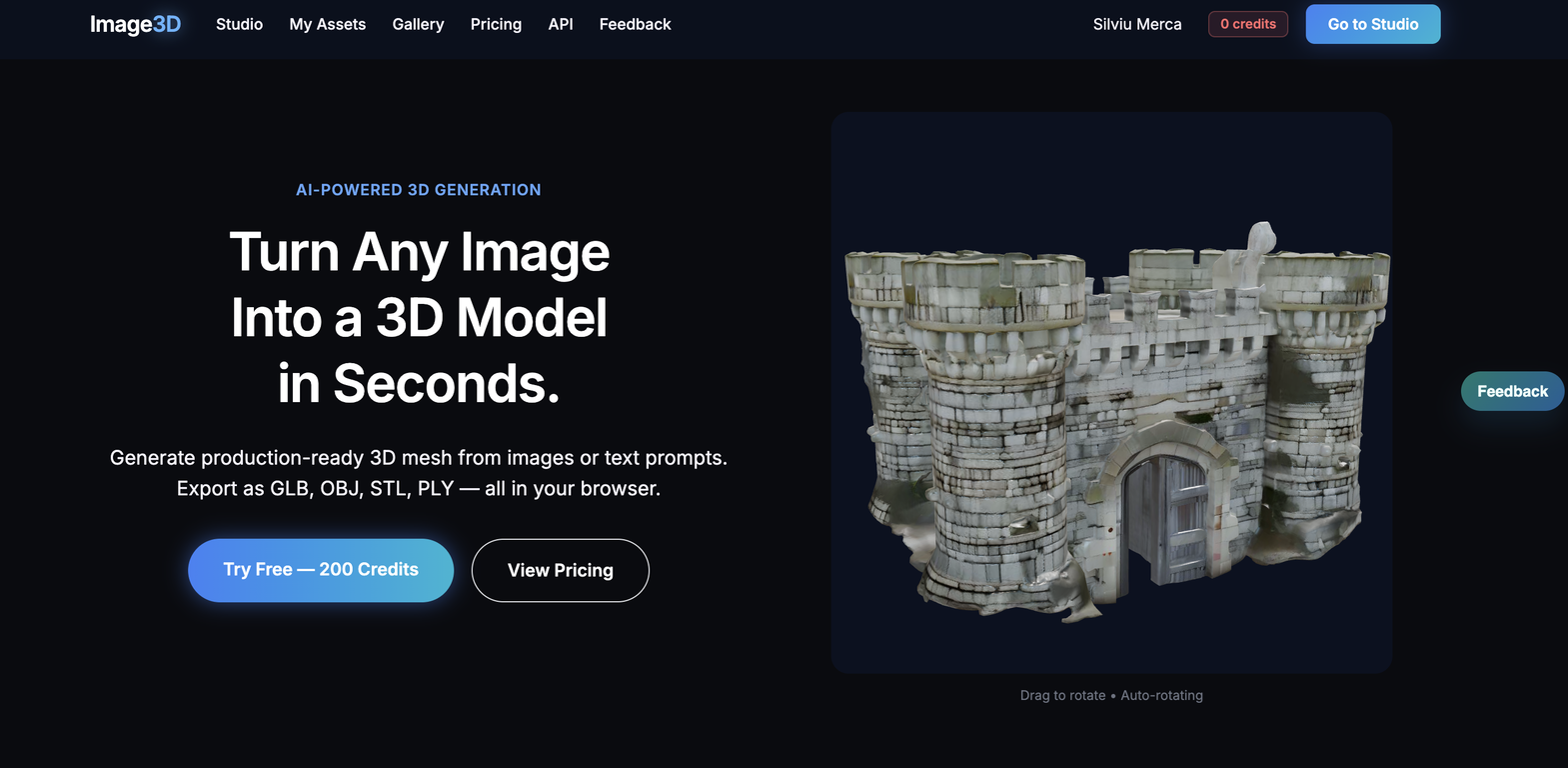
Image3D.io is a browser-based AI 3D model generator for creators who need a fast way to turn 2D images or text prompts into usable 3D assets.Upload a product photo, concept image, sketch, or AI-generated picture, then generate a 3D model you can preview directly in the browser. Image3D supports common export formats including GLB, OBJ, STL, and PLY, so users can move from idea to 3D printing, game prototyping, AR previews, Shopify product visualization, or Blender cleanup without starting from a blank scene.
The product is built for 3D printing hobbyists, indie game developers, AI art creators, product designers, and ecommerce sellers who want quick 3D results without spending hours learning Blender, Maya, or ZBrush.
Supported features
Show more
Releases
Get notified when a new version of Image3D.io is released
Notify me
May 9, 2026
Added a dedicated Image to STL workflow for 3D printing users.
Added a real before-and-after Showcase with source images and generated 3D models.
Added more visible homepage examples so users can inspect real results before generating.
Improved browser preview and export flow for GLB, OBJ, STL, and PLY files.
Improved reliability around failed generations and credit handling.
3
0
Added a real before-and-after Showcase with source images and generated 3D models.
Added more visible homepage examples so users can inspect real results before generating.
Improved browser preview and export flow for GLB, OBJ, STL, and PLY files.
Improved reliability around failed generations and credit handling.
April 19, 2026
Initial release of Image3D.io.
Author

@cannandavid

Indie founder building Image3D.io, a browser-based AI tool that turns images and prompts into downloadable 3D models for 3D printing, game assets, and product previews.
Stats
1 tool
Beginner
Joined: April 2025
Follow
Pricing
Pricing model
Freemium
Paid options from
$4.99/unit
Billing frequency
Pay-as-you-go
Refund policy
No Refunds
Keeping you safe
Good to know
Top alternatives
-
 Easily generate free 3D models with our AI-powered 3D AI Studio.Corior Fashion🙏 13 karmaFeb 22, 2024@3D AI StudioUsed it for 3D Printing, worked like a charm!
 -
 Transform ideas into printable 3D models with AI.Just tried the tool and printed my first 3D model, and I’m honestly surprised by how good it came out. It was super easy to use, and the final print matched my reference image perfectly. Congrats to the Mimetic Labs team for building such a simple but super cool tool.
 -
 AI-powered 3D model generator with unprecedented precision.
 -
 Generate high-fidelity 3D assets from images instantly.
 -
 Transform text or images into 3D models instantly.
 -
 Turn photos or prompts into 3D models instantly.


#173
6
1





