How is the LLMS.txt Architect data feed created?
LLMS.txt Architect creates a data feed by extracting information directly from your Shopify pages and Metafields. It structures this data into a Markdown format, which ensures AI crawlers receive clean and reliable product specifications, excluding irrelevant content like intrusive HTML/CSS.
What is the role of Liquid templates in LLMS.txt Architect?
Liquid templates play a crucial role in LLMS.txt Architect. They are used for auto-generating structured data output. This structured output enhances AI's comprehension of product data, aiding data processing and ensuring more accurate and efficient recommendations by AI tools.
In what way does LLMS.txt Architect optimize llms.txt links?
LLMS.txt Architect optimizes llms.txt links by directing them to AI answer engines. It ensures product data effectively funnels to AI platforms, resulting in improved visibility and more accurate recommendations of your catalog.
Can I customize the output format in LLMS.txt Architect?
Yes, LLMS.txt Architect provides full customization of output format. Users can adjust the output according to their specific needs through the use of included Liquid Templates.
What are the prerequisites for using LLMS.txt Architect?
LLMS.txt Architect is only compatible with stores that allow the app to view and edit store data including products, in addition to viewing personal data like the store owner and content providers. It also requires the ability to edit your Online Store pages or Online Store page content on a path controlled by the app.
How often does the LLMS.txt Architect sync with my Shopify pages?
The frequency of syncing between LLMS.txt Architect and your Shopify pages depends on your chosen plan. The free plan includes an automatic daily sync, while the Pro plan comes with a manual sync on demand feature.
Is it possible to navigate LLMS.txt Architect in other languages besides English?
Presently, LLMS.txt Architect only supports the English language.
What is the cost of using LLMS.txt Architect?
The cost of using LLMS.txt Architect depends on the chosen plan. There's a free plan available. The Basic plan costs $4.90 per month (or $49/year), and the Pro plan costs $9.90 per month (or $99/year).
Does LLMS.txt Architect have a free trial?
Yes, LLMS.txt Architect offers a 7-day free trial for both the Basic and Pro plans.
What kinds of data does LLMS.txt Architect need access to?
LLMS.txt Architect requires access to personal data such as the store owner's name, email address, phone number, physical address, and specific store data like products and pages on your Online Store or content controlled by the app. It also requires viewing of content provider details like email address, IP address, browser, and operating system.
Does LLMS.txt Architect handle HTML/CSS that surrounds product information?
Yes, LLMS.txt Architect addresses the issue of surrounding HTML/CSS that may affect AI's parsing of product information. It does so by creating a structured Markdown data feed from your pages and Metafields, optimizing the data delivered to AI Crawlers.
Is LLMS.txt Architect compatible with all Shopify stores?
LLMS.txt Architect is only compatible with Shopify stores that allow the app to view and edit certain store data, as well as to view certain personal data.
What benefits will I get from the different pricing plans of LLMS.txt Architect?
The benefits derived from different LLMS.txt Architect plans vary. The Free plan supports a daily sync of up to 100 products, collections, blog posts, and pages. The Basic plan extends this number to 300 and includes a 7-day free trial. The Pro plan offers all features from the Free plan, plus manual sync on demand, LLMS optimized product detail pages, template customization option, and an unlimited sync of products, collections, blog posts, and pages, alongside a 7-day free trial.
How can I get support if I encounter issues with LLMS.txt Architect?
Support for issues with LLMS.txt Architect is provided by the developer, Custom Code. They can be contacted directly through the Shopify App Store page for the LLMS.txt Architect app.
What is LLMS.txt Architect?
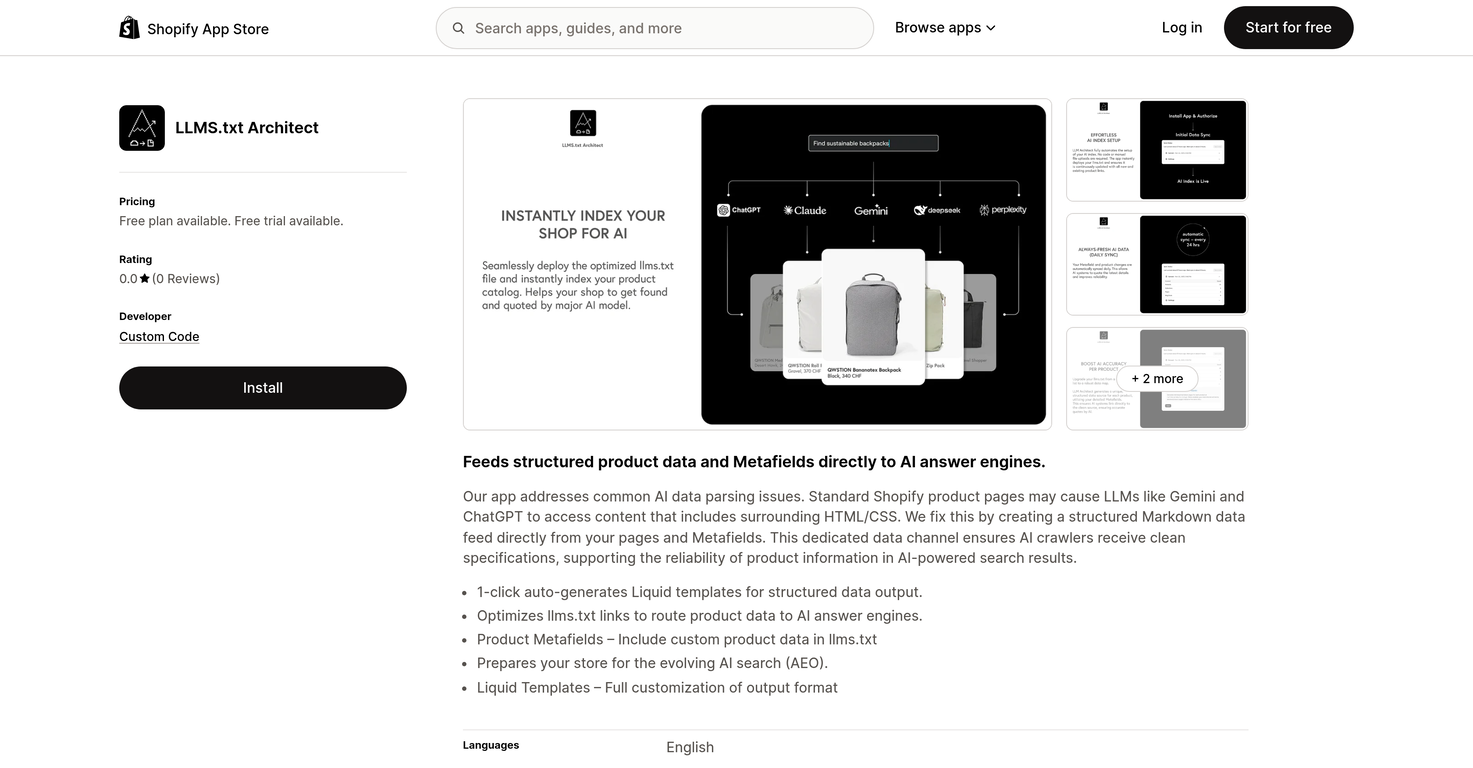
LLMS.txt Architect is an AI optimizer tool specifically designed to increase the visibility of a business's product catalog to AI-based assistants using the LLMS.txt standard. It works specifically with Shopify product pages, and has features to handle common AI data parsing issues. It creates a structured markdown data feed from Shopify pages and Metafields, auto-generates Liquid templates for structured data output, and optimizes LLMS.txt links to direct product information to AI answer engines.
How does LLMS.txt Architect increase product visibility to AI assistants?
LLMS.txt Architect increases product visibility to AI assistants by utilizing the LLMS.txt standard. It creates a structured markdown data feed directly from your Shopify pages and Metafields, which is undiluted and efficiently accessible by AI assistants. By optimizing the LLMS.txt links, it routes the product data directly to the AI answer engines, thus increasing the chances of the products being found and recommended.
What are the common AI data parsing issues that LLMS.txt Architect addresses?
LLMS.txt Architect addresses common AI data parsing issues that arise from AI tools accessing irrelevant content surrounding the product information, like the HTML/CSS on standard Shopify product pages. It mitigates these issues by creating a dedicated data channel in the form of a structured markdown data feed to ensure AI crawlers receive clean and undiluted product specifications.
How does LLMS.txt Architect create a structured data feed from Shopify pages?
LLMS.txt Architect uses Shopify pages and Metafields to create a structured markdown data feed. It bypasses all the irrelevant content like HTML/CSS that surrounds the product information and instead focuses on extracting relevant product specifications directly from the specified pages and Metafields.
What is the role of Metafields in the LLMS.txt Architect?
Metafields in LLMS.txt Architect serve as a source of custom product data. By parsing Metafields, LLMS.txt Architect is able to efficiently gather, structure and serve product-specific data to AI search assistants. The tool also includes this custom product data in the llms.txt file.
How does LLMS.txt Architect improve product information reliability in AI search results?
LLMS.txt Architect improves product information reliability in AI search results by feeding structured and undiluted product specifications directly to AI crawlers. This avoids the processing of irrelevant surrounding content and ensures AI tools only receive clean product information, hence improving the reliability of product information in AI-powered search results.
Can I customize the output format of LLMS.txt Architect?
Yes, you can customize the output format of LLMS.txt Architect. The tool provides the facility to fully customize the output format via the use of Liquid templates.
What is the functionality of auto-generated Liquid templates in LLMS.txt Architect?
The functionality of the auto-generated Liquid templates in LLMS.txt Architect is to generate a structured data output. They essentially ensure that the data outputted is organized and easily accessible for AI tools, thereby securing more efficient and reliable results from AI searches.
How does LLMS.txt Architect optimize llms.txt links?
LLMS.txt Architect optimizes llms.txt links by introducing direct links to product data within them. These direct links serve to route product data to AI answer engines, enabling the engines to easily locate and reference precise product data.
How does LLMS.txt Architect prepare my store for evolving AI search?
LLMS.txt Architect prepares your store for evolving AI search by feeding structured product data and Metafields directly to AI answer engines. It also allows for the inclusion of custom product data in LLMS.txt and the full customization of output format using Liquid templates, thereby ensuring that your store remains adaptable to future evolution in AI search.
Does LLMS.txt Architect support languages other than English?
Currently, LLMS.txt Architect only supports the English language.
What is the pricing for LLMS.txt Architect?
LLMS.txt Architect offers three pricing levels. The 'Free' plan doesn't cost anything. The 'Basic' plan costs $4.90 per month or $49 per year with a savings of 17%. The 'Pro' plan costs $9.90 per month or $99 per year, also with a savings of 17%.
Is there a free trial for LLMS.txt Architect?
Yes, there is a 7-day free trial available for both the 'Basic' and 'Pro' plans of LLMS.txt Architect.
Can LLMS.txt Architect sync with my blog posts and other Shopify pages?
Yes, LLMS.txt Architect can sync with your blog posts and other Shopify pages. The number of items it can sync depends on the purchased plan.
Can I manually sync data on demand with the Pro plan of LLMS.txt Architect?
Yes, with the 'Pro' plan of LLMS.txt Architect, you can manually sync data on demand.
Can LLMS.txt Architect handle unlimited Product, Collections, Blog Posts, and Pages?
Yes, the 'Pro' plan of LLMS.txt Architect can handle unlimited Products, Collections, Blog Posts, and Pages.
Does LLMS.txt Architect have any limitations on the number of items it handles?
Yes, LLMS.txt Architect does have limitations on the number of items it handles. The 'Free' plan can sync up to 100 products, collections, blog posts, and pages. The 'Basic' plan increases those limitations to 300. With the 'Pro' plan, there are no limitations and it can handle an unlimited number of items.
Are there any reviews or ratings for LLMS.txt Architect?
There aren't any reviews or ratings for LLMS.txt Architect currently.
Who provides support for the LLMS.txt Architect?
Support for LLMS.txt Architect is provided by Custom Code.
What store data does LLMS.txt Architect need access to function properly?
LLMS.txt Architect needs access to the following store data to function properly: Store owner's name, email address, phone number, physical address; Content providers' email address, IP address, browser and operating system; Products or collections; Pages on your online store or online store page content on a path controlled by the app; Online store navigation.