What is the role of ElevenLabs in WowTok?
ElevenLabs plays a key role in WowTok, they are the creators of the multiple realistic AI narrators users can choose from to voice their videos.
Does WowTok create slideshows or real video clips?
Unlike many content-creation tools, WowTok does not generate simple slideshow-style content. Instead, it engineers real video clips which are animated from the scenes input by the users.
How does WowTok use the TikTok-style captions in videos?
WowTok utilizes TikTok-style captions in videos by incorporating them into the AI-generated video. Captions are automatically synchronized with the narration to maximize viewer engagement.
What formats can I download my videos in from WowTok?
With WowTok, users can download their videos in a 9:16 vertical format, which is optimized to suit the majority of the video-sharing platforms.
What platforms are the videos from WowTok best optimized for?
The videos generated by WowTok are optimized for most video-sharing platforms including but not limtied to TikTok, Reels, and YouTube Shorts.
What's the difference between WowTok and other TikTok video generators?
In contrast with other TikTok video generators, WowTok utilizes AI for more than just basic video creation. It operates by means of Smart Scene Splitting, auto-captioning, AI-powered voices among other features, offering a more comprehensive and user-friendly video creation experience.
Can WowTok automatically generate a script or do I have to write it myself?
While users provide a brief or prompt to the AI on WowTok outlining their video content, there's not enough information on their website to confidently assert that WowTok can automatically generate a script.
Does WowTok offer different voice tones for narration?
Based on the information available on their website, WowTok presents a range of AI-powered voices by ElevenLabs for the narration, however, it doesn't specify whether different voice tones are offered.
How does WowTok sync captions with narration?
WowTok syncs captions with the narration by automatically incorporating TikTok-style captions that are perfectly in line with the narrated content for maximum viewer engagement.
How does WowTok drive user engagement?
Through AI-generated videos, TikTok-style auto-captioning, and AI-powered realistic voiceover, WowTok drives user engagement by creating an immersive viewer experience.
Are there limitations on the number of videos I can create per month on WowTok?
Yes, there are limitations on the number of videos you can generate per month on WowTok depending on the pricing plan. For example, the Starter plan includes 3 videos per month while the Pro plan allows for 25 videos per month.
What's the pricing for WowTok?
WowTok offers three primary pricing plans. The Starter plan costs $29 per month, the Creator plan is at $59 per month, and the Pro plan costs $149 per month.
Is there a priority queue for video generation in WowTok?
Yes, WowTok offers a priority queue for video generation which is available for users subscribing to the Creator or Pro pricing plans.
Can I remove the watermark from my videos on WowTok?
Yes, users can remove the watermark from their videos in WowTok. However, this feature is only available for users subscribing to the Creator or Pro pricing plans.
What is WowTok?
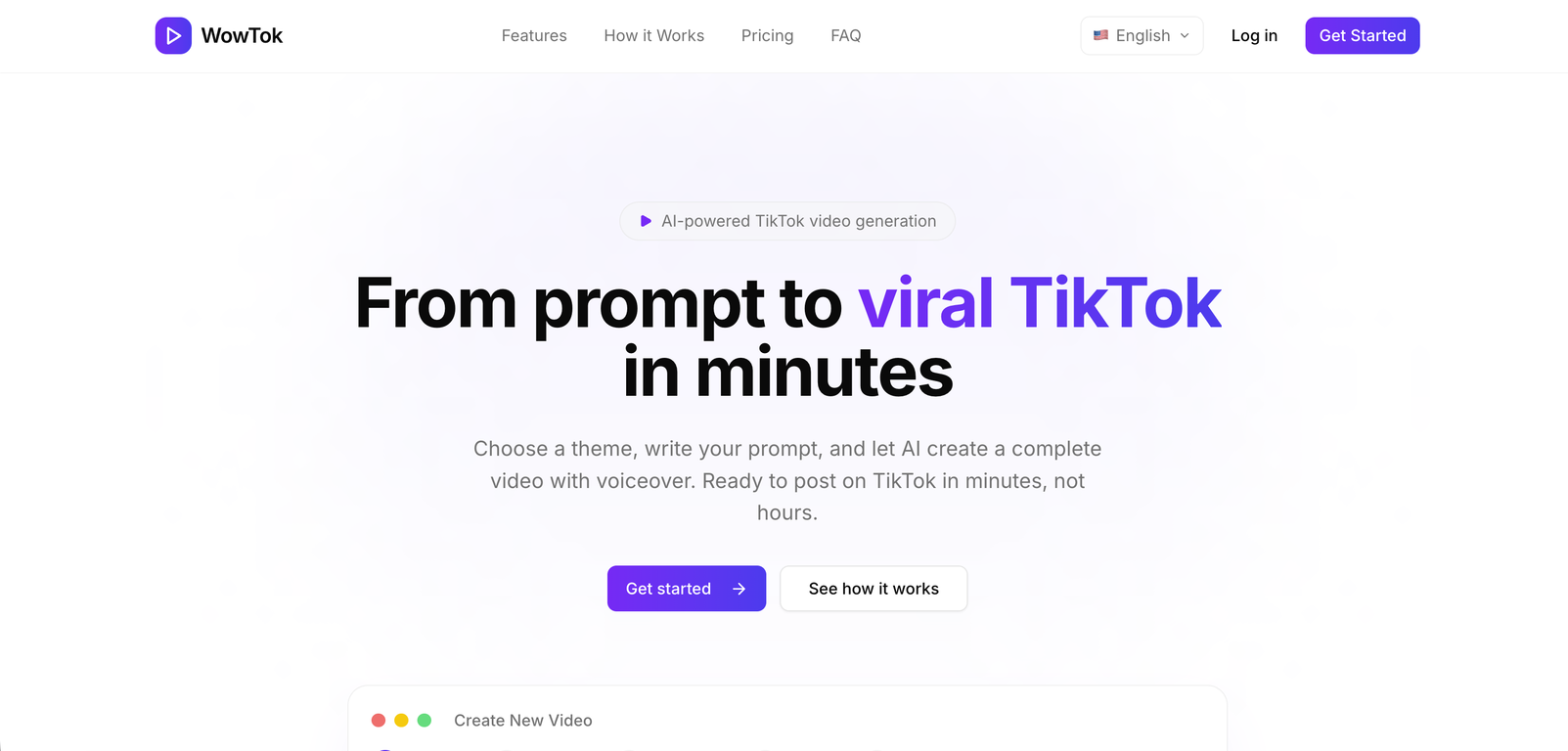
WowTok is an AI-enabled tool that facilitates the creation of TikTok videos. It transforms a user prompt into a complete video with voiceover, all within a few minutes. Users can choose a theme for their video, such as horror, fantasy, comedy, sci-fi, drama, or mystery, and then write a prompt for the AI to process. WowTok then takes over, generating the video which includes auto-split scenes, suitable visuals, voiceovers from ElevenLabs, and TikTok-style captions.
How does WowTok generate videos?
WowTok generates videos using a user-supplied theme and prompt. Once a user enters a theme and writes a prompt, the AI in WowTok turns it into a complete video. The AI system uses Smart Scene Splitting to divide narration into well-timed scenes and matches them with appropriate visuals. The tool then adds a voiceover using AI voices from ElevenLabs and syncs TikTok-style captions with the narration.
What is Smart Scene Splitting in WowTok?
The Smart Scene Splitting feature in WowTok refers to the AI's ability to automatically divide narration into accurately timed scenes. This feature enables the AI to segment the narration into multiple parts, each being paired with matching visuals. It thus helps in creating a structured and well-timed video narrative.
What themes are available to choose from in WowTok?
In WowTok, users can choose from a variety of themes for their video. The options include horror, fantasy, comedy, sci-fi, drama, and mystery. These themes determine the overall look and feel of the video created by WowTok.
How does WowTok add TikTok-style captions?
WowTok utilizes its AI capabilities to add TikTok-style captions to the videos. These captions are automatically synced with the narration to ensure that they accurately narrate the audio portion of the video and hence drive maximum audience engagement. This auto-syncing process aligns with the timing and content of the narration.
What is the role of AI narrators in WowTok?
AI narrators in WowTok play a pivotal role in generating voiceovers for videos. They are realistic AI voices, developed by ElevenLabs, that are used to narrate the script provided by the user. Users can choose from various voices and tones to suit their video's theme and content, adding aural depth to the video narrative.
How do I start creating a video with WowTok?
To create a video with WowTok, you begin by choosing a theme and writing a prompt. You then add narration text, which could either be a narrator's script or auto-generated by the AI. After that, pick a voice from the premium AI voices to bring your narration to life. Finally, you generate the video and download it. This video will have scenes, animations, voiceover, and captions all in place.
Can I customize my video in WowTok?
Yes, you can customize your video in WowTok. After choosing your theme and writing your prompt, you'll add your narration text. This text can be personalized to create a unique voiceover for your video. Additionally, you can choose from multiple voices and tones for the AI voices. This ensures that the result aligns closely with your vision.
Do I need any video editing skills to use WowTok?
No, you do not need any video editing skills to use WowTok. The AI in WowTok takes care of all the details, including scene splitting, visual selection, voiceover creation, and caption syncing. All you need to do is choose a theme, describe your video, and pick a voice for the voiceover.
What is the format of the videos that WowTok generates?
The format of the videos that WowTok generates is vertical format optimized for most video-sharing platforms. More specifically, it's a 9:16 vertical format, which is the most suitable for platforms like TikTok, Reels, and YouTube Shorts.
What is the difference between a slideshow and the video produced by WowTok?
Unlike slideshow generation tools, WowTok creates actual video clips. While a slideshow usually contains consecutive images with simple transitions, WowTok videos are animated, making them more dynamic. The AI in WowTok uses the provided scenes to animate a real video, making it more engaging and visually appealing.
Can WowTok videos be used on platforms other than TikTok?
Yes, WowTok videos can be used on other platforms aside from TikTok. They are generated in a 9:16 vertical format which is also optimized for Reels and YouTube Shorts, making them suitable for these platforms as well.
What are the curated visual styles in WowTok?
Curated visual styles in WowTok align with the chosen theme. For each theme, whether it's horror, fantasy, sci-fi, comedy, or more, WowTok offers curated visual styles that complement the theme to ensure consistency and enhance the visual appeal of the video.
Can WowTok work with any theme I choose?
Yes, WowTok can work with any theme you choose from the available options, which include horror, fantasy, comedy, sci-fi, drama, and mystery. The chosen theme will shape the look and feel of your video, guiding the AI in generating appropriate visuals and styles.
How do the AI voices developed by ElevenLabs enhance my video on WowTok?
The AI voices developed by ElevenLabs in WowTok help enhance your video by providing realistic voiceover options. These AI voices narrate the script provided by the user, transforming it into audible speech. You can select from various voices and tones to suit the theme and content of your video, thus improving its overall impact and effectiveness.
What is the significance of 9:16 vertical format in WowTok?
The 9:16 vertical format in WowTok is significant because it's the most preferred video format for platforms like TikTok, Reels, and YouTube Shorts. Due to its optimized vertical orientation, it offers an immersive experience for viewers watching videos on mobile devices, making it more effective for audience engagement.
How does WowTok optimize videos for TikTok, Reels, and YouTube Shorts?
WowTok optimizes videos for TikTok, Reels, and YouTube Shorts by generating them in 9:16 vertical format. Moreover, it syncs TikTok-style captions automatically with the narration, which helps in driving user engagement. These two aspects ensure that the videos produced by WowTok are ready and suitable for posting on these platforms.
How user-friendly is the WowTok tool?
WowTok is a highly user-friendly tool. It doesn't require any video editing skills as the AI handles all the complex processes. User inputs are limited to choosing a theme, providing a description of the video, and picking a voiceover tone. Plus, it generates ready-to-post videos, reducing the traditional video creation workload.
How does narration to video feature work in WowTok?
The narration to video feature in WowTok works by turning user-provided narration text into actual scenes in the video. When you input your narration text, the AI in WowTok uses it to create scenes, animate them, and match them with appropriate visuals. It gives life to your script, turning it into a complete video.