 Flow - 4x faster than typing

 Mini tools
Codeon
Open-source AI coding agent desktop app: one agent loop (Claude Agent SDK), any model — Claude, Codex (ChatGPT plan), or OpenRouter — with an anti-slop design engine, image generation, execution receipts, and git checkpoints.
README
Codeon
One agent. Any model. Even the ones that aren't supposed to run here.
Codeon is an open-source desktop coding agent (Electron + Monaco) built on the
Claude Agent SDK — but it doesn't make you use Claude. Through a small
translation proxy, the same agent loop drives Claude, OpenAI Codex on
your ChatGPT subscription, or any model on OpenRouter, with one consistent
UX, an opinionated design engine, real image generation, auditable execution
receipts, and one-click git rollback.
Yes — that means running Codex inside the Claude Code agent loop. We
thought it was funny too. It's also genuinely useful: pick the brain that's
best (or cheapest) for the task without relearning your tools.
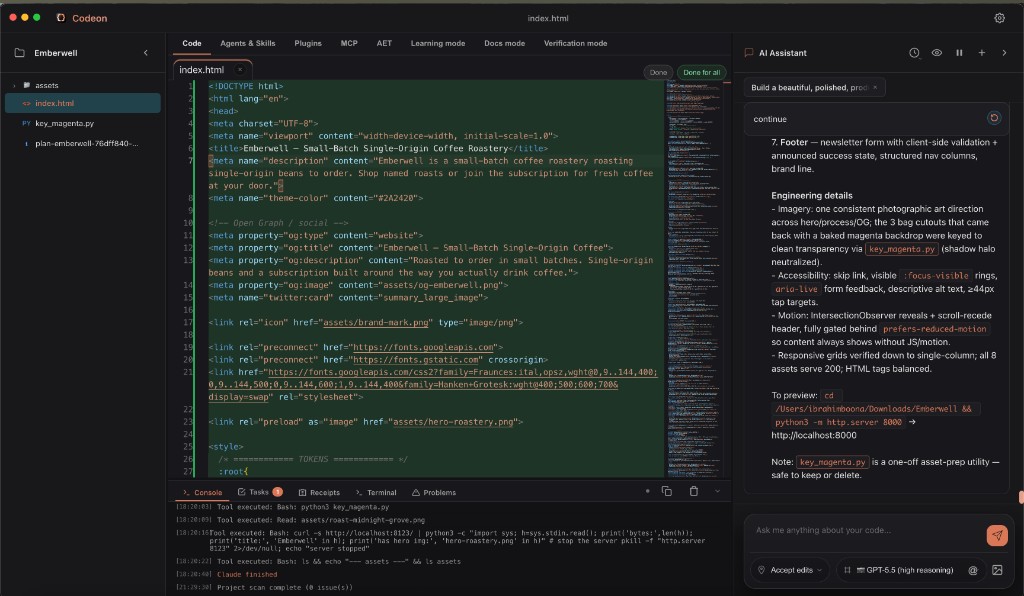
Why this exists
Most "AI editors" lock you to one vendor's model and give you a chat box. Codeon
takes the opposite bet:
- The reasoning loop is a commodity — use the best engine available (today,
Anthropic's Claude Agent SDK) and don't reinvent it. - The product is everything around the loop — model freedom, design taste,
asset generation, auditability, and safety. That's where Codeon is original.
If you've ever wanted Claude Code's agent quality with a real GUI, your own
choice of model, and a record of exactly what the agent did to your files — this
is that.
The "wait, how?" part — Codex through the Claude loop
The Claude Agent SDK talks to a backend over the Anthropic Messages API.
Codeon ships a local proxy (main/codex/codex-proxy.js)
that:
- Accepts inbound requests in the Anthropic Messages format (what the
claudebinary speaks). - Translates them to the OpenAI Codex Responses API on the way out.
- Streams the response back, translated in reverse — including saving any
Codex-generated images to disk and surfacing the path to the agent.
The agent binary is simply pointed at the proxy via ANTHROPIC_BASE_URL. No
changes to the agent loop. The same trick (re-pointing the base URL + auth
token) is how Codeon also speaks to OpenRouter — so any OpenRouter model
works too.
 ┌──────────────┐   Anthropic Messages    ┌────────────────┐   Codex Responses   ┌─────────┐
 │ Claude Agent │ ──────────────────────▶ │ Codeon proxy   │ ──────────────────▶ │  Codex  │
 │ SDK (loop)   │ ◀────────────────────── │ (local server) │ ◀────────────────── │ /OpenAI │
 └──────────────┘    streamed tokens       └────────────────┘    streamed events  └─────────┘
The result: one agent, your choice of brain.
What's actually in here
These are the parts that make Codeon more than a wrapper (with file pointers so
you can verify the claims yourself):
- Multi-provider routing — Claude (OAuth or API key), Codex (ChatGPT plan),
or OpenRouter, selected per chat.
→claude-sdk-service.js,main/codex/ - Anti-slop design engine — when a task looks like frontend work, Codeon
injects a curated, seeded design brief + a "slop blocklist" into the system
prompt so generated UIs look intentionally designed, not template-y.
→main/design/ - Proactive image generation with transparency — an in-process MCP image
tool (OpenRouter / Gemini) and Codex inline images, with automatic
chroma-key (#FF00FF/#00FF00→ transparent) cutouts.
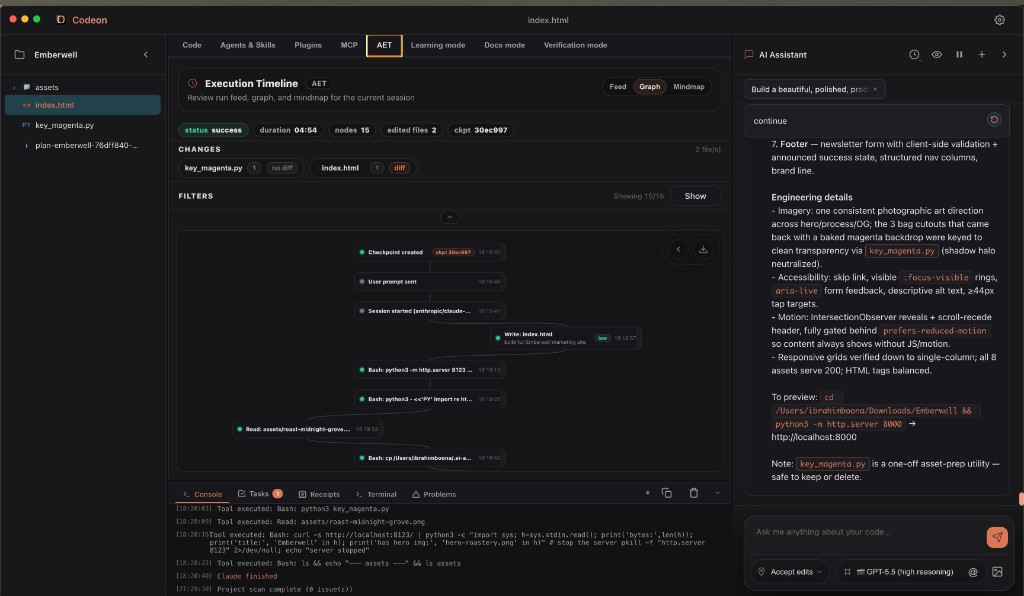
→main/imagegen/ - AET — Agent Execution Timeline — folds the tool/event stream into a
deterministic node/edge graph and a visual run map, plus structured
receipts (cwd, network policy, exit code) for every tool call.
→renderer/aet/ - Self-verification ("proofed edits") — auto-runs lint / typecheck / tests
after edits, with AI-planned commands.
→renderer/verification/ - Learning mode (AI tutor) — turns each run into a lesson: after the agent
works, it explains what it changed, the approach and trade-offs it made, and
the actual concepts behind it (algorithms, data structures, design patterns,
architecture, best practices) plus code worth studying — so you level up
instead of just accepting diffs. Optional auto-learn after every run.
→renderer/learning/ - Docs mode (auto-docs) — after each run, generates a structured Markdown
doc entry (overview, user workflow, usage, configuration, files touched,
notes) ready to merge into your project docs, so documentation keeps up with
the agent instead of rotting. Optional auto-doc after every run.
→renderer/docs/ - Per-turn git checkpoints — snapshot + safe rollback so any agent turn can
be undone across the whole workspace.
→renderer/git/ - Full IDE shell — Monaco editor + diff, an integrated
node-ptyterminal,
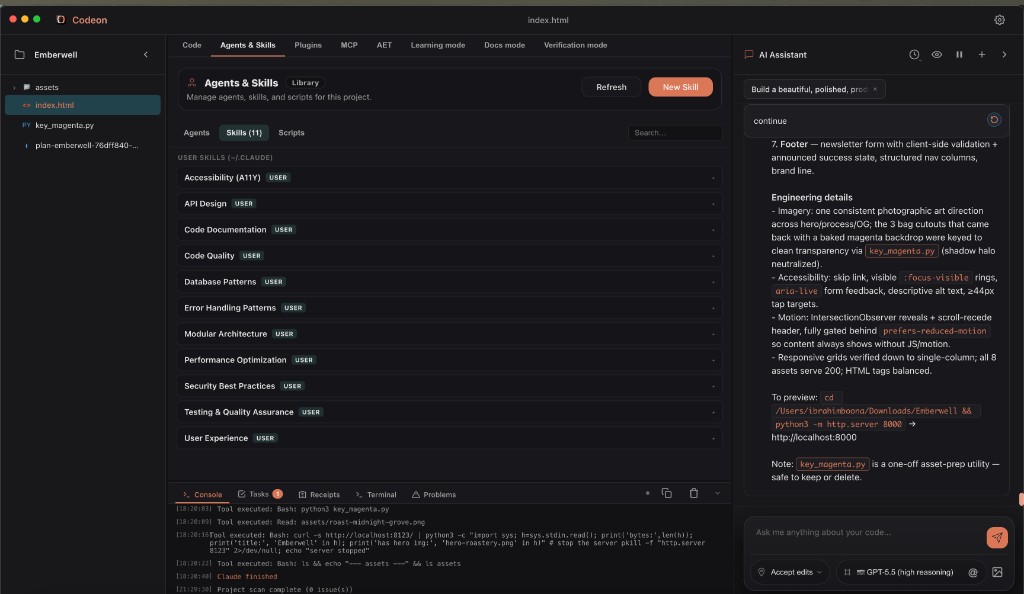
a file explorer, an MCP server manager, skills/agents/plugins panels, and a
permission model with plan / accept-edits / bypass modes.
A look inside
Auditable execution receipts (AET). Every run folds into a deterministic
node/edge timeline with status, duration, edited-file diffs, and a git
checkpoint you can roll back to:
Extensible by design. Skills, agents, MCP servers, and plugins are
first-class — bring your own tools and conventions:
Honesty about what Codeon is (and isn't)
It's only fair to be clear, since the code is now open:
- The agent's intelligence is rented. The reasoning loop, the core tool set
(Read/Edit/Bash/WebFetch/Task/TodoWrite), file checkpointing, and the base
system prompt come from the Claude Agent SDK.
Codeon does not ship its own model, embedding/retrieval index, or
tab-completion. - The value Codeon adds is the multi-provider proxy, the design engine,
image generation, the execution-receipt/auditability layer, verification, git
safety, and the desktop product itself.
Calling Codeon a "Claude-Agent-SDK–powered IDE" is fair — the same way Cursor is
"a VS Code fork." The engine is borrowed; the product around it is the work.
Getting started
Requires Node.js 18+ and macOS / Windows / Linux.
git clone <your-fork-url> codeon
cd codeon
npm install        # also installs the Claude Agent SDK (provides the agent CLI)
npm start          # launches the Electron app
On first run, pick a provider in the app:
- Claude — sign in with Claude.ai (OAuth) or paste an Anthropic API key.
- Codex — sign in with your ChatGPT account (uses the Codex proxy).
- OpenRouter — paste an OpenRouter API key and pick any model.
Open a folder as a project and start chatting. The agent edits files with your
chosen permission mode; use the timeline to review/rollback.
Building installers
See docs/BUILD.md. Code signing / notarization are optional
and read your own credentials from environment variables — nothing is committed.
No accounts, no paywall
Codeon was originally a paid product. The open-source version has the entire
licensing, signup, and purchase layer removed — along with the Supabase and
Stripe integrations and the Supabase-based auto-updater. There's no account to
create and nothing to buy: clone it, bring your own model credentials, and run.
You only ever authenticate directly with your chosen model provider (Anthropic,
your ChatGPT/Codex account, or OpenRouter) — those credentials stay on your
machine.
License
Codeon is licensed under the GNU Affero General Public License v3.0 or later
(AGPL-3.0-or-later). See LICENSE.
In short: you're free to use, study, modify, and self-host Codeon, but if you
run a modified version as a network service, you must make your source available
under the same license. This keeps the project open for everyone who builds on
it.
Acknowledgements
- Anthropic Claude Agent SDK — the agent loop.
- Monaco Editor, xterm.js, node-pty, and the Model Context Protocol.
Built by Ibrahim Boona — open-sourced because the value
was never in hiding the code.





