 Wispr Flow - Don’t type, just speak

 Mini tools
ZNotes - Responsive Note-Taking App
A lightweight, responsive note-taking app with Dark Mode and local storage support. Easily add, edit, and delete notes on any device.
README
ZNotes - Responsive Note-Taking App
📌 Overview
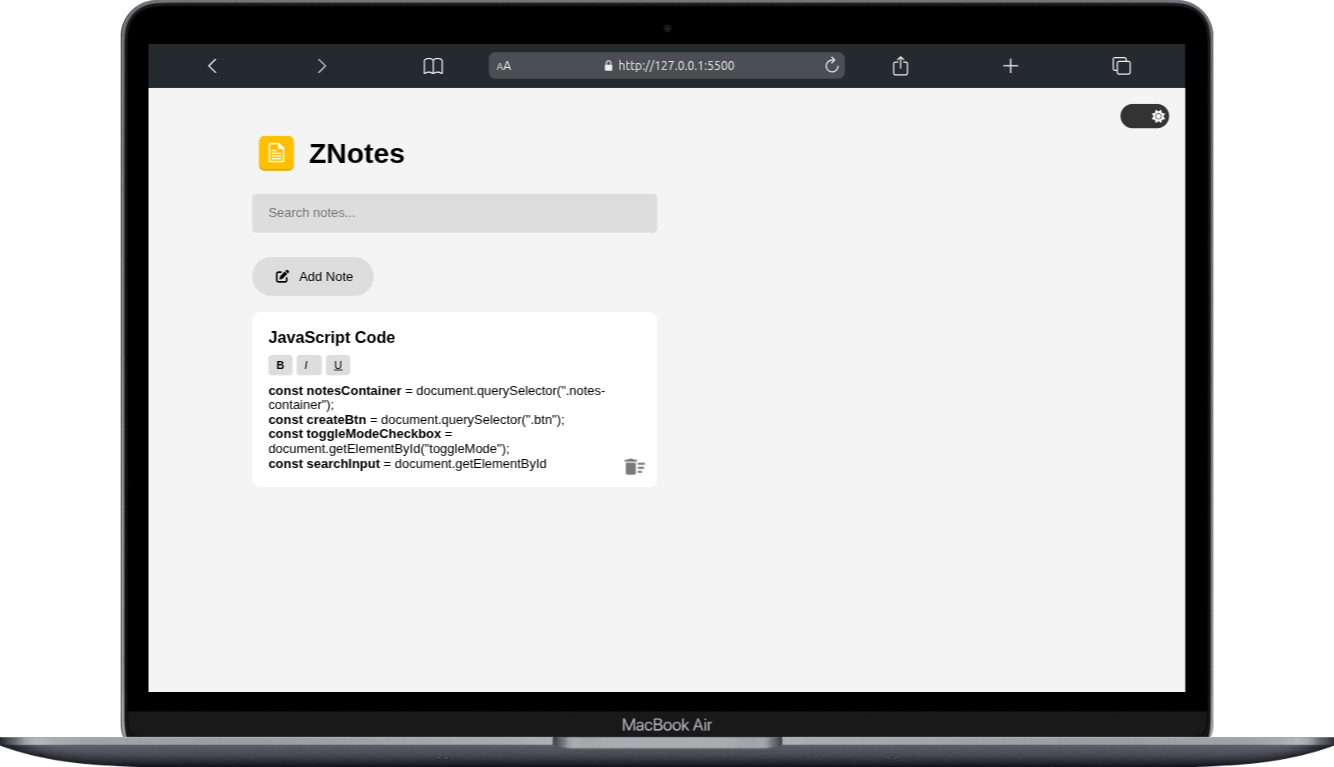
ZNotes is a responsive, feature-rich note-taking web application built using HTML, CSS, and JavaScript. It allows users to create, edit, and delete notes while ensuring seamless storage with local storage support. Additionally, the app includes a Dark/Light Mode toggle, improving user experience and accessibility.
Screenshot
📂 Features
1️⃣ Add, Edit, and Delete Notes
- Users can create new notes by clicking the "Add Notes" button.
- Notes are editable and can be modified directly within the app.
- Each note includes a delete button, allowing users to remove unwanted notes.
2️⃣ Local Storage Support
- Notes are automatically saved in the browser's local storage, so they persist even after refreshing the page.
- On reloading the app, previously stored notes are retrieved and displayed automatically.
3️⃣ Dark & Light Mode Toggle
- Users can switch between Dark Mode and Light Mode with a toggle button.
- The mode selection is saved in local storage, ensuring the preferred theme persists across sessions.
4️⃣ Fully Responsive UI
- The app is optimized for all screen sizes, including desktops, tablets, and mobile devices.
- Responsive design ensures smooth usability across different devices.
5️⃣ Interactive UI with Smooth Animations
- The UI is designed with modern aesthetics, featuring smooth transitions and animations.
- The Dark Mode button is positioned at the top-right corner for easy accessibility.
🛠️ Technologies Used
| Technology | Purpose |
|---|---|
| HTML5 | Structure of the app |
| CSS3 | Styling, layout, and responsiveness |
| JavaScript (Vanilla JS) | Functionality, event handling, and local storage |
📌 How It Works
1️⃣ User Interaction Flow
- Open the app in a browser.
- Click the "Add Notes" button to create a new note.
- Click inside the note and start typing.
- Click the delete icon 🗑️ to remove a note.
- Click the Dark Mode button to toggle between light and dark themes.
2️⃣ Data Persistence
- The app stores all notes and theme preferences in local storage.
- When the page reloads, saved notes and the last selected theme are retrieved and displayed automatically.
🎯 Use Cases
✅ Quick note-taking for daily tasks and reminders.
✅ Jotting down ideas, to-dos, or work-related notes.
✅ A lightweight, distraction-free alternative to full-fledged note apps.
🔗 GitHub Repository & Live Demo
- GitHub Repo: https://github.com/codewithdhruba01/Znote





