

 Mini tools
DeepL API Proxy
A simple local proxy server for the DeepL API
README
DeepL API Proxy
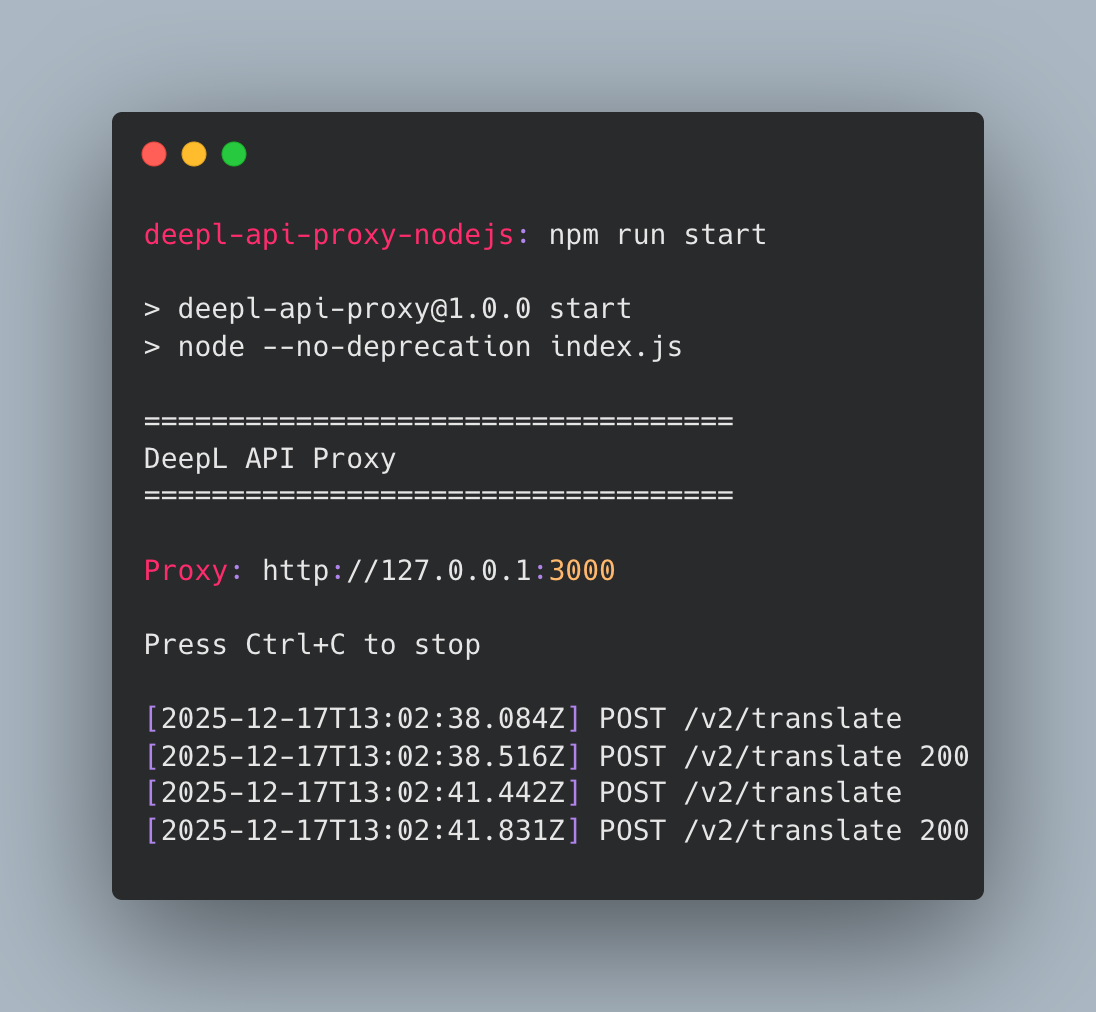
A lightweight Node.js proxy for the DeepL API, enabling browser-based applications to bypass CORS restrictions during local development.
This proxy is designed for getting up and running quickly with local frontend development involving the DeepL API, to help you quickly prototype and test DeepL integration without having to worry about CORS issues.
Important:
- This project is for local development only. As a demo project for quickly validating local frontend development against the DeepL API, this proxy is not designed to handle production traffic and should not be deployed to production environments.
- No rate limiting or request size limits are enforced by this proxy. All limits are enforced by the DeepL API backend. Any usage proxied through your DeepL API key will count against your account's usage quotas.
Table of Contents
- Features
- Prerequisites
- Quick Start
- Available Commands
- Usage
- Configuration
- Health Check
- Supported Endpoints
- Examples & Demo
- License
Features
- CORS-enabled proxy for all DeepL API endpoints
- Document translation with multipart/form-data handling
- Interactive setup wizard
- Minimal dependencies (3 runtime packages)
- Health check with DeepL API connectivity status
Prerequisites
- Node.js v18+ (v22+ recommended, see
.nvmrc) - DeepL API key (get one here)
- Pro tier: https://api.deepl.com
- Free tier: https://api-free.deepl.com
Quick Start
1. Clone & Install
git clone https://github.com/DeepLcom/deepl-api-proxy-nodejs.git
cd deepl-api-proxy-nodejs
npm install
This project has minimal runtime dependencies (express, http-proxy-middleware, and multer for document upload).
2. Setup
Run the interactive setup:
npm run setupRequired inputs:
- DeepL API key
- API type (Pro or Free)
- Port number (default: 3000)
Creates config.json with your configuration. This file is ignored by git by default.
3. Start Proxy
Option A: Run locally with Node.js
npm startAccess at http://localhost:3000 (or your configured port).
If the port is already in use, you'll see an error. Edit config.json to change the port number.
Option B: Run with Docker
Make sure you've completed step 2 (Setup) to populate config.json.
Using npm (recommended - automatically reads port from config.json):
npm run docker:upOr if you need to rebuild:
npm run docker:up:buildStop the container:
npm run docker:downUsing Docker Compose directly:
# Port is automatically read from config.json
PROXY_PORT=$(node scripts/get-port.js) docker-compose up
The container includes health checks and will restart automatically unless stopped.
Available Commands
| Command | Description |
|---|---|
npm run setup |
Interactive configuration setup |
npm start |
Start the proxy server |
npm test |
Run unit tests (config, errors) |
npm run test:unit |
Run all unit tests (config, health, CORS, errors) |
npm run test:api |
Test API (text + document translation) ⚠️ Uses quota |
npm run demo |
Start interactive web demo |
⚠️ Tests marked with a warning make real API calls that count against your DeepL quota.
Usage
Replace DeepL API URLs with your proxy URL in your frontend code:
// Instead of: https://api.deepl.com/v2/translate
// Use: http://localhost:3000/v2/translate

fetch("http://localhost:3000/v2/translate", {
  method: "POST",
  headers: { "Content-Type": "application/json" },
  body: JSON.stringify({
    text: ["Hello world!"],
    target_lang: "DE",
  }),
})
  .then((response) => response.json())
  .then((data) => console.log(data.translations[0].text));
Configuration
Example Configuration
Copy config.json.example to config.json and customize:
{
  "deepl": {
    "api_key": "YOUR_DEEPL_API_KEY_HERE",
    "api_type": "pro"
  },
  "server": {
    "port": 3000
  }
}
Configuration Options
| Field | Description | Valid Values | Default |
|---|---|---|---|
deepl.api_key |
Your DeepL API key (required) | String | - |
deepl.api_type |
DeepL API type | pro, free |
pro |
server.port |
Port number to bind to | 1-65535 | 3000 |
API Type:
pro: Standard DeepL API (https://api.deepl.com) - For Pro subscription usersfree: DeepL API Free plan (https://api-free.deepl.com) - For free tier users
Note:
- When running locally with
npm start, the proxy binds to127.0.0.1(localhost only) for security - When running with Docker, the container binds to
0.0.0.0internally but is only exposed on127.0.0.1via port mapping (see docker-compose.yml) - If the configured port is in use, the proxy will exit with an error. Edit
config.jsonto use a different port.
CORS Policy: Hardcoded to allow http://localhost:*, http://127.0.0.1:*, https://localhost:*, and https://127.0.0.1:* on any port.
Health Check
Check proxy and DeepL API status:
curl http://localhost:3000/healthResponse:
{
  "status": "ok",
  "version": "1.0.0",
  "uptime": 3600,
  "deepl_api": "ok"
}
Fields:
status- Proxy status (always "ok" if responding)version- Package versionuptime- Uptime in secondsdeepl_api- DeepL API connectivity status:"ok","error", or"unknown"
Supported Endpoints
The proxy supports all DeepL API endpoints:
/v2/translate- Text translation/v2/document- Document translation (upload)/v2/document/:id- Document status check/v2/document/:id/result- Document download/v2/glossaries- Glossary management/v2/languages- List supported languages
Document Translation: For supported file types and formats, see the DeepL API documentation.
Admin Endpoints: Endpoints prefixed with /admin are not supported, as those require an Admin API key (different from the standard API key).
Examples & Demo
Test Scripts
Unit Tests (no server required):
npm test              # Config and error handler tests
npm run test:unit     # Same as above
Integration Tests (requires server running: npm start):
npm run test:integration # Health endpoint and CORS testsAPI Tests (⚠️ hit the DeepL API and count against account usage):
npm run test:api # Translation + document tests (requires confirmation)All live API tests require confirmation before running and will display warnings about quota usage. Document translation tests require a Pro API plan.
Interactive Web Demo
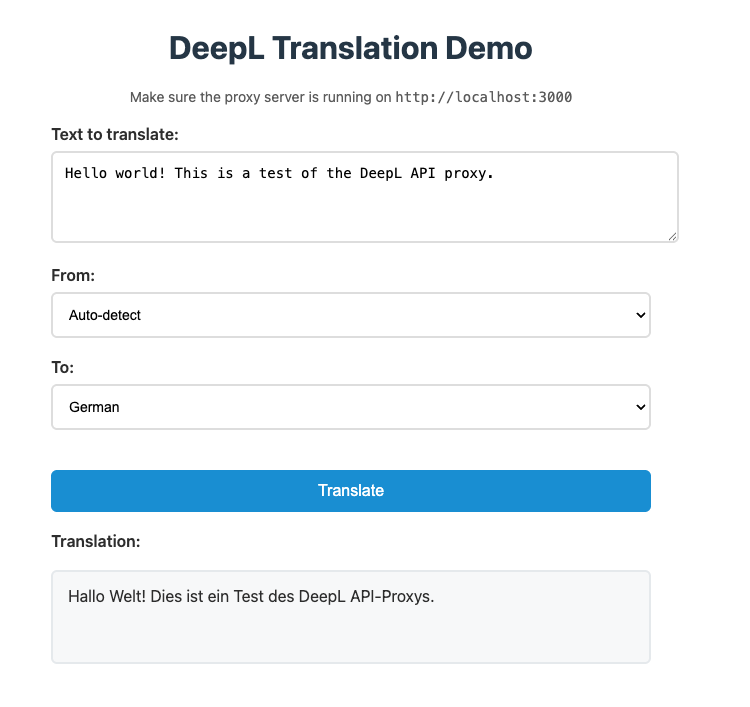
Launches a locally served interactive web interface to test translations. This serves as a very basic example of how you can integrate this API proxy into frontend development work.
npm run demoOpens http://localhost:8080 with a simple form to test translations in your browser. Useful for verifying CORS configuration and seeing the proxy in action.
License
MIT





