 Flow - 4x faster than typing

 Mini tools
AI Commit
AI-powered Git commit message generator. Analyzes your staged changes and generates Conventional Commits formatted messages using any OpenAI-compatible LLM.
README
AI Commit
AI-powered Git commit message generator. Analyzes your staged changes and generates Conventional Commits formatted messages using any OpenAI-compatible LLM or Claude Code.
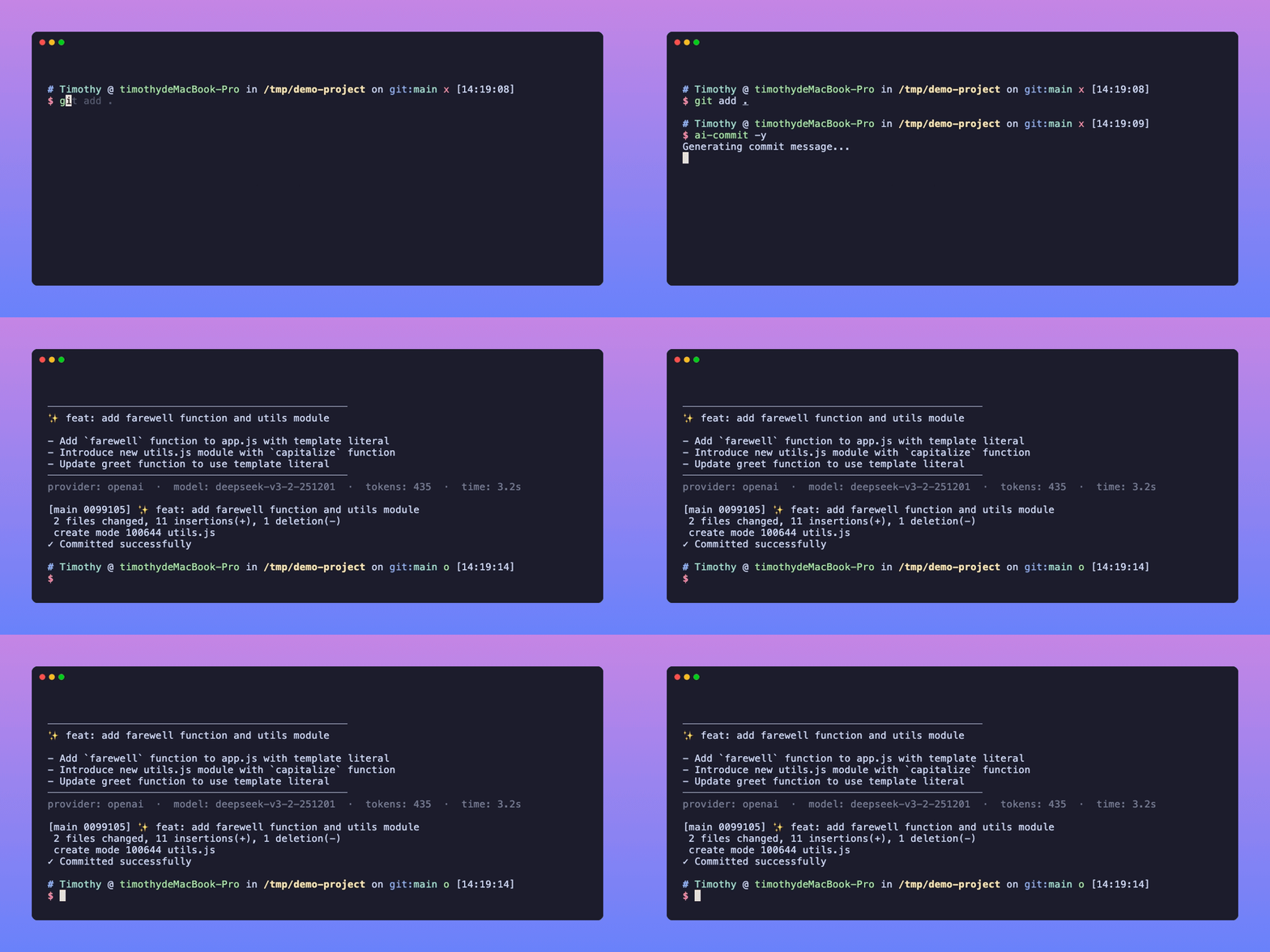
Install
Homebrew (macOS)
brew tap lifedever/tap
brew install ai-commit
Shell Script (macOS / Linux)
curl -fsSL https://raw.githubusercontent.com/lifedever/ai-commit/main/install.sh | bashRequires: Git, Node.js >= 18, npm
Configuration
Set your API key (add to ~/.bashrc or ~/.zshrc for persistence):
export AI_COMMIT_API_KEY="sk-your-api-key"By default, it uses DeepSeek. To use other providers:
# OpenAI
export AI_COMMIT_API_URL="https://api.openai.com/v1/chat/completions"
export AI_COMMIT_MODEL="gpt-4o-mini"

# Volcengine
export AI_COMMIT_API_URL="https://ark.cn-beijing.volces.com/api/v3/chat/completions"
export AI_COMMIT_MODEL="deepseek-v3-2-251201"

# Local Ollama
export AI_COMMIT_API_KEY="ollama"
export AI_COMMIT_API_URL="http://localhost:11434/v1/chat/completions"
export AI_COMMIT_MODEL="qwen2.5"
Any OpenAI API-compatible service works out of the box.
Claude Code Provider
If you have Claude Code installed, you can use it as the provider. Claude Code can read your source files for better context understanding, producing higher-quality commit messages.
export AI_COMMIT_PROVIDER="claude"
# No API key needed — Claude Code manages its own authentication
Large diffs: When staged changes exceed 15K characters, ai-commit automatically truncates the diff and passes it directly to Claude instead of letting Claude read files itself. This prevents timeouts on very large changesets.
Usage
# Stage your changes first
git add .

# Generate commit message (interactive)
ai-commit

# Auto-commit without confirmation
ai-commit -y

# Preview only, don't commit
ai-commit --dry-run

# Use Chinese for commit message
ai-commit -l zh

# Use a specific model
ai-commit -m gpt-4o-mini

# Add emoji to commit message (e.g. ✨ feat: add feature)
ai-commit --emoji

# Use Claude Code as provider
ai-commit -p claude

# Or set it permanently
export AI_COMMIT_PROVIDER="claude"
ai-commit
Options
| Option | Description |
|---|---|
-V, --version |
Show version number |
-y, --yes |
Auto-commit without confirmation |
-l, --language <lang> |
Set commit message language (en / zh) |
-m, --model <model> |
Use a specific model |
-e, --emoji |
Add emoji to commit message |
-p, --provider <provider> |
LLM provider (openai / claude) |
-d, --dry-run |
Preview message only, don't commit |
--update |
Update ai-commit to the latest version |
--uninstall |
Uninstall ai-commit |
-h, --help |
Show help |
Generation Stats
After each generation, a dim summary line is displayed showing:
──────────────────────────────────────────────────
feat(auth): add JWT token refresh mechanism
──────────────────────────────────────────────────
provider: openai  ·  model: deepseek-chat  ·  tokens: 156  ·  time: 2.8s
Auto Update Check
Each run automatically checks for new versions (non-blocking, cached for 24 hours). If a newer version is available:
💡 New version v1.4.0 available, run ai-commit --update to updateGit Alias (Optional)
git config --global alias.ac '!ai-commit'

# Then use:
git ac
Update
ai-commit --updateUninstall
ai-commit --uninstallEnvironment Variables
| Variable | Description | Default |
|---|---|---|
AI_COMMIT_PROVIDER |
LLM provider (openai / claude) |
openai |
AI_COMMIT_API_KEY |
Required for openai provider. Your LLM API key | - |
AI_COMMIT_API_URL |
API endpoint | https://api.deepseek.com/v1/chat/completions |
AI_COMMIT_MODEL |
Model name | deepseek-chat |
AI_COMMIT_LANGUAGE |
Message language and CLI language (en / zh) |
en |
AI_COMMIT_MAX_TOKENS |
Max tokens for generation | 500 |
AI_COMMIT_EMOJI |
Always add emoji (true / false) |
false |
Changelog
See CHANGELOG.md for release history.
License
MIT





