

 Mini tools
GitHub Issue Notebooks
GitHub Issues Notebooks for VS Code
README
GitHub Issue Notebooks
The VS Code GitHub Issue notebook extension enables you to run issue queries from within VS Code so that queries and results are displayed interleaved - just like in other notebook applications.
Getting Started
- go to https://vscode.dev or use VS Code Desktop
- install this extension from the market place: https://marketplace.visualstudio.com/items?itemName=ms-vscode.vscode-github-issue-notebooks
- select "File > New File... > GitHub Issue Notebook"
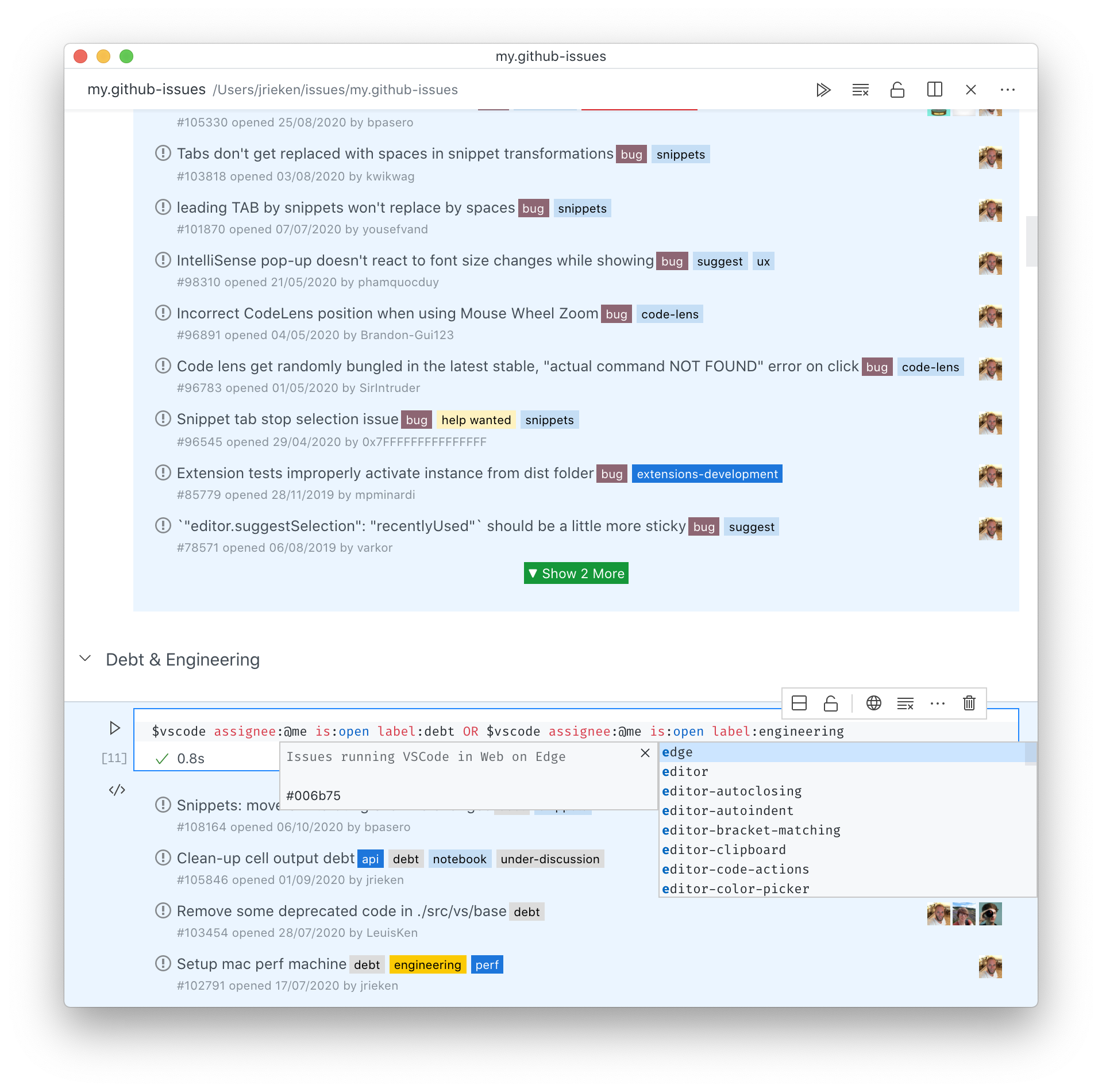
Features
The following features are currently supported
- Querying and rendering of GH issues and PR queries
- Language Support
- syntax highlighting
- validation
- completions
- code navigation (find references, to go definition)
- rename
- formatting
Query Syntax
This extension supports to search for issues and pull requests using GitHub search queries (https://help.github.com/en/github/searching-for-information-on-github/searching-issues-and-pull-requests). In addition, variables can be defined and OR-queries can be used. Approximation of the grammer:
doc ::= query | or | def
query ::= <GH_QUERY>
or ::= query "OR" query | or
def ::= var "=" query
var ::= "$" [_a-zA-Z] [_a-zA-Z0-9]*
Note that new line characters always terminate an expression.
Samples
A few sample queries from the vscode-project, paste each into a separate code cell
Define variables for vscode and the current milestone (May 2020):
$vscode=repo:microsoft/vscode
$milestone=milestone:"May 2020"
All current bugs I have created that are closed but not yet verified (using above variables):
$vscode $milestone is:closed author:@me -assignee:@me label:bug -label:verifiedAll issues that affect performance (startup, freezing, leakage):
$vscode assignee:@me is:open label:freeze-slow-crash-leak
$vscode assignee:@me is:open label:perf
$vscode assignee:@me is:open label:perf-startup




