

 Mini tools
AiCodeCalc - LLM Development Efficiency Calculator
README
AiCodeCalc - LLM Development Efficiency Calculator
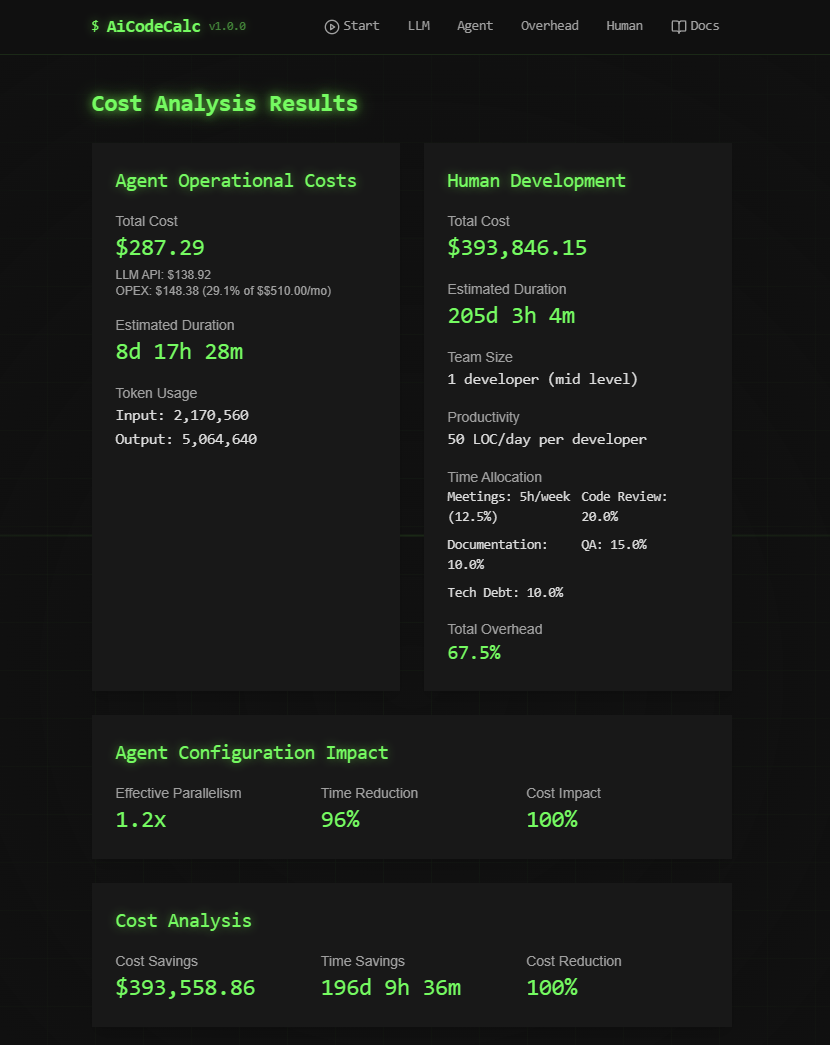
AiCodeCalc is a sophisticated calculator designed to analyze and compare the costs and efficiency of LLM-powered development versus traditional human development. This tool helps organizations make data-driven decisions about implementing AI-assisted development workflows.
Overview
AiCodeCalc provides detailed cost and efficiency analysis by considering multiple factors:
- Project complexity and scope
- LLM model configurations and costs
- Development overhead factors
- Human resource metrics
- Agent system configurations
- Operational expenses
Key Benefits
- Cost Analysis: Compare direct costs between LLM-powered and human development
- Efficiency Metrics: Analyze time savings and productivity improvements
- Resource Optimization: Identify optimal configurations for LLM usage
- Risk Assessment: Evaluate overhead factors and potential bottlenecks
- Team Planning: Make informed decisions about resource allocation
Features
-
Project Setup
- Lines of code estimation
- Complexity assessment
- Timeline planning
-
LLM Configuration
- Multiple model support
- Usage share optimization
- Cost tracking per 1K tokens
-
Human Metrics
- Team size and composition
- Experience level consideration
- Productivity metrics
- Overhead time allocation
-
Agent Configuration
- Multiple operation modes (single, swarm, parallel)
- Advanced memory management
- Resource allocation strategies
- Performance monitoring
-
Results Analysis
- Detailed cost breakdowns
- Time comparisons
- Token usage analytics
- Efficiency metrics
- OPEX calculations
Installation
-
Clone the repository:
git clone https://github.com/ruvnet/AiCodeCalc.git cd AiCodeCalc -
Install dependencies:
npm install # or yarn install # or bun install -
Start the development server:
npm run dev
# or
yarn dev
# or
bun dev
Usage
-
Project Setup
- Enter your project details including total lines of code and complexity
- Specify project timeline and requirements
-
Configure LLM Models
- Select and configure LLM models (default: GPT-4o 60%, GPT-4o-mini 40%)
- Adjust usage shares and cost parameters
-
Human Development Metrics
- Input team size and composition
- Set productivity metrics and overhead factors
-
Review Results
- Analyze cost comparisons
- Review efficiency metrics
- Export or share analysis results
Technologies Used
- Frontend Framework: React with TypeScript
- Build Tool: Vite
- UI Components: shadcn/ui
- Styling: Tailwind CSS
- State Management: React Context
- Deployment: Fly.io
Deployment
The application can be deployed using the included Dockerfile and deployment scripts:
# Build the Docker image
docker build -t aicalc .

# Deploy to fly.io
fly deploy
Development
To contribute to the project:
- Fork the repository
- Create a feature branch
- Make your changes
- Submit a pull request
License
Support
For support, please open an issue in the GitHub repository or contact the development team.





