

 Mini tools
Stable Diffusion Image Gallery
A powerful Flask-based web application for managing, browsing, and organizing Stable Diffusion generated images with comprehensive metadata extraction and management capabilities.
README
Stable Diffusion Image Gallery
A powerful Flask-based web application for managing, browsing, and organizing Stable Diffusion generated images with comprehensive metadata extraction and management capabilities.
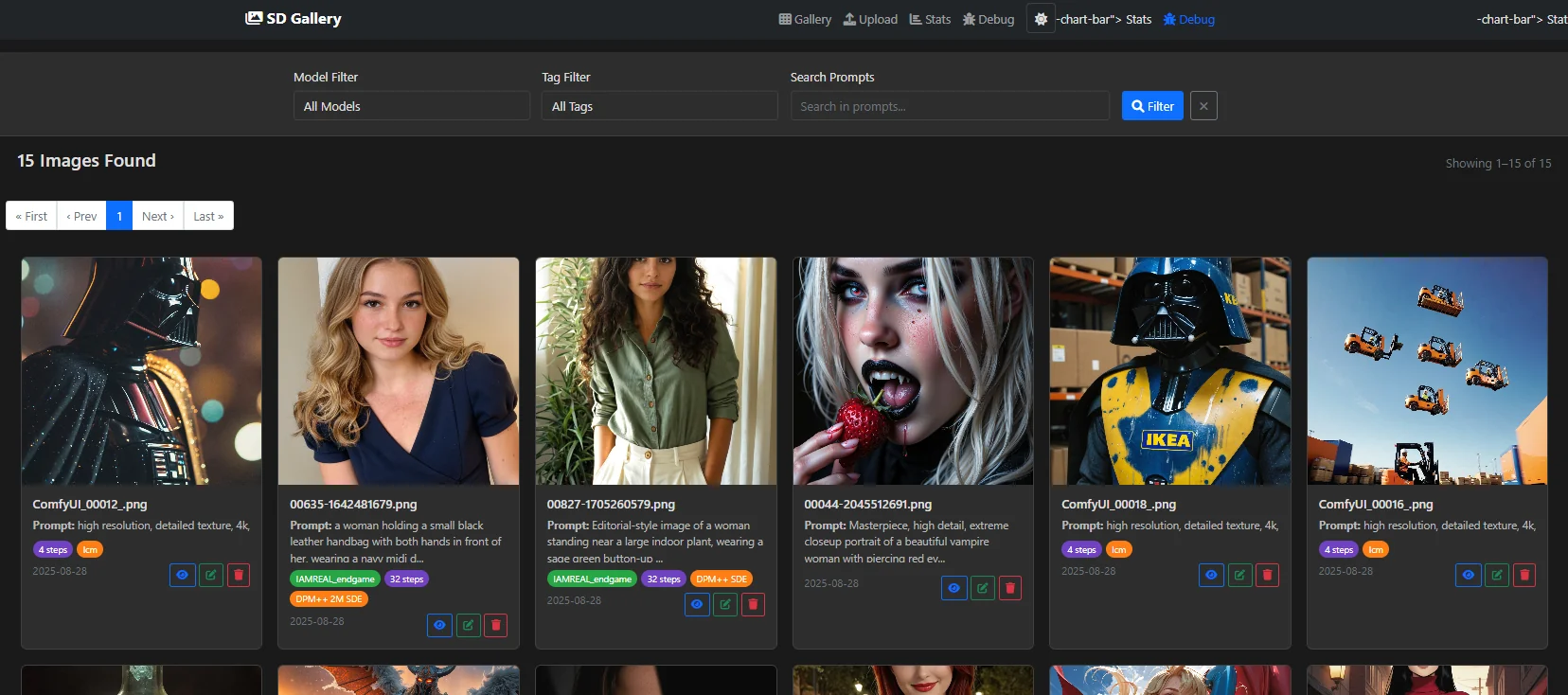
🚀 Features
- Multi-format Support: PNG, JPG, JPEG, WebP
- Metadata Extraction: Automatic extraction from multiple SD tools:
- AUTOMATIC1111
- ComfyUI
- InvokeAI
- NovelAI
- CivitAI
- Smart Organization: Model-based categorization and tagging
- Duplicate Detection: MD5 hash-based duplicate prevention
- Search & Filter: Find images by model, tags, or prompt content
- Responsive UI: Modern, mobile-friendly interface
- API Support: RESTful endpoints for integration
- Statistics: Comprehensive gallery analytics
🐳 Docker Deployment
- https://hub.docker.com/r/whiskeycoder/stable-diffusion-gallery
Quick Start
-
Clone the repository
git clone https://github.com/WhiskeyCoder/Stable-Diffusion-Gallery.git cd stable_difusion_browser -
Build and run with Docker Compose
docker-compose up -d -
Access the application
- Open your browser and navigate to
http://localhost:5000 - The gallery will be available immediately
- Open your browser and navigate to
Production Deployment
For production use, enable the nginx reverse proxy:
docker-compose --profile production up -dThis will:
- Run the Flask app on port 5000 (internal)
- Expose the application on ports 80 (HTTP) and 443 (HTTPS)
- Provide load balancing and SSL termination
Manual Docker Build
# Build the image
docker build -t sd-gallery .

# Run the container
docker run -d \
  --name sd-gallery \
  -p 5000:5000 \
  -v $(pwd)/gallery_images:/app/gallery_images \
  -v $(pwd)/image_database.json:/app/image_database.json \
  sd-gallery
📁 Directory Structure
stable_difusion_browser/
├── sd_gallery_app.py          # Main Flask application
├── requirements.txt            # Python dependencies
├── Dockerfile                  # Docker image definition
├── docker-compose.yml         # Docker Compose configuration
├── .dockerignore              # Docker build exclusions
├── README.md                  # This file
├── gallery_images/            # Image storage directory
├── image_database.json        # Image metadata database
└── templates/                 # HTML templates
    ├── base.html
    ├── gallery.html
    ├── upload.html
    ├── image_detail.html
    ├── edit_image.html
    ├── stats.html
    └── debug.html
🔧 Configuration
Environment Variables
FLASK_ENV: Set toproductionfor production deploymentFLASK_APP: Main application file (default:sd_gallery_app.py)FLASK_SECRET_KEY: Secret key for session management
Volume Mounts
./gallery_images:/app/gallery_images: Persistent image storage./image_database.json:/app/image_database.json: Persistent metadata./templates:/app/templates: Customizable templates
📊 Usage
Uploading Images
- Navigate to the Upload page
- Select an image file (PNG, JPG, JPEG, WebP)
- Optionally specify model name and content tags
- The system will automatically extract metadata
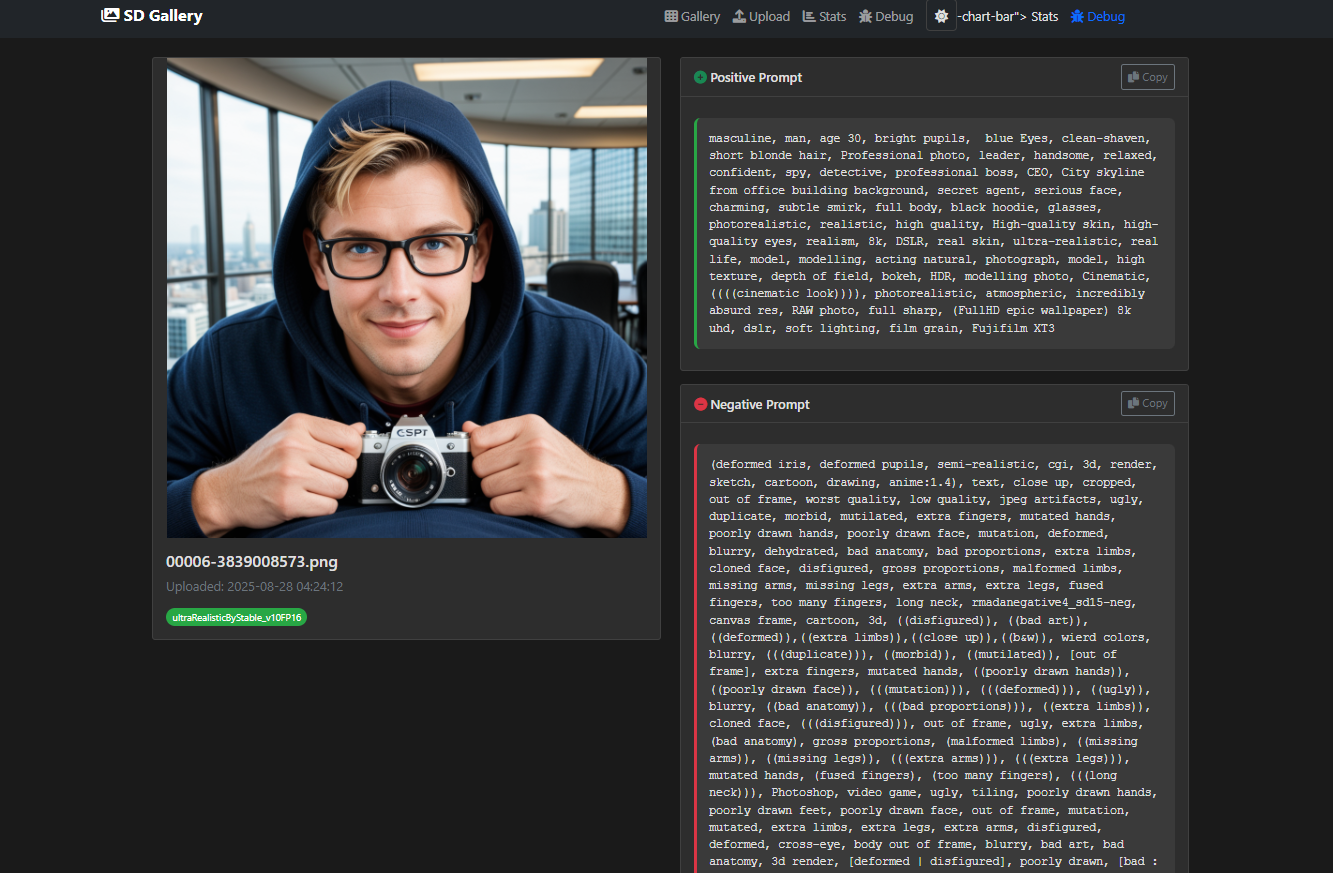
Browsing the Gallery
- Main View: Browse all images with thumbnails
- Filtering: Filter by model, tags, or search terms
- Image Details: Click on any image for full metadata view
- Edit Mode: Modify image metadata and tags
API Endpoints
GET /api/images: Retrieve all images as JSONGET /image/<filename>: Serve image filesGET /image-detail/<id>: Get detailed image information
🛡️ Security Features
- Non-root container execution
- Health checks for monitoring
- Input validation and sanitization
- Secure file handling
🔍 Troubleshooting
Common Issues
-
Port already in use
# Check what's using port 5000 lsof -i :5000 # Or use a different port in docker-compose.yml -
Permission denied errors
# Ensure proper ownership of mounted volumes sudo chown -R $USER:$USER gallery_images/ sudo chown $USER:$USER image_database.json -
Container won't start
# Check container logs
docker-compose logs sd-gallery
Health Checks
The application includes built-in health checks:
- Container health status:
docker ps - Application health:
curl http://localhost:5000/
📈 Performance
- Image Processing: Optimized metadata extraction
- Database: Lightweight JSON-based storage
- Caching: Efficient image serving
- Memory: Minimal resource footprint
🤝 Contributing
- Fork the repository
- Create a feature branch
- Make your changes
- Test with Docker
- Submit a pull request
📄 License
This project is open source. Please check the license file for details.
🆘 Support
For issues and questions:
- Check the troubleshooting section
- Review container logs
- Open an issue on GitHub
🔄 Updates
To update the application:
# Pull latest changes
git pull

# Rebuild and restart
docker-compose down
docker-compose up -d --build
Happy Image Management! 🎨





