TAAFT Tutorial
Generate image
Tasks
Generate text
Free mode
Trending
Leaderboard
Characters
 Mini tools
New
Featured
Lists
Agents
Requests
Jobs
Map
Newsletter
Starter pack
Free tools
Speech to text
Text translator
Remove background
Settings
Edit profile
My tools
Gallery
Dashboard
Inbox
Get featured
Contact TAAFT
For you
Popular
Job impact index
Most saved
Affiliate program
Submit AI tool
Notification preferences
Glossary
Home
Timeline
My profile
Create tool
Deals
Companies
Models
Robots
Papers
Fundraises
Repositories
Devices
Organizations
Events
Prompt Pack
Merchendise
APIs
Features
Tools
Countries
Collections
Videos
Mini tools
New
Featured
Lists
Agents
Requests
Jobs
Map
Newsletter
Starter pack
Free tools
Speech to text
Text translator
Remove background
Settings
Edit profile
My tools
Gallery
Dashboard
Inbox
Get featured
Contact TAAFT
For you
Popular
Job impact index
Most saved
Affiliate program
Submit AI tool
Notification preferences
Glossary
Home
Timeline
My profile
Create tool
Deals
Companies
Models
Robots
Papers
Fundraises
Repositories
Devices
Organizations
Events
Prompt Pack
Merchendise
APIs
Features
Tools
Countries
Collections
Videos
Mini tools
New
Featured
Lists
Agents
Requests
Jobs
Map
Newsletter
Starter pack
Free tools
Speech to text
Text translator
Remove background
Settings
Edit profile
My tools
Gallery
Dashboard
Inbox
Get featured
Contact TAAFT
For you
Popular
Job impact index
Most saved
Affiliate program
Submit AI tool
Notification preferences
Glossary
Home
Timeline
My profile
Create tool
Deals
Companies
Models
Robots
Papers
Fundraises
Repositories
Devices
Organizations
Events
Prompt Pack
Merchendise
APIs
Features
Tools
Countries
Collections
Videos

▼ Most saved
Entertainment
Free mode
100% free
Freemium
Free Trial
Other tools
-
Gabriel Koh🙏 4 karmaDec 27, 2025@free AI Story Writing GeneratorIt has content filters and there is no option to use a system prompt.
-
 Transform ideas into intricate coloring pages.Open
 -
 OpenI really appreciate you trying out my tool! The best results come from simple prompts, so no need to overthink it. Follow me, leave a comment with your thoughts or requests, and let’s keep building new tools together. Also, check out the other tools I’ve created—you might find one you really enjoy!
 -
 AI-powered movie generator for curated film suggestions.Open
 - Spotlight
 AI Agents | HostingerAgents
 -
 AI-powered social media content creator for engaging posts.Open
 -
 OpenVideo editing is the process of selecting, trimming, and arranging footage to create a cohesive story or visual narrative. Here are some fundamental concepts and techniques: Types of Video Editing Linear editing: A straightforward, sequential approach to editing, where clips are arranged in a linear timeline. Non-linear editing: A more flexible approach, where clips can be arranged and rearranged freely in a timeline. Key Video Editing Techniques Cutting: A transition between two clips, where one clip ends and another begins. Cutting on action: Cutting between two clips while an action is in progress, to create a seamless transition. J-cut: Cutting from one clip to another while audio from the second clip starts playing before the video cuts to it. L-cut: Cutting from one clip to another while audio from the first clip continues to play. Video Editing Software Popular video editing software includes: Adobe Premiere Pro: A professional-level editing software with advanced features and integration with other Adobe tools. Final Cut Pro: A professional-level editing software for Mac users, known for its user-friendly interface and advanced features. DaVinci Resolve: A free and paid editing software that offers advanced color grading and audio editing tools. Best Practices for Video Editing Plan your edit: Develop a clear vision and storyboard before starting to edit. Organize your footage: Label and categorize your clips to make them easily accessible. Keep it simple: Avoid overusing transitions and effects; focus on telling a clear story. Advanced Video Editing Techniques Color grading: Adjusting the color and brightness of footage to create a specific mood or atmosphere. Audio ducking: Automatically reducing the volume of background audio when dialogue is present. Motion graphics: Adding animated text, logos, or other graphics to enhance the visual narrative. Video editing involves selecting, trimming, and arranging footage to create a cohesive story. Linear and non-linear editing are two fundamental approaches. Key techniques include cutting, cutting on action, J-cuts, and L-cuts. Popular software includes Adobe Premiere Pro, Final Cut Pro, and DaVinci Resolve. Best practices involve planning, organizing footage, and keeping it simple. Advanced techniques include color grading, audio ducking, and motion graphics. Capcat pro Capcat pro Download image-to-image-generator generated imagetransparent pixel Image to Image Generator Image to Image Generator Download image-to-image-generator generated imagetransparent pixel Image to Image Generator Image to Image Generator Download image-to-image-generator generated imagetransparent pixel Image to Image Generator Image to Image Generator Download image-to-image-generator generated imagetransparent pixel Image to Image Generator Image to Image Generator Download image-to-image-generator generated imagetransparent pixel Image to Image Generator Image to Image Generator Download image-to-image-generator generated imagetransparent pixel Image to Image Generator Image to Image Generator Download image-generator generated imagetransparent pixel Image Generator Image Generator Copy Video Editing Basics Video editing is the process of selecting, trimming, and arranging footage to create a cohesive story or visual narrative. Here are some fundamental concepts and techniques: Types of Video Editing Linear editing: A straightforward, sequential approach to editing, where clips are arranged in a linear timeline. Non-linear editing: A more flexible approach, where clips can be arranged and rearranged freely in a timeline. Key Video Editing Techniques Cutting: A transition between two clips, where one clip ends and another begins. Cutting on action: Cutting between two clips while an action is in progress, to create a seamless transition. J-cut: Cutting from one clip to another while audio from the second clip starts playing before the video cuts to it. L-cut: Cutting from one clip to another while audio from the first clip continues to play. Video Editing Software Popular video editing software includes: Adobe Premiere Pro: A professional-level editing software with advanced features and integration with other Adobe tools. Final Cut Pro: A professional-level editing software for Mac users, known for its user-friendly interface and advanced features. DaVinci Resolve: A free and paid editing software that offers advanced color grading and audio editing tools. Best Practices for Video Editing Plan your edit: Develop a clear vision and storyboard before starting to edit. Organize your footage: Label and categorize your clips to make them easily accessible. Keep it simple: Avoid overusing transitions and effects; focus on telling a clear story. Advanced Video Editing Techniques Color grading: Adjusting the color and brightness of footage to create a specific mood or atmosphere. Audio ducking: Automatically reducing the volume of background audio when dialogue is present. Motion graphics: Adding animated text, logos, or other graphics to enhance the visual narrative. Video editing involves selecting, trimming, and arranging footage to create a cohesive story. Linear and non-linear editing are two fundamental approaches. Key techniques include cutting, cutting on action, J-cuts, and L-cuts. Popular software includes Adobe Premiere Pro, Final Cut Pro, and DaVinci Resolve. Best practices involve planning, organizing footage, and keeping it simple. Advanced techniques include color grading,
 -
 Creates unique Minecraft skins from your descriptions instantly.Open
 -
 AI Fanfiction Generator creates personalized stories based on your favorite fandoms, characters, and themes.OpenIt's a cool AI, i mean, it is really helpful. You just have to use it correctly lmao
 -
-
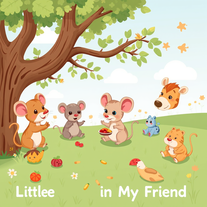 Create charming cartoons of animal friends for kids.Open
 -
I am very satisfied with the result, and all from the first prompt. great.
- Didn't find the AI you were looking for?
-
 Open
Open -
 Turn ideas into 1920s-30s cartoons instantly.OpenReally poor prompt adherance. Needs work.
 -
 Create hilariously bad 3D art from ideas.Open
 -
 Transform yourself into a tiny figure trapped in a pickle jar.Open
 -
 Open
Open -
 Transform photos into Hollywood-style action movie posters.OpenSimply upload your photo; you don't need to type anything in the prompt field. Just click "generate" and watch the magic happen.
 -
Nice post! I recently tried infinite-fusion.net/generator and it’s a really fun Pokémon fusion tool.
-
 AI-powered storytelling tool that creates magical children's books for ages 4-10.Open
 -
 Transform your photo into a premium Pixar-style 3D character.Open
 -
 Open
Open -
-
 Create AI-powered coloring books with whimsical pop culture mashups.Open
 -
 Open
Open -
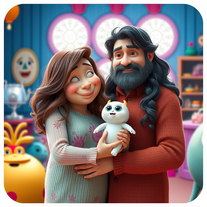 Transform family photos into magical Monsters Inc. scenes.OpenSimply upload your photo; you don't need to type anything in the prompt field. Just click "generate" and watch the magic happen.
 -
 AI-powered lyricist that transforms any theme into hilariously catchy songs.Open
 -
Gets the job done, and using the same prompt is fine, because each image comes out a little different!
-
 Unleashes rapid-fire comedic roasts with wild exaggerations.Open
 -
 Transform number picking into theatrical ceremony.Open
 -
 Creates stunning, professional movie posters for fictional films.Open
 -
 Transform children's stories into vivid illustration prompts instantly.Open
 -
 Open
Open -
 Open
Open -
 Open
Open -
 Transform photos into ultra-realistic cinematic scenes.Open
 -
 Transform photos into cinematic 8K portraits with Minions.Open
 -
 Defy gravity with hilarious skyscraper stunts.Open
 -
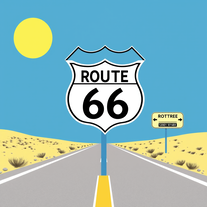 Test your 60s-70s music and Route 66 trivia in an AI treasure hunt.Open
 -
 Create vibrant, humorous celebrity caricatures with AI.Open
 -
 Transform photos into hilarious cartoon wake-up scenes.OpenSimply upload your photo; you don't need to type anything in the prompt field. Just click "generate" and watch the magic happen.
 -
 Creates authentic country song lyrics with heartfelt storytelling.Open
 -
 Creates hilarious, family-friendly images by combining unlikely elements.Open
 -
 Create ultra-realistic selfies with The Mask characters.Open
 -
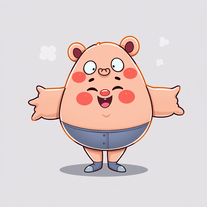 AI-powered cartoon character generator for vibrant, inclusive characters.Open
 -
 Open
Open -
 Transform any photo into charming crayon art with childlike wonder.Open
 -
 Open
Open -
 Open
Open -
 Generate hilariously exaggerated failure scenarios for any character.Open
 -
 Transform photos into cinematic scenes with cartoon characters.OpenNot what I expected . Need more info
 -
Simply upload your photo; you don't need to type anything in the prompt field. Just click "generate" and watch the magic happen.
-
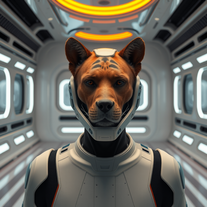 Transform photos into cinematic movie scenes instantly.Open
 -
 Open
Open -
 Generate epic 3D fisheye selfies with original TMNT.Open
 -
 Transform photos into epic 3D cartoon characters.OpenSimply upload your photo; you don't need to type anything in the prompt field. Just click "generate" and watch the magic happen.
 -
Simply upload your photo; you don't need to type anything in the prompt field. Just click "generate" and watch the magic happen.
-
 Open
Open -
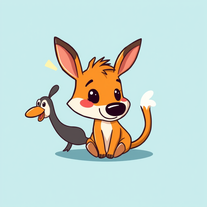 Create hilarious wallpapers with goofy animals and characters.Open
 -
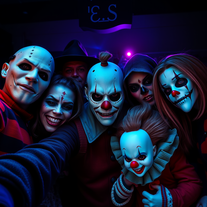 Transform selfies into horror movie group photos.Open
 -
Create an emotional Afro-pop / TikTok viral song titled “Don’t Leave Me on Seen”. Male vocal, emotional but smooth tone. Tempo: mid-tempo (90–105 BPM). Mood: sad but catchy, relatable, modern TikTok vibes. Lyrics theme: being ignored, left on read, online silence, emotional honesty, love frustration. Include a strong catchy chorus suitable for TikTok trends and short videos. Clean production, soft afro drums, light piano or guitar, subtle bass. Song length: 1:30 – 2:00 minutes. Language: English. Style inspired by modern Afro-pop and TikTok viral songs (emotional but danceable).
-
 Create ultra-realistic celebrity selfies in iconic locations.Open
 -
 Turn one photo into studio-grade Disney character selfies.Open
 -
 Ultra-realistic AI image generator with perfect identity preservation.OpenJust put your photo, dont put prompt text ok
 -
 Generate ultra-realistic skydiving portraits from your photos.Open
 -
 Open
Open -
 Transform any topic into clever jokes, puns, and one-liners instantly.Open
 -
Simply upload your photo; you don't need to type anything in the prompt field. Just click "generate" and watch the magic happen.
-
 Wrestle giant food in hyper-realistic cinematic photos.Open
 -
Simply upload your photo; you don't need to type anything in the prompt field. Just click "generate" and watch the magic happen.
-
 Transform photos into ultra-realistic Disney park portraits.Open
 -
 Transform yourself into hyper-realistic celebrity group photos.OpenSimply upload your photo; you don't need to type anything in the prompt field. Just click "generate" and watch the magic happen.
 -
 Open
Open -
 Transform yourself into ultra-realistic scenes with impossible scale.Open
 -
 Transform your photo into El Chavo del 8 memories.OpenSimply upload your photo; you don't need to type anything in the prompt field. Just click "generate" and watch the magic happen.
 -
 Generate ultra-realistic 8K selfies with legendary rockstars.Open
 -
 OpenChanged the prompt to improve results.
 -
 Open
Open -
 Open
Open -
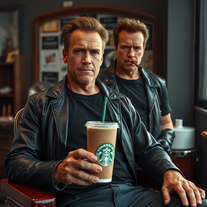 Transform photos into cinematic Arnold Schwarzenegger barbershop scenes.Open
 -
 Transform yourself into a Fast & Furious action hero!Open
 -
 Transform yourself into hilariously tiny cinematic scenes.Open
 -
 Transform photos into epic warrior battle scenes.Open
 -
-
 AI-powered product idea generator that transforms brainstorming into breakthrough innovations.Open
 -
 Open
Open -
 Transform yourself into a hyperrealistic collectible action figure.Open
 -
 Transform photos into cinematic Funko-Pop portraits.Open
 -
 Transform any idea into authentic Simpsons-style artwork.OpenChanged the prompt to improve results.
 -
 AI-powered Truth or Dare Generator creates unique questions and challenges.Open
 -
 Open
Open -
 Create hyper-realistic beach party scenes for personal branding.Open
 -
 Transform your photo into an ultra-realistic beach scene with SpongeBob!Open
 -
 Transform your selfie into a cinematic horror masterpiece.Open
 -
 AI-generated SpongeBob wallpapers for instant underwater fun.Open
 -
 Transform yourself into cinematic dessert scenes.Open
 -
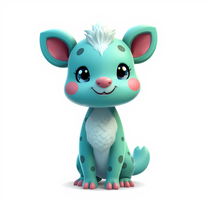 Creates vibrant, whimsical animal characters with unique features.Open
 -
 Star in paparazzi photos with celebrities.Open
 -
 AI-powered Truth or Dare for unforgettable parties.Open
 -
 Open
Open -
 Transform any topic into fascinating, little-known facts.Open
 -
 Generate chilling Ghostface wallpapers in one click.Open
 -
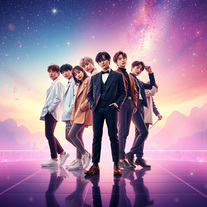 Create BTS wallpapers with dynamic poses and captivating backgrounds.Open
 -
 Transform portraits into cinematic shooting range scenes.Open
 -
 Transform yourself into photorealistic Star Wars scenes.Open
 -
 Generate authentic 1940s song lyrics with wartime nostalgia.Open
 -
 Open
Open -
 Open
Open -
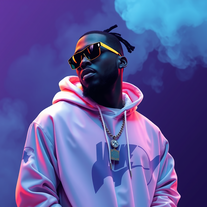 AI-generated Travis Scott wallpapers for your devicesOpen
 -
 Create eerie Stranger Things wallpapers with AIOpen
 -
 Transform photos into cinematic selfies with gorilla companions.Open
 -
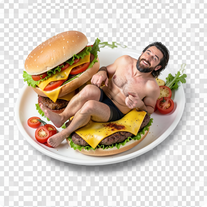 Open
Open -
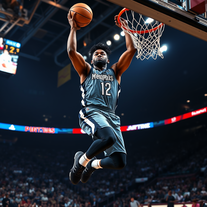 Open
Open -
 Create cinematic photos with holographic twin projections.Open
 -
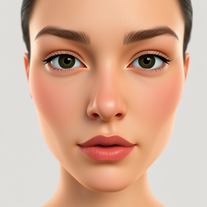 Transform selfies into cinematic horror scenes.Open
 -
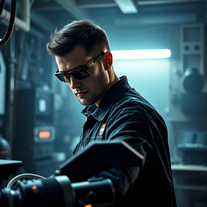 Become Batman's master engineer with AI photo transformation.Open
 -
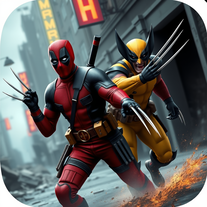 Unleash Marvel mayhem with AI-generated wallpapers.Open
 -
 AI-generated truth questions and dare challenges for parties.Open
 -
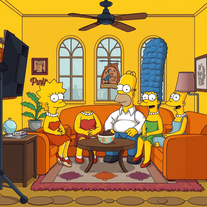 Transform yourself into a live-action Simpsons character.Open
 -
 AI-generated Morgan Wallen wallpapers: Country charm visualized.Open
 -
 Generate magical Harry Potter-inspired potion recipes.Open
 -
 AI that paints whimsical baseball scenes with stuffed animals.Open
 -
 Open
Open