TAAFT Tutorial
Generate image
Tasks
Generate text
Free mode
Trending
Leaderboard
Characters
 Mini tools
New
Featured
Lists
Agents
Requests
Jobs
Map
Newsletter
Starter pack
Free tools
Speech to text
Text translator
Remove background
Settings
Edit profile
My tools
Gallery
Dashboard
Inbox
Get featured
Contact TAAFT
For you
Popular
Job impact index
Most saved
Affiliate program
Submit AI tool
Notification preferences
Glossary
Home
Timeline
My profile
Create tool
Deals
Companies
Models
Robots
Papers
Fundraises
Repositories
Devices
Organizations
Events
Prompt Pack
Merchendise
APIs
Features
Tools
Countries
Collections
Videos
Mini tools
New
Featured
Lists
Agents
Requests
Jobs
Map
Newsletter
Starter pack
Free tools
Speech to text
Text translator
Remove background
Settings
Edit profile
My tools
Gallery
Dashboard
Inbox
Get featured
Contact TAAFT
For you
Popular
Job impact index
Most saved
Affiliate program
Submit AI tool
Notification preferences
Glossary
Home
Timeline
My profile
Create tool
Deals
Companies
Models
Robots
Papers
Fundraises
Repositories
Devices
Organizations
Events
Prompt Pack
Merchendise
APIs
Features
Tools
Countries
Collections
Videos
Mini tools
New
Featured
Lists
Agents
Requests
Jobs
Map
Newsletter
Starter pack
Free tools
Speech to text
Text translator
Remove background
Settings
Edit profile
My tools
Gallery
Dashboard
Inbox
Get featured
Contact TAAFT
For you
Popular
Job impact index
Most saved
Affiliate program
Submit AI tool
Notification preferences
Glossary
Home
Timeline
My profile
Create tool
Deals
Companies
Models
Robots
Papers
Fundraises
Repositories
Devices
Organizations
Events
Prompt Pack
Merchendise
APIs
Features
Tools
Countries
Collections
Videos

▼ State of the art
Ats
Free mode
100% free
Freemium
Free Trial
Other tools
-
 Open
Open - Sponsor
 Tripo AI 3D Generator
 -
 Open1kymaniakbarJan 17, 2026@Tool Name: SuperStudentAIAwesome just an Awesome pleasure to use.
 -
 Craft immersive sagas with AI-powered storytelling.Open
 -
Hey Stefan!!! Thanks so much for your time and your review. I’m not sure if you noticed the style button under your generation, but there you will many cool choices that will greatly affect your generation. I’ve tweaked a couple things on my end, I hope it helps. If you have any suggestions, I’m all ears. Take care, friend!!
-
 AI-powered task manager that adapts to your work style.Open
 -
 Transform your photo into a cinematic masterpiece.Open
 - Didn't find the AI you were looking for?
-
 AI creates living, breathing architectural organisms.Open
 -
Artist Tips for Better Results with Somnira Canvas: To help Somnira Canvas render the most compelling and emotionally resonant figures—whether human or animal—users are encouraged to guide the tool with poetic, suggestive phrasing rather than highly technical descriptions. This helps maintain harmony with the platform’s expressive strengths. For human figures, try emotion-based posture phrases like “curled in sorrow,” “reaching toward a fading light,” or “kneeling in wind.” Favor mood-based modifiers over anatomical specifics, such as “a silhouette bathed in dusk” or “a quiet figure in motion blur.” For animals, use mythic or metaphorical phrasing like “a fox made of stars,” “a deer outlined in frost,” or “a lion woven from dusk and gold.” Avoid strict biological realism unless intentionally stylized (e.g., “cubist owl,” “ink-drawn heron”). Best practices include specifying camera perspective or body angle with terms like “3/4 view,” “top-down shot,” or “over-the-shoulder,” and adding atmospheric cues such as “drifting in chalk mist,” “outlined by candlelight,” or “carved in shadow.” You can also add emotion-based tags directly into the prompt—words like “longing,” “grief,” “stillness,” or “wonder” will guide the aesthetic and expressive qualities of the final artwork.
-
-
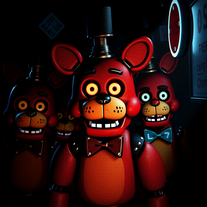
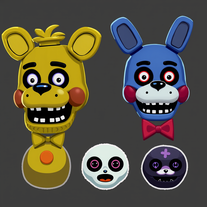 Generate creepy FNAF-inspired animatronic designs.Open
 -
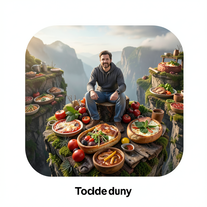 Transform photos into cinematic giant food landscapes.Open
 -
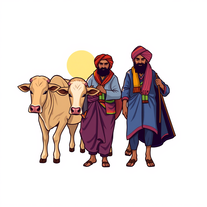 AI-generated images celebrating Indian farming culture.Open
 -
 AI-powered MMA mentor for personalized combat training.Open
 -
 Transform photos into cinematic 8K portraits with Minions.Open
 -
 Open
Open -
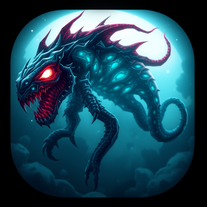 Create spine-chilling deep-sea monsters with AI.Open
 -
 Transform text into peephole-view cinematic images.Open
 -
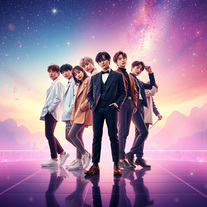 Create BTS wallpapers with dynamic poses and captivating backgrounds.Open
 -
 Transform yourself into cinematic miniature adventures.Open
 -
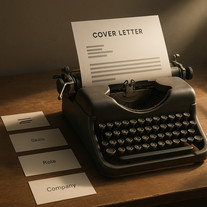 Transform job details into professional cover letters instantly.Open
 -
 Transform your photo into hyper-realistic cinematic scenes.OpenThis tool is designed to only receive a photo as a reference; just use this and see the result.
 -
 Open
Open -
 Transform ordinary text into stunning icy letters.Open
 -
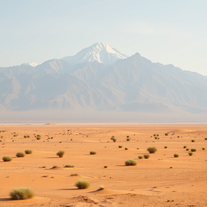 Transform words into breathtaking desert landscapes.Open
 -
 Design custom kitchen islands that double as dining tables.Open
 -
 Create cinematic 8K scenes with perfect identity accuracy.Open
 -
 Transform photos into cinematic dawn portraits.Open
 -
 Transform ordinary photos into ultra-realistic cinematic scenes.Open
 -
 Open
Open -
 Open
Open -
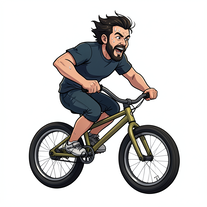 Transform photos into cinematic action portraits.Open
 -
 Generate ultra-photorealistic images in surreal snack environments.Open