 VeriIA
 Mini tools
▼ Popular
Automated
Free mode
100% free
Freemium
Free Trial
Other tools
-
 Ta🙏 83 karmaMay 3, 2025@Text Generatoryour answer is much too general, so useless. You could have just tell me to ask Perplexity.
 -
-
🌟🌟🌟🌟🌟 This AI prompt generation tool is exceptional! It vividly brought to life the jungle scene I envisioned, capturing every detail with remarkable accuracy. The natural expressions, vibrant colors, and serene atmosphere were perfectly rendered. Highly recommended for creative projects!
-
 Open
Open - Spotlight: VeriIA (AI content detection)
-
By what I mean is not offensive, I mean I am getting the images accurately according the promt that I gave, I tried with a girl image and it got correctly, I taught this is non offtial kind of site.
-
I can't believe this one is SO accurate while others misbehave like drunk rebels ;-) THX
-
Guys this is like a truck load of free Bananas , Magic
-
 AI-powered logo generator creating professional vector logos from prompts.Openit's okay for a mini-tool, just not something i'd lock as a final brand ;)
 - Didn't find the AI you were looking for?
-
 Instantly generates precise Excel formulas with explanations.Open
 -
 Open
Open -
-
 Open
Open -
 Open
Open -
 AI-powered logo generator creates professional business logos instantly.Open
 -
 OpenI mostly use this story generator when I want ideas for a new storyline. It’s super easy, you just provide some details and context and it's done. It gives me a starting place and then I can build on it however I want
 -
Hi Jopie, it worked just fine for me, can you give it another try?
-
 AI-powered scriptwriter: From concept to screenplay in minutes.Open
 -
 Transform your vision into stunning, diverse images.Open
 -
very surprising and real traces, wonderfull
-
 AI-powered illustrations for enchanting children's booksOpenIt does work, but the filter is pretty strict. Even totally innocent prompts can get flagged if they include certain words like ’little’ or ’kid’. Try rephrasing and it should go through.
 -
 Open
Open -
This is a great tool. I gave it some instructions and it followed it to the T! I was even able to add a URL for branding consistency.
-
 Open
Open -
why all of tools doesnt accept our customized prompt again?
-
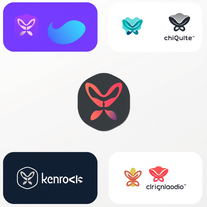 AI-powered logo designer for unique, tailored brand identities.Open
 -
 AI-powered code generator for efficient development.OpenIf you just started using python or coding this could help you a lot! I remember first time searching for a string of code and... it wasnt the most easy task at all.
 -
 Transform brief ideas into complete YouTube scripts.Open
 -
 Open
Open -
 Professional comic book script writing correction, correcting it into the anatomy of comic book script writing formatTurn comic scripts into industry-standard masterpieces.Open
 -
 AI-powered concrete estimates in seconds.Open
 -
 OpenAs a starting point, this worked out well-enough. Will try again for subsequent prompts and rate again.
 -
 Open
Open -
42,938 AI tools for 11,679 tasks and 5,155 jobs Spotlight PDFClean.aiPDFClean.ai PDF to Spreadsheets Search... #1 website for AI tools. Used by 70M+ humans. Generate images Create AI Tools Home Search Deals Leaderboard Tasks Mini tools Characters Map Launch / Advertise Newsletter Merchandise Contact us Create tool Mini tools Code snippets Web App: Code Generator Code snippets Free Unlimited Free commercial use Web App: Code Generator icon Web App: Code Generator 4.2(5) 99 users 73 Author Lanie Farmer profile picture Lanie Farmer TAAFTUse mini tool Saved Spotlight PDFClean.aiPDFClean.ai PDF to Spreadsheets Please describe the web application you want to build, including its main features and any specific technologies you want to use. Suggest create a website that can track locations using instragam lik. #1 website for AI tools. Used by 70M+ humans. Generate images Create AI Tools, John clarance deleon TAAFTGenerate Generated content is 100% free to use, including commercial use. Copy text 0 0 Location Tracking Website with Instagram-like Features Project Overview Create a website that allows users to track locations, similar to Instagram, with a focus on AI-powered features. The website will be designed for 70M+ users and will include tools for generating images and creating AI-powered tools. Technical Requirements Frontend: React, HTML, CSS, JavaScript Backend: Node.js, Express.js Database: MongoDB APIs: Google Maps API, OpenStreetMap API Project Structure Frontend components LocationTracker.js: Component for tracking locations ImageGenerator.js: Component for generating images AITools.js: Component for creating AI-powered tools containers App.js: Main application container index.js: Entry point for the frontend Backend models Location.js: Model for location data User.js: Model for user data controllers locationController.js: Controller for location data userController.js: Controller for user data routes locationRoutes.js: Routes for location data userRoutes.js: Routes for user data server.js: Entry point for the backend Code Frontend LocationTracker.js import React, { useState, useEffect } from 'react'; import { GoogleMap, LoadScript, Marker } from '@react-google-maps/api'; const LocationTracker = () => { const [location,_setLocation] = useState({ lat: 0, lng: 0 }); const [markers,_setMarkers] = useState([]); useEffect(() => { navigator.geolocation.getCurrentPosition((position) => { setLocation({ lat: position.coords.latitude, lng: position.coords.longitude, }); }); }, []); const handleMarkerClick = (marker) => { setMarkers((prevMarkers) => [...prevMarkers,_marker]); }; return ( {markers.map((marker, index) => ( handleMarkerClick(marker)} /> ))} ); }; export default LocationTracker; ImageGenerator.js import React, { useState } from 'react'; import axios from 'axios'; const ImageGenerator = () => { const [image,_setImage] = useState(null); const [location,_setLocation] = useState({ lat: 0, lng: 0 }); const handleGenerateImage = async () => { const response = await axios.post('/api/image', { location, }); setImage(response.data.image); }; return ( setLocation({ ...location, lat: e.target.value })} /> setLocation({ ...location, lng: e.target.value })} /> Generate Image {image && } ); }; export default ImageGenerator; AITools.js import React, { useState } from 'react'; import axios from 'axios'; const AITools = () => { const [tool,_setTool] = useState(null); const [input,_setInput] = useState(''); const handleCreateTool = async () => { const response = await axios.post('/api/tool', { input, }); setTool(response.data.tool); }; return ( setInput(e.target.value)} /> Create Tool {tool && {tool}} ); }; export default AITools; Backend locationController.js const express = require('express'); const router = express.Router(); const Location = require('../models/Location'); router.get('/', async (req, res) => { const locations = await Location.find(); res.json(locations); }); router.post('/', async (req, res) => { const location = new Location(req.body); await location.save(); res.json(location); }); module.exports = router; imageController.js const express = require('express'); const router = express.Router(); const axios = require('axios'); router.post('/', async (req, res) => { const { location } = req.body; const response = await axios.get(`https://maps.googleapis.com/maps/api/staticmap?center=${location.lat},${location.lng}&zoom=15&size=400x400&key=YOUR_API_KEY`); const image = response.data; res.json({ image }); }); module.exports = router; toolController.js const express = require('express'); const router = express.Router(); const axios = require('axios'); router.post('/', async (req, res) => { const { input } = req.body; const response = await axios.post('https://api.example.com/tool', { input, }); const tool = response.data.tool; res.json({ tool }); }); module.exports = router; Explanation This code creates a basic location tracking website with Instagram-like features. The website uses React for the frontend, Node.js and Express.js for the backend, and MongoDB for the database. The LocationTracker component uses the Google Maps API to display a map and track the user's location. The ImageGenerator component uses the Google Maps API to generate an image based on the user's location. The AITools component uses an external API to create AI-powered tools. The backend uses Express.js to handle requests and interact with the database. The locationController handles location data, the imageController handles image generation, and the toolController handles AI-powered tool creation. Note that this is just a basic example and you will need to modify and extend the code to fit your specific requirements. Additionally, you will need to obtain API keys and configure the Google Maps API and other external APIs. Integration To integrate this code into a larger project, you will need to: Create a new React project using create-react-app. Install the required dependencies, including axios and @react-google-maps/api. Create a new Node.js project using express. Install the required dependencies, including mongoose and axios. Configure the Google Maps API and other external APIs. Modify and extend the code to fit your specific requirements. I hope this helps! Let me know if you have any questions or need further clarification. Project Overview The goal of this project is to create a location-based website similar to Instagram. The website will allow users to track locations and generate images based on those locations. Additionally, the website will provide AI-powered tools for users to create and interact with. Technical Requirements The project will utilize the following technologies: Frontend: React, HTML, CSS, JavaScript Backend: Node.js, Express.js Database: MongoDB APIs: Google Maps API, OpenStreetMap API Project Structure The project will consist of the following components: Frontend components LocationTracker.js: Component for tracking locations ImageGenerator.js: Component for generating images AITools.js: Component for creating AI-powered tools containers App.js: Main application container index.js: Entry point for the frontend Backend models Location.js: Model for location data User.js: Model for user data controllers locationController.js: Controller for location data userController.js: Controller for user data routes locationRoutes.js: Routes for location data userRoutes.js: Routes for user data server.js: Entry point for the backend Code The code for this project will be provided in the following sections. Frontend LocationTracker.js import React, { useState, useEffect } from 'react'; import { GoogleMap, LoadScript, Marker } from '@react-google-maps/api'; const LocationTracker = () => { const [location,_setLocation] = useState({ lat: 0, lng: 0 }); const [markers,_setMarkers] = useState([]); useEffect(() => { navigator.geolocation.getCurrentPosition((position) => { setLocation({ lat: position.coords.latitude, lng: position.coords.longitude, }); }); }, []); const handleMarkerClick = (marker) => { setMarkers((prevMarkers) => [...prevMarkers,_marker]); }; return ( {markers.map((marker, index) => ( handleMarkerClick(marker)} /> ))} ); }; export default LocationTracker; ImageGenerator.js import React, { useState } from 'react'; import axios from 'axios'; const ImageGenerator = () => { const [image,_setImage] = useState(null); const [location,_setLocation] = useState({ lat: 0, lng: 0 }); const handleGenerateImage = async () => { const response = await axios.post('/api/image', { location, }); setImage(response.data.image); }; return ( setLocation({ ...location, lat: e.target.value })} /> setLocation({ ...location, lng: e.target.value })} /> Generate Image {image && } ); }; export default ImageGenerator; AITools.js import React, { useState } from 'react'; import axios from 'axios'; const AITools = () => { const [tool,_setTool] = useState(null); const [input,_setInput] = useState(''); const handleCreateTool = async () => { const response = await axios.post('/api/tool', { input, }); setTool(response.data.tool); }; return ( setInput(e.target.value)} /> Create Tool {tool && {tool}} ); }; export default AITools; Backend locationController.js const express = require('express'); const router = express.Router(); const Location = require('../models/Location'); router.get('/', async (req, res) => { const locations = await Location.find(); res.json(locations); }); router.post('/', async (req, res) => { const location = new Location(req.body); await location.save(); res.json(location); }); module.exports = router; imageController.js const express = require('express'); const router = express.Router(); const axios = require('axios'); router.post('/', async (req, res) => { const { location } = req.body; const response = await axios.get(`https://maps.googleapis.com/maps/api/staticmap?center=${location.lat},${location.lng}&zoom=15&size=400x400&key=YOUR_API_KEY`); const image = response.data; res.json({ image }); }); module.exports = router; toolController.js const express = require('express'); const router = express.Router(); const axios = require('axios'); router.post('/', async (req, res) => { const { input } = req.body; const response = await axios.post('https://api.example.com/tool', { input, }); const tool = response.data.tool; res.json({ tool }); }); module.exports = router; Copy Listen Ask for changes to the result Edit Generations Other tools by this author Popular tools Top rated View more mini tools in our Mini Tools section Explore mini tools Copy text 0 0 Location Tracking Website with Instagram-like Features Overview The following code generates a basic structure for a location tracking website with Instagram-like features. This example uses HTML, CSS, and JavaScript for the frontend, and a simple Node.js server with Express.js for handling backend requests. Technologies Used Frontend: HTML, CSS, JavaScript Backend: Node.js, Express.js Database: MongoDB (for storing user and location data) Project Structure project/ |---- client/ | |---- index.html | |---- styles.css | |---- script.js |---- server/ | |---- server.js | |---- models/ | | |---- User.js | | |---- Location.js |---- package.json Client-side Code index.html Location Tracker Location Tracker Share Your Location Share Location Feed styles.css /* client/styles.css */ body { font-family: Arial, sans-serif; margin: 0; padding: 0; } header { background-color: #333; color: #fff; padding: 1rem; text-align: center; } main { display: flex; flex-direction: column; align-items: center; padding: 2rem; } #map-container { width: 100%; height: 500px; border: 1px solid #ddd; margin-bottom: 2rem; } #location-form { background-color: #f7f7f7; padding: 1rem; border: 1px solid #ddd; border-radius: 0.5rem; box-shadow: 0 0 10px rgba(0, 0, 0, 0.1); } #location-feed { margin-top: 2rem; } #location-feed-container { display: flex; flex-wrap: wrap; justify-content: center; } .location-card { background-color: #f7f7f7; padding: 1rem; border: 1px solid #ddd; border-radius: 0.5rem; box-shadow: 0 0 10px rgba(0, 0, 0, 0.1); margin: 1rem; width: 200px; } .location-card img { width: 100%; height: 150px; object-fit: cover; border-radius: 0.5rem 0.5rem 0 0; } .location-card .location-info { padding: 1rem; } .location-card .location-info h3 { margin-top: 0; } script.js // client/script.js const mapContainer = document.getElementById('map-container'); const locationForm = document.getElementById('location-form'); const locationFeedContainer = document.getElementById('location-feed-container'); // Initialize map const map = L.map(mapContainer).setView([51.505,_-0.09], 13); L.tileLayer('https://{s}.tile.openstreetmap.org/{z}/{x}/{y}.png', { attribution: '© OpenStreetMap', subdomains: ['a',_'b',_'c'] }).addTo(map); // Add event listener to location form locationForm.addEventListener('submit', async (e) => { e.preventDefault(); const locationName = document.getElementById('location-name').value; const locationDescription = document.getElementById('location-description').value; const locationData = { name: locationName, description: locationDescription }; try { const response = await fetch('/api/locations', { method: 'POST', headers: { 'Content-Type': 'application/json' }, body: JSON.stringify(locationData) }); const data = await response.json(); console.log(data); // Update location feed updateLocationFeed(); } catch (error) { console.error(error); } }); // Update location feed async function updateLocationFeed() { try { const response = await fetch('/api/locations'); const data = await response.json(); locationFeedContainer.innerHTML = ''; data.forEach((location) => { const locationCard = document.createElement('div'); locationCard.classList.add('location-card'); locationCard.innerHTML = ` ${location.name} ${location.description} `; locationFeedContainer.appendChild(locationCard); }); } catch (error) { console.error(error); } } // Get user location and display on map navigator.geolocation.getCurrentPosition((position) => { const latitude = position.coords.latitude; const longitude = position.coords.longitude; map.setView([latitude,_longitude], 13); L.marker([latitude,_longitude]).addTo(map).bindPopup('Your Location'); }); Server-side Code server.js // server/server.js const express = require('express'); const app = express(); const mongoose = require('mongoose'); // Connect to MongoDB mongoose.connect('mongodb://localhost/location-tracker', { useNewUrlParser: true, useUnifiedTopology: true }); // Define location model const locationSchema = new mongoose.Schema({ name: String, description: String, latitude: Number, longitude: Number }); const Location = mongoose.model('Location', locationSchema); // Define user model const userSchema = new mongoose.Schema({ name: String, email: String }); const User = mongoose.model('User', userSchema); // Middleware app.use(express.json()); // API Endpoints app.post('/api/locations', async (req, res) => { try { const location = new Location(req.body); await location.save(); res.json(location); } catch (error) { console.error(error); res.status(500).json({ message: 'Error creating location' }); } }); app.get('/api/locations', async (req, res) => { try { const locations = await Location.find(); res.json(locations); } catch (error) { console.error(error); res.status(500).json({ message: 'Error fetching locations' }); } }); // Start server const port = 3000; app.listen(port, () => { console.log(`Server started on port ${port}`); }); Explanation This code creates a basic location tracking website with Instagram-like features. The client-side code uses HTML, CSS, and JavaScript to create a map container, location form, and location feed. The server-side code uses Node.js, Express.js, and MongoDB to handle API requests and store location data. Guidance To implement this code, follow these steps: Create a new project folder and navigate to it in your terminal/command prompt. Create the client and server folders, and create the necessary files (index.html, styles.css, script.js, server.js, etc.). Install the required dependencies (Express.js, Mongoose, etc.) using npm or yarn. Start the server by running node server/server.js in your terminal/command prompt. Open a web browser and navigate to http://localhost:3000 to view the location tracking website. Note that this is a basic example, and you may want to add additional features such as user authentication, location validation, and error handling. Location Tracking Website Technologies Used Frontend: HTML, CSS, JavaScript Backend: Node.js, Express.js Database: MongoDB Features User can share their location User can view location feed Map integration using Leaflet Usage Run node server/server.js to start the server Open a web browser and navigate to http://localhost:3000 to view the location tracking website Sailenmendoza profile picture Sailenmendoza 🛠️ 0 🙏 0 How would you rate Web App: Code Generator? Help other people by letting them know if this AI was useful. Add a comment ★ ★ ★ ★ ★ Let people know what you think about Web App: Code Generator. It helps to provide much detail as possible about your experience. Post Speechmatics | AI Voice Agents Speechmatics | AI Voice Agents Build smarter AI voice agents with the best speech recognition technology Voice agents 170,388 www.speechmatics.com 179,806 75 4.4 EasyAI Custom Chatbots + APIs EasyAI Custom Chatbots + APIs No Code AI Dashboard to create customized chatbots, ai tools, and more Chatbots 34,974 easyai.passiolife.com Leonie profile picture Leonie 🛠️ 1 🙏 5 This tool removes all of the prep work of getting an LLM API endpoint running. I can try out ideas quickly and see within minutes whether an endpoint concept actually works. And when it does, moving it into a production app is about as easy as it gets. 5 36,486 22 4.2 Try these tools Prompt Generator for Images Prompt Generator for Images Image prompts Original prompt: a fish family in the ocean Enhanced prompt: "Depict a thriving school of iridescent blue and yellow damselfish, swimming in unison amidst the vibrant coral reef ecosystem of the Indo-Pacific Ocean. The family of fish, led by the majestic patriarch with his striking blue stripes, navigates through the wavy sea fans and colorful sea anemones. Captured from a slightly above-water camera angle, the sunlight filtering down from the surface highlights the delicate scales ...
-
Hmmmm I’d say it’s a pretty useful tool, it generates solid outlines if you’re working on an article. You can’t just use them as-is, since you’ll still need to add details and review everything, but as a starting point it’s really good for getting an idea
-
 Free AI story generator creates complete, engaging short stories.Open
 -
 OpenThis is a very useful tool for anyone that can create a prompt. I've used it time and again and it always delivers stunning results, and best of all at absolutely no cost. I would definitely recommend it.
 -
Thank you for the answers and solutions.
-
 Open
Open -
Really great for checking if you ACTUALLY understood what you studied, it generates exam questions really easy
-
 Transform ideas into Inoue-style manga art instantly.OpenIt follows the prompt precisely and it even offers a free 4x upscaler ;-) THX
 -
 Open
Open -
 Creates viral-ready social media content instantly.OpenMAAAAGGGIIICCCCCCCCC!!!! 😭🪄
 -
 Open
Open -
 Visualize your dream home with AI-powered designs.Open
 -
 Open
Open -
 Openso cute!!!! i created a picture with me and my two cats, awesome
 -
 Open
Open -
I've tried and tested this, it's legit and to be honest, really great! ☺️🌼
-
 Open
Open -
 Open
Open -
 Open
Open -
 Open
Open -
 AI book cover designer that creates visually striking, genre-appropriate covers from your title.OpenThe creativity in this one is great. It still messes up the words a little bit, but I noticed it seems to be a common thing with tools like this. Overall, it’s a fantastic option for cover design
 -
 AI-powered lesson plan generator using Backward Design methodology.Open
 -
I am very satisfied with the result, and all from the first prompt. great.
-
Hey Marco, looks like it's working for me, can you give it another try?
-
 Open
Open -
 Open
Open -
Interesting, creative generations that don’t seem to have any relation to what you put into it. But try it out, you might like what you get!
-
 AI writing assistant that detects your intent and creates tailored content.Open
 -
 Open
Open -
 Transform any topic into a complete online course in 15 seconds.Open
 -
 Craft trendy hip-hop fashion stores with AI-generated graffiti walls.Open
 -
 AI-powered Instagram Comments Generator creates authentic, engaging responses.Open
 -
 Generate epic Demon Slayer wallpapers instantly.Open
 -
Changed the prompt to improve results.
-
 Transform any subject into personalized study flashcards instantly.Open
 -
-
-
 Transform course outlines into tailored teaching strategies.Open
 -
 Transform ideas into whimsical fantasy collages.Open
 -
 Transform any description into stunning professional headshots using AI.Open
 -
 Transform prompts into swirling paper art masterpieces.Open
 -
 Open
Open -
 OpenAh this feels like the designs are growing on the screen, curling like vines. Little flowers pop up in the corners and it all feels alive. It really captures that flowing Art Nouveau style that makes you want to look closer! I love the little details!
 -
 AI-powered graphic designer for vibrant Afrobeat album covers.Open
 -
 Transform job details into professional cover letters instantly.Open
 -
 AI-generated coquette wallpapers for dreamy screens.Open
 -
 Transform children's stories into vivid illustration prompts instantly.Open
 -
 Transform any idea into stunning GTA-style images with satirical flair.OpenChanged the prompt to improve results.
 -
 Transform headlines into professional news articles instantly.Open
 -
 AI-powered drawing generator creating stunning perspective images.Open
 -
 Open
Open -
 Transform creative vision into professional movie posters using AI.Open
 -
 Transform photos into kawaii chibi illustrations instantly.Open
 -
 Transform vague ideas into stunning visuals.Open
 -
 Open
Open -
 Transform any subject into sophisticated magazine-worthy portraits.Open











































































































































Post





