Go to section
Spotlight SureThing.io - "OpenClaw" for BeginnersTask automation
The front page of AI.Used by 90M+ humans.

Generate image
Tasks
Generate text
Free mode
Trending
Leaderboard
Characters
 Mini tools
New
Featured
Lists
Agents
Requests
Jobs
Map
Newsletter
Starter pack
Free tools
Speech to text
Text translator
Remove background
Settings
Edit profile
My tools
Gallery
Dashboard
Inbox
Get featured
Contact TAAFT
For you
Popular
Job impact index
Most saved
Affiliate program
Submit AI tool
Notification preferences
Glossary
Home
Timeline
My profile
Create tool
Deals
Companies
Models
Robots
Papers
Fundraises
Devices
Organizations
Events
Prompt Pack
Merchendise
APIs
Features
Tools
Countries
Collections
Videos
News
Investors
Repositories
Modalities
Mini tools
New
Featured
Lists
Agents
Requests
Jobs
Map
Newsletter
Starter pack
Free tools
Speech to text
Text translator
Remove background
Settings
Edit profile
My tools
Gallery
Dashboard
Inbox
Get featured
Contact TAAFT
For you
Popular
Job impact index
Most saved
Affiliate program
Submit AI tool
Notification preferences
Glossary
Home
Timeline
My profile
Create tool
Deals
Companies
Models
Robots
Papers
Fundraises
Devices
Organizations
Events
Prompt Pack
Merchendise
APIs
Features
Tools
Countries
Collections
Videos
News
Investors
Repositories
Modalities
Mini tools
New
Featured
Lists
Agents
Requests
Jobs
Map
Newsletter
Starter pack
Free tools
Speech to text
Text translator
Remove background
Settings
Edit profile
My tools
Gallery
Dashboard
Inbox
Get featured
Contact TAAFT
For you
Popular
Job impact index
Most saved
Affiliate program
Submit AI tool
Notification preferences
Glossary
Home
Timeline
My profile
Create tool
Deals
Companies
Models
Robots
Papers
Fundraises
Devices
Organizations
Events
Prompt Pack
Merchendise
APIs
Features
Tools
Countries
Collections
Videos
News
Investors
Repositories
Modalities

▼ Most saved
Consistent imagery
Free mode
100% free
Freemium
Free Trial
Other tools
-
 Jennifer Gibbs🛠️ 48 tools 🙏 4,304 karmaApr 7, 2025@ImagineSpAIceBreathtaking. Immersive. Hauntingly beautiful. ImagineSpAIce is a masterclass in cinematic sci-fi artistry. The level of detail, mood, and realism this tool delivers is truly next-level. Whether you’re crafting serene celestial worlds or leaning into eerie, haunted outer space like The Crying Moon of the Forgotten Pilgrims, the results are always stunning — layered with emotion, depth, and storytelling potential. This isn’t just a visual tool — it’s a world-builder. Every image feels like a still from a lost space opera or an award-winning graphic novel. Huge kudos to Scott Parsons for this work. Can’t wait to see what tools you release next — you’ve definitely got a fan here.
 -
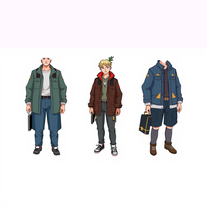 AI-powered character generator creating ultra-realistic, consistent images from specifications.OpenIts very Good for creating High quality image , Image OUT PUT is like a real
 -
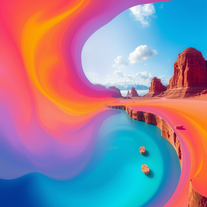 Generate vivid, surreal photos that tell stories.Open
 - SpotlightSureThing.io - "OpenClaw" for BeginnersTask automation
-
 Transform concepts into stunning AI-generated visuals.Open
 -
 Turn character specs into ultra-realistic 8K artwork.Open
 -
This is a great tool for bringing your ideas to life, just describe what you want to see and how you see it in your mind and it makes it happen, the more descriptive you are the better the final outcome and if it's not perfect you can add more instruction and it adds your changes until it's what you want. It's really great!
- Didn't find the AI you were looking for?
-
Artist Tips for Better Results with Somnira Canvas: To help Somnira Canvas render the most compelling and emotionally resonant figures—whether human or animal—users are encouraged to guide the tool with poetic, suggestive phrasing rather than highly technical descriptions. This helps maintain harmony with the platform’s expressive strengths. For human figures, try emotion-based posture phrases like “curled in sorrow,” “reaching toward a fading light,” or “kneeling in wind.” Favor mood-based modifiers over anatomical specifics, such as “a silhouette bathed in dusk” or “a quiet figure in motion blur.” For animals, use mythic or metaphorical phrasing like “a fox made of stars,” “a deer outlined in frost,” or “a lion woven from dusk and gold.” Avoid strict biological realism unless intentionally stylized (e.g., “cubist owl,” “ink-drawn heron”). Best practices include specifying camera perspective or body angle with terms like “3/4 view,” “top-down shot,” or “over-the-shoulder,” and adding atmospheric cues such as “drifting in chalk mist,” “outlined by candlelight,” or “carved in shadow.” You can also add emotion-based tags directly into the prompt—words like “longing,” “grief,” “stillness,” or “wonder” will guide the aesthetic and expressive qualities of the final artwork.
-
 Create hyper-realistic, magazine-quality portraits from reference images.Open