TAAFT Tutorial
Generate image
Tasks
Generate text
Free mode
Trending
Leaderboard
Characters
 Mini tools
New
Featured
Lists
Agents
Requests
Jobs
Map
Newsletter
Starter pack
Free tools
Speech to text
Text translator
Remove background
Settings
Edit profile
My tools
Gallery
Dashboard
Inbox
Get featured
Contact TAAFT
For you
Popular
Job impact index
Most saved
Affiliate program
Submit AI tool
Notification preferences
Glossary
Home
Timeline
My profile
Create tool
Deals
Companies
Models
Robots
Papers
Fundraises
Repositories
Devices
Organizations
Events
Prompt Pack
Merchendise
APIs
Features
Tools
Countries
Collections
Videos
Mini tools
New
Featured
Lists
Agents
Requests
Jobs
Map
Newsletter
Starter pack
Free tools
Speech to text
Text translator
Remove background
Settings
Edit profile
My tools
Gallery
Dashboard
Inbox
Get featured
Contact TAAFT
For you
Popular
Job impact index
Most saved
Affiliate program
Submit AI tool
Notification preferences
Glossary
Home
Timeline
My profile
Create tool
Deals
Companies
Models
Robots
Papers
Fundraises
Repositories
Devices
Organizations
Events
Prompt Pack
Merchendise
APIs
Features
Tools
Countries
Collections
Videos
Mini tools
New
Featured
Lists
Agents
Requests
Jobs
Map
Newsletter
Starter pack
Free tools
Speech to text
Text translator
Remove background
Settings
Edit profile
My tools
Gallery
Dashboard
Inbox
Get featured
Contact TAAFT
For you
Popular
Job impact index
Most saved
Affiliate program
Submit AI tool
Notification preferences
Glossary
Home
Timeline
My profile
Create tool
Deals
Companies
Models
Robots
Papers
Fundraises
Repositories
Devices
Organizations
Events
Prompt Pack
Merchendise
APIs
Features
Tools
Countries
Collections
Videos

▼ Latest
Culture
Free mode
100% free
Freemium
Free Trial
Other tools
-
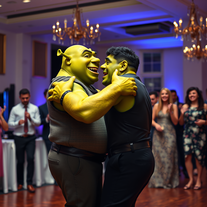
 OpenShiva Patel🙏 1 karmaFeb 13, 2026@1980s Pop Culture House PartyVideo editing is the process of selecting, trimming, and arranging footage to create a cohesive story or visual narrative. Here are some fundamental concepts and techniques: Types of Video Editing Linear editing: A straightforward, sequential approach to editing, where clips are arranged in a linear timeline. Non-linear editing: A more flexible approach, where clips can be arranged and rearranged freely in a timeline. Key Video Editing Techniques Cutting: A transition between two clips, where one clip ends and another begins. Cutting on action: Cutting between two clips while an action is in progress, to create a seamless transition. J-cut: Cutting from one clip to another while audio from the second clip starts playing before the video cuts to it. L-cut: Cutting from one clip to another while audio from the first clip continues to play. Video Editing Software Popular video editing software includes: Adobe Premiere Pro: A professional-level editing software with advanced features and integration with other Adobe tools. Final Cut Pro: A professional-level editing software for Mac users, known for its user-friendly interface and advanced features. DaVinci Resolve: A free and paid editing software that offers advanced color grading and audio editing tools. Best Practices for Video Editing Plan your edit: Develop a clear vision and storyboard before starting to edit. Organize your footage: Label and categorize your clips to make them easily accessible. Keep it simple: Avoid overusing transitions and effects; focus on telling a clear story. Advanced Video Editing Techniques Color grading: Adjusting the color and brightness of footage to create a specific mood or atmosphere. Audio ducking: Automatically reducing the volume of background audio when dialogue is present. Motion graphics: Adding animated text, logos, or other graphics to enhance the visual narrative. Video editing involves selecting, trimming, and arranging footage to create a cohesive story. Linear and non-linear editing are two fundamental approaches. Key techniques include cutting, cutting on action, J-cuts, and L-cuts. Popular software includes Adobe Premiere Pro, Final Cut Pro, and DaVinci Resolve. Best practices involve planning, organizing footage, and keeping it simple. Advanced techniques include color grading, audio ducking, and motion graphics. Capcat pro Capcat pro Download image-to-image-generator generated imagetransparent pixel Image to Image Generator Image to Image Generator Download image-to-image-generator generated imagetransparent pixel Image to Image Generator Image to Image Generator Download image-to-image-generator generated imagetransparent pixel Image to Image Generator Image to Image Generator Download image-to-image-generator generated imagetransparent pixel Image to Image Generator Image to Image Generator Download image-to-image-generator generated imagetransparent pixel Image to Image Generator Image to Image Generator Download image-to-image-generator generated imagetransparent pixel Image to Image Generator Image to Image Generator Download image-generator generated imagetransparent pixel Image Generator Image Generator Copy Video Editing Basics Video editing is the process of selecting, trimming, and arranging footage to create a cohesive story or visual narrative. Here are some fundamental concepts and techniques: Types of Video Editing Linear editing: A straightforward, sequential approach to editing, where clips are arranged in a linear timeline. Non-linear editing: A more flexible approach, where clips can be arranged and rearranged freely in a timeline. Key Video Editing Techniques Cutting: A transition between two clips, where one clip ends and another begins. Cutting on action: Cutting between two clips while an action is in progress, to create a seamless transition. J-cut: Cutting from one clip to another while audio from the second clip starts playing before the video cuts to it. L-cut: Cutting from one clip to another while audio from the first clip continues to play. Video Editing Software Popular video editing software includes: Adobe Premiere Pro: A professional-level editing software with advanced features and integration with other Adobe tools. Final Cut Pro: A professional-level editing software for Mac users, known for its user-friendly interface and advanced features. DaVinci Resolve: A free and paid editing software that offers advanced color grading and audio editing tools. Best Practices for Video Editing Plan your edit: Develop a clear vision and storyboard before starting to edit. Organize your footage: Label and categorize your clips to make them easily accessible. Keep it simple: Avoid overusing transitions and effects; focus on telling a clear story. Advanced Video Editing Techniques Color grading: Adjusting the color and brightness of footage to create a specific mood or atmosphere. Audio ducking: Automatically reducing the volume of background audio when dialogue is present. Motion graphics: Adding animated text, logos, or other graphics to enhance the visual narrative. Video editing involves selecting, trimming, and arranging footage to create a cohesive story. Linear and non-linear editing are two fundamental approaches. Key techniques include cutting, cutting on action, J-cuts, and L-cuts. Popular software includes Adobe Premiere Pro, Final Cut Pro, and DaVinci Resolve. Best practices involve planning, organizing footage, and keeping it simple. Advanced techniques include color grading,
 - Sponsor
 Tripo AI 3D Generator
 -
 Create AI-powered coloring books with whimsical pop culture mashups.Open
 -
 Open
Open -
 Transform your vision into stunning futuristic realities.Open
 -
 Open
Open - Didn't find the AI you were looking for?
-
 Open
Open -
 Uncover hidden truths from history's patterns.Open
 -
 Transform ideas into dazzling AI mosaic sculptures.Open
 -
-
 Transform subjects into stunning 3D paper art sculptures.Open
 -
 Transform subjects into whimsical dessert sculptures.Open
 -
 Turn concepts into surreal Dadaist sculptures.Open
 -
 Open
Open -
 Transform prompts into swirling paper art masterpieces.Open
 -
Tried this tool to make a logo and a sculpture, and it got the details that I asked for right. Absolutely good to get an idea done quick
-
 Open
Open -
 Culturally-aware AI consultant for global social problems.OpenHelp me make up with my neighbor
 -
 Craft vibrant Kenyan Twitter profile pictures with AI.Open
 -
 Open
Open -
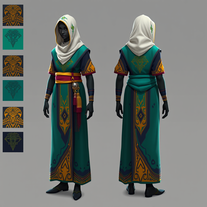 AI fashion designer blending African culture with fantasy gaming.Open
 -
-
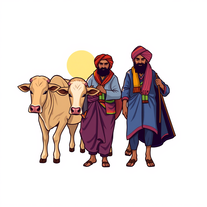 AI-generated images celebrating Indian farming culture.Open
 -
 Open
Open -
 Instantly generate 10 unique, audience-safe words with definitions.Open
 -
 Open
Open -
 Generate Dragon Ball-inspired art without copyright worries.Open
 -
 Transform photos into Back to the Future scenes.Open
 -
 Creates authentic country song lyrics with heartfelt storytelling.Open
 -
 Creates adorable, cartoonish capybara images in whimsical settings.Open
 -
 Transform photos into cinematic 64K basketball art.OpenSimply upload your photo; you don't need to type anything in the prompt field. Just click "generate" and watch the magic happen.
 -
 Creates stunning Lunar New Year visuals with cinematic quality.Open
 -
 Open
Open -
 Open
Open -
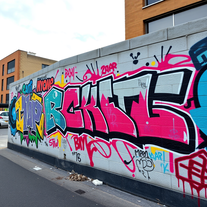 AI graffiti artist creating vibrant urban street art.OpenThis tool is amazing! I was able to create fun and expressive images for use at a Talent Show. Creative genius guy who made this!
 -
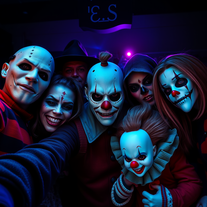 Transform selfies into horror movie group photos.Open
 -
 Transform photos into cinematic Funko-Pop portraits.Open
 -
Create an emotional Afro-pop / TikTok viral song titled “Don’t Leave Me on Seen”. Male vocal, emotional but smooth tone. Tempo: mid-tempo (90–105 BPM). Mood: sad but catchy, relatable, modern TikTok vibes. Lyrics theme: being ignored, left on read, online silence, emotional honesty, love frustration. Include a strong catchy chorus suitable for TikTok trends and short videos. Clean production, soft afro drums, light piano or guitar, subtle bass. Song length: 1:30 – 2:00 minutes. Language: English. Style inspired by modern Afro-pop and TikTok viral songs (emotional but danceable).
-
 AI-powered generator creating ultra-realistic photos of diverse couples.Open
 -
 Transform famous landmarks into stunning soap sculptures with AI.Open
 -
 Generate catchy Instagram usernames from your personality and interests.Open
 -
 Generate nostalgic 90s-style analog photos of yourself.Open
 -
 Create adorable Funko Pop-style characters from any concept!OpenChanged the prompt to improve results.
 -
 Transform any idea into authentic Simpsons-style artwork.OpenChanged the prompt to improve results.
 -
Changed the prompt to improve results.
-
 Transform any concept into stunning Japanese paper-fold art.OpenChanged the prompt to improve results.
 -
 Open
Open -
 Generate epic 3D fisheye selfies with original TMNT.Open
 -
Here are ten creative WiFi name suggestions, each with a unique theme or inspiration: Llama Drama A playful name that combines the popular internet meme "llama" with a nod to over-the-top situations, perfect for a network that wants to stand out as fun and quirky. ByteBandits GalacticGateway TheFridge FluxCapacitor WebWonderland CtrlAltWin Pixelfection MindTheGap CyberSquadGoals Each of these names aims to provide a distinct personality or vibe, suitable for various audiences and settings.
-
 Transform any theme into stunning retro pixel art wallpapers.Open
 -
 Open
Open -
 Open
Open -
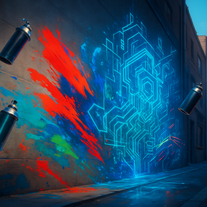 AI Graffiti Generator creates authentic street art from your ideas.Open
 -
-
 Generate ultra-realistic Hindu deity portraits with AI.Open
 -
 Open
Open -
 Transform photos into electrifying Ozzy Osbourne rock art.Open
 -
yoooo this is dope!!! some legendary names out there, my fav was Golden God, got me feelin iconic
-
 Create kawaii embroidery designs with AI magicOpen
 -
pretty solid minitool for food renders, it gets close to the prompt and the plates look believable but it can miss tiny details, so the image sometimes lands a bit flat. works ok, not great, not terrible.
-
Never in my ENTIRE life have I seen pieces of art more stunning than what this tool can create. Absolutely phenomenal!
-
cool, I've always wanted to see myself as a warrior, now I can picture that
-
 Turn ideas into 1920s-30s cartoons instantly.OpenReally poor prompt adherance. Needs work.
 -
 AI-generated Indian fashion portraits with regal flair.Open
 -
This AI translation tool is truly impressive! I wrote in English: "Make me a rose flower in a garden with a girl standing holding it in her hand," and it translated it into Hindi beautifully. The translation was so accurate and natural, it felt like it was done by a professional translator. Highly recommended!
-
 Open
Open -
 Test your 60s-70s music and Route 66 trivia in an AI treasure hunt.Open
 -
 Open
Open -
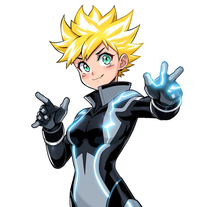 Create anime-style heroes with unique powers.Open
 -
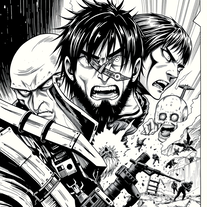 Craft manga visuals in Hajime Isayama's iconic style.Open
 -
 Bring culinary fantasies to life with AI-generated whimsical chef art.Open
 -
 Open
Open -
 Open
Open -
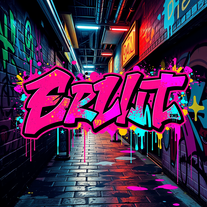 Create custom graffiti wallpapers for digital spaces.Open
 -
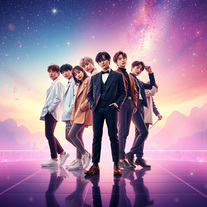 Create BTS wallpapers with dynamic poses and captivating backgrounds.Open
 -
 Open
Open -
 Open
Open -
 Unleash Marvel mayhem with AI-generated wallpapers.Open
 -
 AI-generated Travis Scott wallpapers for your devicesOpen
 -
 Transform text into noir-inspired mafia sketches.Open
 -
 Create eerie Stranger Things wallpapers with AIOpen
 -
 Open
Open -
-
 Open
Open -
 Craft captivating Akane Kurokawa fanfiction.Open
 -
The result was completely different from what i asked.
-
 Open
Open -
 Generate ancient Kush images with AI.Open
 -
 Channel Jerry Garcia's spirit in AI-generated psychedelic artOpenIt’s pretty cool. Wish it got the essence of the bears better and Jerry but over all the psychedelic groove is fantastic.
 -
 Craft AI-powered 'Oshi no Ko' future stories.Open
 -
-
 AI-powered action anime recommendations tailored for you.Open
 -
Poor images. Not even come closer to the ask
-
 AI-designed custom grillz for your dazzling smile.Open
 -
 Open
Open -
 Open
Open -
 Open
Open