Go to section
Sponsor
 Flow - 4x faster than typing
🎤 Dictation
Flow - 4x faster than typing
🎤 Dictation
The front page of AI.Used by 90M+ humans.

Generate image
Tasks
Generate text
Free mode
Trending
Leaderboard
Characters
 Mini tools
New
Featured
Lists
Agents
Requests
Jobs
Map
Newsletter
Starter pack
Free tools
Speech to text
Text translator
Remove background
Settings
Edit profile
My tools
Gallery
Dashboard
Inbox
Get featured
Contact TAAFT
For you
Popular
Job impact index
Most saved
Affiliate program
Submit AI tool
Notification preferences
Glossary
Home
Timeline
My profile
Create tool
Deals
Companies
Models
Robots
Papers
Fundraises
Repositories
Devices
Organizations
Events
Prompt Pack
Merchendise
APIs
Features
Tools
Countries
Collections
Videos
Mini tools
New
Featured
Lists
Agents
Requests
Jobs
Map
Newsletter
Starter pack
Free tools
Speech to text
Text translator
Remove background
Settings
Edit profile
My tools
Gallery
Dashboard
Inbox
Get featured
Contact TAAFT
For you
Popular
Job impact index
Most saved
Affiliate program
Submit AI tool
Notification preferences
Glossary
Home
Timeline
My profile
Create tool
Deals
Companies
Models
Robots
Papers
Fundraises
Repositories
Devices
Organizations
Events
Prompt Pack
Merchendise
APIs
Features
Tools
Countries
Collections
Videos
Mini tools
New
Featured
Lists
Agents
Requests
Jobs
Map
Newsletter
Starter pack
Free tools
Speech to text
Text translator
Remove background
Settings
Edit profile
My tools
Gallery
Dashboard
Inbox
Get featured
Contact TAAFT
For you
Popular
Job impact index
Most saved
Affiliate program
Submit AI tool
Notification preferences
Glossary
Home
Timeline
My profile
Create tool
Deals
Companies
Models
Robots
Papers
Fundraises
Repositories
Devices
Organizations
Events
Prompt Pack
Merchendise
APIs
Features
Tools
Countries
Collections
Videos

▼ Most saved
Media
Free mode
100% free
Freemium
Free Trial
Other tools
-
 Create custom 2D characters for games and animations.Opensuny sk🙏 32 karmaApr 8, 2025@2d charachter creator generatorI like it, please make it more sexual...😁
 -
 AI-powered thumbnail generator for eye-catching designs.Open
 -
 Transform text into stunning photorealistic images.OpenIt's good, needs a lot of training but the potential is clearly visible. Dev well done
 - SponsorFlow - 4x faster than typing🎤 Dictation
-
 Creates viral-ready social media content instantly.OpenMAAAAGGGIIICCCCCCCCC!!!! 😭🪄
 -
 OpenI really appreciate you trying out my tool! The best results come from simple prompts, so no need to overthink it. Follow me, leave a comment with your thoughts or requests, and let’s keep building new tools together. Also, check out the other tools I’ve created—you might find one you really enjoy!
 -
 Transform your social media strategy with AI-powered content creation.OpenPerfect! Quick and effortless posts for my social media PLUS a variety of ideas to match different styles!
 -
Creative improvement of an existing professional logo. Not all prompt instructions were applied.
-
 Craft AI-powered social posts that captivate your audience.Openit is good to be a social media content creator
 -
 AI-powered social media content creator for engaging posts.Open
 - Didn't find the AI you were looking for?
-
Simple, fun, with endless possibilities.
-
 OpenVideo editing is the process of selecting, trimming, and arranging footage to create a cohesive story or visual narrative. Here are some fundamental concepts and techniques: Types of Video Editing Linear editing: A straightforward, sequential approach to editing, where clips are arranged in a linear timeline. Non-linear editing: A more flexible approach, where clips can be arranged and rearranged freely in a timeline. Key Video Editing Techniques Cutting: A transition between two clips, where one clip ends and another begins. Cutting on action: Cutting between two clips while an action is in progress, to create a seamless transition. J-cut: Cutting from one clip to another while audio from the second clip starts playing before the video cuts to it. L-cut: Cutting from one clip to another while audio from the first clip continues to play. Video Editing Software Popular video editing software includes: Adobe Premiere Pro: A professional-level editing software with advanced features and integration with other Adobe tools. Final Cut Pro: A professional-level editing software for Mac users, known for its user-friendly interface and advanced features. DaVinci Resolve: A free and paid editing software that offers advanced color grading and audio editing tools. Best Practices for Video Editing Plan your edit: Develop a clear vision and storyboard before starting to edit. Organize your footage: Label and categorize your clips to make them easily accessible. Keep it simple: Avoid overusing transitions and effects; focus on telling a clear story. Advanced Video Editing Techniques Color grading: Adjusting the color and brightness of footage to create a specific mood or atmosphere. Audio ducking: Automatically reducing the volume of background audio when dialogue is present. Motion graphics: Adding animated text, logos, or other graphics to enhance the visual narrative. Video editing involves selecting, trimming, and arranging footage to create a cohesive story. Linear and non-linear editing are two fundamental approaches. Key techniques include cutting, cutting on action, J-cuts, and L-cuts. Popular software includes Adobe Premiere Pro, Final Cut Pro, and DaVinci Resolve. Best practices involve planning, organizing footage, and keeping it simple. Advanced techniques include color grading, audio ducking, and motion graphics. Capcat pro Capcat pro Download image-to-image-generator generated imagetransparent pixel Image to Image Generator Image to Image Generator Download image-to-image-generator generated imagetransparent pixel Image to Image Generator Image to Image Generator Download image-to-image-generator generated imagetransparent pixel Image to Image Generator Image to Image Generator Download image-to-image-generator generated imagetransparent pixel Image to Image Generator Image to Image Generator Download image-to-image-generator generated imagetransparent pixel Image to Image Generator Image to Image Generator Download image-to-image-generator generated imagetransparent pixel Image to Image Generator Image to Image Generator Download image-generator generated imagetransparent pixel Image Generator Image Generator Copy Video Editing Basics Video editing is the process of selecting, trimming, and arranging footage to create a cohesive story or visual narrative. Here are some fundamental concepts and techniques: Types of Video Editing Linear editing: A straightforward, sequential approach to editing, where clips are arranged in a linear timeline. Non-linear editing: A more flexible approach, where clips can be arranged and rearranged freely in a timeline. Key Video Editing Techniques Cutting: A transition between two clips, where one clip ends and another begins. Cutting on action: Cutting between two clips while an action is in progress, to create a seamless transition. J-cut: Cutting from one clip to another while audio from the second clip starts playing before the video cuts to it. L-cut: Cutting from one clip to another while audio from the first clip continues to play. Video Editing Software Popular video editing software includes: Adobe Premiere Pro: A professional-level editing software with advanced features and integration with other Adobe tools. Final Cut Pro: A professional-level editing software for Mac users, known for its user-friendly interface and advanced features. DaVinci Resolve: A free and paid editing software that offers advanced color grading and audio editing tools. Best Practices for Video Editing Plan your edit: Develop a clear vision and storyboard before starting to edit. Organize your footage: Label and categorize your clips to make them easily accessible. Keep it simple: Avoid overusing transitions and effects; focus on telling a clear story. Advanced Video Editing Techniques Color grading: Adjusting the color and brightness of footage to create a specific mood or atmosphere. Audio ducking: Automatically reducing the volume of background audio when dialogue is present. Motion graphics: Adding animated text, logos, or other graphics to enhance the visual narrative. Video editing involves selecting, trimming, and arranging footage to create a cohesive story. Linear and non-linear editing are two fundamental approaches. Key techniques include cutting, cutting on action, J-cuts, and L-cuts. Popular software includes Adobe Premiere Pro, Final Cut Pro, and DaVinci Resolve. Best practices involve planning, organizing footage, and keeping it simple. Advanced techniques include color grading,
 -
 AI-powered Instagram images that captivate and engage.Open
 -
 AI-powered YouTube script generator for engaging video content.Open
 -
How would you rate Food image generator?
-
 Open
Open -
 OpenI love how I can just upload a photo of me and transform myself into a cartoon, AI really changed everything and it's great so far
 -
 Create stunning cinematic 3D renders in glass cubes.OpenStunning creations, absolutely impressive, great job with this tool, 5/5
 -
I've tried and tested this, it's legit and to be honest, really great! ☺️🌼
-
 Transform concepts into viral Instagram visuals instantly.Open
 -
 Creates ten captivating YouTube video titles from your keywords.Open
 -
I am very satisfied with the result, and all from the first prompt. great.
-
 AI-powered designs for scroll-stopping social posts.Open
 -
 Transform any topic into high-performing Instagram captions.Open
 -
 AI-powered tool turns names into lifelike signatures.Open
 -
-
 AI-powered stickers to elevate your digital creations.Open
 -
 Transform photos into Coca-Cola Christmas ads with polar bears.Open
 -
 Creates attention-grabbing phrases for social media that boost engagement.Open
 -
 Open
Open -
 AI-powered YouTube banner creator for professional channels.Open
 -
 Open
Open -
Not the best tool out there, but the generated images were interesting and good enough for sketching a first idea for how you want your future book cover to look like
-
I hope you want a TV and built in fireplace in anything you ask this because apparently that's mandatory. My new garage power and hand tool shelving unit is gonna look great before it burns to the ground...
-
 Create social media-ready visuals with perfect text rendering.Open
 -
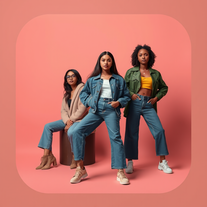
Tried it for some outfit content ideas and the model images came out really polished. It’s a nice option when you want an Instagram-style look without setting up a whole shoot.
-
-
 AI-powered Instagram Comments Generator creates authentic, engaging responses.Open
 -
 Create haunting AI posters with Junji Ito-inspired grungeOpen
 -
 Turn any brief into scroll-stopping, on-brand Instagram visuals.Open
 -
 Generate memorable YouTube channel names with matching handles.Open
 -
 Generate ultra-realistic AI profile pictures in stylish hoodies.Open
 -
 Transform subjects into stunning mixed-media collages.Open
 -
 Transform photos into ultra-realistic cinematic scenes.Open
 -
 Openthe best toll for comments in social thank for sharing
 -
 Open
Open -
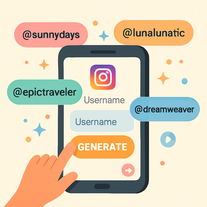
 Generate catchy Instagram usernames from your personality and interests.Open
 -
 Transform any idea into scroll-stopping Facebook posts instantly.OpenWas struggling with a post I needed to make after stepping away from FB for over a year. So I said roughly what I wanted to convey and the Post Generator put it together perfectly for me! 😊 It was that easy! Thank you very much!
 -
 AI-powered LinkedIn content creator for corporate audiences.Open
 -
 Open
Open -
 Create bespoke couple avatars that celebrate love and diversity.Open
 -
 Create viral content in seconds with AIOpen
 -
 Transform ideas into charming, childlike illustrations.Open
 -
 AI-powered cartoon character generator for vibrant, inclusive characters.Open
 -
WOW!! i was left speechless, this is absolutely phenomenal, it creates pieces of art unlike anything i’ve ever seen before. great job!!!
-
 Open
Open -
 Generate stunning Instagram mockups from keywords instantly.Open
 -
 Creates surreal, liquefying visuals where reality loses its shape.OpenChanged the prompt to improve results.
 -
-
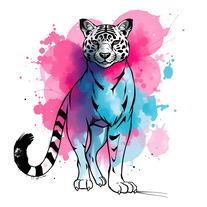 Transform any subject into stunning mixed-media art.Open
 -
 Open
Open -
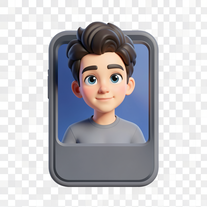 Transform photos into epic 3D cartoon characters.OpenSimply upload your photo; you don't need to type anything in the prompt field. Just click "generate" and watch the magic happen.
 -
 Generate nostalgic visions of tomorrow from the past.OpenChanged the prompt to improve results.
 -
 Open
Open -
Create an emotional Afro-pop / TikTok viral song titled “Don’t Leave Me on Seen”. Male vocal, emotional but smooth tone. Tempo: mid-tempo (90–105 BPM). Mood: sad but catchy, relatable, modern TikTok vibes. Lyrics theme: being ignored, left on read, online silence, emotional honesty, love frustration. Include a strong catchy chorus suitable for TikTok trends and short videos. Clean production, soft afro drums, light piano or guitar, subtle bass. Song length: 1:30 – 2:00 minutes. Language: English. Style inspired by modern Afro-pop and TikTok viral songs (emotional but danceable).
-
 Create ultra-realistic celebrity selfies in iconic locations.Open
 -
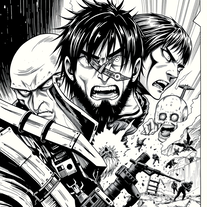 Craft manga visuals in Hajime Isayama's iconic style.Open
 -
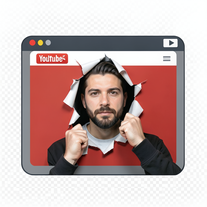 Create cinematic YouTube breakout visuals that conquer algorithms.Open
 -
 Open
Open -
 Transform ideas into authentic 1980s horror movie scenes.OpenChanged the prompt to improve results.
 -
 Creates stunning mixed-media portraits blending realism with abstract art.Open
 -
 AI-powered headline generator that creates five captivating, audience-focused headlines instantly.Open
 -
 Transform ideas into stunning social media banners instantly.Open
 -
 Open
Open -
 Open
Open -
 Creates 8K cinematic soccer portraits from photos.Open
 -
 Create cinematic 8K scenes with perfect identity accuracy.Open
 -
 Transform creative vision into professional movie posters using AI.OpenDesign a vintage sci-fi movie poster set in the 1980s, featuring a neon color palette of pink and blue. Include a futuristic city skyline in the background, a sleek spaceship flying overhead, and bold, retro typography for the movie title, 'Galactic Quest'. Add a tagline at the bottom that reads 'Adventure Awaits in the Stars!'
 -
 Generate ultra-realistic 8K selfies with legendary rockstars.Open
 -
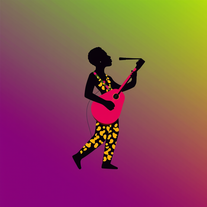 AI-powered graphic designer for vibrant Afrobeat album covers.Open
 -
 Transform yourself into a Fast & Furious action hero!Open
 -
 Open
Open -
 Generate memorable YouTube channel names instantly.Open
 -
 Transform any idea into authentic Simpsons-style artwork.OpenChanged the prompt to improve results.
 -
 Open
Open -
 Create hyper-realistic beach party scenes for personal branding.Open
 -
 Open
Open -
 Transform text prompts into polished, design-ready visuals.Open
 -
 Transform any product into scroll-stopping social media gold.Open
 -
 AI-powered vector art for Critical Political Economy themes.Open
 -
 Generate chilling Ghostface wallpapers in one click.Open
 -
-
 Create dreamy 3D illustrations with soft pastel colors.Open
 -
 Create stunning digital art with intentional corruption effects.OpenChanged the prompt to improve results.
 -
 “Turn ideas into LinkedIn content and meaningful conversations effortlessly.”Open
 -
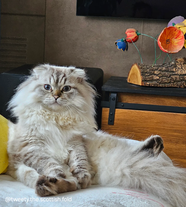 Open
Open -
 AI-powered cinematic photography for ultra-realistic social portraits.Open
 -
 Optimize AV codecs for peak streaming performance.Open
 -
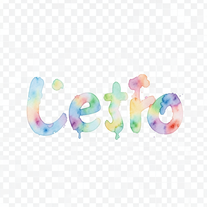 Turn text into hand-painted watercolor typography.Open
 -
 Creates adorable, cartoonish capybara images in whimsical settings.Open
 -
 AI that paints whimsical baseball scenes with stuffed animals.Open






























































































Collections
-
My AI tools for social media managementSubscribe13516









 +1
+1 -
Tools I use as a social media managerSubscribe9411






-
Media tools for Social Media Marketing CampaignsSubscribe7212











-
Free AI Tools for Social MediaSubscribe269


-
GO VIRAL AI tools for Social Media Content CreationSubscribe1610


-
Synthetic MediaSubscribe319










 +4
+4 -
Social media postsSubscribe75







