
 Mini tools
▼ State of the art
Media
Free mode
100% free
Freemium
Free Trial
Other tools
-
Brian🙏 8 karmaFeb 13, 2026@Romance_GeneratorSays nsfw and isn’t. Clickbait
-
 AI-powered thumbnail generator for eye-catching designs.Open
 -
 Create custom 2D characters for games and animations.OpenI like it, please make it more sexual...😁
 - Sponsor
 Rocket - Think it. Type it. Launch it.
 -
-
 AI-powered social media content creator for engaging posts.Open
 -
 AI-powered Instagram images that captivate and engage.Open
 -
 Transform text into stunning photorealistic images.OpenIt's good, needs a lot of training but the potential is clearly visible. Dev well done
 -
 Craft AI-powered social posts that captivate your audience.Openit is good to be a social media content creator
 -
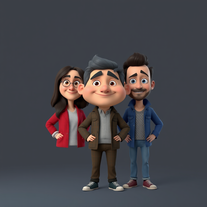 OpenI really appreciate you trying out my tool! The best results come from simple prompts, so no need to overthink it. Follow me, leave a comment with your thoughts or requests, and let’s keep building new tools together. Also, check out the other tools I’ve created—you might find one you really enjoy!
 - Didn't find the AI you were looking for?
-
 AI-powered viral graphic design for trending content.Open
 -
 OpenVideo editing is the process of selecting, trimming, and arranging footage to create a cohesive story or visual narrative. Here are some fundamental concepts and techniques: Types of Video Editing Linear editing: A straightforward, sequential approach to editing, where clips are arranged in a linear timeline. Non-linear editing: A more flexible approach, where clips can be arranged and rearranged freely in a timeline. Key Video Editing Techniques Cutting: A transition between two clips, where one clip ends and another begins. Cutting on action: Cutting between two clips while an action is in progress, to create a seamless transition. J-cut: Cutting from one clip to another while audio from the second clip starts playing before the video cuts to it. L-cut: Cutting from one clip to another while audio from the first clip continues to play. Video Editing Software Popular video editing software includes: Adobe Premiere Pro: A professional-level editing software with advanced features and integration with other Adobe tools. Final Cut Pro: A professional-level editing software for Mac users, known for its user-friendly interface and advanced features. DaVinci Resolve: A free and paid editing software that offers advanced color grading and audio editing tools. Best Practices for Video Editing Plan your edit: Develop a clear vision and storyboard before starting to edit. Organize your footage: Label and categorize your clips to make them easily accessible. Keep it simple: Avoid overusing transitions and effects; focus on telling a clear story. Advanced Video Editing Techniques Color grading: Adjusting the color and brightness of footage to create a specific mood or atmosphere. Audio ducking: Automatically reducing the volume of background audio when dialogue is present. Motion graphics: Adding animated text, logos, or other graphics to enhance the visual narrative. Video editing involves selecting, trimming, and arranging footage to create a cohesive story. Linear and non-linear editing are two fundamental approaches. Key techniques include cutting, cutting on action, J-cuts, and L-cuts. Popular software includes Adobe Premiere Pro, Final Cut Pro, and DaVinci Resolve. Best practices involve planning, organizing footage, and keeping it simple. Advanced techniques include color grading, audio ducking, and motion graphics. Capcat pro Capcat pro Download image-to-image-generator generated imagetransparent pixel Image to Image Generator Image to Image Generator Download image-to-image-generator generated imagetransparent pixel Image to Image Generator Image to Image Generator Download image-to-image-generator generated imagetransparent pixel Image to Image Generator Image to Image Generator Download image-to-image-generator generated imagetransparent pixel Image to Image Generator Image to Image Generator Download image-to-image-generator generated imagetransparent pixel Image to Image Generator Image to Image Generator Download image-to-image-generator generated imagetransparent pixel Image to Image Generator Image to Image Generator Download image-generator generated imagetransparent pixel Image Generator Image Generator Copy Video Editing Basics Video editing is the process of selecting, trimming, and arranging footage to create a cohesive story or visual narrative. Here are some fundamental concepts and techniques: Types of Video Editing Linear editing: A straightforward, sequential approach to editing, where clips are arranged in a linear timeline. Non-linear editing: A more flexible approach, where clips can be arranged and rearranged freely in a timeline. Key Video Editing Techniques Cutting: A transition between two clips, where one clip ends and another begins. Cutting on action: Cutting between two clips while an action is in progress, to create a seamless transition. J-cut: Cutting from one clip to another while audio from the second clip starts playing before the video cuts to it. L-cut: Cutting from one clip to another while audio from the first clip continues to play. Video Editing Software Popular video editing software includes: Adobe Premiere Pro: A professional-level editing software with advanced features and integration with other Adobe tools. Final Cut Pro: A professional-level editing software for Mac users, known for its user-friendly interface and advanced features. DaVinci Resolve: A free and paid editing software that offers advanced color grading and audio editing tools. Best Practices for Video Editing Plan your edit: Develop a clear vision and storyboard before starting to edit. Organize your footage: Label and categorize your clips to make them easily accessible. Keep it simple: Avoid overusing transitions and effects; focus on telling a clear story. Advanced Video Editing Techniques Color grading: Adjusting the color and brightness of footage to create a specific mood or atmosphere. Audio ducking: Automatically reducing the volume of background audio when dialogue is present. Motion graphics: Adding animated text, logos, or other graphics to enhance the visual narrative. Video editing involves selecting, trimming, and arranging footage to create a cohesive story. Linear and non-linear editing are two fundamental approaches. Key techniques include cutting, cutting on action, J-cuts, and L-cuts. Popular software includes Adobe Premiere Pro, Final Cut Pro, and DaVinci Resolve. Best practices involve planning, organizing footage, and keeping it simple. Advanced techniques include color grading,
 -
Tensions in the Middle East are at their peak. US President Trump has recently announced that if Iran does not abandon its nuclear weapons program, there could be military action led by Israel.
-
Simple, fun, with endless possibilities.
-
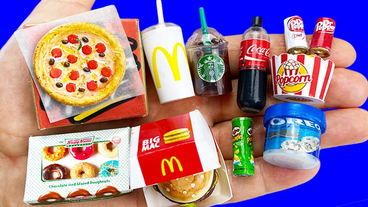
How would you rate Food image generator?
-
 Transform your social media strategy with AI-powered content creation.OpenPerfect! Quick and effortless posts for my social media PLUS a variety of ideas to match different styles!
 -
Creative improvement of an existing professional logo. Not all prompt instructions were applied.
-
 Creates viral-ready social media content instantly.OpenMAAAAGGGIIICCCCCCCCC!!!! 😭🪄
 -
 OpenI love how I can just upload a photo of me and transform myself into a cartoon, AI really changed everything and it's great so far
 -
-
 AI-powered designs for scroll-stopping social posts.Open
 -
I hope you want a TV and built in fireplace in anything you ask this because apparently that's mandatory. My new garage power and hand tool shelving unit is gonna look great before it burns to the ground...
-
 AI-powered YouTube script generator for engaging video content.Open
 -
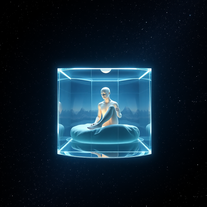 Create stunning cinematic 3D renders in glass cubes.OpenStunning creations, absolutely impressive, great job with this tool, 5/5
 -
 Transform any topic into high-performing Instagram captions.Open
 -
 Open
Open -
I've tried and tested this, it's legit and to be honest, really great! ☺️🌼
-
 Open
Open -
-
 Transform concepts into viral Instagram visuals instantly.Open
 -
 Creates ten captivating YouTube video titles from your keywords.Open
 -
-
 Open
Open -
I am very satisfied with the result, and all from the first prompt. great.
-
 Open
Open -
 Open
Open -
 Open
Open -
 AI-powered stickers to elevate your digital creations.Open
 -
 Open
Open -
 AI-powered tool turns names into lifelike signatures.Open
 -
 Transform any idea into scroll-stopping Facebook posts instantly.OpenWas struggling with a post I needed to make after stepping away from FB for over a year. So I said roughly what I wanted to convey and the Post Generator put it together perfectly for me! 😊 It was that easy! Thank you very much!
 -
 Transform photos into Coca-Cola Christmas ads with polar bears.Open
 -
 Transform subjects into stunning mixed-media collages.Open
 -
 AI-powered Instagram Comments Generator creates authentic, engaging responses.Open
 -
-
 Open
Open -
Not the best tool out there, but the generated images were interesting and good enough for sketching a first idea for how you want your future book cover to look like
-
 Create whimsical 3D cartoon backgrounds with charming houses.Open
 -
 Create social media-ready visuals with perfect text rendering.Open
 -
 Open
Open -
-
 AI-powered YouTube banner creator for professional channels.Open
 -
Not exactly what I was searching for, but this images are really cute, did not expect that! 5/5 stars
-
 Creates attention-grabbing phrases for social media that boost engagement.Open
 -
 AI-powered headline generator that creates five captivating, audience-focused headlines instantly.Open
 -
 Openthe best toll for comments in social thank for sharing
 -
 Open
Open -
 Generate ultra-realistic AI profile pictures in stylish hoodies.Open
 -
 Create haunting AI posters with Junji Ito-inspired grungeOpen
 -
 Open
Open -
 AI-powered LinkedIn content creator for corporate audiences.Open
 -
 Creates surreal, liquefying visuals where reality loses its shape.OpenChanged the prompt to improve results.
 -
 Transform ideas into charming, childlike illustrations.Open
 -
 Generate stunning Instagram mockups from keywords instantly.Open
 -
 Generate memorable YouTube channel names with matching handles.Open
 -
 Open
Open -
 Generate chilling Ghostface wallpapers in one click.Open
 -
WOW!! i was left speechless, this is absolutely phenomenal, it creates pieces of art unlike anything i’ve ever seen before. great job!!!
-
 Transform ideas into authentic 1980s horror movie scenes.OpenChanged the prompt to improve results.
 -
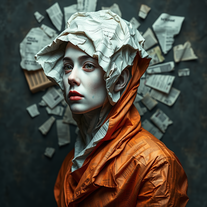
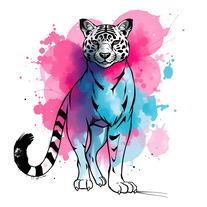 Transform any subject into stunning mixed-media art.Open
 -
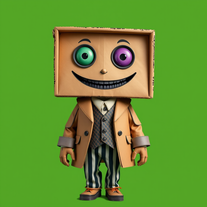 Generate quirky cardboard characters for creative projects.Open
 -
 AI-powered cartoon character generator for vibrant, inclusive characters.Open
 -
-
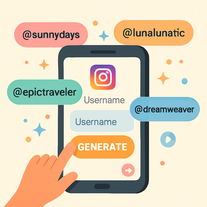
 Generate catchy Instagram usernames from your personality and interests.Open
 -
 Open
Open -
Create an emotional Afro-pop / TikTok viral song titled “Don’t Leave Me on Seen”. Male vocal, emotional but smooth tone. Tempo: mid-tempo (90–105 BPM). Mood: sad but catchy, relatable, modern TikTok vibes. Lyrics theme: being ignored, left on read, online silence, emotional honesty, love frustration. Include a strong catchy chorus suitable for TikTok trends and short videos. Clean production, soft afro drums, light piano or guitar, subtle bass. Song length: 1:30 – 2:00 minutes. Language: English. Style inspired by modern Afro-pop and TikTok viral songs (emotional but danceable).
-
 Transform any idea into authentic Simpsons-style artwork.OpenChanged the prompt to improve results.
 -
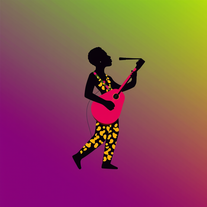 AI-powered graphic designer for vibrant Afrobeat album covers.Open
 -
 Generate nostalgic visions of tomorrow from the past.OpenChanged the prompt to improve results.
 -
 AI-powered vector art for Critical Political Economy themes.Open
 -
 Create dreamy 3D illustrations with soft pastel colors.Open
 -
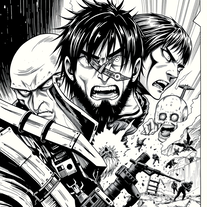 Craft manga visuals in Hajime Isayama's iconic style.Open
 -
 Transform photos into ultra-realistic cinematic scenes.Open
 -
 Open
Open -
 Transform photos into epic 3D cartoon characters.OpenSimply upload your photo; you don't need to type anything in the prompt field. Just click "generate" and watch the magic happen.
 -
 Create ultra-realistic celebrity selfies in iconic locations.Open
 -
 Transform creative vision into professional movie posters using AI.Open
 -
 Open
Open -
 Generate memorable YouTube channel names instantly.Open
 -
 Transform ideas into stunning social media banners instantly.Open
 -
 Transform any product into scroll-stopping social media gold.Open
 -
 Create stunning digital art with intentional corruption effects.OpenChanged the prompt to improve results.
 -
 Open
Open -
 Open
Open -
 Generate ultra-realistic 8K selfies with legendary rockstars.Open
 -
 Transform text prompts into polished, design-ready visuals.Open
 -
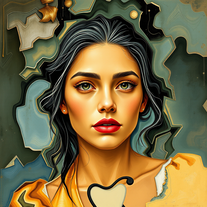
 Creates stunning mixed-media portraits blending realism with abstract art.Open
 -
 Transform yourself into a Fast & Furious action hero!Open
 -
 Open
Open -
 Create cinematic YouTube breakout visuals that conquer algorithms.Open
 -
 Create cinematic 8K scenes with perfect identity accuracy.Open
 -
 Create hyper-realistic beach party scenes for personal branding.Open
 -
 Optimize AV codecs for peak streaming performance.Open
 -
 AI-powered cinematic photography for ultra-realistic social portraits.Open
 -
 Open
Open -
 Creates adorable, cartoonish capybara images in whimsical settings.Open
 -
 Open
Open









































































































Lists
-
My AI tools for social media managementPublicSubscribe13416









 +1
+1 -
Tools I use as a social media managerPublicSubscribe9411






-
Media tools for Social Media Marketing CampaignsPublicSubscribe7112











-
Free AI Tools for Social MediaPublicSubscribe249


Post





