TAAFT Tutorial
Generate image
Tasks
Generate text
Free mode
Trending
Leaderboard
Characters
 Mini tools
New
Featured
Lists
Agents
Requests
Jobs
Map
Newsletter
Starter pack
Free tools
Speech to text
Text translator
Remove background
Settings
Edit profile
My tools
Gallery
Dashboard
Inbox
Get featured
Contact TAAFT
For you
Popular
Job impact index
Most saved
Affiliate program
Submit AI tool
Notification preferences
Glossary
Home
Timeline
My profile
Create tool
Deals
Companies
Models
Robots
Papers
Fundraises
Repositories
Devices
Organizations
Events
Prompt Pack
Merchendise
APIs
Features
Tools
Countries
Collections
Videos
Mini tools
New
Featured
Lists
Agents
Requests
Jobs
Map
Newsletter
Starter pack
Free tools
Speech to text
Text translator
Remove background
Settings
Edit profile
My tools
Gallery
Dashboard
Inbox
Get featured
Contact TAAFT
For you
Popular
Job impact index
Most saved
Affiliate program
Submit AI tool
Notification preferences
Glossary
Home
Timeline
My profile
Create tool
Deals
Companies
Models
Robots
Papers
Fundraises
Repositories
Devices
Organizations
Events
Prompt Pack
Merchendise
APIs
Features
Tools
Countries
Collections
Videos
Mini tools
New
Featured
Lists
Agents
Requests
Jobs
Map
Newsletter
Starter pack
Free tools
Speech to text
Text translator
Remove background
Settings
Edit profile
My tools
Gallery
Dashboard
Inbox
Get featured
Contact TAAFT
For you
Popular
Job impact index
Most saved
Affiliate program
Submit AI tool
Notification preferences
Glossary
Home
Timeline
My profile
Create tool
Deals
Companies
Models
Robots
Papers
Fundraises
Repositories
Devices
Organizations
Events
Prompt Pack
Merchendise
APIs
Features
Tools
Countries
Collections
Videos

▼ Popular
Typography generator
Free mode
100% free
Freemium
Free Trial
Other tools
-
 AI-powered thumbnail generator for eye-catching designs.OpenSagnik Datta🙏 1 karmaOct 6, 2025@Ni3 AI generate thumbnailsPretty inconsistent
 -
 Open
Open -
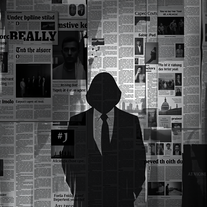 Transform ideas into noir-style digital art.OpenMany thanks for using my tool! Remember to keep your prompts simple—the tool is made to generate what you want automatically. Follow me and leave comments about your needs so I can keep creating new features. Don’t forget to check out my other tools as well.
 - Spotlight
 SparkVoxLinkedIn
 -
 Open
Open -
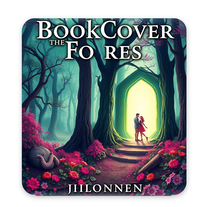
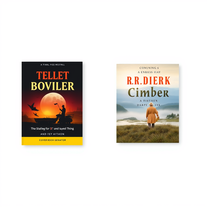
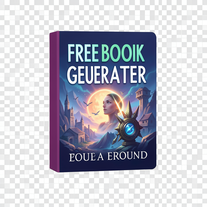
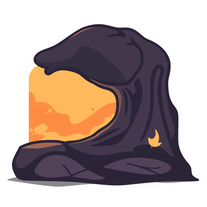 AI book cover designer that creates visually striking, genre-appropriate covers from your title.OpenThe creativity in this one is great. It still messes up the words a little bit, but I noticed it seems to be a common thing with tools like this. Overall, it’s a fantastic option for cover design
 -
- Didn't find the AI you were looking for?
-
 Open
Open -
 AI-powered tool turns names into lifelike signatures.Open
 -
 Transform words into vibrant pop art portraits.Open
 -
 Open
Open -
 Create social media-ready visuals with perfect text rendering.Open
 -
 Transform text into mesmerizing art.OpenI am obsessed! Overall the images are amazing. Sometimes one will come out with a third arm or something. But not like some others I've tried. I love it!
 -
Artist Tips for Better Results with Somnira Canvas: To help Somnira Canvas render the most compelling and emotionally resonant figures—whether human or animal—users are encouraged to guide the tool with poetic, suggestive phrasing rather than highly technical descriptions. This helps maintain harmony with the platform’s expressive strengths. For human figures, try emotion-based posture phrases like “curled in sorrow,” “reaching toward a fading light,” or “kneeling in wind.” Favor mood-based modifiers over anatomical specifics, such as “a silhouette bathed in dusk” or “a quiet figure in motion blur.” For animals, use mythic or metaphorical phrasing like “a fox made of stars,” “a deer outlined in frost,” or “a lion woven from dusk and gold.” Avoid strict biological realism unless intentionally stylized (e.g., “cubist owl,” “ink-drawn heron”). Best practices include specifying camera perspective or body angle with terms like “3/4 view,” “top-down shot,” or “over-the-shoulder,” and adding atmospheric cues such as “drifting in chalk mist,” “outlined by candlelight,” or “carved in shadow.” You can also add emotion-based tags directly into the prompt—words like “longing,” “grief,” “stillness,” or “wonder” will guide the aesthetic and expressive qualities of the final artwork.
-
 Open
Open -
-
It’s minimalistic and easy to prompt and generate a image any style you needed
-
-
 Unleash dark, atmospheric t-shirt designs with AI.Open
 -
 Creates stunning, professional movie posters for fictional films.Open
 -
 Open
Open -
 Transform simple text into stunning square album covers instantly.Open
 -
Changed the prompt to improve results.
-
 AI-powered design engine creating unlimited print-ready typographic designs.Open
 -
 Open
Open -
-
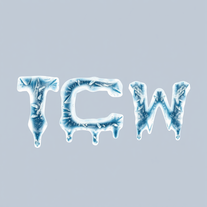 Transform ordinary text into stunning icy letters.Open
 -
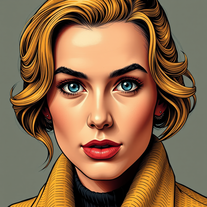 Transform photos into vintage comic book covers.Open
 -
 Transform photos into split-screen editorial posters instantly.Open
 -
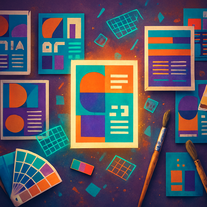 Transform text prompts into polished, design-ready visuals.Open
 -
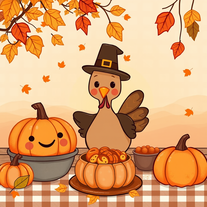 AI-generated Thanksgiving wallpapers for festive screens.Open
 -
 Transform text into mesmerizing dripping, melting letterforms.Open
 -
 Open
Open -
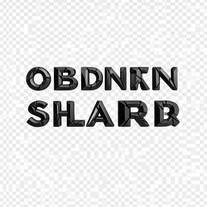 Generate razor-edged obsidian typography with dramatic presence.Open
 -
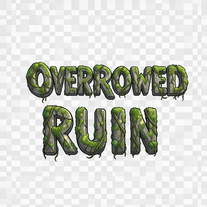 AI that crafts ancient stone typography for fantasy worlds.Open
 -
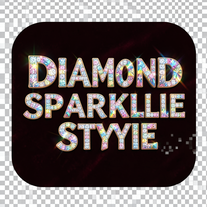 Transform ordinary text into dazzling, diamond-studded typography.Open
 -
 Open
Open -
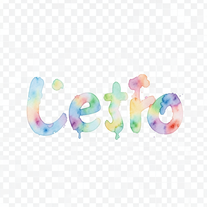 Turn text into hand-painted watercolor typography.Open
 -
 Open
Open