
 Mini tools
▼ Latest
Research
Free mode
100% free
Freemium
Free Trial
Featured matches
-
 NextDocs v1.6.0 - Brand Kit Released: February 2026 Your brand identity, built into every content. Brand Kit lets you define your brand once and have AI apply it to every document, presentation, and report you create. Colors, fonts, logos, tone of voice. All consistent. All automatic. Describe what you need. AI applies your brand. You get on-brand results. --- Brand Kit Define your brand identity in one place. AI uses it every time you create. A Brand Kit includes: - Theme: your colors, fonts, and visual style - Logos and images: company logos, product photos, hero images - Icons: brand-specific icons and graphics - AI instructions: tone of voice, writing style, terminology Select your Brand Kit before generating. AI handles the rest. --- Asset Usage Modes Control how AI uses your brand assets. Always AI must include this asset in every document. Perfect for your company logo. Maybe AI can use this asset when it fits the content. Good for product screenshots or team photos. Never Asset is stored in your brand but AI will not use it automatically. --- AI Instructions Write custom instructions that guide AI on how to write for your brand: "Use a professional but approachable tone. Avoid jargon. Always refer to our product as Acme Platform. End presentations with our tagline." These instructions apply to every document created with this Brand Kit. --- Use Cases Sales Teams Every proposal and pitch deck uses the same brand. No rogue presentations with the wrong logo. Marketing Teams Campaign decks and reports all follow brand guidelines without manual effort. Agencies Create separate Brand Kits for each client. Switch in one click. Founders Define your brand once. Every investor deck and internal doc is consistent. --- New AI Models Claude Opus 4.6 and Claude Sonnet 4.6 from Anthropic are now available for Pro users. 5 new free models added: - Kimi K2.5 from Moonshot AI - MiniMax M2.1 - GLM 4.7 from Zhipu AI - DeepSeek V3.2 - DeepSeek V3.2 Thinking (reasoning model) All free models available to every user. No upgrade required. --- Also in v1.6 Mobile Editing New floating selection toolbar, multi-select mode, inline text editing, and mobile color picker. 80+ New Themes Professionally designed themes across corporate, dark tech, creative, gradient, serif, and more. Improved Exports More reliable PDF, Google Slides, and PowerPoint exports with better image handling. --- How It Works 1. Go to Brand Kit and create a new brand 2. Pick a theme, upload assets, write AI instructions 3. Select your brand when creating a document 4. AI applies your identity automatically 5. Get an on-brand document every time Same simple workflow. Now with your brand built in. --- Try Brand Kit Go to nextdocs.io. Create a Brand Kit. Generate a document. Set your brand once. Let AI handle the rest. - The NextDocs Team
 -
 Columns Flow: data automation platform built for everyone.
 -
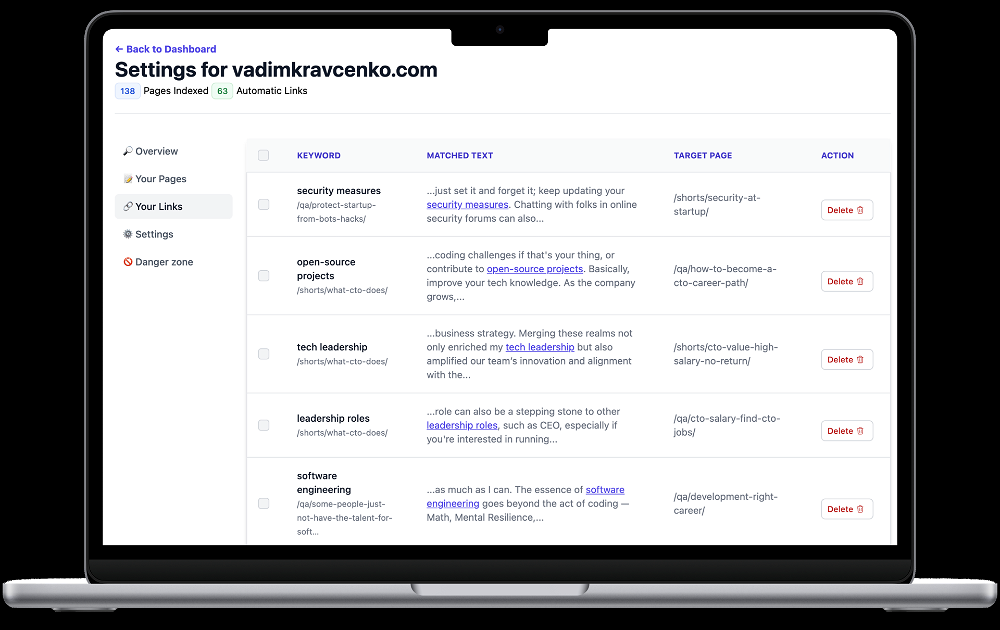
 Vadim🛠️ 1 tool 🙏 84 karmaMay 7, 2024@SEOJuiceSorry about that, just launched, fixed the bug.
 -

-
-
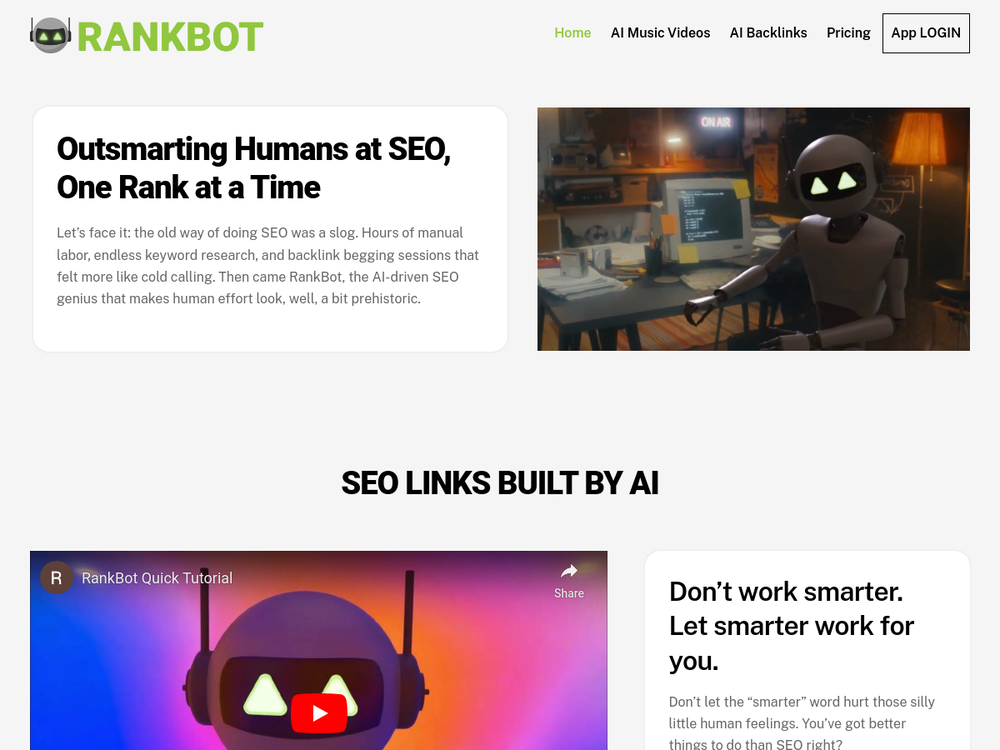 Great SEO tool! Easy to use, chat first interface. Ask RankBot how to get going and he will get your SEO campaign up and running in a few easy steps.
 -
 Open
Open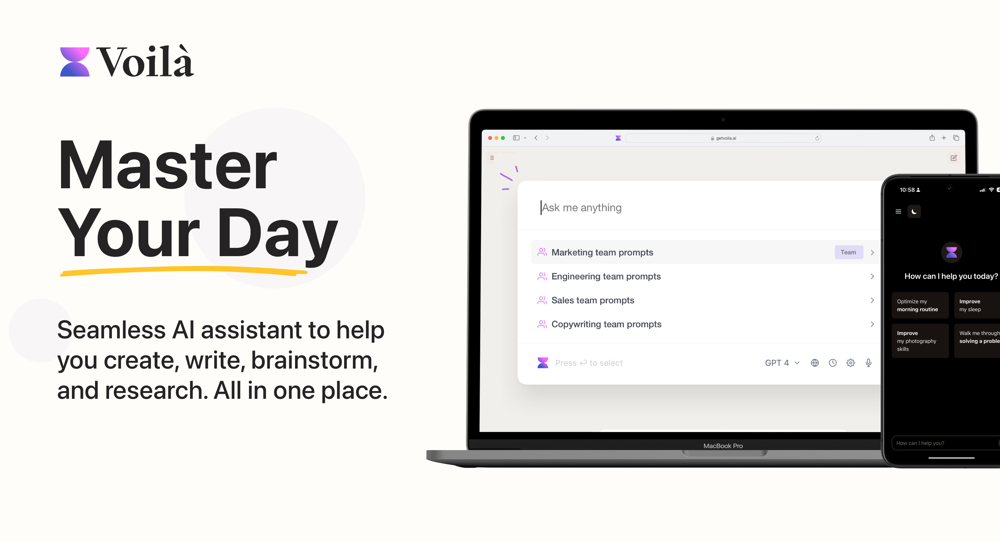 I love this extension, mobile app and desktop software! I use it everyday and everywhere. Generated text are amazing. Well done to the team and continue your incredible work! For me, Voilà is the best AI assistant, copilot and AI writer on the market. I stopped my ChatGPT plus subscription since I discoverer it.
 -
-

-













Verified tools
-
-
We are launching first of its kind AI Vision Search App.
- Sponsor:
 Base44💻 Vibe coding
 -
-
People who use location as source for their main data, it is very good product foe them.
-
 AI-powered research across 11,000+ stocks, crypto, and forex — in seconds.Open
 -
Pretty cool app. I uploaded some of my own footage and was able to search for expressions and actions. Super easy to find interesting clips.
-
It’s an very interesting project, it helps me a lot to speed up my process.
-
Postline.ai will help many influencers and creators like me . This tool is amazing.
-
 AI-Powered Tools to Help You Find, Validate, and Build a Winning ProductOpenBigIdeasDB helps people get...bigger, winning ideas.
 -
The program works as presented. For those of you out that really need an assistant on your team to help with research and article writing, hypertxt is my go to. Try it out, I think you'll like it!
-
It does it's job and I love that it has a lifetime plan
-
 Transform documents into interactive knowledge bases using advanced AI.OpenThis tool is expected to evolve rapidly, we are also taking all feature requests so submit what you like and we'll build it if it aligns with our product vision! Have fun with the tool and let us know what you think!
 -
I was searching for such a tool literally two days ago, and today I found it on theresanaiforthat. That's funny and awesome. It seems to work well.
-
 AI spreadsheet & data analyst. 10x your productivity.OpenI use Sourcetable for quick data analysis and visualizations with natural-language queries. I'm working with Excel files and our Postgres database. It feels like an AI analyst built into a spreadsheet for turning raw data into clear reports. (Like ChatGPT + Excel, but better.)
 -
This is one of the best scrapers I have ever seen, especially considering that Cloudflare explicitly advises against scraping their pages. What makes this scraper stand out is that it opens a virtual machine and runs an agent on top of it, which allows it to bypass bot detection errors effectively. This advanced approach enables it to grab the text content reliably, even from websites with strong anti-scraping measures. By simulating a real user environment, it avoids common blocks and restrictions.
-
This is actually amazing. It has all the main features I need to be very efficient at my work.
-
TabTabTab has been so useful to me since starting a company!
-
🚀 Supercharge Your AI Workflow with Keymate! AI enthusiasts, researchers, and productivity power-users — meet Keymate, your new favorite AI-powered assistant to collect, manage, search, and chat with your digital knowledge. ✨ Why Keymate? 🔹 Collect any source – PDFs, Google Docs, YouTube videos, emails, web links — all in one private memory space. 🔹 Chat with your content – Ask complex questions and get grounded answers directly from your own documents. 🔹 Add notes and organize collections – Structure your memory the way you think. 🔹 Boost with AI context – Keymate uses a 128K context window and multi-LLM setup to deliver better, focused results. 🔹 Secure
-
 AI-powered financial analyst from Investing.com delivering market insights and researchOpen
 -
I’m allergic to synthetic data, but I gave FirstSign a spin and… my calendar sent a thank-you note. Skipped the cold DMs and got surprisingly sharp interviews for early validation. Feels like cheating, but I’ll allow it ;)
-
I use Olostep to gather data from millions of e-commerce pages for my AI shopping assistant service and it's the most cost-effective and reliable product on the market
-
-
It greatly supported my R&D work by helping me tackle technical challenges and prepare reports.
-
I enjoy using the chatbot and seeing how simple it makes answers, I've been testing the same question across similar platforms like Finchat.io, Perplexity, Intellectia etc. I've realized Fineas is faster and just as accurate. Test it for yourself. P.S. I co-founded this. Love to hear what you have to say!
-
Great tool for writing SEO content on autopilot. I use it on 3 different websites.
-
Falling behind on AI powered marketing? Hire AI agents and put your marketing on autopilot.
-
Rating: ★★★★★ Fast, reliable, and fun to use — a game-changer for fact-checking Review: Verisquad is one of the most refreshing and practical AI tools I’ve used. It takes a simple claim — even from a tweet, image, or document — and instantly gives you a factual accuracy score, confidence rating, and relevant sources. What makes it stand out is the reformulation: you don’t just get a judgment, you get a smarter way to say what you meant. I also appreciate the transparency — it doesn’t just tell you ”true” or ”false,” it shows the reasoning and lets you decide. Bonus points for the clean UI, and responsive support. It’s fast, intuitive, and honestly fun to use. Highly recommend if you care about truth in a world of noise.
-
I’ve been overseeing sales strategies at Speck Design for a while now, and I’ve got to say, Strama.ai has been a total game-changer for our team. Integrating their tools into our system was smooth, and we noticed improvements in our outreach efforts almost immediately. What really stands out about Strama.ai is how user-friendly it is. The dashboard is super intuitive, and it didn’t take long for us to get the hang of it. This was a big plus for us because it meant we could jump right in without any slowdowns. Plus, their analytics are on point—I’ve been able to see what’s working and tweak our approach in real-time. I also really want to shout out their support team. Every time we’ve hit a snag or had questions, they’ve been right there to help us out. It’s clear they really care about their customers and want to make sure we succeed.
-
-
 AI-powered competitive and actionable insights for your smarter decisionsOpen
















































Other tools
-
-
Since there is no feedback possibility on the site, I will leave my comments here. 1. when I put a search term between "" I expect the results to precisely contain this phase, not ...or... 2. the e-mails are called "news summary" so the items should be empty when there is nothing new. Instead, I keep receiving the same search results over and over again. Searching by Google is less time-consuming. 3. there is a 1-day trial period (!) but by the time I discovered the above (day 2) I was hooked for a month. So, de facto, there is no trial period.





Lists
-
Best AI Tools for ResearchPublicSubscribe148






-
Best AI Tools for Academic ResearchPublicSubscribe912



-
Scientific research and consultingPublicSubscribe354

-
ResearchPublicSubscribe664


Post





