

 Mini tools
 Edit PDFs online for free with powerful tools


 GetSpiced
 CleeAI
 Starnus
 Activepieces
 Avataar's GenAI Creator
 Olivya
 Abstra
 Pipefy
 DoubleO
 Quixl
Quixl
 Neferdata
 Cubeo
Cubeo
 Sema4.ai
 Ridvay
 Tray.io
 Cognition by Mindcorp
 GoodWork
 Mr David
 UiPath
 Super Amplify
 genset







PDFCandy PDF Editor






Overview
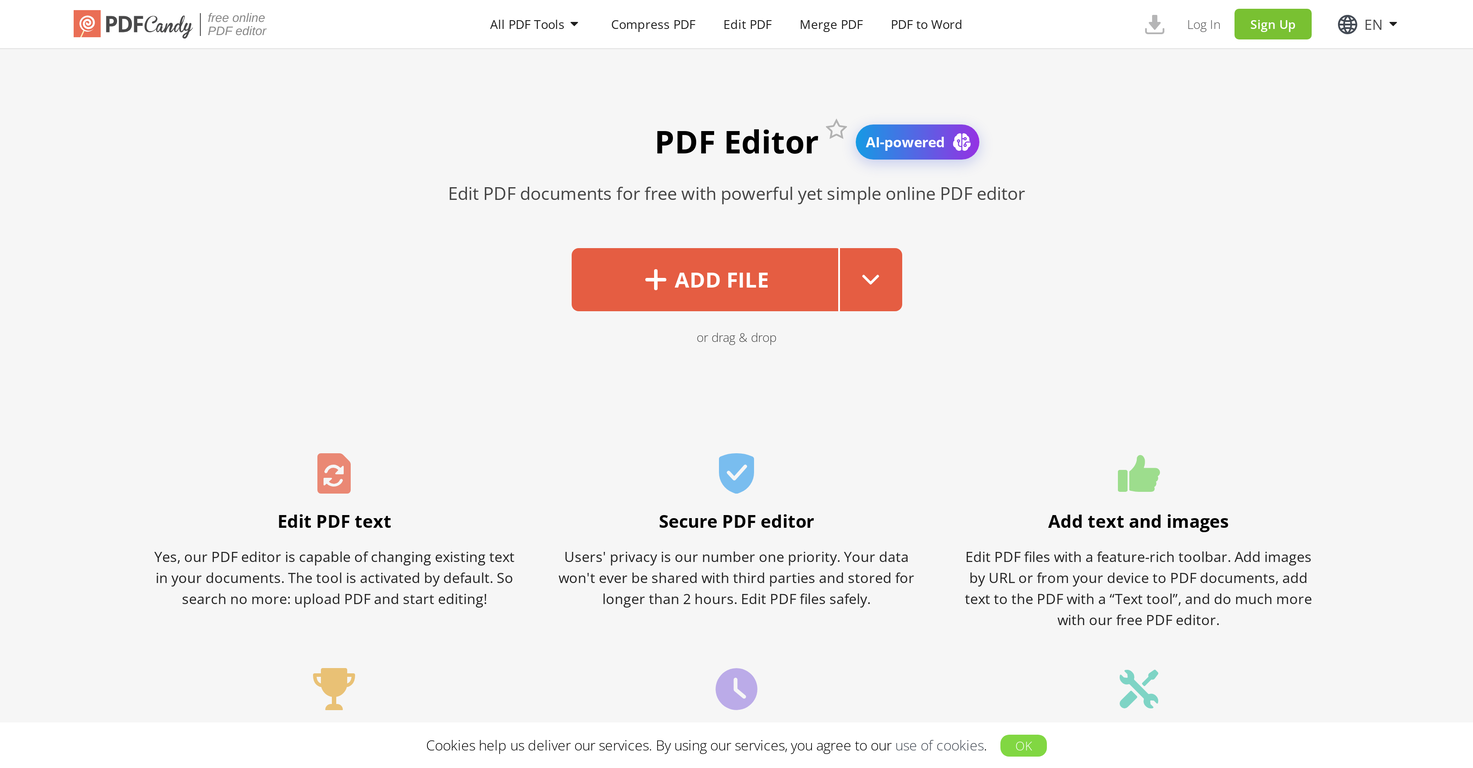
PDF Editor is an online AI-powered tool that offers a range of functionalities for editing and managing PDF files. The key features include the ability to add text and images to PDFs, highlight, annotate, and sign documents.
It also boasts the capacity to modify existing text in documents, which sets it apart from many PDF editors. This tool uses AI to enable features like translation, rewriting, and summarizing content with a high degree of accuracy.
It also provides a variety of PDF modification options, including a toolbox to underline, highlight or strikeout text, insert lines and arrows, and a 'whiteout' option that can hide certain content within the PDF.
PDF Editor stands out for its commitment to user privacy, not storing any data for longer than two hours post-editing. It also allows for easy sharing and downloading of edited documents.
Despite its powerful editing capabilities, the platform maintains the integrity of your original files, not leaving any watermark on your documents after editing.
Furthermore, PDF Editor can function as a PDF viewer, affording users the convenience of viewing and editing their PDFs simultaneously.
Releases

Pricing
Top alternatives
-
 Your 24/7 AI-powered PDF processing assistant.
 -
 Complete PDF toolkit with AI-powered features.
 -
 Edit, convert, and organize PDFs effortlessly online.
 -
 Turn PDFs into instant insights with AI.alnessphotostudio steve🙏 10 karmaApr 16, 2025@SmallPDFFirst week is free (hence 3 stars when it would have been 1 otherwise) then you have to pay £81 / year or £9 / month which for a light or occasional user is very expensive. There really needs to be a sensible ’document limit’ to back up the very good trial period.
 -
 Comprehensive PDF tool for all your document needs
 -
 Transform PDFs effortlessly without coding.







