

 Mini tools
 Turn text and images into cinematic AI videos.
 freebeat AI
 ClipMode
 Magik Face
 D-ID
D-ID
 MagicLight
 HeyGen
 Kaiber Superstudio
 Seedance
 Kling
Kling
 AI Video Generator by RenderFlow AI
 neural frames
 Funy AI: AI Dance, AI Bikini, AI Kiss
 Chraft AI
 Vidu AI Video Generator
 ViGi
ViGi
 Videnly
 Viddo AI - AI Video Generator
 VidGen AI Video Generator
 Wan Video
 CreatorFrames
 So You Want To Be A Writer?
 Minka
Minka
 Ancient AI powered spirits
 Jvb ai
 somacguffin
 Cuty
Cuty
 Superfly Stoner









Overview
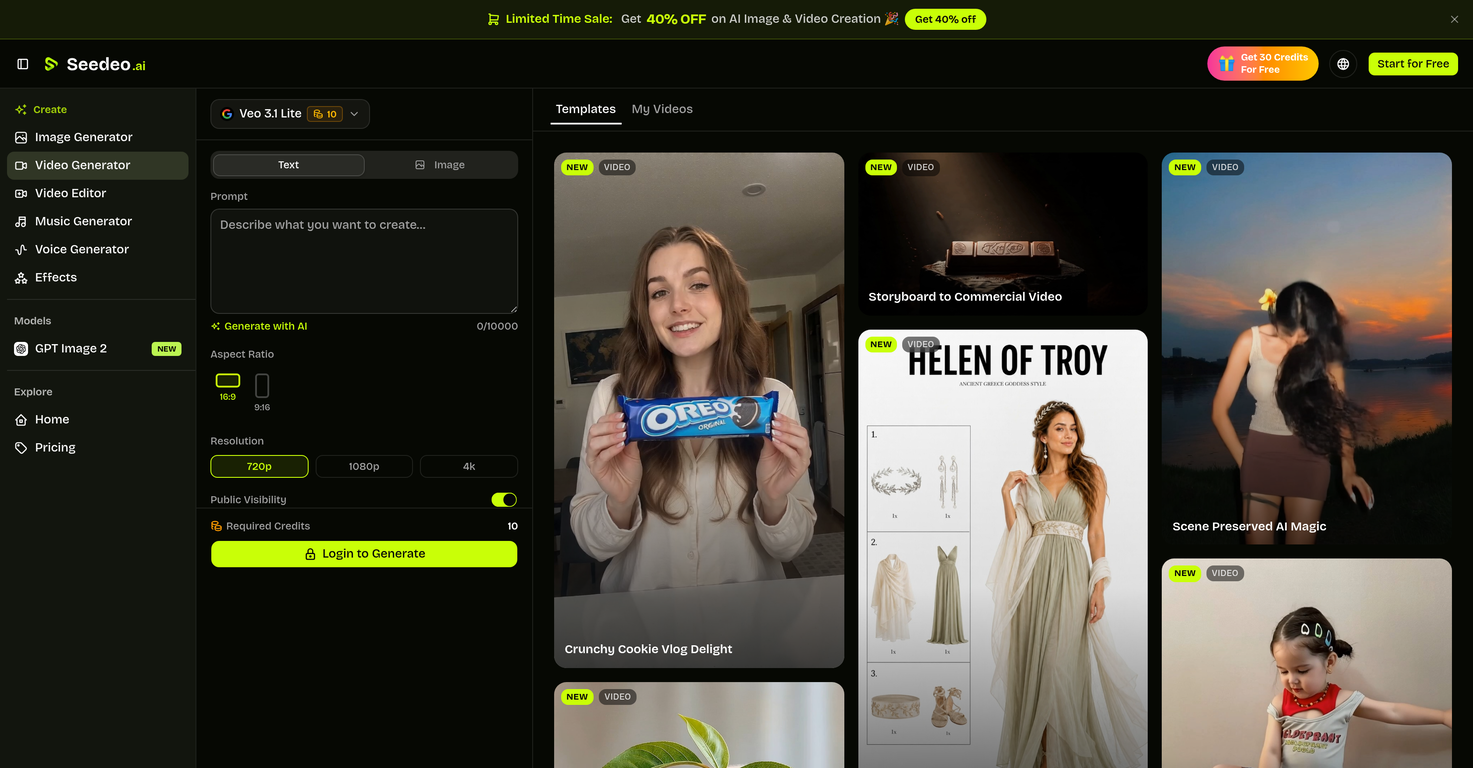
Seedeo is an advanced AI-powered tool designed for generating high-quality, cinematic videos using text prompts and still images. It functions by applying deep learning models to convert plain text descriptions or images into video content.
Users can specify various details in the prompt, such as scenery, time of day, or specific actions, and they will be instantiated creatively by the AI.
This tool obviates the need for experienced video editing skills, a physical camera, or any editing software.Seedeo operates using renowned text-to-video and image-to-video generation models including Google's Veo 3.1, ByteDance's Seedance 2, and Kuaishou's Kling 3.0.
These models specialize in different video creation aspects, cater to various use cases and generate excellent quality videos, including 4K content. It also comes with features like multiple aspect ratios, image-to-video animation, and synchronized AI-generated audio to offer comprehensive video production options.
This tool can serve as a valuable asset to creators, allowing them to create social media reels, product showcase videos, concept animations, music videos, and much more seamlessly.
Beyond its exceptional features for individual creators, it can also be employed for enhancing professional video production, promoting games or applications, or even generating educational content.
Releases

Top alternatives
-
 Turn Music & Ideas into Viral Videos In One Click🔥 freebeat V10.2 introduces Photo Karaoke, multiple performance modes, scene presets, and automatic AI lip sync. ----- What’s New - 📸 Photo Karaoke – Turn a single portrait into an AI-powered singing performance with just a photo and a song. - 🎭 Multiple Performance Modes – Create Solo, Duet, or Pet karaoke videos for different performance experiences. - 🎬 Scene Presets – Choose from built-in performance scenes including Studio, Jazz, Bar, Home, Supercar, Fisheye, and more. - 🎤 Expressive AI Lip Sync – Generate natural singing performances synchronized with your song. ----- How It Works 1. Upload a photo or choose one from My Assets. 2. Select a performance mode and scene preset. 3. Add your song and generate your karaoke performance. 4. Download the finished video and share it anywhere. ----- Why It Matters V10.2 expands freebeat’s music video creation experience by bringing AI singing performances to still images. Instead of recording videos or animating portraits manually, creators can now transform a single photo into an expressive karaoke performance in just a few clicks. 👉 Try it now – www.freebeat.ai
 -
 Create AI-generated videos with easeFranco Arteseros🙏 67 karmaOct 23, 2024@D-IDWE USE D-ID AT THE COLORADO VIRTUAL CREATIVE FACTORY...AND LOVE IT.
 -
 Transform text into captivating videos instantly.You get 300 credits upon signing up, which is enough to test out the app and see its potential. I had a bit of fun with it. It takes a few minutes to generate content, but the results are impressive. There are many styles, modifiers, and customization options available. I would definitely use this for content creation or storytelling.
 -
 Create AI spokesperson videos from text
 -
 AI Video GenerationThey're dreaming if they think I'd give them my credit card info just for a free trial. Most useless thing ever...
 -
 Multi-shot video generation from text and image.








