
 Mini tools
▼ Top rated
Ppt
Free mode
100% free
Freemium
Free Trial
Featured matches
-
 Spam Trapper🙏 7 karmaFeb 22, 2026@AppDeployDeploys the backend directly from chat!
 -
 Open
Open
-
 Miro has massively improved how we collaborate and execute. The AI features have made a real difference in day-to-day productivity, helping us structure ideas quickly and get to decisions faster. What really surprised me is the new prototyping feature: it’s now much easier to turn a workshop board into an actual prototype and iterate with the team. If you’re running product work, workshops, roadmaps, or even GTM planning, Miro is worth it.
 -
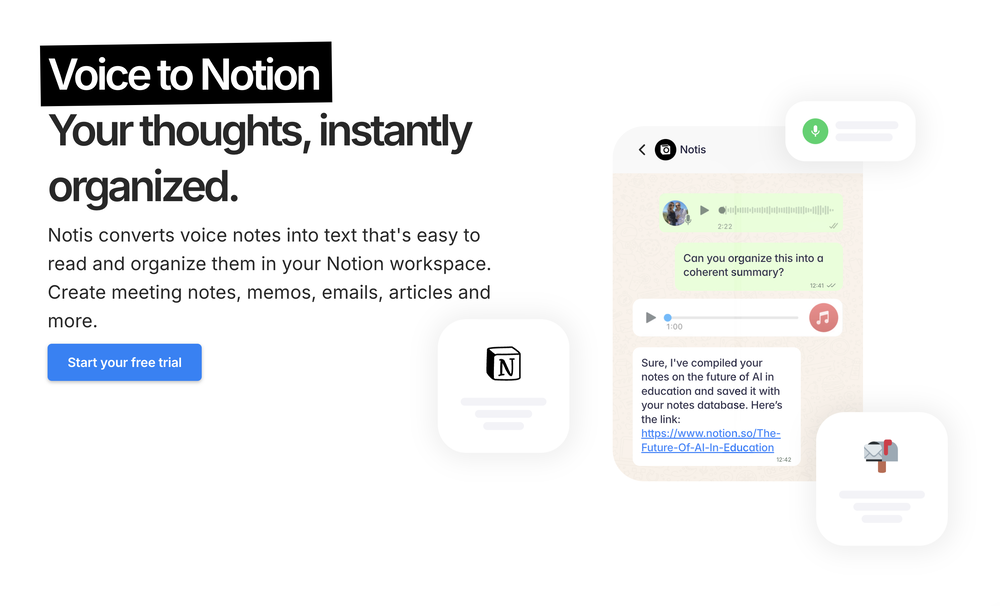 Notis is the AI intern one message away from your entire tool stack. Dictate ideas, delegate the busywork, and watch it update everything from your CRM to your socials — right from WhatsApp, iMessage, Telegram, or emails. In this week's release: - Much more reliable Stripe subscription startup + trial recovery — no more getting stuck in a bad billing state after a failed checkout. - Fixed trial credit cap: all trial users now consistently see and use a 5-credit cap, regardless of the plan they're trialing. - New safety rails in the orchestrator: delegation limits and hard caps on loop iterations so Notis doesn't run away on complex tasks. - Onboarding simplified — short onboarding is now the default for everyone, no more A/B test variations. - Portal now lands on Integrations by default instead of Databases. Old Notion integration is now fully retired. - CAF audio support — voice messages recorded on Apple devices now transcribe correctly. - Better TTS voice continuity — multi-part voice responses sound smoother and more natural. - Brazil phone number login fix — users with +55 numbers no longer risk duplicate accounts. - Connecting non-OAuth integrations no longer opens an unnecessary popup window.
 -
 Open
Open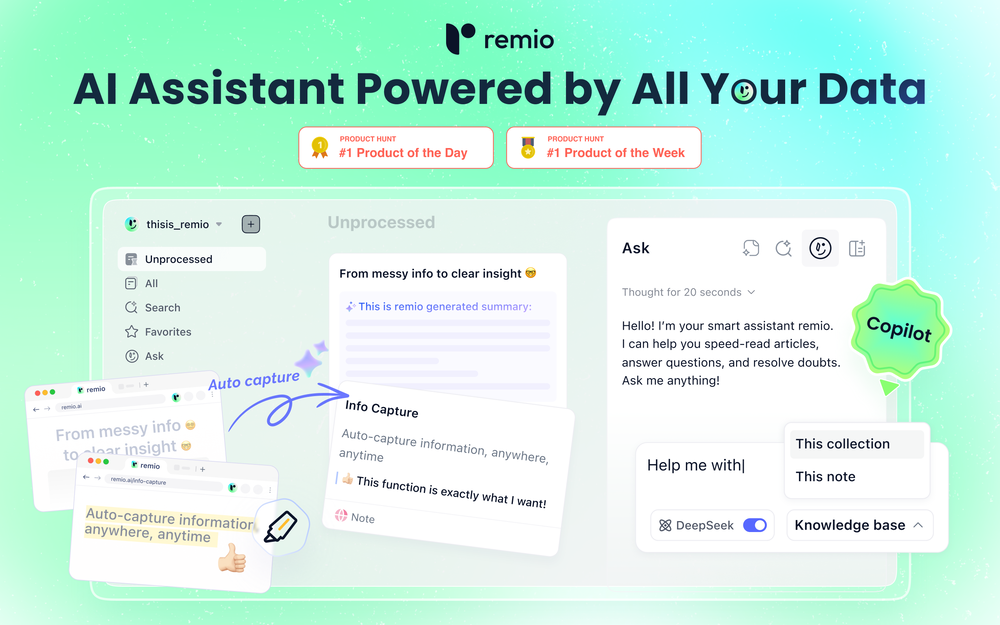 🚀Meet remio v2.12.0, which added lots of new and useful features to boost your productivity! Let's dive in! 1.🍌 Visualize thoughts faster with Nano Banana 2 Turn complex logic into professional diagrams and infographics instantly with the most affordable model. 2.🎧 Put Podcasts into your personal library Simply paste a link to save full transcripts from your favorite podcasts and get instant summaries. You can chat with your podcast library to find specific insights without listening to every second. 3.💬 Write at the speed of thought With global voice input, remio transforms natural speech into clear and polished writing across all your apps. Experience a creation process up to 5x faster than typing. 4.🔗 Seamless sharing of notes & recordings Knowledge is most powerful when it flows. You can now generate shareable links for your notes and recordings, and move insights from your personal library into team discussions. 5.🆙Advanced models upgrade Switch to the latest Gemini 3.1 and Claude Sonnet 4.6 models for superior accuracy and speed.
 -
 Open
Open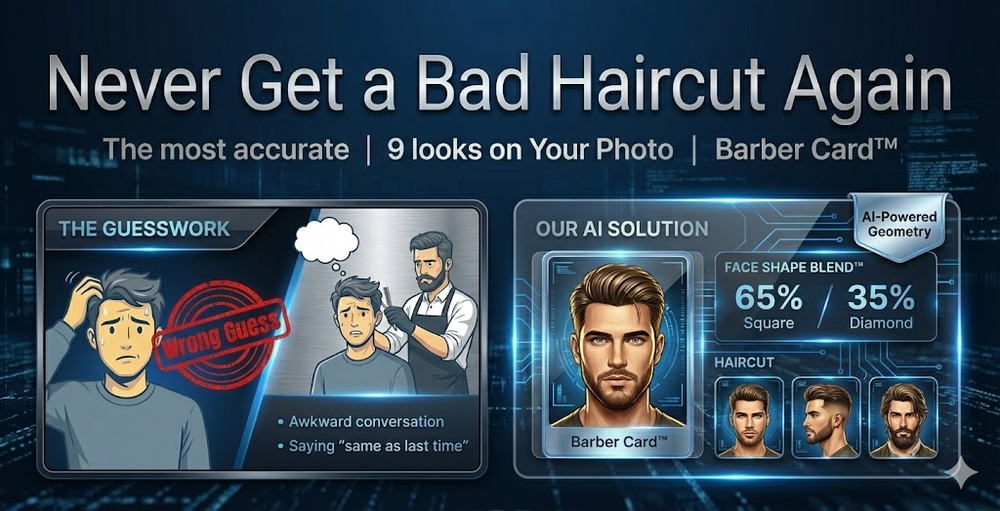 Hi everyone — Vera here, the maker 👋 I built FaceShapeDetector because most “face shape” tools only tell you a label (oval, round, etc.) without real guidance. This tool focuses on accuracy first, then shows you 9 hairstyle previews on YOUR face — plus a Barber Card™ you can bring to your barber/stylist. For best results: • Use a clear front-facing photo • Remove glasses • Keep a neutral expression I’d genuinely love feedback — especially on: Accuracy Hairstyle realism Whether the Barber Card™ is actually useful in real life Launch week deal is live for the TAAFT community ❤️ Thanks for checking it out!
 -

-
 Reducing manual efforts in first-pass during code-review process helps speed up the "final check" before merging PRs
 -

-









Other tools
- Sponsor
 Rocket - Think it. Type it. Launch it.
 -
I would like to ask if is possible to boost APP (APPSTORE) sale.
-
The models here really help w/ finding investment properties.
-
-
Love the app. Used it to find a good balance in performance to play at a higher graphics setting but with over 100 FPS which was really useful in making Marvel Rivals more enjoyable to play this season!
-
Helping brands get more traffic and conversion from AI search in the most effective way. Also including AI presence management features for individuals.
-
It makes drafting emails and cleaning up my LinkedIn posts easier.
-
Had an incredibly insightful meeting with the team. It’s definitely worth your attention if you’re planning to automate your property management.
- Didn't find the AI you were looking for?
-
I have used cheers to review several different companies around me and it has been a much better experience than traditional methods like QR codes. I love seeing cheers when I try out new businesses.
-
 OpenI built Remy to solve a problem I face every day: Newsletter overload 📬 Remy is your personal AI assistant that summarizes all your newsletters into a single digest email. Go from a cluttered inbox to a clear, concise briefing in one go.
 -
Really smooth experience with Vivgrid, makes taking agents to production way easier.
-
Base44 Superagents is an AI tool that designs personalized AI agents to automate various tasks without requiring any coding. It offers users a platform where they can deploy apps that are built specifically for AI agents.
-
-
 Your AI-powered file organizer that respects privacy for macosOpenGood Replacement for the sparkle. Keep it up
 -
-
Impressive work from the team at Tented.ai, their approach to AI-driven automation is genuinely next-level.
-
I am a SRED consultant. The ability to upload documents and instantly get SR
-
threw it at our dusty help center and it cooked. pulled context from tickets and updates and wrote clean articles and faqs. inbox got quieter fast. solid tool.
-
 Ellie, your AI for crafting personalized email replies.Open



















Ask the community

fire power
Jan 24, 2025
Here’s an updated and more detailed prompt for a PowerPoint presentation with **specific image suggestions** for each slide. The goal is to create an engaging, visually appealing, and informative presentation on the topic.
---
### **Detailed Prompt for AI-Generated PPT with Images**
Create a PowerPoint presentation covering the following topics: *"Slow In and Slow Out, Constant Force and Acceleration, and Forces Exerted by Characters."* Include detailed content and visuals. Use a modern and clean design with minimal text on each slide and visually represent key ideas through images, animations, and icons.
---
### **Slide Breakdown with Image Suggestions**
#### **Slide 1: Title Slide**
- **Title:** *"Principles of Motion in Animation"*
- **Subtitle:** *"Slow In and Slow Out, Constant Force, and Character-Driven Forces"*
- **Images/Visuals:**
- An animated image of a character walking or jumping.
- A visually dynamic background, such as motion trails, physics-inspired graphics, or gradient shapes symbolizing energy.
---
#### **Slide 2: Introduction**
- **Content:**
- Why understanding motion is critical for animators: *"Realistic animation enhances storytelling and audience immersion."*
- **Images/Visuals:**
- A comparison image of a natural-looking animated walk vs. a robotic walk.
- Icons representing physics principles (force, motion, acceleration).
---
### **Section 1: Slow In and Slow Out**
#### **Slide 3: Definition and Explanation**
- **Content:**
- Define the principle: *"Slow In and Slow Out adds realistic easing to motion by gradually accelerating and decelerating."*
- **Images/Visuals:**
- A pendulum animation showing it slowing down at the peak and speeding up at the bottom.
- A graph showing a smooth curve of motion ease (Bezier curve).
#### **Slide 4: Why It Matters in Animation**
- **Content:**
- Benefits: *"Makes motion fluid, reduces abruptness, and mirrors real-world physics."*
- **Images/Visuals:**
- A visual comparison:
- A ball rolling with abrupt stops (linear) vs. smooth stops (eased).
- Annotated diagram of a motion curve (highlighting slow start and stop).
#### **Slide 5: Applications in Animation**
- **Content:**
- Use cases for Slow In and Slow Out:
- Character movement, object interactions, and camera transitions.
- **Images/Visuals:**
- A side-by-side animation: A car accelerating abruptly vs. gradually.
- Diagram of a character starting to run and coming to a stop with speed curves.
---
### **Section 2: Constant Force and Acceleration**
#### **Slide 6: Definition and Physics Concept**
- **Content:**
- Define constant force: *"A continuous push or pull that causes uniform acceleration."*
- Formula: **F = ma (Force = Mass × Acceleration)**
- **Images/Visuals:**
- Diagram showing a box being pushed with arrows representing force.
- A ball rolling downhill with a force vector (constant acceleration).
#### **Slide 7: Importance in Animation**
- **Content:**
- Use of constant force to mimic real-world physics (e.g., falling, collisions).
- **Images/Visuals:**
- Animated object falling under gravity (freefall).
- Projectile motion diagram: A ball being thrown with force and trajectory.
#### **Slide 8: Examples in Animation**
- **Content:**
- Examples of objects experiencing constant force and acceleration:
- Falling objects, rockets lifting off, and characters jumping.
- **Images/Visuals:**
- An animated rocket launching with force vectors.
- Visual representation of a jumping character showing the upward force and gravity pulling them down.
---
### **Section 3: Forces Exerted by Characters**
#### **Slide 9: Introduction to Character Forces**
- **Content:**
- Define character forces: *"Forces applied by characters to interact with their environment (e.g., pushing, pulling, throwing)."*
- **Images/Visuals:**
- A character pushing a heavy object with visible effort (body posture, facial expression).
- Arrows showing the direction and magnitude of forces applied.
#### **Slide 10: Key Examples of Character Forces**
- **Content:**
- Highlight actions:
- Pushing: Moving a heavy box.
- Pulling: A character tugging a rope.
- Jumping: Exerting force to leap into the air.
- **Images/Visuals:**
- A sequence of a character pulling a rope with increasing tension.
- Diagram of a character crouching before a jump and landing with force indicators.
#### **Slide 11: Visualizing Force in Animation**
- **Content:**
- Techniques animators use:
- Exaggeration (e.g., squash and stretch).
- Anticipation (e.g., preparing to throw).
- **Images/Visuals:**
- Before-and-after comparison: Subtle vs. exaggerated force.
- Motion paths of a thrown object (showing trajectory, force vectors, and anticipation).
---
### **Slide 12: Integrating Principles in a Scene**
- **Content:**
- Explain how the three principles combine to create realistic animation.
- **Images/Visuals:**
- A single animated scene showing a character lifting an object, walking with it, and setting it down.
- Visual overlays showing easing (Slow In/Out), constant force, and exerted forces in the sequence.
---
### **Slide 13: Conclusion**
- **Content:**
- Recap the key takeaways:
- *"Slow In/Out creates smooth transitions, Constant Force ensures realism, and Character Forces bring interactivity to life."*
- **Images/Visuals:**
- A collage of all the concepts: a pendulum swing, a falling object, and a character interacting with their environment.
---
### **Slide 14: Q
Post





