Go to section
Spotlight SureThing.io - "OpenClaw" for BeginnersTask automation
The front page of AI.Used by 90M+ humans.

TAAFT Tutorial
Generate image
Tasks
Generate text
Free mode
Trending
Leaderboard
Characters
 Mini tools
New
Featured
Lists
Agents
Requests
Jobs
Map
Newsletter
Starter pack
Free tools
Speech to text
Text translator
Remove background
Settings
Edit profile
My tools
Gallery
Dashboard
Inbox
Get featured
Contact TAAFT
For you
Popular
Job impact index
Most saved
Affiliate program
Submit AI tool
Notification preferences
Glossary
Home
Timeline
My profile
Create tool
Deals
Companies
Models
Robots
Papers
Fundraises
Repositories
Devices
Organizations
Events
Prompt Pack
Merchendise
APIs
Features
Tools
Countries
Collections
Videos
Mini tools
New
Featured
Lists
Agents
Requests
Jobs
Map
Newsletter
Starter pack
Free tools
Speech to text
Text translator
Remove background
Settings
Edit profile
My tools
Gallery
Dashboard
Inbox
Get featured
Contact TAAFT
For you
Popular
Job impact index
Most saved
Affiliate program
Submit AI tool
Notification preferences
Glossary
Home
Timeline
My profile
Create tool
Deals
Companies
Models
Robots
Papers
Fundraises
Repositories
Devices
Organizations
Events
Prompt Pack
Merchendise
APIs
Features
Tools
Countries
Collections
Videos
Mini tools
New
Featured
Lists
Agents
Requests
Jobs
Map
Newsletter
Starter pack
Free tools
Speech to text
Text translator
Remove background
Settings
Edit profile
My tools
Gallery
Dashboard
Inbox
Get featured
Contact TAAFT
For you
Popular
Job impact index
Most saved
Affiliate program
Submit AI tool
Notification preferences
Glossary
Home
Timeline
My profile
Create tool
Deals
Companies
Models
Robots
Papers
Fundraises
Repositories
Devices
Organizations
Events
Prompt Pack
Merchendise
APIs
Features
Tools
Countries
Collections
Videos

▼ Latest
Por
Free mode
100% free
Freemium
Free Trial
Other tools
-
 AI portrait generator creating stunning, customizable characters from descriptions.Open
 -
 Transform photos into cinematic Funko-Pop portraits.Open
 -
 Transform photos into bold WPA-style geometric art.OpenBree Madison🙏 3 karmaNov 6, 2025@WPA-Style Geometric Pop Art Portrait or upload your picturePretty cool style
 -
 Transform photos into Lichtenstein pop-art portraits.Open
 - SpotlightSureThing.io - "OpenClaw" for BeginnersTask automation
-
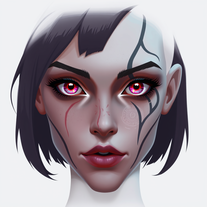 Create fantasy portraits with unique eyes and scars.Open
 -
 Craft epic eSports logos with AI-powered design.Open
 -
 Open
Open -
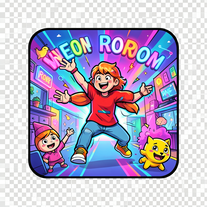 Create vibrant comic-style illustrations with neon energy.Open
 - Didn't find the AI you were looking for?
-
 Transform photos into vibrant comic book illustrations.Open
 -
 OpenVideo editing is the process of selecting, trimming, and arranging footage to create a cohesive story or visual narrative. Here are some fundamental concepts and techniques: Types of Video Editing Linear editing: A straightforward, sequential approach to editing, where clips are arranged in a linear timeline. Non-linear editing: A more flexible approach, where clips can be arranged and rearranged freely in a timeline. Key Video Editing Techniques Cutting: A transition between two clips, where one clip ends and another begins. Cutting on action: Cutting between two clips while an action is in progress, to create a seamless transition. J-cut: Cutting from one clip to another while audio from the second clip starts playing before the video cuts to it. L-cut: Cutting from one clip to another while audio from the first clip continues to play. Video Editing Software Popular video editing software includes: Adobe Premiere Pro: A professional-level editing software with advanced features and integration with other Adobe tools. Final Cut Pro: A professional-level editing software for Mac users, known for its user-friendly interface and advanced features. DaVinci Resolve: A free and paid editing software that offers advanced color grading and audio editing tools. Best Practices for Video Editing Plan your edit: Develop a clear vision and storyboard before starting to edit. Organize your footage: Label and categorize your clips to make them easily accessible. Keep it simple: Avoid overusing transitions and effects; focus on telling a clear story. Advanced Video Editing Techniques Color grading: Adjusting the color and brightness of footage to create a specific mood or atmosphere. Audio ducking: Automatically reducing the volume of background audio when dialogue is present. Motion graphics: Adding animated text, logos, or other graphics to enhance the visual narrative. Video editing involves selecting, trimming, and arranging footage to create a cohesive story. Linear and non-linear editing are two fundamental approaches. Key techniques include cutting, cutting on action, J-cuts, and L-cuts. Popular software includes Adobe Premiere Pro, Final Cut Pro, and DaVinci Resolve. Best practices involve planning, organizing footage, and keeping it simple. Advanced techniques include color grading, audio ducking, and motion graphics. Capcat pro Capcat pro Download image-to-image-generator generated imagetransparent pixel Image to Image Generator Image to Image Generator Download image-to-image-generator generated imagetransparent pixel Image to Image Generator Image to Image Generator Download image-to-image-generator generated imagetransparent pixel Image to Image Generator Image to Image Generator Download image-to-image-generator generated imagetransparent pixel Image to Image Generator Image to Image Generator Download image-to-image-generator generated imagetransparent pixel Image to Image Generator Image to Image Generator Download image-to-image-generator generated imagetransparent pixel Image to Image Generator Image to Image Generator Download image-generator generated imagetransparent pixel Image Generator Image Generator Copy Video Editing Basics Video editing is the process of selecting, trimming, and arranging footage to create a cohesive story or visual narrative. Here are some fundamental concepts and techniques: Types of Video Editing Linear editing: A straightforward, sequential approach to editing, where clips are arranged in a linear timeline. Non-linear editing: A more flexible approach, where clips can be arranged and rearranged freely in a timeline. Key Video Editing Techniques Cutting: A transition between two clips, where one clip ends and another begins. Cutting on action: Cutting between two clips while an action is in progress, to create a seamless transition. J-cut: Cutting from one clip to another while audio from the second clip starts playing before the video cuts to it. L-cut: Cutting from one clip to another while audio from the first clip continues to play. Video Editing Software Popular video editing software includes: Adobe Premiere Pro: A professional-level editing software with advanced features and integration with other Adobe tools. Final Cut Pro: A professional-level editing software for Mac users, known for its user-friendly interface and advanced features. DaVinci Resolve: A free and paid editing software that offers advanced color grading and audio editing tools. Best Practices for Video Editing Plan your edit: Develop a clear vision and storyboard before starting to edit. Organize your footage: Label and categorize your clips to make them easily accessible. Keep it simple: Avoid overusing transitions and effects; focus on telling a clear story. Advanced Video Editing Techniques Color grading: Adjusting the color and brightness of footage to create a specific mood or atmosphere. Audio ducking: Automatically reducing the volume of background audio when dialogue is present. Motion graphics: Adding animated text, logos, or other graphics to enhance the visual narrative. Video editing involves selecting, trimming, and arranging footage to create a cohesive story. Linear and non-linear editing are two fundamental approaches. Key techniques include cutting, cutting on action, J-cuts, and L-cuts. Popular software includes Adobe Premiere Pro, Final Cut Pro, and DaVinci Resolve. Best practices involve planning, organizing footage, and keeping it simple. Advanced techniques include color grading,
 -
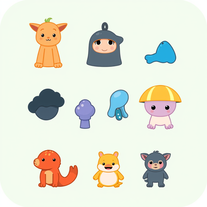 Generate imaginative heroes for children's stories.Open
 -
 AI-generated truth questions and dare challenges for parties.Open
 -
 Creates elegant single-line Valentine's illustrations using minimalist continuous strokes.Open
 -
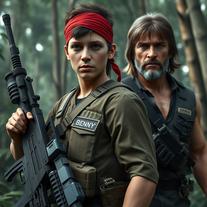 Transform into an ultra-realistic 8K jungle warrior.Open
 -
 Create hyper-realistic beach party scenes for personal branding.Open
 -
 Transform bland characters into compelling heroes.Open
 -
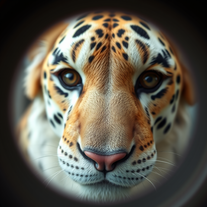 Transform faces into hilarious peephole distortions.OpenThese are SO FUN!!! One of the best minitools on this site, idea is so unique
 -
 AI-powered visual storytelling companion that generates detailed images.Open
 -
 AI-powered Truth or Dare for unforgettable parties.Open
 -
 Open
Open -
 Creates immersive first-person perspective images that simulate your own eyes.OpenDude I put nothing wrong and it said inappropriate content bro
 -
 Create adorable Funko Pop-style characters from any concept!OpenChanged the prompt to improve results.
 -
Changed the prompt to improve results.
-
 Generate memorable YouTube channel names instantly.Open
 -
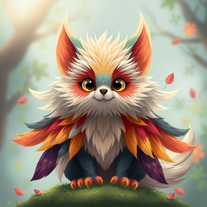 Generate fantastical AI creatures with ultra-realistic detail.Open
 -
 Transform brief ideas into complete YouTube scripts.OpenDefinitely helpful , time saver for sure! Gives you clarity and is a way for someone to have a quick description of what they should achieve with their script.
 -
 AI-powered YouTube tag generator for better discoverability.Open
 -
 AI-powered Truth or Dare Generator creates unique questions and challenges.Open
 -
 Transform gaming vision into stunning legendary weapons.OpenThis AI tool generates high-resolution, visually stunning images of magical and mystical weapons and artifacts, crafted specifically for gamers, fantasy lovers, game developers, and world-builders. Whether you're building a legendary armory for a tabletop RPG, designing loot for your video game, or just need inspiration for concept art — this tool brings enchanted blades, elemental staffs, ancient relics, and arcane gear to life. Simply describe your item (e.g. “a frost-infused longsword forged by ice giants” or “an obsidian ring that glows with cursed runes”) and let the AI do the rest.
 -
-
 Create hilariously bad 3D art from ideas.Open
 -
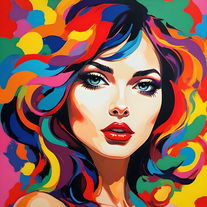
 Transform words into vibrant pop art portraits.Open
 -
 Transform ideas into ethereal watercolor masterpieces.OpenTips for using app: For best results in creating wonderful minimalist style watercolor artwork, input carefully crafted prompts that includes your favourite watercolor styles (or regular watercolor styles) plus the subject matter, or you can auto-generate regular prompts in the app.
 -
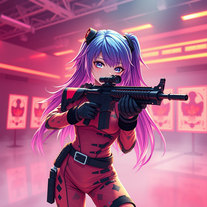 Transform ideas into 3D anime-inspired battle scenes.Open
 -
 Generate laser-focused newsletter content that resonates.Open
 -
 Transform ideas into vibrant pop art masterpieces.Open
 -
 Your culinary companion for global cuisines.Open
 -
 Create AI-powered coloring books with whimsical pop culture mashups.Open
 -
 Open
Open -
 Craft spooky-cute Halloween wallpapers for your phone.Open
 -
-
 Open
Open -
 AI-powered code generator for efficient development.OpenIf you just started using python or coding this could help you a lot! I remember first time searching for a string of code and... it wasnt the most easy task at all.
 -
Creative improvement of an existing professional logo. Not all prompt instructions were applied.
-
-
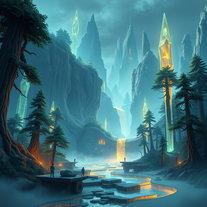 Transform imagination into vivid cyberpunk and fantasy worlds.Open
 -
Really great for checking if you ACTUALLY understood what you studied, it generates exam questions really easy
-
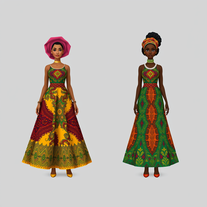 Design AI avatars in stunning African-inspired fashionOpen
 -
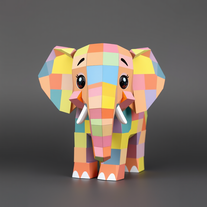 Transform animals into charming, cube-based designs.Open
 -
 AI-powered viral graphic design for trending content.Open
 -
 AI-crafted aesthetic wallpapers for every screen.Open
 -
 Open
Open -
 Transform products into vintage or modern masterpieces.Open
 -
 Transform spaces into luxurious Christmas wonderlands.Open
 -
Hi Ummesh, it worked just fine for me, can you give it another try?
-
 Open
Open -
 AI-powered concrete estimates in seconds.Open
 -
 Craft multilingual pop-rock lyrics effortlessly.Open
 -
 Turn ideas into mesmerizing optical illusions.Open
 -
 Open
Open -
 AI-powered safety briefings for smarter construction sites.Open
 -
 AI love psychologist for relationship insights and growth.Open
 -
 Open
Open -
 Craft inspiring Hindi stories for motivational speakers.Open
 -
 AI-powered image generation for stunning business visuals.Open
 -
 AI-powered short film scripts that captivate audiences.Open
 -
 Generate hyperrealistic product images for e-commerce instantlyOpen
 -
 Moto-speak: English to Hinglish for bike enthusiastsOpen
 -
🌟🌟🌟🌟🌟 This AI prompt generation tool is exceptional! It vividly brought to life the jungle scene I envisioned, capturing every detail with remarkable accuracy. The natural expressions, vibrant colors, and serene atmosphere were perfectly rendered. Highly recommended for creative projects!
-
 Craft Afrikaans Heritage Day plays in minutes.Open
 -
 Create stunning ASCII art with AI.Open
 -
 AI-generated tarot spreads for artistic inspirationOpen
 -
 Design eye-catching study planners for NEET aspirants.Open
 -
 Expert AI organizer for clutter-free living.Open
 -
 Spark holiday magic with personalized Santa messages.Open
 -
 Open
Open -
 Supercharge your Google Play Store success with AI.Open
 -
 AI-powered script magic for global filmmakers.Open
 -
 Open
Open -
-
 Open
Open -
 Open
Open -
 Craft AI-powered storyboards for Spanish e-learning courses.Open
 -
 Crea preguntas inteligentes para entrevistas en espaol.Open
 -
 Open
Open -
 Transform dark surrealism into striking AI visuals.Open