Go to section
Spotlight SureThing.io - "OpenClaw" for BeginnersTask automation
The front page of AI.Used by 90M+ humans.

TAAFT Tutorial
Generate image
Tasks
Generate text
Free mode
Trending
Leaderboard
Characters
 Mini tools
New
Featured
Lists
Agents
Requests
Jobs
Map
Newsletter
Starter pack
Free tools
Speech to text
Text translator
Remove background
Settings
Edit profile
My tools
Gallery
Dashboard
Inbox
Get featured
Contact TAAFT
For you
Popular
Job impact index
Most saved
Affiliate program
Submit AI tool
Notification preferences
Glossary
Home
Timeline
My profile
Create tool
Deals
Companies
Models
Robots
Papers
Fundraises
Repositories
Devices
Organizations
Events
Prompt Pack
Merchendise
APIs
Features
Tools
Countries
Collections
Videos
Mini tools
New
Featured
Lists
Agents
Requests
Jobs
Map
Newsletter
Starter pack
Free tools
Speech to text
Text translator
Remove background
Settings
Edit profile
My tools
Gallery
Dashboard
Inbox
Get featured
Contact TAAFT
For you
Popular
Job impact index
Most saved
Affiliate program
Submit AI tool
Notification preferences
Glossary
Home
Timeline
My profile
Create tool
Deals
Companies
Models
Robots
Papers
Fundraises
Repositories
Devices
Organizations
Events
Prompt Pack
Merchendise
APIs
Features
Tools
Countries
Collections
Videos
Mini tools
New
Featured
Lists
Agents
Requests
Jobs
Map
Newsletter
Starter pack
Free tools
Speech to text
Text translator
Remove background
Settings
Edit profile
My tools
Gallery
Dashboard
Inbox
Get featured
Contact TAAFT
For you
Popular
Job impact index
Most saved
Affiliate program
Submit AI tool
Notification preferences
Glossary
Home
Timeline
My profile
Create tool
Deals
Companies
Models
Robots
Papers
Fundraises
Repositories
Devices
Organizations
Events
Prompt Pack
Merchendise
APIs
Features
Tools
Countries
Collections
Videos

▼ Latest
Por
Free mode
100% free
Freemium
Free Trial
Featured matches
-
 First General AI Agency. Designed for long-horizon tasks.Open
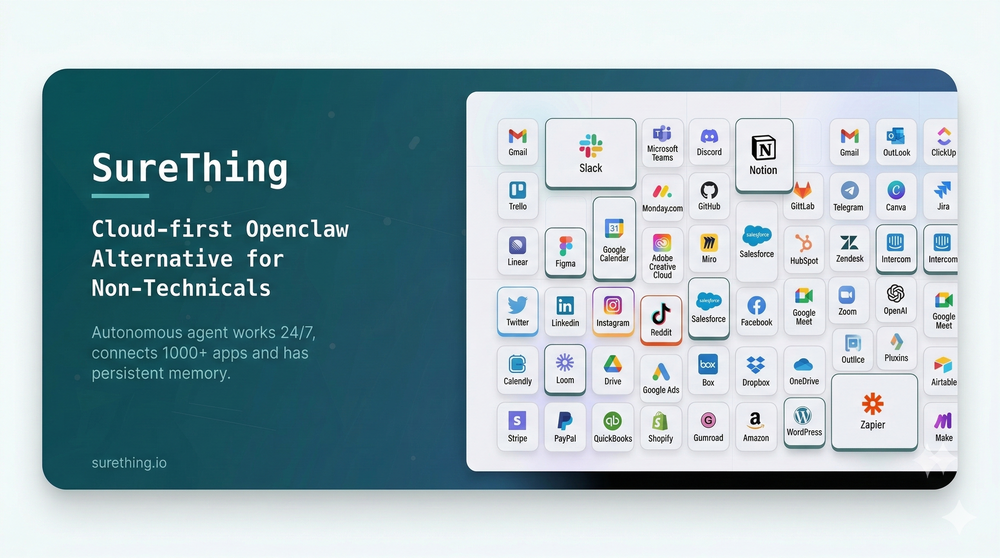 Bonnie🙏 27 karmaMar 5, 2026@SureThing.io - "OpenClaw" for BeginnersI've put about 30-40 hours into SureThing, and it's seriously been a game-changer, basically acting like a virtual COO for my business!
 -
 Open
Open
-
 AI Dental Receptionist for Dental ClinicsOpen
-
 BlogWorkflow AI | Opus 4.6 GPT 5.4 GPT Image 2.0 Supported | Structured SEO Workflow for Individual and ProfessionalFrom fragmented ideas to structured, reviewable 8-step publish-ready SEO content.Open
-
 There's nothing here to work withyet.Open
-
 The Most Complete End-to-End MCP for WordPressOpen
 Easy MCP AI enables you to do vibe blogging—write, edit, and manage your WordPress site without opening the WordPress admin dashboard. Never let your WordPress site go silent. Conduct content audits, create new posts, optimize existing posts, or perform any task within WordPress easily from anywhere.
 -
 Your AI stream companion that entertains chat and boosts tipsOpen
 interesting tool, thank you
 -

-
 Really love using PR.co. Super easy to set up and our team can share press stuff way faster now. It saves us a ton of time and just makes the whole PR job less stressful.
 -
 Hey Sam, you can use some parts of the site for free, but to enjoy the full version it's true that you need to pay.







Verified tools
- SpotlightSureThing.io - "OpenClaw" for BeginnersTask automation
-
 Master any topic in 1v1 quiz duels. Knowledge that sticks.Open
 -
 The AI voice agent that closes deals.Open
 -
 Create accurate estimates in minutes with AI.Open
 -
-
I like this. Helped me a lot in dark times. I have elevated anxiety and overthinking but this piece of software comea in handy when I need help. Also it’s affordable so kudos to the team 🤝🏻🤝🏻
-
 Break creative barriers with AI for marketing teams.OpenUnite is amazing! The ultimate tool for marketing teams.
 -
SheetAI was very handy in sorting, fixing and all sorts of tools. This tool is also well documented, so if you need help figuring something out, chances are they will have the info you need.
-
The fact that it's available through ChatGPT plugin actually helped me find a lot more AI tools to help me do certain tasks. Thanks.
-
 AI research finds the mispriced Kalshi bets before you wake upOpen
 -
Hey everyone! We're making VIP mobile friendly, team-friendly (added support for organizations). We've added semantic search and better bulk analysis, and we're soon adding real-time camera feeds and API access for custom integrations. Try it out for free and let us know what you think!
-
 Your AI business agent platform, on any channelOpenHi there, I’m Alix, co-founder of Invent. We’re building the future of Customer Support UX, where humans and AI truly collaborate. Would love to read&hear your thoughts. DM for any questions. We ship fast!
 -
-
 No-code AI agent for your website, trained for your business data.Open
 -
 Openyou know what, heck yes. it works great! I like how simplistic it is, i don't need to get a lot of info on the audio sample, i'm using AI it explicit that i don't know how and what. really cool!
 -
 AI render enhancer built for archviz professionals.Open
 -
 Your AI-powered file organizer that respects privacy for macosOpenGood Replacement for the sparkle. Keep it up
 -
Slop Or Not is the world’s first and only on-device AI content detector for iPhone. Check text and images with 100% privacy and no uploads. It catches C2PA/IPTC watermarked images from ChatGPT, Gemini, Flux, and Grok with 100% accuracy, plus 95% for AI text (no word limits) and 90% for other AI images. We trained compact models that run locally, outperform many cloud tools, and work offline. Great for students as well as pros like journalists, lawyers or anyone handling sensitive content
-
-
 Create, Edit, and Apply Professional Signatures with AI in SecondsOpenThis product comes with great preset styles, which helps me avoid designing without direction. However, at the same time, the presets also limit creativity to some extent.
 -
As the founder of BuildOrNot.io, I’m excited to announce that our platform has just been launched. At this early stage, our most valuable asset is your feedback. I warmly invite you to try BuildOrNot.io and share your thoughts—both the strengths you find useful and the shortcomings we should improve. Your ratings and comments will directly help us refine the tool, enhance the user experience, and make the platform more valuable for every entrepreneur. Your voice matters, and I truly appreciate your support on this journey.
-
 Unlock faster financial workflows with AI automationOpen
 -
not sure the price is kinda steep i dont see a reason to drive the price up so high! nice tool but price is waay too high in my opinion plus its very limited, why cant we create our own styles is that possible perhaps?
-
-
 Chatbot for Email using your Data!OpenWe've been using InboxPilot for a couple of weeks now, and it’s been a game-changer for my art studio's business! Our admins were drowning in repetitive customer emails while juggling phone calls and front-desk responsibilities, but we had a debate in our team about whether we could afford to hire support specialists. Now, with AI handling emails 24/7, our admins only review the emails that are escalated. I used to notice that emails went unanswered for hours due to the workload, and I'm sure our customer satisfaction has increased significantly since they receive responses right away. Thank you for the tool!
 -
I think this would work well for companies using whatsapp for customer support (why you would have it on whatsapp is beyond me, but anyway), right now i'll keep using it to reply to the much-too-many groups i'm in
-
-
Great idea, but does not find what you are looking for-about the same as Google Scholar
























Other tools
-
 Improve Your Productivity with Copilot–Your AI-Powered ChatAssistantOpenCopilot on mobile keeps me sharp during sales calls. I use it to quickly draft follow up emails right after meetings or pull contract language on the fly. Voice input works smooth and it formats responses professionally.
 -
They recently changed to a “point based system” where free users get 3000 daily point. Subscribers get 100,000,000 points monthly plus the 3000 daily. Each model has a wide range of costs. Some are cheap and some are more expensive. There is no longer unlimited messages for subscribers. It has since sparked an outrage among the community with many ending their subscriptions and moving away from Poe.
-
 Approve/reject Claude code permission requests from anywhere on MacOpen
 -
 Secure the entire AI agent lifecycle with identity-first governance.Open
 -
 Accelerate science from discovery through translation with AI.Open
 -
 Enhance your email communication with artificial intelligence.Open
 - Didn't find the AI you were looking for?
-
 Supercharge Word with AI-powered writing assistance.OpenAwesome tool! Using it on a daily basis!
 -
I've been using CodeKidz with my two kiddos, 9 and 12, and I gotta say, it's a pretty neat platform. The way it teaches Python through storytelling and games is super engaging - my kids are actually excited about coding, which is something I never thought I'd say. The AI coaching is a standout feature. It's like having a personal tutor available 24/7, which is a lifesaver for someone like me who can barely keep up with the tech lingo. My kids can ask questions and get immediate answers, which is fantastic. However, it's clear that CodeKidz is still in the early stages. There are a few bugs here and there, and the platform could definitely benefit from a wider variety of lessons. It's great for beginners, but I can see my older kid outgrowing it pretty soon if they don't add more advanced content. But you know what? Despite the growing pains, I think CodeKidz has a lot of potential. It's a fun, interactive way to introduce kids to coding, and I'm excited to see how it evolves. If you're looking to dip your kids' toes into the world of programming, I'd say give it a shot. Just remember to have a little patience as they work out the kinks.
-
Very limited functionality and not easy to configure. No predefined configs. Ugly UI
-
-
-
-
 AI-powered tools for Amazon sellers to analyze and optimize.Open
 -
-
Works really well, I will definitely be recommending to our clients. - [email protected]
-
 Film platform with music search, editing, and licensing.Open
 -
After not even ONE try, it asks for Pro. No success, just imo developer hyper-greed. Avoid!
-
-
 AI portrait generator creating stunning, customizable characters from descriptions.Open
 -
 Transform photos into cinematic Funko-Pop portraits.Open
 -
 Transform photos into bold WPA-style geometric art.Open
 -
 Transform photos into Lichtenstein pop-art portraits.Open
 -
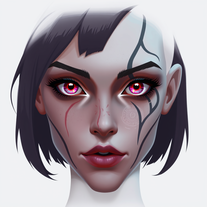 Create fantasy portraits with unique eyes and scars.Open
 -
 Craft epic eSports logos with AI-powered design.Open
 -
 Open
Open -
 Create vibrant comic-style illustrations with neon energy.Open
 -
 Transform photos into vibrant comic book illustrations.Open
 -
 OpenVideo editing is the process of selecting, trimming, and arranging footage to create a cohesive story or visual narrative. Here are some fundamental concepts and techniques: Types of Video Editing Linear editing: A straightforward, sequential approach to editing, where clips are arranged in a linear timeline. Non-linear editing: A more flexible approach, where clips can be arranged and rearranged freely in a timeline. Key Video Editing Techniques Cutting: A transition between two clips, where one clip ends and another begins. Cutting on action: Cutting between two clips while an action is in progress, to create a seamless transition. J-cut: Cutting from one clip to another while audio from the second clip starts playing before the video cuts to it. L-cut: Cutting from one clip to another while audio from the first clip continues to play. Video Editing Software Popular video editing software includes: Adobe Premiere Pro: A professional-level editing software with advanced features and integration with other Adobe tools. Final Cut Pro: A professional-level editing software for Mac users, known for its user-friendly interface and advanced features. DaVinci Resolve: A free and paid editing software that offers advanced color grading and audio editing tools. Best Practices for Video Editing Plan your edit: Develop a clear vision and storyboard before starting to edit. Organize your footage: Label and categorize your clips to make them easily accessible. Keep it simple: Avoid overusing transitions and effects; focus on telling a clear story. Advanced Video Editing Techniques Color grading: Adjusting the color and brightness of footage to create a specific mood or atmosphere. Audio ducking: Automatically reducing the volume of background audio when dialogue is present. Motion graphics: Adding animated text, logos, or other graphics to enhance the visual narrative. Video editing involves selecting, trimming, and arranging footage to create a cohesive story. Linear and non-linear editing are two fundamental approaches. Key techniques include cutting, cutting on action, J-cuts, and L-cuts. Popular software includes Adobe Premiere Pro, Final Cut Pro, and DaVinci Resolve. Best practices involve planning, organizing footage, and keeping it simple. Advanced techniques include color grading, audio ducking, and motion graphics. Capcat pro Capcat pro Download image-to-image-generator generated imagetransparent pixel Image to Image Generator Image to Image Generator Download image-to-image-generator generated imagetransparent pixel Image to Image Generator Image to Image Generator Download image-to-image-generator generated imagetransparent pixel Image to Image Generator Image to Image Generator Download image-to-image-generator generated imagetransparent pixel Image to Image Generator Image to Image Generator Download image-to-image-generator generated imagetransparent pixel Image to Image Generator Image to Image Generator Download image-to-image-generator generated imagetransparent pixel Image to Image Generator Image to Image Generator Download image-generator generated imagetransparent pixel Image Generator Image Generator Copy Video Editing Basics Video editing is the process of selecting, trimming, and arranging footage to create a cohesive story or visual narrative. Here are some fundamental concepts and techniques: Types of Video Editing Linear editing: A straightforward, sequential approach to editing, where clips are arranged in a linear timeline. Non-linear editing: A more flexible approach, where clips can be arranged and rearranged freely in a timeline. Key Video Editing Techniques Cutting: A transition between two clips, where one clip ends and another begins. Cutting on action: Cutting between two clips while an action is in progress, to create a seamless transition. J-cut: Cutting from one clip to another while audio from the second clip starts playing before the video cuts to it. L-cut: Cutting from one clip to another while audio from the first clip continues to play. Video Editing Software Popular video editing software includes: Adobe Premiere Pro: A professional-level editing software with advanced features and integration with other Adobe tools. Final Cut Pro: A professional-level editing software for Mac users, known for its user-friendly interface and advanced features. DaVinci Resolve: A free and paid editing software that offers advanced color grading and audio editing tools. Best Practices for Video Editing Plan your edit: Develop a clear vision and storyboard before starting to edit. Organize your footage: Label and categorize your clips to make them easily accessible. Keep it simple: Avoid overusing transitions and effects; focus on telling a clear story. Advanced Video Editing Techniques Color grading: Adjusting the color and brightness of footage to create a specific mood or atmosphere. Audio ducking: Automatically reducing the volume of background audio when dialogue is present. Motion graphics: Adding animated text, logos, or other graphics to enhance the visual narrative. Video editing involves selecting, trimming, and arranging footage to create a cohesive story. Linear and non-linear editing are two fundamental approaches. Key techniques include cutting, cutting on action, J-cuts, and L-cuts. Popular software includes Adobe Premiere Pro, Final Cut Pro, and DaVinci Resolve. Best practices involve planning, organizing footage, and keeping it simple. Advanced techniques include color grading,
 -
 Generate imaginative heroes for children's stories.Open
 -
 AI-generated truth questions and dare challenges for parties.Open
 -
 Creates elegant single-line Valentine's illustrations using minimalist continuous strokes.Open
 -
 Transform into an ultra-realistic 8K jungle warrior.Open
 -
 Create hyper-realistic beach party scenes for personal branding.Open
 -
 Transform bland characters into compelling heroes.Open
 -
 Transform faces into hilarious peephole distortions.OpenThese are SO FUN!!! One of the best minitools on this site, idea is so unique
 -
 AI-powered visual storytelling companion that generates detailed images.Open
 -
 AI-powered Truth or Dare for unforgettable parties.Open
 -
 Open
Open -
 Creates immersive first-person perspective images that simulate your own eyes.OpenDude I put nothing wrong and it said inappropriate content bro
 -
 Create adorable Funko Pop-style characters from any concept!OpenChanged the prompt to improve results.
 -
Changed the prompt to improve results.
-
 Generate memorable YouTube channel names instantly.Open
 -
 Generate fantastical AI creatures with ultra-realistic detail.Open
 -
 Transform brief ideas into complete YouTube scripts.OpenDefinitely helpful , time saver for sure! Gives you clarity and is a way for someone to have a quick description of what they should achieve with their script.
 -
 AI-powered YouTube tag generator for better discoverability.Open
 -
 AI-powered Truth or Dare Generator creates unique questions and challenges.Open
 -
 Transform gaming vision into stunning legendary weapons.OpenThis AI tool generates high-resolution, visually stunning images of magical and mystical weapons and artifacts, crafted specifically for gamers, fantasy lovers, game developers, and world-builders. Whether you're building a legendary armory for a tabletop RPG, designing loot for your video game, or just need inspiration for concept art — this tool brings enchanted blades, elemental staffs, ancient relics, and arcane gear to life. Simply describe your item (e.g. “a frost-infused longsword forged by ice giants” or “an obsidian ring that glows with cursed runes”) and let the AI do the rest.
 -
-
 Create hilariously bad 3D art from ideas.Open
 -
 Transform words into vibrant pop art portraits.Open
 -
 Transform ideas into ethereal watercolor masterpieces.OpenTips for using app: For best results in creating wonderful minimalist style watercolor artwork, input carefully crafted prompts that includes your favourite watercolor styles (or regular watercolor styles) plus the subject matter, or you can auto-generate regular prompts in the app.
 -
 Transform ideas into 3D anime-inspired battle scenes.Open
 -
 Generate laser-focused newsletter content that resonates.Open
 -
 Transform ideas into vibrant pop art masterpieces.Open
 -
 Your culinary companion for global cuisines.Open
 -
 Create AI-powered coloring books with whimsical pop culture mashups.Open
 -
 Open
Open -
 Craft spooky-cute Halloween wallpapers for your phone.Open
 -
-
 Open
Open -
 Open
Open -
 Open
Open -
-
 Creating monthly dividend portfolios aligning with your goals.Open
 -
 Japanese-speaking analyst for financial and market analysisOpen
 -
 Find the ultimate surf sessions in a busy schedule.Open
 -
 Elevate raw thoughts into polished business language.Open
 -
 Adaptable expert on current entertainment and media trends.Open
 -
 Open
Open -
 Open
Open -
 Friendly guide on Orch-OR theory, engaging and informative.Open
 -
 Open
Open