What features does Agentkit offer for creating a custom AI chatbot?
Agentkit offers a range of features that allow you to create custom AI chatbots. These include the ability to train AI agents on information from different sources like website URLs, PDFs, docs, and defined Q&A pairs, customizable branding options, multilingual responses, automatic visitor language detection, domain restrictions, rate limiting, visibility controls, built-in actions such as trigger lead capture, display buttons, show custom forms, and call external APIs within the chat context.
Does Agentkit offer custom branding options for the AI agent?
Yes, Agentkit offers custom branding options for the AI agent. Users can set their brand colors, write a welcome message, add suggested prompts, and choose from 12 AI models, allowing the agent to seamlessly blend with the user's brand aesthetics.
Can Agentkit's AI chatbot detect a visitor's language?
Yes, Agentkit's AI chatbot can automatically detect a visitor's language. This allows it to provide responses in the visitor's language, enhancing the user experience and ensuring effective communication.
What types of domain restrictions, rate limiting, and visibility controls does Agentkit support?
Agentkit supports a range of domain restrictions, rate limiting, and visibility controls as part of its features. These features help to ensure that its deployment within a business context is as secure, efficient and as effective as possible.
How can I trigger lead capture, display buttons, and show custom forms with Agentkit?
With Agentkit, you can trigger lead capture, display buttons, and show custom forms using its built-in actions. These actions can be activated based on the context of the conversation, catering to the specific needs of users interactively.
How does Agentkit use external APIs within a conversation context?
Agentkit uses external APIs within a conversation context by triggering actions based on conversation inputs. This capability allows the AI to activate APIs that can perform a range of functions, like showing custom forms, depending on the conversation context.
Can Agentkit train AI agents using website URLs, PDFs, and text snippets?
Yes, Agentkit is capable of training AI agents using a variety of sources that includes website URLs, PDFs, and text snippets. This diverse range of sources ensures a comprehensive training process, resulting in AI agents that are capable of effectively addressing customer requirements.
What languages does Agentkit support for responses?
Agentkit supports responses in more than 95 languages. It's capable of automatically detecting a visitor's language and providing responses in that language, enhancing the chatbot's versatility in engaging with a diverse customer base.
Can Agentkit process Q&A pairs for AI training?
Yes, Agentkit can process Q&A pairs for AI training. You can define these pairs, which the system will then utilize in the training of your AI agent, contributing to a well-informed and effective AI customer service representative.
Does Agentkit allow customization of AI responses?
Yes, Agentkit allows customization of AI responses. With access to 12 different AI models and the ability to design the chatbot's appearance according to brand aesthetics, you can ensure your AI agent not only responds effectively, but also matches your brand's identity.
How is Agentkit equipped for automated customer interactions?
Agentkit is equipped for automated customer interactions by being designed as a 24/7 customer service representative. It is capable of handling customer queries and taking relevant actions based on the context of the conversation. Built-in functionalities include lead capture, displaying buttons, showing custom forms, and calling external APIs.
Is Agentkit a no-code AI tool?
Yes, Agentkit is a no-code AI tool. This means that you can build and customize your own AI chatbot without needing any coding skills or knowledge. The tool is designed to be user-friendly, allowing anyone to create a useful AI agent for their business needs.
How can Agentkit chatbots assist in 24/7 customer service?
Agentkit chatbots can assist in 24/7 customer service by being readily available to answer customer queries at any time. They are designed to understand and respond to customers effectively, thus providing a valuable service that operates around the clock.
What is Agentkit's methodology for training custom AI agents?
Agentkit's methodology for training custom AI agents involves using a variety of sources. The users input their website URL, upload documents, and define Q&A pairs for training purposes, creating an AI agent that's specifically designed to meet their needs. The users also choose an AI model as part of the process.
Can multiple agents be created for different sites, brands, or teams using Agentkit?
Yes, with Agentkit you can create separate agents for different sites, brands, or teams. This flexibility allows you to have different AI agents trained to provide specific services, aligning with the unique requirements of different sectors of your business.
What is Agentkit?
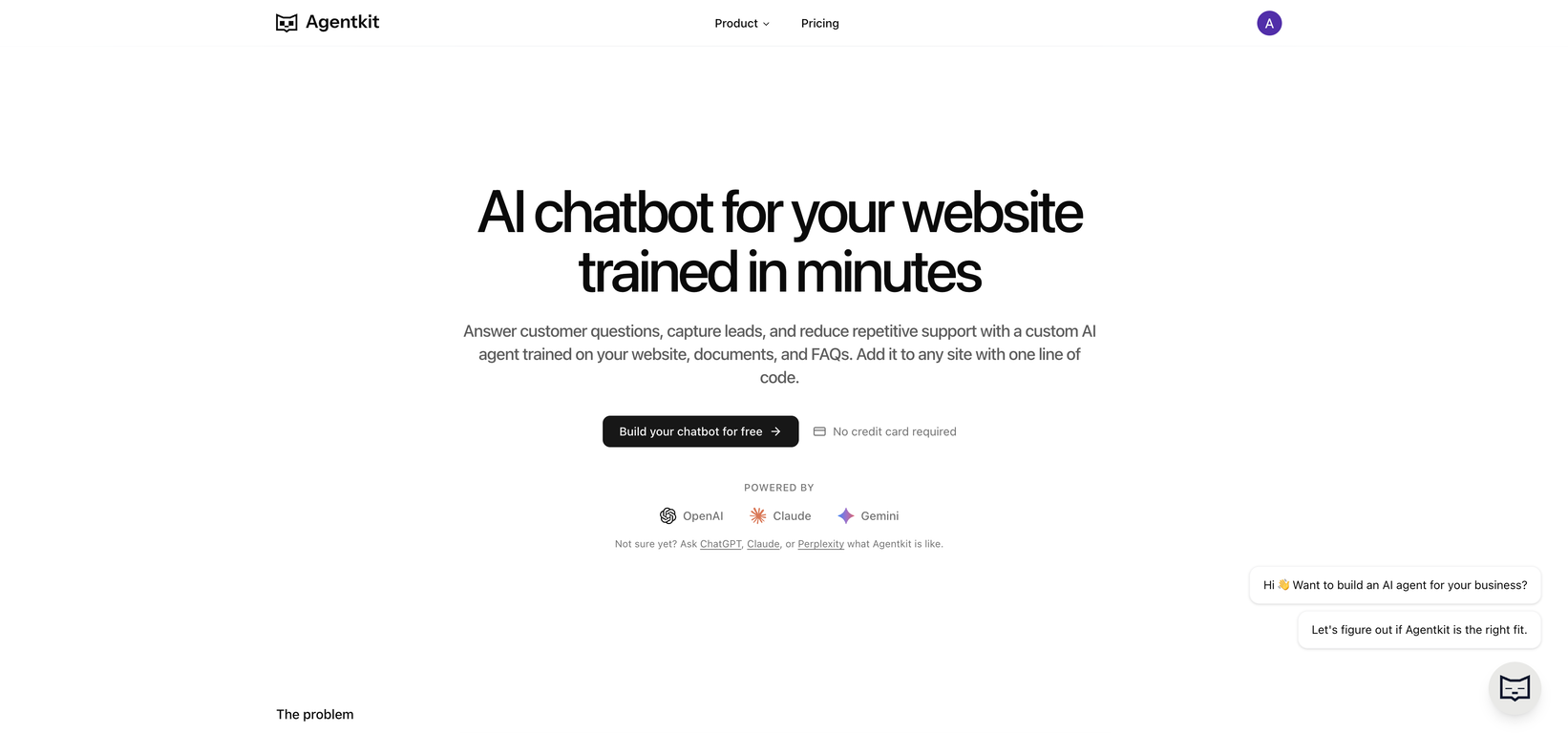
Agentkit is a no-code AI tool geared towards constructing tailored AI chatbots that are carefully coached for specific business requirements. The platform allows users to input their website, upload documents, and select an AI model to build a round-the-clock customer service representative proficient in answering customer questions and taking appropriate actions.
How does Agentkit work?
Agentkit works by allowing users to input their website, upload documents, and pick an AI model. This data is then used to create an AI chatbot fully customizable to the user's brand aesthetics, capable of answering customer inquiries and performing built-in actions all day, every day. The created chatbot can easily be integrated on any website presenting itself as a chat widget for customers to initiate interaction instantly.
What kind of content can I use to train my Agentkit chatbot?
Users can train their Agentkit chatbot using data from various sources. This may include website URLs, PDFs, Word documents, text snippets, and even defined question-answer pairs. The platform automatically extracts and indexes the content from these sources, training your AI agent.
Can Agentkit be integrated on any website?
Yes, Agentkit can be integrated on any website. With a simple script tag, the AI chatbot crafted with Agentkit presents itself as a chat widget visitors can use instantly. The platform supports embedding on WordPress, Shopify, Webflow, and essentially any site.
Does Agentkit require any coding skills?
No, Agentkit does not require any coding skills. It's a no-code tool designed to be user friendly even to individuals with no programming background. Just by adding your website, uploading the necessary documents, and choosing an appropriate AI model, you can develop a customized chatbot that fits your business requirements.
How can I personalize my Agentkit chatbot?
Agentkit provides several options for personalizing your chatbot. You can set your brand colors, create bespoke welcome messages, and choose from different chat bubble styles. These custom branding options allow your AI agent to fit seamlessly within your brand's aesthetic.
Does Agentkit have multilingual support?
Yes, Agentkit supports multilingual responses. The platform can cater to 95+ languages and is equipped with an automatic language detection feature, providing personalized interactions by detecting a visitor's language.
What are the guardrails provided by Agentkit?
Agentkit provides guardrails in the form of domain restrictions, rate limiting, and visibility controls. These features are designed to secure the AI agent and assure access and usability are within the acceptable parameters set by the user.
What kind of actions can the Agentkit AI agent perform?
The Agentkit AI agent can perform several built-in actions as part of a conversation. These actions include capturing leads, displaying buttons, showing custom forms, or even calling external APIs.
How can I track the usage of my Agentkit chatbot?
Users can track the usage of their Agentkit chatbot through fully readable chat logs provided by the platform. These logs also collect leads, making it a valuable tool in understanding customer interactions and business lead generation.
Can I create multiple agents with Agentkit?
Yes, with Agentkit, you are free to create multiple agents. The platform allows for the creation of separate agents for different sites, brands, or teams, helping organizations manage diverse and distinct customer engagements.
Does Agentkit have cross-platform compatibility?
Yes, Agentkit has cross-platform compatibility. With just one script tag, your chatbot becomes compatible across multiple platforms - WordPress, Shopify, Webflow, and essentially any website that accepts JavaScript.
How does Agentkit handle document indexing?
Agentkit handles document indexing by allowing users to upload documents in formats such as PDFs, Word documents, and text files. The platform then automatically extracts and indexes the content from these documents to train the AI agent.
How does Agentkit AI agent learn and adapt?
Agentkit's AI agent learns and adapts through a process called Adaptive Learning. With every customer interaction, the AI agent improves its performance over time. The model learns from each engagement, enabling more appropriate responses to diverse queries.
What is auto-retraining in Agentkit?
Auto-retraining in Agentkit is a feature that ensures your AI agent remains updated. Web sources added for agent training are refreshed on schedule, thus continually adapting the knowledge base of the agent to the ever-changing content on the web.
How does Agentkit capture leads?
Agentkit captures leads by performing certain built-in actions within the context of a conversation. These include but are not limited to collecting emails and contact information directly in the course of conversations.
Can customers interact with Agentkit agents using text snippets?
Yes, customers can interact with Agentkit agents using text snippets. The platform is capable of receiving textual inputs from customers and responsively delivers precise answers based on its adaptive learning model trained from website content, documents, Q&A pairs, and past interactions.
What customization options does Agentkit provide for chat bubble style?
Agentkit offers unique customization options for the chat bubble style. Users can choose their preferred style from available options to match their brand aesthetic, enhancing customer experience and ensuring brand consistency.
Can Agentkit execute API calls based on conversation context?
Yes, Agentkit can execute API calls based on the context of the conversation. This is one of the built-in actions that can be triggered by the AI based on the framework of the dialogue taking place between the customer and the chatbot.
Why use Agentkit over other AI chatbot tools?
Agentkit stands out among other AI chatbot tools for its extensive feature set and user-friendly interface. Its no-code design requires no programming skills, making it accessible to a wide range of users. It tailors chatbots to fit your brand aesthetics and supports multiple languages, enhancing customer experience. The platform also comes with guardrails for enhanced security. Another unique feature is its ability to execute built-in actions during a conversation, like lead capture, form display, or API calls. Usability is ensured across different platforms, supporting versatility. Moreover, Agentkit allows for multiple agent creation catering to different sites, brands, or teams.
What is Agentkit?
Agentkit is an AI-based tool that aids businesses in creating a custom chatbot, or AI agent, using their existing digital content like websites, documents, and FAQs. It is integrated into websites to provide real-time assistance to customers. Agentkit is self-learning, improves over time, and does not require any coding skills for its implementation or usage. It also offers custom branding options, supports over 95 languages, and can execute built-in actions like capturing leads and displaying buttons.
How does Agentkit work?
Agentkit works by extracting and indexing content from specific URLs, training from uploaded files including PDFs, Word documents, and text files, as well as from defined question-answer pairs. It allows users to customize the look and feel according to their brand, before embedding it on any site. It learns from every interaction, making the responses more accurate over time. The tool also features auto-relearning to assure the agent stays updated.
Can Agentkit embed on Shopify, Webflow, or any site?
Yes, Agentkit is fully compatible with Shopify, Webflow, and virtually any other site. It requires a simple one-line code to embed an AI agent on these platforms.
What are the AI models offered by Agentkit?
Agentkit offers 12 AI models to choose from. Notable models include OpenAI GPT and Anthropic Claude, among other high-performance models.
Does Agentkit require any coding skills?
No, Agentkit does not require any coding skills to be implemented or used. Its no-code AI solution provides a simple and streamlined process that anyone, irrespective of their technical background, can utilize.
How does Agentkit extract and index content from the website or documents?
Agentkit works by extracting content from the specific URLs that you provide, indexing it, and integrating it into the knowledge base of your AI agent. It can also learn from files uploaded by the user, which can include PDFs, Word documents, and text files.
How can Agentkit be customized according to the brand ?
To offer a personalized user experience, Agentkit provides numerous customization options. Businesses can set their brand colors, design a uniquely tailored welcome message, and select a chat bubble style that aligns with their aesthetic. This enables the AI agent to seamlessly blend into the business's brand identity.
Can Agentkit detect the visitor's language?
Yes, Agentkit is equipped with the capability to automatically detect a visitor's language. It supports responses in over 95 languages, making the interaction more personalized and targeted.
What is the auto-retraining feature of Agentkit?
The auto-retrain feature in Agentkit is designed to ensure that the AI agent stays updated. It refreshes web sources on schedule, enabling the agent to keep its knowledge base current and continue delivering accurate responses over time.
What built-in actions can Agentkit perform?
The built-in actions that Agentkit can perform include capturing leads, displaying buttons, revealing custom forms, or triggering external APIs based on the context of the conversation. These actions are designed to facilitate more effective and actionable customer interactions.
Is Agentkit compatible with WordPress?
Yes, Agentkit is fully compatible with WordPress. A simple line of script allows for easy embedding of the AI agent on a WordPress site.
Can Agentkit create multiple agents for different sites?
Yes, Agentkit supports the creation of multiple agents. Businesses can develop separate AI agents for different websites, brands, or teams, ensuring that each entity can have a unique, specialized agent.
Can Agentkit track the usage of chat logs?
Agentkit provides fully readable chat logs that allow businesses to track usage and interaction. This feature allows for analysis of customer interactions, facilitating better user understanding and improved service delivery.
Does Agentkit provide conversation tracking and lead capture features?
Yes, Agentkit offers features for conversation tracking and capturing leads. The tool captures logs from all the conversations, allowing businesses to track message usage and capture leads from every conversation.
Does Agentkit have an automated mechanism to refresh web sources?
Yes, Agentkit has an automated mechanism to refresh web sources. The integrated auto-retrain feature refreshes the listed web sources on a schedule, ensuring the AI agent stays accurate and up-to-date.
What is the process of creating a custom AI agent with Agentkit?
To create a custom AI agent with Agentkit, simply add your website or upload documents on the platform. Then, select an AI model of your choice and customize the appearance of the agent according to your brand. Once done, the AI agent can be embedded on any website and will be ready to start answering customer queries 24/7.
Can Agentkit respond in multiple languages?
Yes, Agentkit is capable of responding in more than 95 languages. Its built-in mechanism automatically detects a visitor's language, delivering personalized and accessible interactions for a global audience.
How does Agentkit facilitate improved customer engagement?
Agentkit enhances customer engagement by answering inquiries 24/7, offering real-time assistance, and providing personalized experiences. By extracting and learning from a business's digital content, Agentkit efficiently answers customer queries, improving user experience and fostering stronger customer relationships.
Can Agentkit learn from uploaded files?
Yes, Agentkit can learn from uploaded files. This includes a variety of document formats such as PDFs, Word documents, and text files. These sources enrich the AI agent's knowledge base, enabling it to accurately answer customer inquiries.
In what all ways can Agentkit improve the customer interactions on my website?
Agentkit can improve customer interactions on the website by offering round-the-clock customer assistance, providing accurate response to queries, personalizing interactions via brand customization and language detection, capturing leads through built-in actions, and continually improving its responses through auto-retraining and learning from every interaction.