
 Mini tools
▼ Popular
Generating art
Free mode
100% free
Freemium
Free Trial
Other tools
-
GMLegende🙏 12 karmaJul 7, 2024@Artificial ArtLitterally the worst AI art i've seen yet, takes forever and the quality is worse than ever
-
-
Kind of ridiculous. Let's you generate one image and then you have to pay to sign up. With all the free tools out there that give you a couple dozen images per day, this is simply not helpful.
- Sponsor
 Base44 Superagents-AI agent that does it all
 -
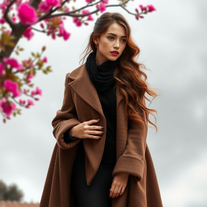
A vibrant and dynamic YouTube channel banner in 2560x1440 resolution, featuring a stylish young girl as the central character. She has short wavy brown hair, round glasses, honey-colored eyes, black eyebrows, and is wearing casual sporty clothes like a hoodie and sneakers. She's posing confidently in an urban street background with neon lights and graffiti, holding a camera or laptop to represent content creation. The style is modern digital art with high contrast, vibrant colors, and motivational text overlay like 'Adventure Awaits' in bold fonts. Focus on the center for mobile view, high detail, cinematic lighting, ultra HD."
-
It is just a fantastic tool. Can't believe it's free. That's unfair.
-
 Open
Open -
I like Artimator because it is intuitive, fast and provides full rights to use the images I created for commercial use!
-
I get the idea, but if you are making image generator, that is so specific, it has to be really really good. But i like the idea, still, much to work on.
- Didn't find the AI you were looking for?
-
By what I mean is not offensive, I mean I am getting the images accurately according the promt that I gave, I tried with a girl image and it got correctly, I taught this is non offtial kind of site.
-
Don't trust sites that won't provide pricing.
-
I think I've learned a valable lesson here. I'm never going to use or ever bother to purchase a subscription if the inintial logo is this lousy. I guest AI does not do quality control.
-
-
great for quick mockups when i need placeholder art. not as robust as some other tools but it's fast and the visuals are clean enough for client presentations. gets the job done without overthinking it
-
Artist Tips for Better Results with Somnira Canvas: To help Somnira Canvas render the most compelling and emotionally resonant figures—whether human or animal—users are encouraged to guide the tool with poetic, suggestive phrasing rather than highly technical descriptions. This helps maintain harmony with the platform’s expressive strengths. For human figures, try emotion-based posture phrases like “curled in sorrow,” “reaching toward a fading light,” or “kneeling in wind.” Favor mood-based modifiers over anatomical specifics, such as “a silhouette bathed in dusk” or “a quiet figure in motion blur.” For animals, use mythic or metaphorical phrasing like “a fox made of stars,” “a deer outlined in frost,” or “a lion woven from dusk and gold.” Avoid strict biological realism unless intentionally stylized (e.g., “cubist owl,” “ink-drawn heron”). Best practices include specifying camera perspective or body angle with terms like “3/4 view,” “top-down shot,” or “over-the-shoulder,” and adding atmospheric cues such as “drifting in chalk mist,” “outlined by candlelight,” or “carved in shadow.” You can also add emotion-based tags directly into the prompt—words like “longing,” “grief,” “stillness,” or “wonder” will guide the aesthetic and expressive qualities of the final artwork.
-
 Generate hauntingly beautiful carnival performers with disturbing anatomy.Open
 -
 Open
Open -
 Open
Open -
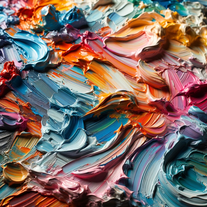 Creating and describing art with a creamy, palette knife style.Open























Post





