TAAFT Tutorial
Generate image
Tasks
Generate text
Free mode
Trending
Leaderboard
Characters
 Mini tools
New
Featured
Lists
Agents
Requests
Jobs
Map
Newsletter
Starter pack
Free tools
Speech to text
Text translator
Remove background
Settings
Edit profile
My tools
Gallery
Dashboard
Inbox
Get featured
Contact TAAFT
For you
Popular
Job impact index
Most saved
Affiliate program
Submit AI tool
Notification preferences
Glossary
Home
Timeline
My profile
Create tool
Deals
Companies
Models
Robots
Papers
Fundraises
Repositories
Devices
Organizations
Events
Prompt Pack
Merchendise
APIs
Features
Tools
Countries
Collections
Videos
Mini tools
New
Featured
Lists
Agents
Requests
Jobs
Map
Newsletter
Starter pack
Free tools
Speech to text
Text translator
Remove background
Settings
Edit profile
My tools
Gallery
Dashboard
Inbox
Get featured
Contact TAAFT
For you
Popular
Job impact index
Most saved
Affiliate program
Submit AI tool
Notification preferences
Glossary
Home
Timeline
My profile
Create tool
Deals
Companies
Models
Robots
Papers
Fundraises
Repositories
Devices
Organizations
Events
Prompt Pack
Merchendise
APIs
Features
Tools
Countries
Collections
Videos
Mini tools
New
Featured
Lists
Agents
Requests
Jobs
Map
Newsletter
Starter pack
Free tools
Speech to text
Text translator
Remove background
Settings
Edit profile
My tools
Gallery
Dashboard
Inbox
Get featured
Contact TAAFT
For you
Popular
Job impact index
Most saved
Affiliate program
Submit AI tool
Notification preferences
Glossary
Home
Timeline
My profile
Create tool
Deals
Companies
Models
Robots
Papers
Fundraises
Repositories
Devices
Organizations
Events
Prompt Pack
Merchendise
APIs
Features
Tools
Countries
Collections
Videos

▼ Latest
Printable resources
Free mode
100% free
Freemium
Free Trial
Featured matches
-
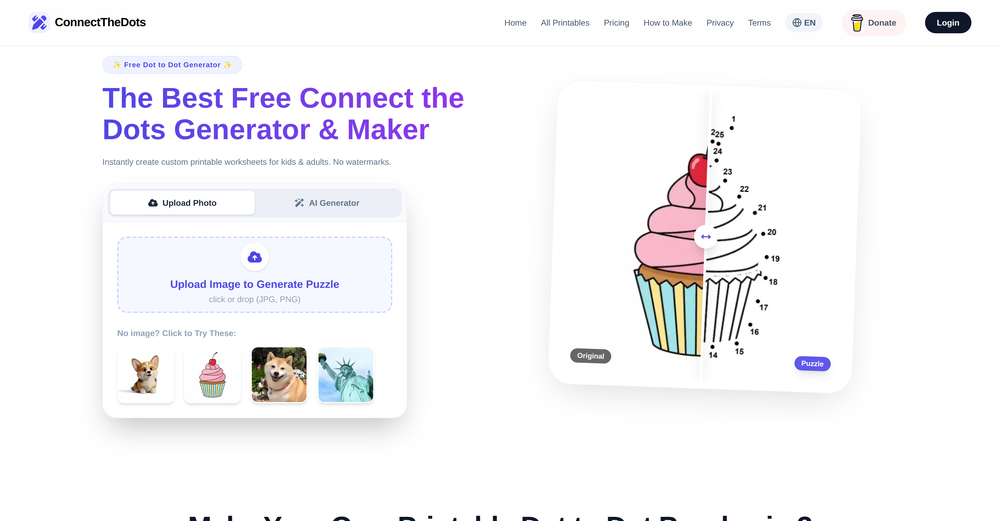
 Mihnea Stanila🛠️ 1 tool 🙏 40 karmaFeb 23, 2026@ConnectTheDots GeneratorI just published a children's drawing book on Amazon in 2-3 hours of fiddleing with this tool. Really really good!
 -


Verified tools
- Sponsor
 Tripo AI 3D Generator
 -
Great for my kids, I was able to turn their favorite characters and images into coloring pages! wonderful
-
It appears their site may be overwhelmed - a 1-second old email confirmation code was considered "expired". Sign-up was impossible.
-
I’ve been using it for a month now and I have decided to keep it for a year. There definitely are some kinks they can still work out like file management, but it’s very good at it’s core function: it generally does a good job answering questions and most times identifies PDFs automatically and correctly. The browser plugin works great, and it’s very nice that Papers allows you to add your university’s library API so you can automatically download PDFs that are accessible through your institution (sometimes it refuses to download some papers, so you just have to downlow it yourself and manually add it). The iPad and Android apps are serviceable. Every once in a while it will mess up the PDF identification, especially with papers from either very old sources or online-only journals. Things they must work on: * A much better system to annotate PDFs (the post-it type notes are cumbersome). * Introduce a notepad attached to each PDF or some way to easily link and save the AI’s output to the PDF. Currently, you have to add a little post it note and then paste the text there. * Keep the AI answers available after closing the documents. If you close the document by mistake or have several open and wish to close some, the ai conversation will be reset. * I REALLY wish that you could get citations and links to where the info was from extracted from PDFs. Currently, I have found Coral.ai does a much better job of showing you where the info came from and it even highlights it for you. Give it a try, their 30-day no credit card needed trial allowed me to truly test it, and now I’m a yearly subscriber looking forward for new additions and releases.
-


















Other tools
-
Used to make coloring pages for the wedding of a friend’s son. Was easy to use. Can pay monthly.
-
Comprehensive Study tool, generates everything from summaries to different styles of exercises with answer keys. May be suitable for creating worksheets for students, but is capped to grade 12 students level. Better for students wanting to studying in a more interactive way.
-
 Transform prompts into vibrant coloring pages.Open
 -
It's great if you want crisp coloring pages. You get a few for free, then you'll hit the credit cap. But the price is fair I'd say.
-
It created animals with more than 4 legs and multiple animals when I asked for one. Sometimes you have to run it a few times with the same prompt to get something usable, but even then it probably won't be what you are thinking in your head. That being said, I think it is a good start, and for kids that just want to color something for free, it's cool to play with. It is definitely not the same quality as even the lower-end HuggingFace Stable Diffusion projects.