Go to section
Spotlight SureThing.io - "OpenClaw" for BeginnersTask automation
The front page of AI.Used by 90M+ humans.

TAAFT Tutorial
Generate image
Tasks
Generate text
Free mode
Trending
Leaderboard
Characters
 Mini tools
New
Featured
Lists
Agents
Requests
Jobs
Map
Newsletter
Starter pack
Free tools
Speech to text
Text translator
Remove background
Settings
Edit profile
My tools
Gallery
Dashboard
Inbox
Get featured
Contact TAAFT
For you
Popular
Job impact index
Most saved
Affiliate program
Submit AI tool
Notification preferences
Glossary
Home
Timeline
My profile
Create tool
Deals
Companies
Models
Robots
Papers
Fundraises
Repositories
Devices
Organizations
Events
Prompt Pack
Merchendise
APIs
Features
Tools
Countries
Collections
Videos
Mini tools
New
Featured
Lists
Agents
Requests
Jobs
Map
Newsletter
Starter pack
Free tools
Speech to text
Text translator
Remove background
Settings
Edit profile
My tools
Gallery
Dashboard
Inbox
Get featured
Contact TAAFT
For you
Popular
Job impact index
Most saved
Affiliate program
Submit AI tool
Notification preferences
Glossary
Home
Timeline
My profile
Create tool
Deals
Companies
Models
Robots
Papers
Fundraises
Repositories
Devices
Organizations
Events
Prompt Pack
Merchendise
APIs
Features
Tools
Countries
Collections
Videos
Mini tools
New
Featured
Lists
Agents
Requests
Jobs
Map
Newsletter
Starter pack
Free tools
Speech to text
Text translator
Remove background
Settings
Edit profile
My tools
Gallery
Dashboard
Inbox
Get featured
Contact TAAFT
For you
Popular
Job impact index
Most saved
Affiliate program
Submit AI tool
Notification preferences
Glossary
Home
Timeline
My profile
Create tool
Deals
Companies
Models
Robots
Papers
Fundraises
Repositories
Devices
Organizations
Events
Prompt Pack
Merchendise
APIs
Features
Tools
Countries
Collections
Videos

▼ Latest
Professional design tool
Free mode
100% free
Freemium
Free Trial
Featured matches
-
 The fastest way to map and streamline inefficient workflowsOpen
 Michael Adair🙏 5 karmaDec 1, 2025@RapidMap - powered by LeanifyVery good. I like it
 -
-
 Have to sign up, but can't even sign up because they refuse to accept my password.
 -

-
 Open
Open
-
-
-
 Turn notes into perfect infographics from 500+ designs.Open
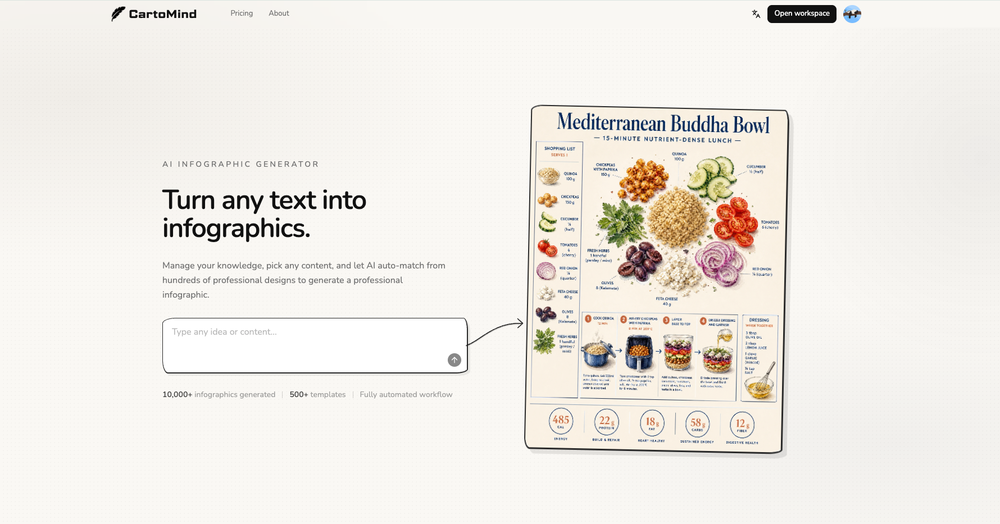 Hi TAAFT! I'm Henry, the founder of CartoMind. CartoMind offers a fully automated AI workflow to help you quickly organize text content and generate the perfect infographics to match. 【Why did I build this?】 When creating infographics with AI today, users are often forced to choose between two extremes. You either use generic AI image SaaS tools that trap you in complex prompt engineering and steep design learning curves with zero knowledge management, or you use products like NotebookLM. While they are fantastic for knowledge management, their infographic generation is just an afterthought, lacking design freedom and rich templates. 【Here is where CartoMind stands out:】 1. Lightweight knowledge & note management: We support uploading multiple file formats and automatically parsing text, allowing you to freely select the exact knowledge snippets you want to visualize. 2. Fully automated workflow: Based on your selected content, our AI automatically distills the key text elements and instantly matches you with the ideal infographic design from over 500 professional combinations. 3. Massive template library: A rich selection of infographic templates offering a true what-you-see-is-what-you-get experience. 【Who is using it?】 Marketers, educators, social media creators... In fact, anyone who needs to make their domain knowledge "visible" and loves to share it will find it incredibly useful. 【I can't wait for you all to try it out!】
 -
-









Verified tools
- SpotlightSureThing.io - "OpenClaw" for BeginnersTask automation
-
been using this for a bit and the songs it makes are honestly pretty good, way better than i thought. love the clean design too, makes it easy to use. only thing i wish is there was some kind of playlist feature so i can organize all the songs i made, gets hard to find stuff after a while. but yeah solid app overall
-
made a presentation for my site with just 1 prompt, lol how did the AI get so much information out of my website lol
-
-
It's kind of lame to promise the moon and deliver essentially nothing.
-
👋 Hey, I'm the founder of Flowova! We built this because we were tired of spending hours dragging boxes in traditional flowchart tools. A few things you might not know: - Works with anything — text, images, PDFs, Word, PPT, Excel, even photos of whiteboard sketches - 40+ themes designed for presentations - Full Mermaid code support for developers Happy to answer any questions! 🚀
-
I'm absolutely blown away by the design quality of the presentations they look so vibrant and stylish. I was also pleasantly surprised that the AI asks lots of clarifying questions to make sure the final result is exactly what I wanted, not just something random. Vibes 🔥
-
Gave it a spin today—absolutely blown away. For anyone building something and tired of delays and complexity, this is a game-changer. I spent ages navigating technical back-and-forth before this made it effortless. Had my site up almost instantly. Couldn’t ask for more.
-
 Your AI presentation agent for instant professional slides.Open- Added MCP support, allowing AI agents and MCP-compatible tools to connect with Dokie directly. - Enabled agent-driven presentation creation, making it easier to turn prompts, documents, and structured content into slides. - Improved workflow compatibility for AI agent use cases, including research-to-slides and report-to-PPT scenarios. - Optimized generation stability when creating presentations through external AI tools. - Improved the handoff from AI-generated content to editable, export-ready PPTs.
 -
Thank you — this honestly means a lot 🙏 "No design experience needed" was exactly the goal, so it's awesome to hear it clicked for you. Thanks for creating with MagicReels, and don't hesitate to reach out if you ever need anything!
-
Didn't really do the graphs that i thought it would do. Good for simple graphs, like for a presentation
-
Apologies for the delayed response. Let me clarify our free tier benefits: 1.Daily Quick Credits: Free users receive 2 quick generation credits every day. 2.Unlimited Standard Generation: You can generate an unlimited number of images daily. Please note that during peak usage times, generation speeds may be slower to accommodate high traffic. 3.Advanced Features: Free users also have access to our excellent face-swap feature. 4.Our platform features the leading Nanobanana series models, supports various LoRA effects, and includes tools for background removal and image outpainting/expansion. 5.We welcome you to try them out! Regarding your question about pricing: The core features mentioned above are genuinely free. The 'pricing' structure you saw likely refers to optional paid plans for users who need faster speeds during peak times, higher priority, or additional commercial features. It is not 'free after you pay,' but rather a free base service with optional upgrades. We hope this clears up any confusion!"
-
A very useful AI slides tool! The content it generates is genuinely smart.
-
PPT.AI is an outstanding AI-powered presentation tool that has completely transformed my workflow! With just a few clicks, it turns my ideas, documents, or even YouTube links into polished, professional slides in minutes. The platform offers over 800 premium templates and smart editing tools, making customization both powerful and intuitive. I especially appreciate the real-time cloud collaboration and version control features, which make working in teams seamless. Whether you’re a professional, educator, or entrepreneur, PPT.AI saves a tremendous amount of time and ensures every presentation looks visually engaging and consistent. Highly recommended—definitely a five-star experience!
-
I had a really good experience with Decory. Out of the tools I’ve tried, it’s probably the easiest and most straightforward to use. The interface is simple, so I didn’t feel overwhelmed, and I liked how quickly it generated room designs. What I personally found most useful was the option to buy items directly through the app — it saved me the hassle of searching for similar furniture elsewhere. Overall, it’s a practical tool that I’d recommend to anyone looking for quick design ideas.
-
 Transform any image into stunning AI-enhanced visuals.OpenIt can generate any image I want freely, it's amazing!
 -
 Open
Open -
 Turn architectural sketches into photorealistic renders in seconds.Open
 -
-
 AI website builder that helps small businesses win customers.Open
 -
-
-
It's a pity I got a red line saying there is an error Actually, after a while, I got an email with the presentation So it was created, delivery was average I'd say, I didn't use it
-
Just paste content in, layout will automatically be desigend
-
Great tool for experimenting with paint effects. It's like an AI-powered version of microsoft paint. Also made a video on it https://youtu.be/ZWOP1M7pgSE
-
-
 AI render enhancer built for archviz professionals.Open
 -
I think I've learned a valable lesson here. I'm never going to use or ever bother to purchase a subscription if the inintial logo is this lousy. I guest AI does not do quality control.
-
 Remove backgrounds from images with AI in seconds.Open
 -
cook, this tool could help you blend any animals fast
-
I got some free credits to try the app when I signed up, I could create a few great infographics
-
We built UPCV with a simple intention: to make writing a resume no longer the most frustrating part of the job search. We’ve spent a long time refining our guided questions, real-time formatting engine, ATS-friendly structure, and multilingual support. We’ve also talked to many real job seekers to better understand their challenges. Whether you’re writing your first resume, switching careers, coming off a gap, or just struggling with layout and structure — we hope UPCV helps you take that step more easily and frees up your time for what truly matters: building a better future for yourself. Thank you for choosing to click on us in a sea of tools. We’ll keep working hard to make it even better.
-
-
 Open
Open -
Working good and enough credits including achievements to test the app for free
-
 Find Your Ideal IT Career Path in Minutes - Backed by PsychologyOpen
 -
 Create, Edit, and Apply Professional Signatures with AI in SecondsOpenThis product comes with great preset styles, which helps me avoid designing without direction. However, at the same time, the presets also limit creativity to some extent.
 -
pretty clean tool, i tried a couple product images fast and the controls make sense. model picks, image-to-image and quick batch runs are handy for ad shots or thumbnails. the free tier is tiny at 2 credits, so it's more of a taste test than real use.
-
poor tool doesn't take your prompts correctly i asked for specific colors and still gave me colors i didn't want even when asked not to.. waste of time
-
 Ship Your Full-Stack MVP in Hours, No CodeOpenThe AI tool that turns Figma design into production-ready websites, automates complex backend tasks like auth and payments, adds AI capabilities, and I like their support team service.
 -
-
 Free AI t-shirt design generator: Transform photos or prompts into custom apparelOpenTook like 1 minutes to generate the design and preview was straightforward. Worth trying if you want custom shirts
 -
Thanks for your note. Pi is independently developed, with more than Gamma: richer themes, interactive surveys, AI copilot. 7-day free trial—try it to see! We value innovation and users.
-
I love that you can choose different LLMs with free ones
-
Was really impressed with the quality of logo gen! I created a logo for my business in 5 minutes and was able to convert it to a vector
-
Idea is nice, but recognizes only 15% of nicely drawn sketch, so for now - it's crap.
-
-
 Generate professional presentations in seconds with AIOpenDid not allow to download the slides.... ideally they should keep it free till sufficient traffic hits the platform and allow people to share feedback.
 -
The best home renovation tool with a great user experience and stunning 4K outputs, to visualize imagination into reality.














































































Other tools
-
Says "free during testing," but keeps telling me I have insufficient credits. I also can't seem to find a way to delete my account.
- Didn't find the AI you were looking for?
-
The conversation with the ai felt really nice. And the even the narrative part is well executed.
-
Threw a pic of my living room in, asked for warm modern and it gave me a layout that was actually really nice. Some renders look a bit plastic and it guesses weird details here and there, but as a quick vibe check it’s legit.
-
I really like SignatureGen.ai — it makes creating a clean, professional-looking signature super easy, and the download options are genuinely useful for documents, email signatures, and branding.
-
As far as generating anything useful for product design, the results are pretty useless. the prompt I interfered was quite detailed. Not for me.
-
-
-
Love this AI logo platform! Super easy to use—no design skills needed. The logos it spits out are clean, sharp, and totally on point for my brand. Saved me tons of time fussing with tools. Straight-up great. Recommend!
-
i wasted time to explain which format to build, provided all details including even the finished product to match it and simply the normal reply for any free AI tool on? how? explain!
-
 Create cinematic photos with holographic twin projections.Open
 -
 Create stunning, ultra-realistic images from text prompts.Open
 -
 AI-powered stencil silhouette design tool.Open
 -
-
 Generate stunning Instagram mockups from keywords instantly.Open
 -
its okay. it is realy good at generating animals
-
 Transform business concepts into stunning visual silhouettes.Open
 -
 AI-powered YouTube banner creator for professional channels.Open
 -
 Transform text descriptions into professional circuit diagrams instantly.Open
 -
 Transform photos into cinematic Funko-Pop portraits.Open
 -
 Open
Open -
 AI-powered logo generator creating professional vector logos from prompts.Openit's okay for a mini-tool, just not something i'd lock as a final brand ;)
 -
 Open
Open -
-
 Transform text prompts into polished, design-ready visuals.Open
 -
 Create social media-ready visuals with perfect text rendering.Open
 -
 Transform any description into vibrant cartoon masterpieces.Open
 -
 Open
Open -
Good but makes changes I specifically asked it not to. Each time it adds something new changing the image
-
pretty solid minitool for food renders, it gets close to the prompt and the plates look believable but it can miss tiny details, so the image sometimes lands a bit flat. works ok, not great, not terrible.
-
 AI-generated hyper-realistic human portraits, customized to perfection.Open
 -
 Open
Open -
-
 Open
Open -
Yep! Thanks for the comment!
-
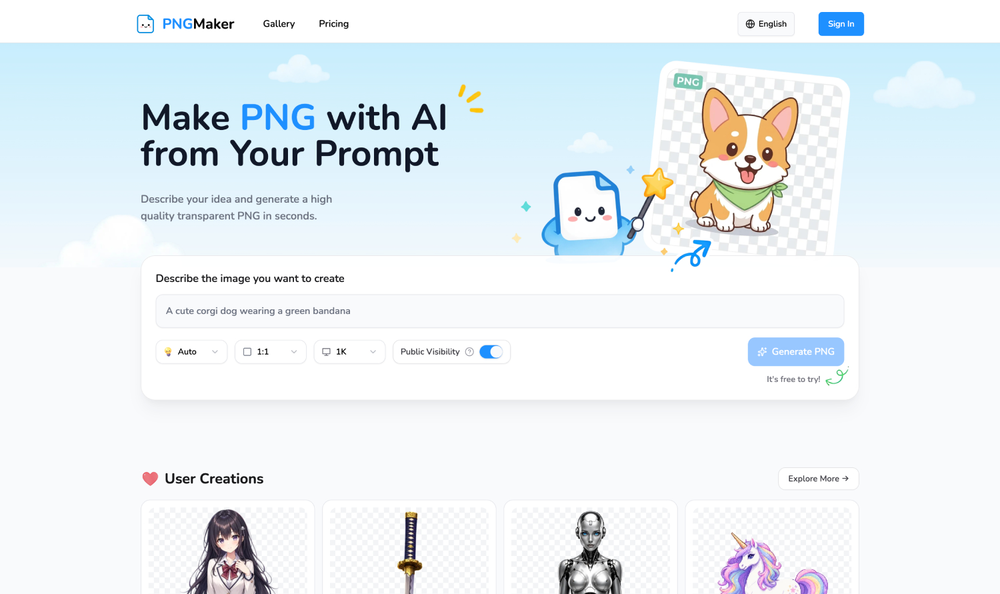
 Transform ideas into vibrant PNG art illustrations.Open
 -
 AI-powered 3D comic backgrounds in HDTV quality.Open
 -
i will review bro..tnx for the feedback
-
 Transform ideas into stunning visuals with AI.Open
 -
Worked wonderfully. Gave me with prompts that helped create a logo I'm happy with