How does Clawly's real-time token tracking work?
Real-time token tracking in Clawly's dashboard monitors the ongoing operational tokens of the AI agent. This helps ensure users have an immediate and up-to-date understanding of their token usage and remaining balance.
What are the platforms that Clawly provides multi-channel support and health monitoring for?
Clawly provides multi-channel support and health monitoring for platforms like Telegram, Discord, WhatsApp, and Slack. This broad range of platform integration aids in maintaining the health and performance of the AI agent while offering multi-channel accessibility.
What kind of agent management features does Clawly offer from the user interface?
From the user interface, Clawly provides features like the ability to start, stop, and restart the AI agents. Users can also inspect server status, uptime, and memory usage, all integral elements of effective agent management.
How does Clawly maintain security and system integrity for each AI agent?
Clawly maintains the security and integrity of each AI agent by having each agent run in its own isolated container. This approach mitigates the risk of system disruption and keeps the API keys encrypted for advanced security.
How does Clawly's auto-update and rollback capability work?
Clawly's system auto-updates to maintain optimal performance and functionality. In cases where an update creates issues, the system has a rollback capability that allows it to revert back to a previous state without affecting the overall stability of the system.
What does Clawly mean by a transparent pricing model?
Clawly's transparent pricing model means that there are no hidden fees. The pricing is clear and straightforward. Users only pay for what they use, and can have a clear understanding of cost allocations.
Can I use my own API keys with Clawly?
Yes, users have the option to utilize their own API keys with Clawly. This feature adds flexibility to the billing process and can lead to cost savings for users.
How does the Bring Your Own Key (BYOK) option work with Clawly?
Bring Your Own Key (BYOK) is an option provided by Clawly where users can employ their own API keys. This provides users with flexibility in the use and billing of the services, as users can leverage their own API keys instead of relying on the provided ones.
What does server status in Clawly indicate?
Server status in Clawly provides users with an overview of the operational state of the server. It keeps users informed about whether the server is running properly, offering insights into uptime and potential technical issues.
Can Clawly help monitor memory usage?
Yes, Clawly includes memory usage inspection as part of its agent management system. It allows users to monitor and manage the memory usage of their AI agent, providing important data for efficient operation.
How does Clawly keep the AI agent online consistently?
Clawly keeps the AI agent online consistently by hosting it on their platform. Their hosting service ensures the AI agent remains operational 24/7 irrespective of user activity. This guarantees the AI agent's constant availability.
Can I manage my Clawly AI agent's uptime?
Yes, with Clawly's agent management system, users can monitor and potentially manage the uptime of their AI agent. This includes observing the online status and operational hours of the agent.
Is Clawly affiliated with or endorsed by the OpenClaw project?
No, Clawly is not affiliated with or endorsed by the OpenClaw project. The two function independently, despite Clawly providing a hosting service for the OpenClaw AI agent.
Does Clawly send budget alerts if my usage gets close to my budget limit?
Yes, Clawly provides budget alerts. Through its usage and cost dashboard, Clawly alerts users when the running costs are nearing the budget limit. This helps users manage costs and prevent unexpected bills.
What is Clawly Managed OpenClaw Hosting?
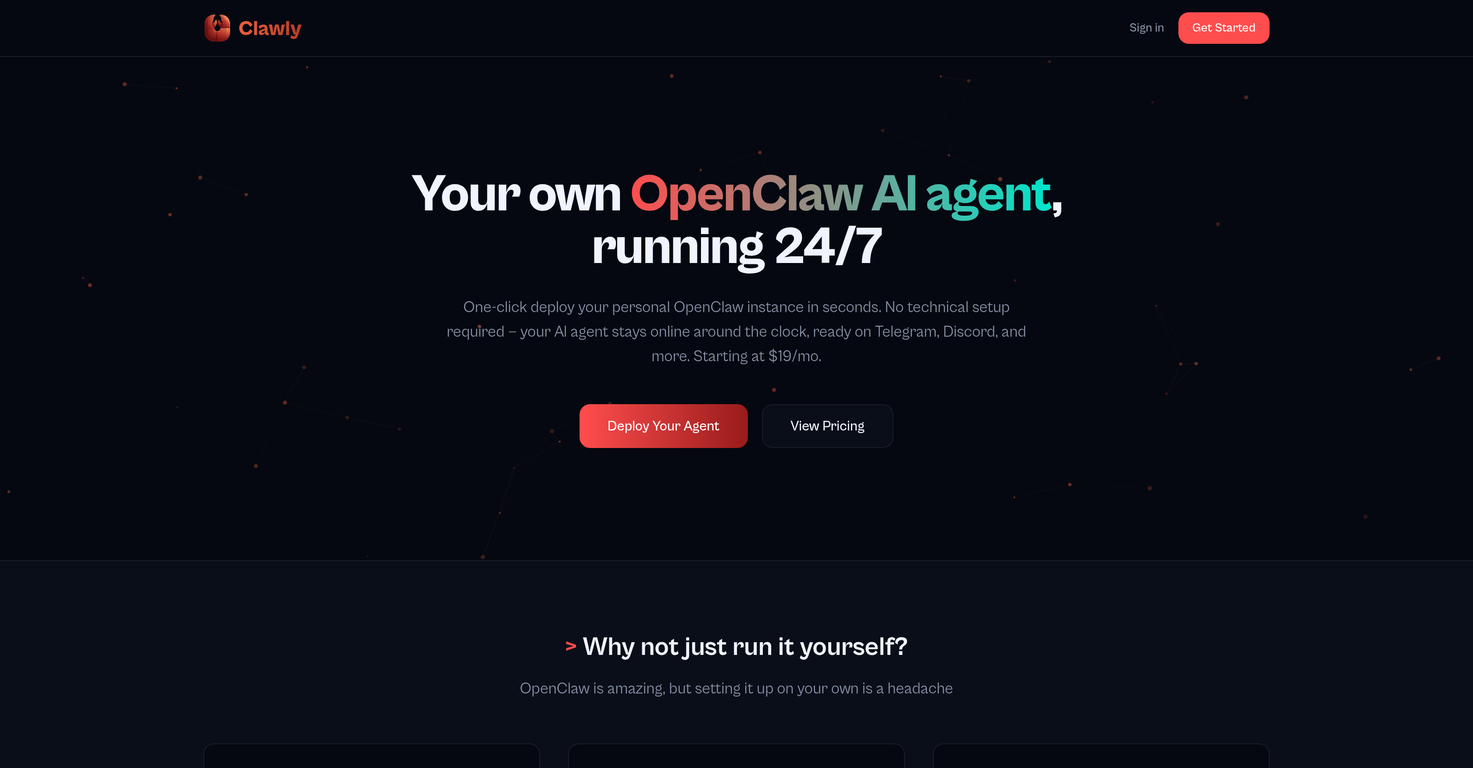
Clawly Managed OpenClaw Hosting is a service that allows users to deploy their own OpenClaw AI agent easily, without the need for any technical setup. This service ensures that the AI agent stays online consistently, even when a user's PC is not active, which greatly enhances its accessibility. It encompasses a full agent management system, including a usage and cost dashboard, multi-channel support, health monitoring, and security measures. Despite being a managed service, Clawly still allows for customization with the Bring Your Own Key (BYOK) option.
How do I deploy my own OpenClaw AI agent using Clawly?
To deploy your own OpenClaw AI agent using Clawly, all you need is a single click. Clawly handles the technical setup and provides a one-click solution that deploys your OpenClaw AI agent instantaneously, bypassing any complex configuration processes.
Which platforms is Clawly compatible with?
Clawly is compatible with multiple platforms including Telegram, Discord, WhatsApp, and Slack. The AI agent remains online all the time on these platforms, providing consistent service.
What does the agent management system by Clawly include?
The Clawly agent management system includes several features such as starting, stopping, and restarting of the AI agent from the web user interface. It provides server status, uptime, and memory usage inspections. Clawly also provides a usage and cost dashboard which allows real-time token tracking, daily cost breakdowns, and budget alerts, thus providing comprehensive visibility and control to the users.
Can Clawly manage multi-channel support and health monitoring for platforms?
Yes, Clawly does manage multi-channel support and health monitoring for platforms. It offers support for various platforms including Telegram, Discord, WhatsApp, and Slack. This multi-channel support ensures the reliability and accessibility of the AI agent.
How secure is the Clawly AI agent?
The Clawly AI agent is highly secure. Each agent function runs in its own container to maintain system integrity. API keys are secured and the system auto-updates with a rollback capability whenever required. Thus, Clawly utilises stringent security measures to ensure the safety and integrity of the AI agent.
What are the features included in the Clawly web user interface?
The Clawly web user interface includes features like starting, stopping, and restarting of the AI agent. It also includes options to inspect server status, uptime, and memory usage. The interface is designed for easy usage and management of the AI agent.
How does Clawly Managed OpenClaw Hosting secure API keys?
Clawly secures API keys by encrypting them at rest. This further enhances the security and integrity of the AI agent. This encrypted handling of API keys is part of Clawly's rigorous security measures.
What is the roll back feature in Clawly?
The rollback feature in Clawly is part of its auto-update system. If an update introduces an issue, the rollback feature can be used to revert the system to a previous state, thereby ensuring the stable operation of the AI.
What is the pricing model for the Clawly service?
The pricing model for the Clawly service is based on transparent billing. It includes the usage-based billing option where users can pay for what they use. The pricing also provides options to use your own API keys for maximum savings.
What is the Bring Your Own Key (BYOK) option in Clawly?
The Bring Your Own Key (BYOK) option in Clawly allows users to utilize their own API keys for flexible billing. This option offers the potential for significant cost savings.
Is Clawly affiliated with or endorsed by the OpenClaw project?
No, Clawly is not affiliated with or endorsed by the OpenClaw project. While it provides hosting services for OpenClaw AI agents, it remains an independent entity.
How does Clawly ensure constant OpenClaw AI agent uptime?
Clawly ensures constant OpenClaw AI agent uptime by keeping the agent online all the time, irrespective of whether the user's PC is active or not. This enhances the accessibility and consistency of the AI service.
How does Clawly reduce unexpected expenses for its users?
Clawly mitigates the risk of unexpected expenses through a comprehensive tracking system. It operates a usage and cost dashboard that provides real-time token tracking, daily cost breakdowns, and budget alerts to prevent unexpected bills.
How does Clawly's automated updates feature work?
Clawly's automated updates feature works in the background, ensuring the latest features and security updates are applied. If an issue arises due to an update, Clawly's rollback feature can revert the system to its prior state to ensure uninterrupted service.
What is the one-click deployment feature in Clawly?
The one-click deployment feature in Clawly allows users to deploy their OpenClaw AI agent instantly without any technical setup. A single click is all it takes to have the AI agent up and running, making it highly user-friendly.
How does Clawly handle server provisioning, Docker setup, and security hardening?
Clawly manages server provisioning, Docker setup, and security hardening to ensure an effortless user experience. Everything is handled automatically by the Clawly system. Users don't need to have any technical knowledge to operate their AI agents.
How does Clawly manage cost and usage tracking?
Clawly manages cost and usage tracking through a comprehensive dashboard. It provides real-time token tracking, daily cost breakdowns, and budget alerts. This offers users full visibility and control over their usage and expenditure.
Can I use my own API keys on Clawly?
Yes, you can use your own API keys on Clawly. The Bring Your Own Key (BYOK) option allows users to introduce their own API keys for flexible billing which could result in cost savings.
What is the agent isolation feature in Clawly Managed OpenClaw Hosting?
The agent isolation feature in Clawly Managed OpenClaw Hosting ensures that each AI agent functions within its own container. This maintains system integrity and provides an added layer of security, barring one agent's operation from affecting others.