✅
Tasks22,679💼
Work8,368💼
Business6,531💼
Sales698🛍️
Customer experience289🤝
Customer success4Korl
Go to 💼 Business
📢
Marketing
(2174)
🔍
Industries
(800)
💾
Data
(774)
💼
Sales
(698)
💰
Finance
(374)
💡
Startups
(292)
👔
Management
(278)
👔
HR
(229)
⚖️
Legal
(216)
📈
Business strategy
(188)
📅
Meetings
(119)
📊
Product management
(115)
🔒
Security
(77)
📞
Calls
(39)
🤝
Networking
(36)
💻
Tech support
(36)
💻
Virtual employees
(26)
🤖
Enterprise
(13)
🚀
Business innovation
(13)
FirstSign AI
Bika.ai
CleeAI
Avataar's GenAI Creator
Sreda.ai
Neferdata
Activepieces
AI Agents
Kong.ai
Ridvay
BigTeam
Olivya
Abstra
Calk AI
Cognition by Mindcorp
DoubleO
Pipefy
Quixl
Cubeo
Sema4.ai
37,350
19,591
13,439
2,984
2,408
2,143
2,079
1,747
1,465
1,201
1,199
1,191
1,181
1,079
1,056
1,027
964
890
857
678
Go to 💼 Sales
🛍️
Customer experience
(289)
💎
Prospecting
(90)
🎯
Sales training
(65)
🔍
Customer analysis
(52)
🤝
CRM
(24)
💼
Sales negotiations
(11)
📈
Sales strategies
(10)
📞
Sales calls
(9)
💰
Price optimization
(9)
💼
Sales chatbots
(6)
📦
Sales pitches
(6)
💼
B2B sales
(5)
❤️
Customer retention
(5)
💌
Sales emails
(3)
💼
Client proposals
(2)
Jason AI
Cora Intelligence
Vuepak
Extruct AI
Chatsimple AI Sales Chatbot
MagicBlocks
Splutter AI
Syndie.io
Strama
MagicForm
GodmodeHQ
NoForm
Solda AI
GoAgentic
Dealism
Sellestial
Pod
Elephant
SalesMirror
Certainly
157,194
60,183
52,846
38,608
38,211
30,444
24,314
12,083
8,651
8,038
7,699
7,179
6,666
6,374
5,920
4,932
4,363
4,217
3,943
3,886
April 5, 2024
Dashboard
Edit AI
Korl
Inputs:
Outputs:
AI presentations. From your data. For each customer.

2,985
www.korl.co
Overview
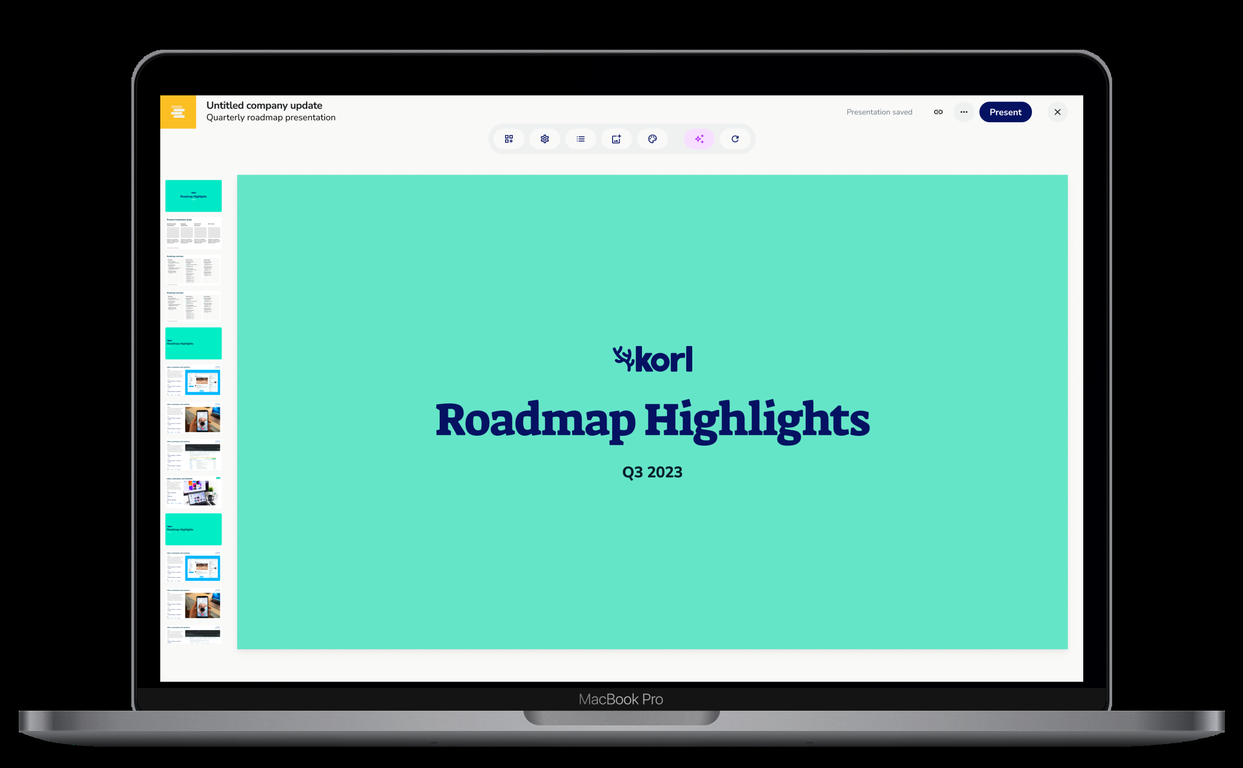
Korl is an AI-powered platform that helps CS and account teams connect their product’s capabilities to value for each customer.Leveraging purpose-built AI agents, Korl learns from a company’s existing data in tools like Jira, Docs, Figma, and Salesforce to build deep product and customer context.
Korl then proactively generates personalized presentations and messages for key customer interactions – such as Roadmap discussions, QBRs, and Renewal conversations – to ensure customer-facing teams surface unrealized value and maximize retention.
Key Features
- Ai-generated Presentations
- Per-customer Product Insights
- Customizable Templates
- Customizable Branding
- Auto-drafted External Messaging
- Jira Integration
- Salesforce Integration
- Figma Integration
- Google Docs Integration
- Export To Gslides, Ppt, Pdf
Show more
Releases
Get notified when a new version of Korl is released
Notify me
April 5, 2024
Berit Hoffmann
Initial release of Korl.
@berithoffmann
former product person turned entrepreneur. building korl to automate operational cadences with AI, starting with product communications
Stats
1 tool
Beginner
Joined: April 2024
Follow
Pricing
Pricing model
Free Trial
Paid options from
Free Trial
Billing frequency
Yearly
Save
🔗 Copy link
Use tool
Save
Reviews
5.0
Average from 1 rating.
1
0
0
0
0
Prompts & Results
Add your own prompts and outputs to help others understand how to use this AI.
Pros and Cons
Pros
JIRA integration
Google Drive integration
Figma integration
Efficient data summarization
Tailored product presentations
Multiple use-case adaptability
Customizable templates
Rapid stakeholder alignment
Automated content generation
Internal and external audience adaptation
Easy transition from spreadsheets
Collaborative functionality
View 7 more pros
Cons
Limited integration options
Lacks real-time collaboration
Limited customization options
No in-built data storage
Dependence on third-party tools
No offline access
No mobile app
Lacks versioning control
No API for integration
Lack of advanced analytics
View 5 more cons
Q&A
What is Korl?
Korl is a product management tool that utilizes artificial intelligence to integrate with various platforms like JIRA, Google Drive, and Figma, thereby creating comprehensive roadmap presentations and product updates. It focuses on collating and summarizing product roadmap data in a convenient and efficient manner. Its capabilities extend to the creation of auto-generated, customized product presentations designed for different audience types and use-cases.
How does Korl work with tools like JIRA, Google Drive, and Figma?
Korl has the ability to integrate with JIRA, Google Drive, and Figma by syncing data and auto-generating content regarding items on the roadmap. Through this integration, Korl maintains up-to-date information from these tools in real-time, which then automatically populates into the current presentations.
How does Korl auto-generate product presentations?
Korl auto-generates product presentations by leveraging the AI to pull the latest data from integrated platforms like JIRA, Google Drive, and Figma. When a presentation is created in Korl, it’s immediately populated with this latest data. This seamless automation results in up-to-date, tailored presentations which are ready to use in seconds.
Can Korl customize presentations for different audience types?
Yes, Korl is designed to customize presentations for different audience types by automatically generating tailored product presentations based on the type of audience and their use-case. It caters to both internal and external audiences and adjusts its contents based on the necessity, from status updates and product meeting reviews to sales pitches and customer meetings.
How does Korl help in the creation of roadmap presentations?
Korl aids in the creation of roadmap presentations by integrating with tools like JIRA, Google Drive, and Figma to gather and synthesize data. The AI technology auto-generates comprehensive and summarized roadmap presentations from the latest data. It also allows users to swiftly transition from spreadsheet data to fortified roadmap presentations and product updates.
Can I switch between templates in Korl?
Yes, Korl provides users with the flexibility to switch between various templates. The switch can be made with just a few clicks depending on the specific use-case and scenario of the presentation. This makes it easy for the users to select templates that are best-suited for their requirements.
+ Show 14 more
How can I customize contents in Korl?
In Korl, you can customize contents easily using the AI interface which allows changes to be made with just a few clicks. The customization can be carried out based on the type of audience and use-case scenario, allowing users to create content that matches their specific needs.
Can I use my own data on Korl during the trial period?
Yes, during the trial period, Korl allows you to use your own data. This lets you explore the full capabilities of Korl using relevant information, granting you a comprehensive understanding of how it would function in a live setting.
Does Korl support real-time updates in its presentations?
Yes, Korl does support real-time updates in its presentations. By integrating with platforms like JIRA, Google Drive, and Figma, Korl is able to sync the latest data and auto-generate content in real-time, which ensures that the presentations are always updated with the most recent information.
How does Korl help in stakeholder alignment?
Korl aids in stakeholder alignment by offering a platform for concise and structured information sharing through its roadmap presentations. It helps align stakeholders on what's being built quickly and sensibly, thereby speeding up decision making and boosting collaboration.
How does Korl transition from spreadsheet data to roadmap presentations?
Korl transitions from spreadsheet data to roadmap presentations by integrating with tools such as JIRA, Google Drive, and Figma. It uses AI technology to auto-generate content and create comprehensive roadmap presentations and product updates from spreadsheet data in a speedy and sensible manner.
What kind of presentations can I create with Korl?
With Korl, you can create a variety of presentations tailored to each specific audience. This includes internal roadmaps for entire teams, external roadmaps for clients or customers, release reviews for monthly product meetings, and status updates for roadmap check-ins. These presentations are auto-populated with the latest data from integrated digital tools and enhanced using Korl's AI technology.
Can I integrate my Google Drive with Korl?
Yes, Korl supports integration with Google Drive. This allows the tool to sync relevant data from the files stored on Google Drive, auto-generate content related to items on the roadmap, and populate this information into the presentations, keeping them up-to-date.
Does Korl offer templates for different use-cases?
Yes, Korl offers a variety of templates for different use-cases. These templates are designed to cater to different audiences and scenario types – from status updates and product meeting reviews to sales pitches and customer meetings. Users have the flexibility to switch between these templates and customize the content as needed.
Is Korl AI used in enhancing the data in presentations?
Yes, Korl uses AI to enhance the data in presentations. This AI integration informs the auto-generation of content and ensures that the latest data from other platforms is integrated into the presentations. The AI aids in keeping the material current, relevant, and tailored to the specified audience.
What does Korl offer for customer-facing roadmap presentations?
For customer-facing roadmap presentations, Korl offers easy creation of presentations that are auto-populated with latest data and enhanced by their AI. Users are allowed to switch between templates and customize contents with just some clicks.
How does Korl help in the summarization of product roadmap data?
Korl helps in the summarization of product roadmap data by using its AI technology to integrate with external tools, collect and analyze relevant data, and condense it into a comprehensive roadmap presentation. The summarization process is automatic and designed to create a clear, easy-to-understand presentation for any given audience type.
What are the steps to start a trial on Korl?
The steps to start a trial on Korl are straightforward. On their website, they offer the option for you to 'Try for Free'. Once you click this button, you would be able to start your trial period which lasts for 2 weeks.
How does the monthly product meeting status update work on Korl?
The process for a monthly product meeting status update on Korl involves the creation of a 'release review' type presentation. The AI technology in Korl pulls the latest data related to the product from integrated platforms and auto-populates this data into the presentation. This provides a simple and efficient way to show updates on the product's roadmap.
Can Korl sync data and auto-generate content about items on the roadmap?
Yes, Korl can sync data and auto-generate content about items on the roadmap by integrating with tools such as JIRA, Google Drive, and Figma. With this integration, Korl is able to create automatically populated, detailed and tailored product presentations, keeping stakeholders updated with the latest data and progress.
Ask a question
Submit
#3201
9


How would you rate Korl?
Help other people by letting them know if this AI was useful.