 KiloClaw - Managed 🦀
  Mini tools
Linked Helper
 The Safest and Most Powerful LinkedIn Automation Tool.

Go to 💼 Business
📢
Marketing
(2281)
🔍
Industries
(974)
💾
Data
(877)
💼
Sales
(713)
💰
Finance
(387)
👔
Management
(311)
💡
Startups
(300)
⚖️
Legal
(256)
👔
HR
(236)
📈
Business strategy
(203)
📅
Meetings
(126)
📊
Product management
(114)
🔒
Security
(80)
📞
Calls
(42)
💻
Tech support
(37)
🤝
Networking
(36)
💻
Virtual employees
(24)
🤖
Enterprise
(15)
🚀
Business innovation
(13)
 Younet
 CleeAI
 Avataar's GenAI Creator
 Activepieces
 BigTeam
 Olivya
 Abstra
 Pipefy
 DoubleO
 Sreda.ai
 AI Agents
 Neferdata
 Quixl
Quixl
 Cubeo
Cubeo
 Sema4.ai
 Ridvay
 Cognition by Mindcorp
 Tray.io
 UiPath
 Mr David
Younet
150,077
CleeAI
14,409
Avataar's GenAI Creator
4,696
Activepieces
4,552
BigTeam
3,396
Olivya
3,359
Abstra
2,891
Pipefy
2,790
DoubleO
2,788
Sreda.ai
2,702
AI Agents
2,629
Neferdata
2,441
Quixl
2,006
Cubeo
1,914
Sema4.ai
1,764
Ridvay
1,453
Cognition by Mindcorp
1,182
Tray.io
929
UiPath
561
Mr David
555
Go to 📢 Marketing
📣
Marketing channels
(1571)
🔥
Branding
(243)
🎥
Presentations
(109)
🤝
Public relations
(61)
🎯
Marketing strategies
(52)
📢
Marketing content
(49)
📑
Landing pages
(41)
🔍
QR codes
(33)
📣
Marketing campaigns
(18)
🌱
Business growth
(14)
📊
Marketing analysis
(9)
📊
Marketing optimization
(9)
📈
Marketing assistance
(8)
 Averi AI
 Digibate
 The AI CMO
 DFIRST AI
 BrandJet AI
 Beno One
 BlueAlpha
 Markifact
 Layers
 ActiveCampaign
 mavic.ai
 Octo
Octo
 Swipe Insight
 BOSCO
BOSCO
 Planist
 Zenie
Zenie
 InstantPersonas
 LiftKit
 Sleek
Sleek
 Social Hub.AI
Averi AI
65,528
Digibate
39,594
The AI CMO
17,373
DFIRST AI
16,481
BrandJet AI
13,492
Beno One
11,793
BlueAlpha
7,791
Markifact
7,599
Layers
7,541
ActiveCampaign
5,801
mavic.ai
4,958
Octo
4,956
Swipe Insight
4,145
BOSCO
3,621
Planist
2,891
Zenie
2,488
InstantPersonas
2,274
LiftKit
2,091
Sleek
2,029
Social Hub.AI
1,994
Go to 📱 Social media
📝
Content
(503)
🧠
Social media platforms
(250)
👥
Influencer marketing
(26)
📱
Social media engagement
(25)
📷
Social media captions
(17)
📊
Social media analysis
(7)
📝
Social media bios
(4)
📱
Social media strategies
(4)
🤖
Twitch
(3)
📈
Social media growth
(2)
 Postiz
 Tufa
Tufa
 Statuz
 Contents Pilot
 Prismix
 Infinite∞Creator
 FlickBloom
 Sydium
 SocialEcho
 FameFlame
 Followr
 Quuu
Quuu
 SocialBu
 Planable
 SocialPost
 Munch Studio
 AI Marketer for LinkedIn
 BrandSocial
 Robopost AI
 Social Curator
Postiz
44,656
Tufa
33,180
Statuz
27,103
Contents Pilot
26,166
Prismix
23,201
Infinite∞Creator
20,672
FlickBloom
15,825
Sydium
13,193
SocialEcho
12,741
FameFlame
12,535
Followr
10,386
Quuu
10,144
SocialBu
7,405
Planable
6,670
SocialPost
5,337
Munch Studio
4,259
AI Marketer for LinkedIn
4,187
BrandSocial
2,338
Robopost AI
2,313
Social Curator
2,093
Go to 📰 LinkedIn
📬
LinkedIn outreach
(12)
🔧
LinkedIn profile optimization
(10)
🎠
LinkedIn carousels
(5)
💼
LinkedIn messages
(4)
👔
LinkedIn engagement
(4)
📸
Linkedin banners
(3)
💬
Linkedin comments
(3)
🤖
Linkedin automation
(2)
📊
Linkedin content optimization
(2)
📧
LinkedIn emails
(2)
🚀
Linkedin growth
(2)
📊
Linkedin post optimization
(2)
📰
Linkedin article sharing
(1)
👍
Linkedin engagements
(1)
📰
Linkedin headlines
(1)
📸
Linkedin images
(1)
👍
LinkedIn post reactions
(1)
🔍
Linkedin prospecting
(1)
🤝
Linkedin support
(1)
 2PR
2PR
 Postline.ai
 Taplio
 Cclarity
 MagicPost
 Typoro
 ReachifyMe
 Lyter
Lyter
 RedactAI
 Cli3nts
 Social Magic
 Bluecast
 ContentIn
 Postfluencer
 Buzzli
 SocialSense
 Teract LinkedIn AI Extension
 Yooz AI
 Accento AI
 LinkedIn Post Generator AI
2PR
44,483
Postline.ai
39,404
Taplio
31,636
Cclarity
26,349
MagicPost
19,698
Typoro
13,776
ReachifyMe
11,538
Lyter
10,319
RedactAI
8,643
Cli3nts
6,406
Social Magic
6,378
Bluecast
6,107
ContentIn
5,050
Postfluencer
4,941
Buzzli
3,261
SocialSense
3,141
Teract LinkedIn AI Extension
2,931
Yooz AI
2,289
Accento AI
2,187
LinkedIn Post Generator AI
2,124

Linked Helper
Inputs:
Outputs:
Local
API
The Safest and Most Powerful LinkedIn Automation Tool.
Overview



Overview
Socials:


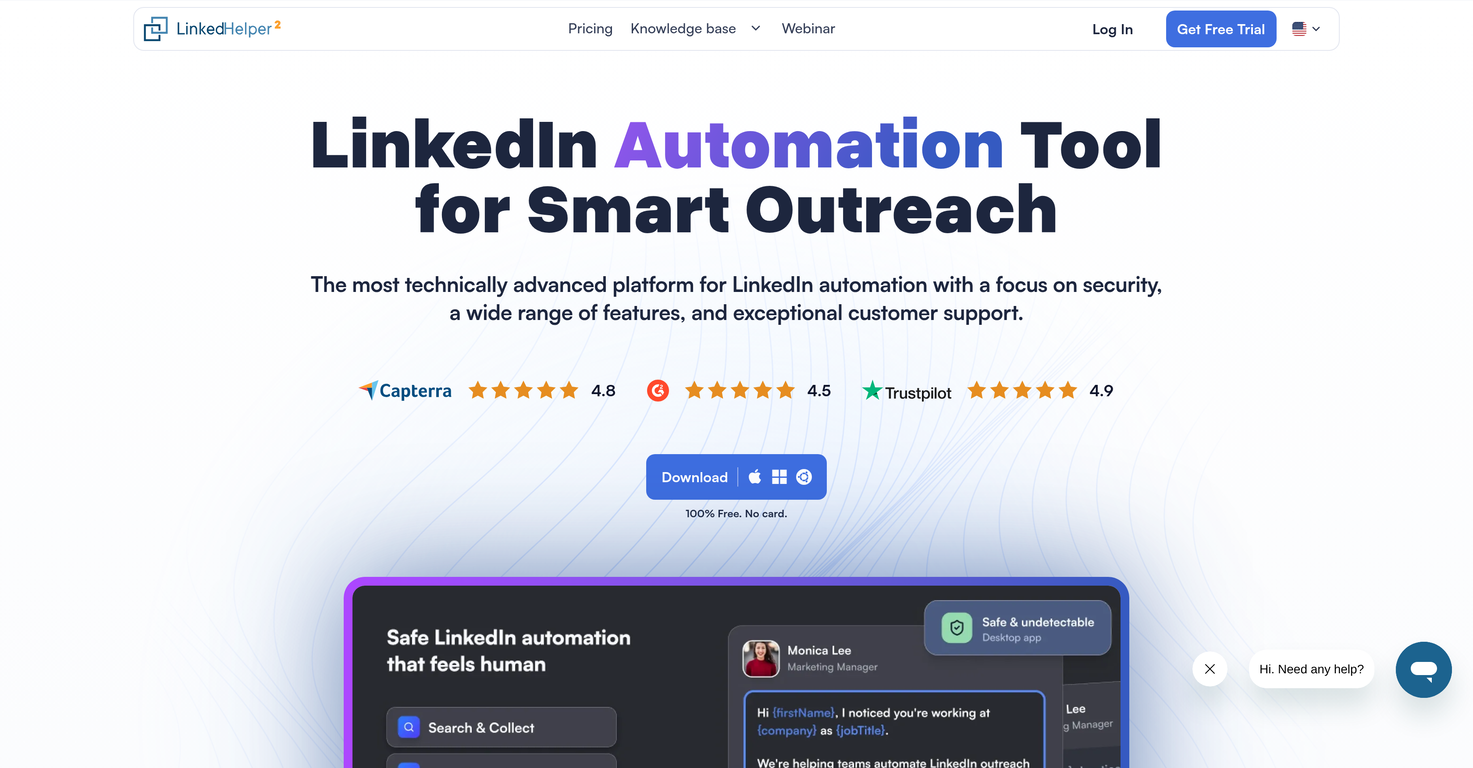
Trusted by over 500,000 users with nearly 10 years of market leadership, Linked Helper is the most advanced and secure desktop-based solution for LinkedIn lead generation. Backed by hundreds of 5-star reviews on Trustpilot, G2, and Capterra, our platform provides a reliable, professional-grade environment for sales teams, recruiters, and agencies to scale their outreach without risking their accounts.
Linked Helper is a standalone desktop application that transforms LinkedIn into a high-performance sales engine. Unlike risky browser extensions that inject code into the LinkedIn page, Linked Helper operates as a dedicated browser, making it virtually undetectable to LinkedIn’s security systems.
The platform empowers users to build sophisticated, multi-step "drip campaigns" with conditional logic, automating everything from data scraping and profile exporting to skill endorsements and personalized connection requests. With its advanced AI-integration for message templates, users can generate natural, context-aware outreach at scale. To ensure a seamless workflow, Linked Helper offers native integrations with leading CRMs like HubSpot, Pipedrive, and Close, as well as flexible Webhooks for Zapier and Make.
From discovery to data sync, Linked Helper provides a unified automation experience for LinkedIn Basic, Sales Navigator, and Recruiter users. It streamlines the end-to-end funnel and protects your professional reputation with 'Reply Detection,' a feature that keeps automated conversations sounding natural and personal.
Key Features
- Ai-integration For Message Templates
Show more
Releases
Get notified when a new version of Linked Helper is released
Notify me
March 31, 2026

Anastasiia
Initial release of Linked Helper.
Author

Follow
Pricing
Pricing model
Free Trial
Paid options from
$8.25/month
Billing frequency
Monthly
Free trial duration
14 days
Top alternatives


 0
0






How would you rate Linked Helper?
Help other people by letting them know if this AI was useful.